Guild icon
Quill OS
[Archive] Development / porting / Sony PRS-T1

Avatar
Maybe?
12:24 AM
@NonaSuomy can you get a sample boot log from serial?
Avatar
How do you want to get Linux run on it?
Avatar
I don't know
Avatar
Without a datasheet you can do nothing
6:52 AM
Maybe android sources could provide some info but i dont think so
Avatar
There are not available propably
7:04 AM
So thats it
Avatar
I will try
10:06 AM
Trying to get it to charge first
10:07 AM
It may have efuses or something where you can’t downgrade it I may not be remembering correctly
10:09 AM
I remember trying to go back a firmware version as it wouldn’t boot with the usb plugged in.
Avatar
So its damaged?
Avatar
No it was a reported firmware bug
Avatar
Is there a sdcard?
Avatar
Avatar
Szybet
Is there a sdcard?
This, please
Avatar
Seems you can use the SD card on the side and just divert initramfs from the emmc to the sd card slot.
2:16 PM
PRS-T1 PRS-T1 run from SD card / UART recovery from broken internal flash Sony Reader Dev Corner
2:16 PM
2:17 PM
2:18 PM
sd slot on the right there
2:19 PM
Sync cable and Screen Protector for Zire 72 Handhelds and Smartphones
Avatar
Ok, nice, it would be really great if you got serial to work
Avatar
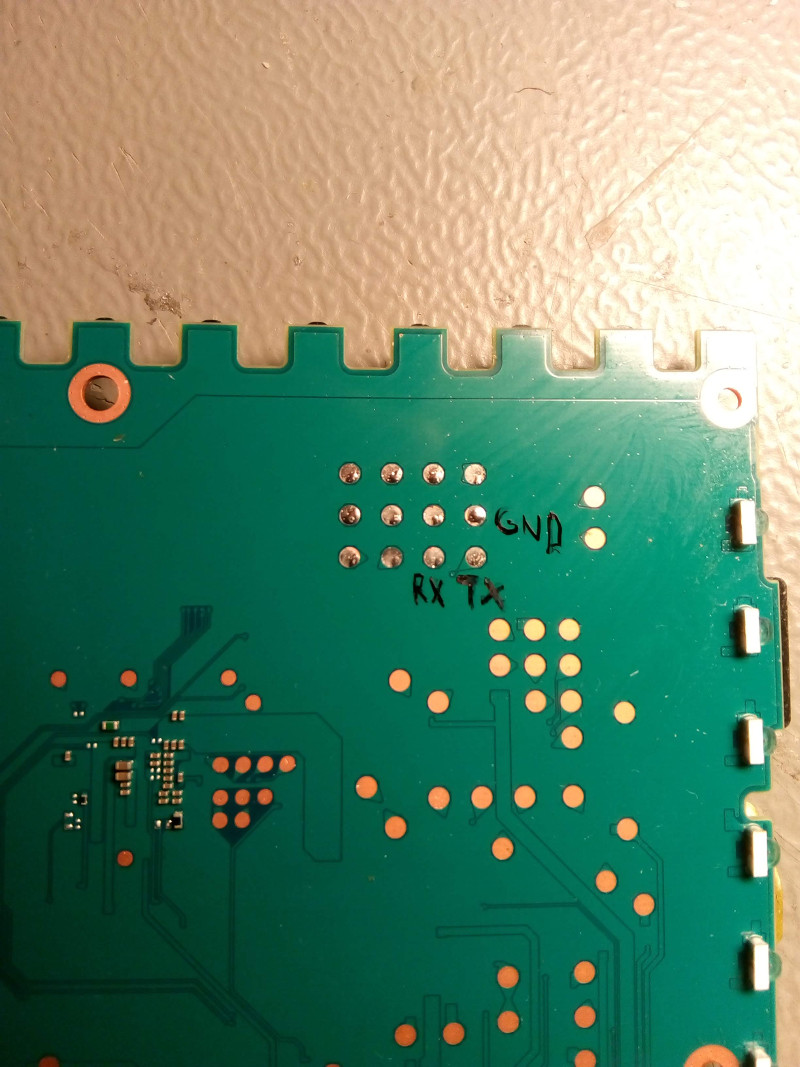
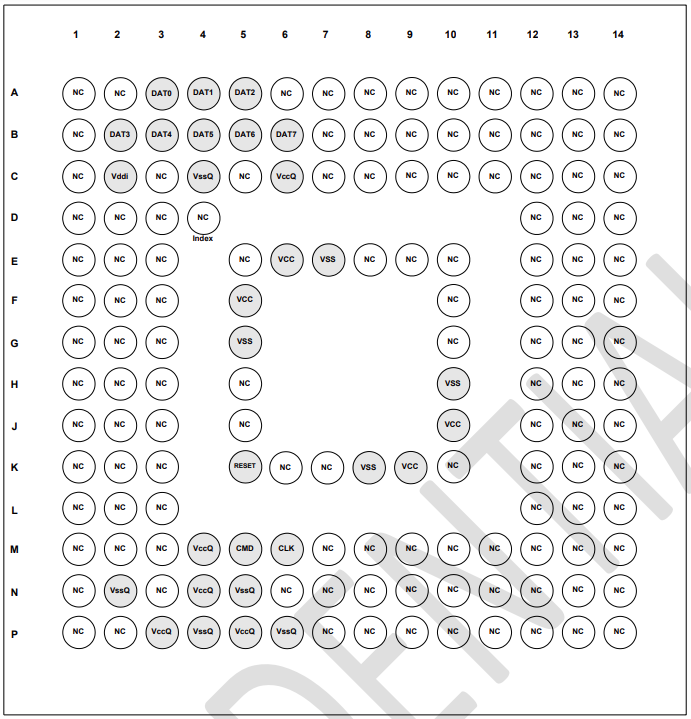
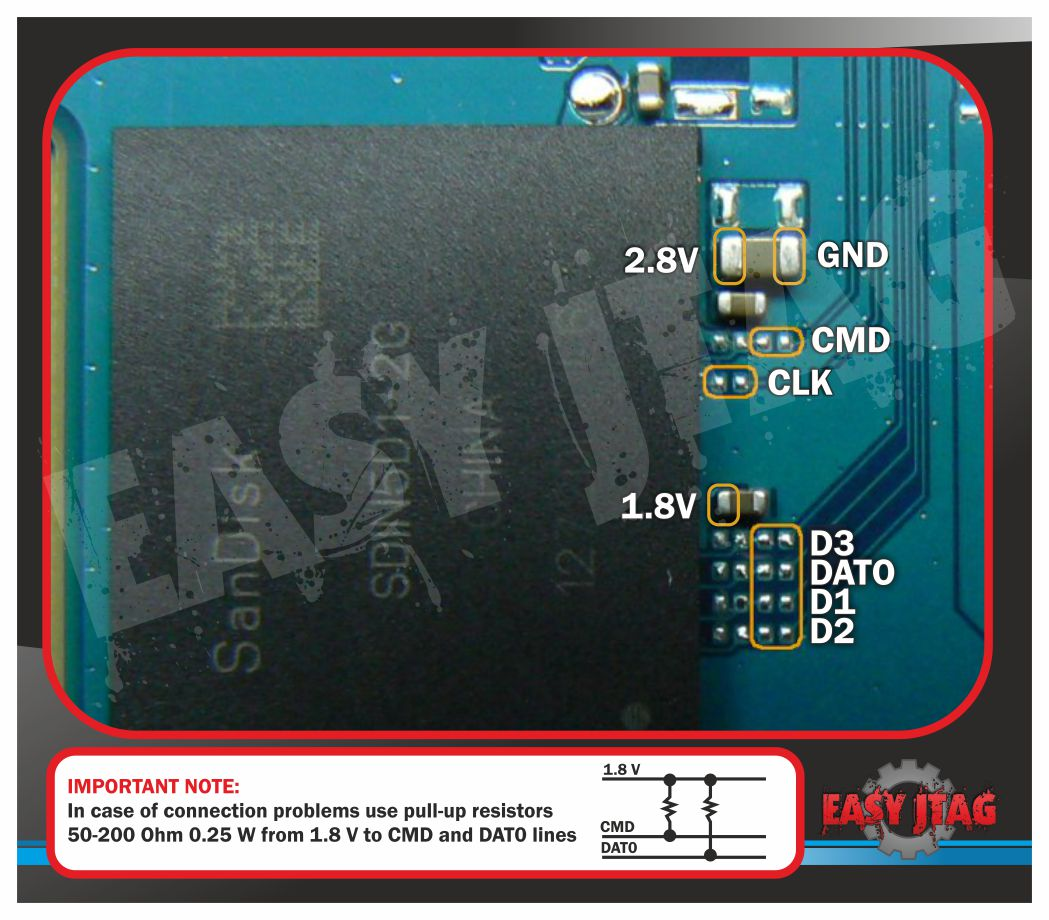
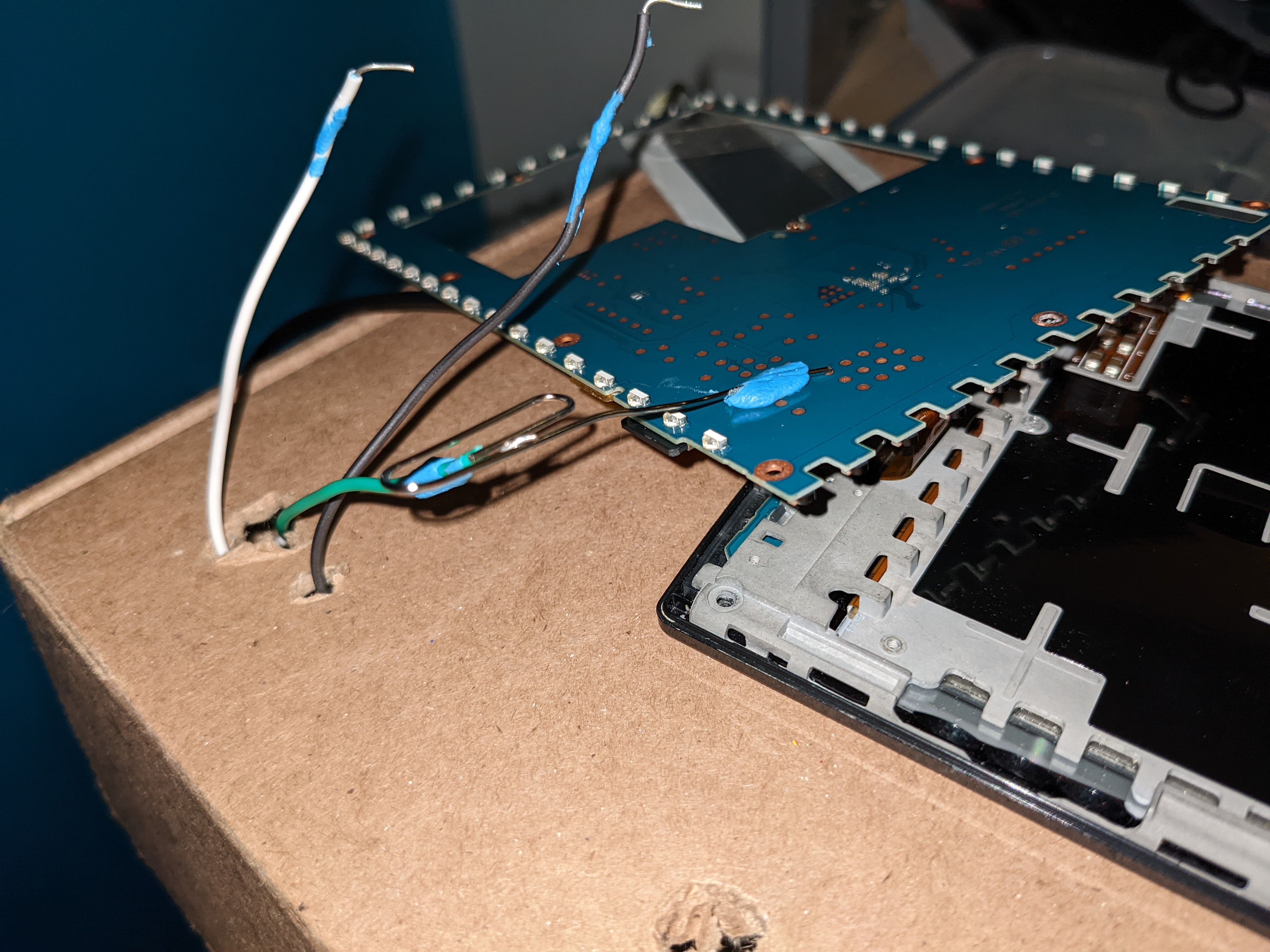
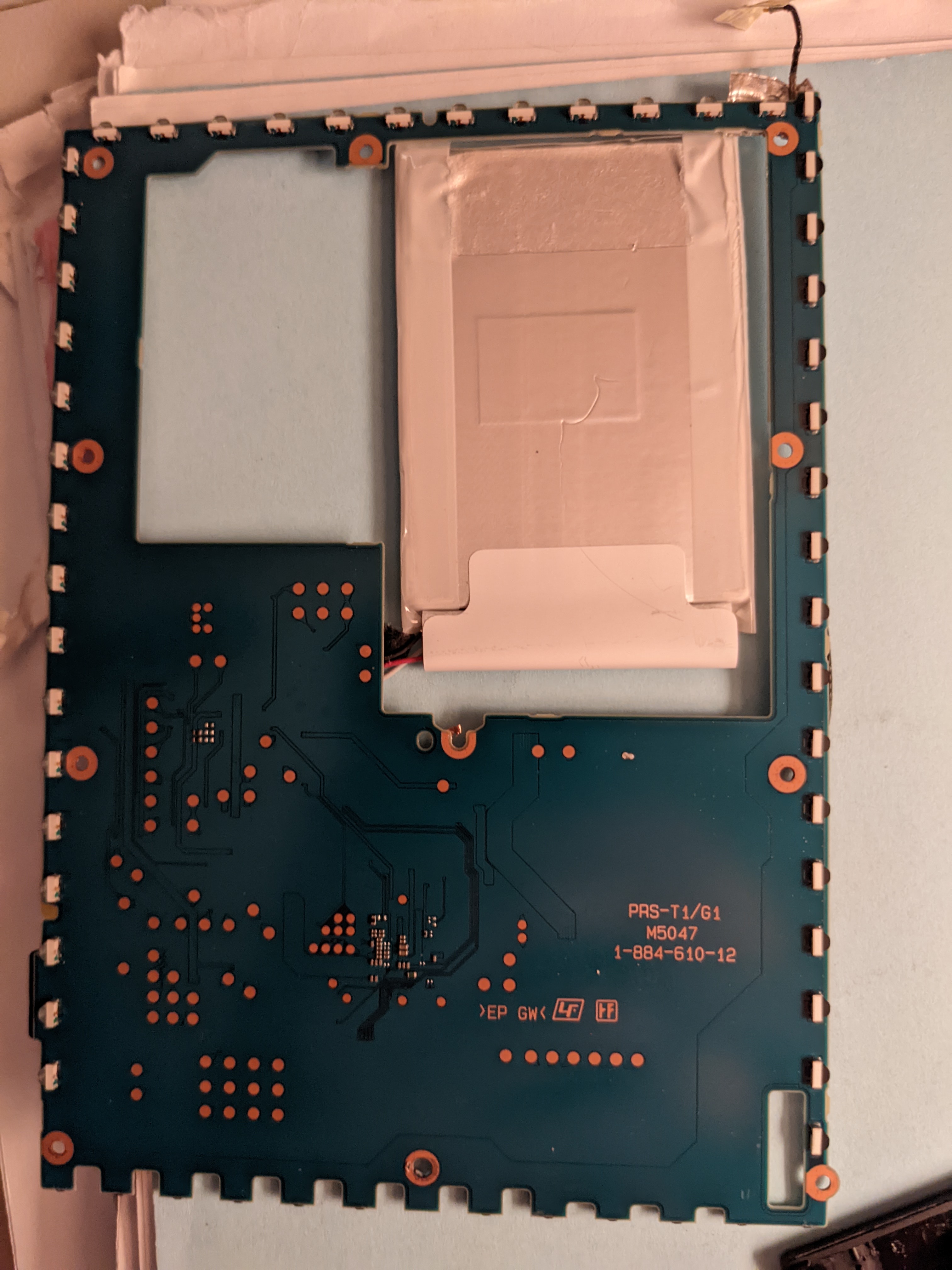
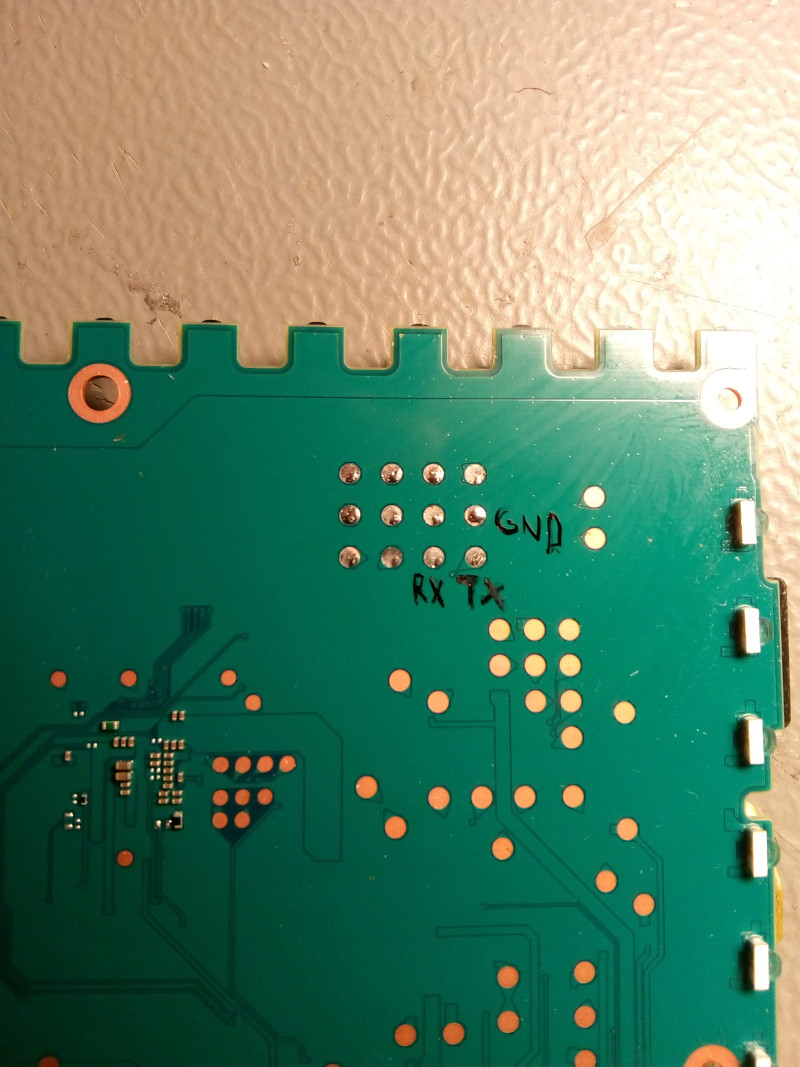
Only issue about the serial connector it seems like it's on the back side of the board hope there is a front side to them as well
Avatar
it isin't really
Avatar
the screen on it seems a lot more crisp and blanks faster
Avatar
you need to dissasemble it completly
Avatar
Avatar
NonaSuomy
the screen on it seems a lot more crisp and blanks faster
you mean?
Avatar
Avatar
Szybet
you need to dissasemble it completly
That's fine and all just annoying as the battery is soldered in and glued to the case.
Avatar
Tiny ribbon cables suck as well easy to rip
Avatar
be carefull with those flex cables and antena connector
3:46 PM
and while dessoldering be carefull to not start a fire
Avatar
"This product includes Iwata Mincho Font designed by IWATA Corporation"
3:59 PM
Avatar
OH NICE
3:59 PM
so there is hope now
4:01 PM
4:02 PM
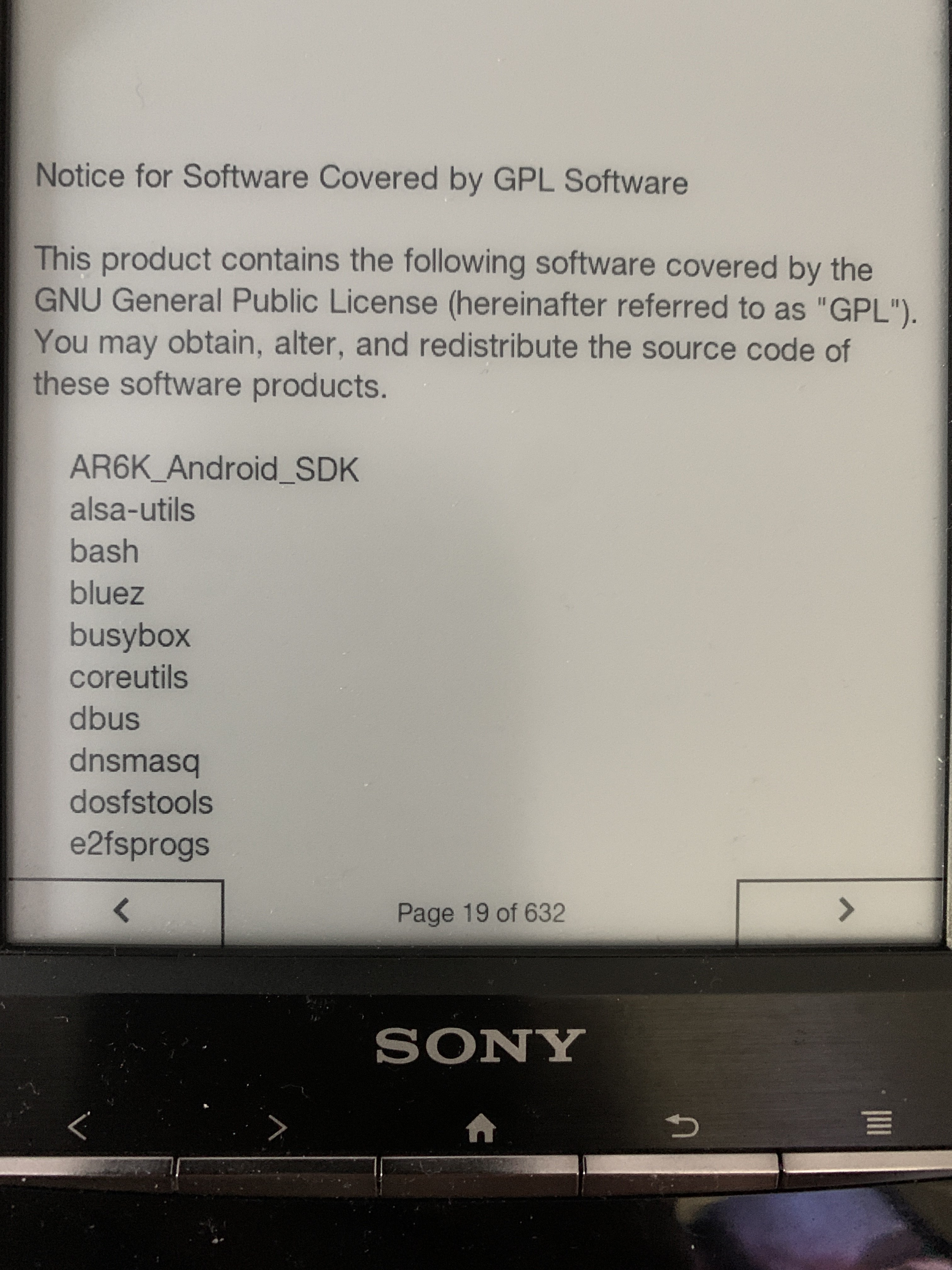
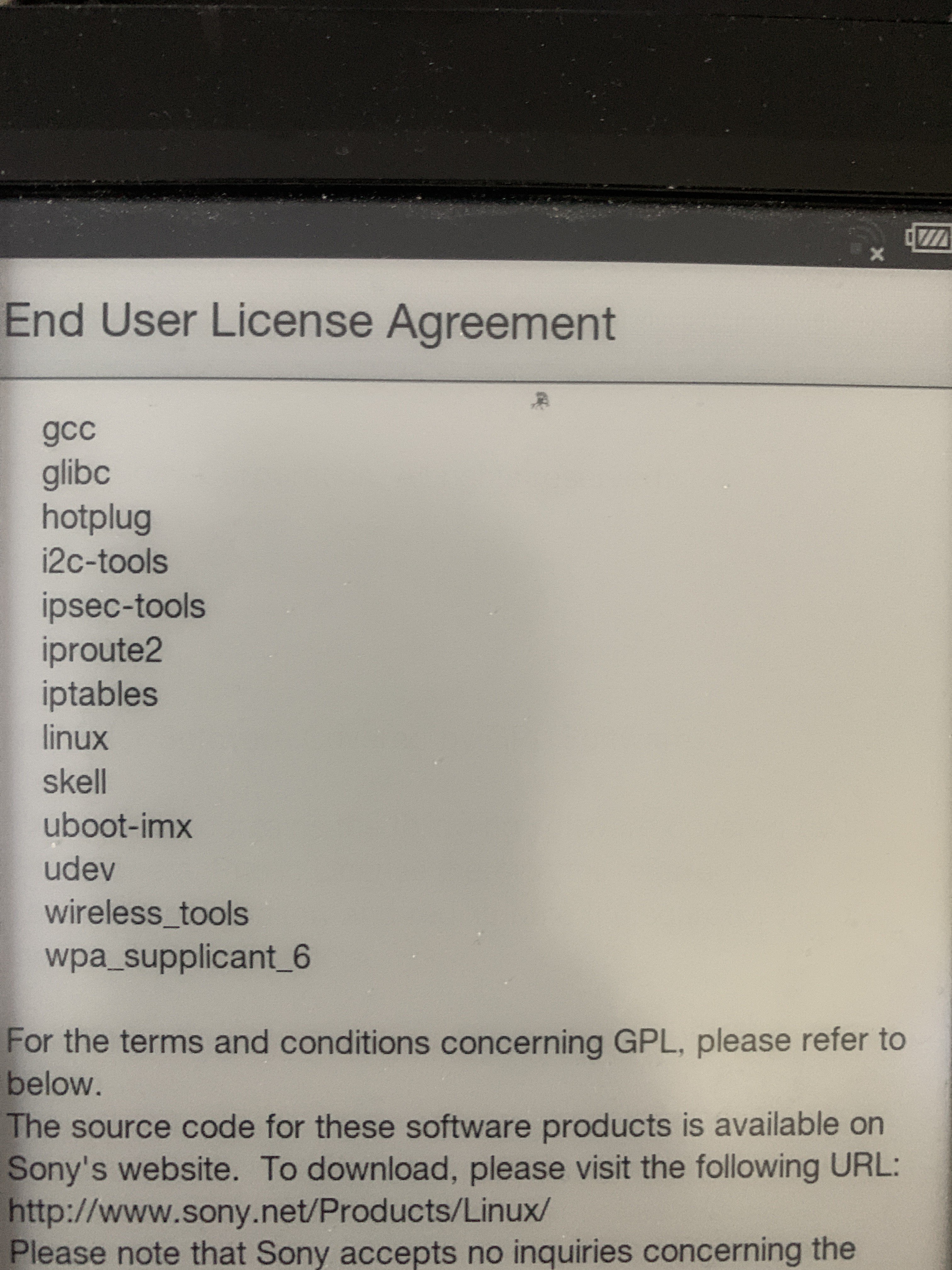
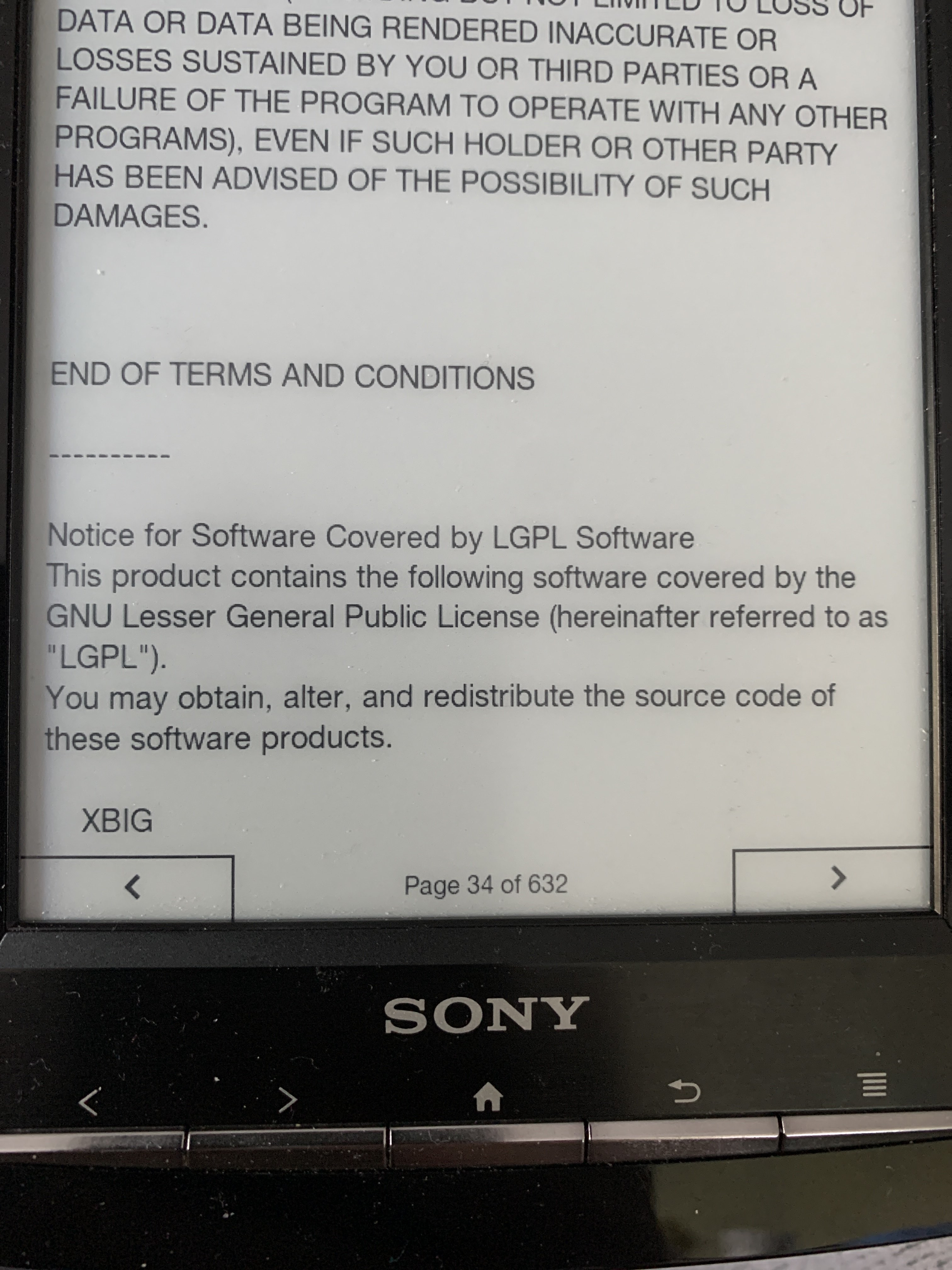
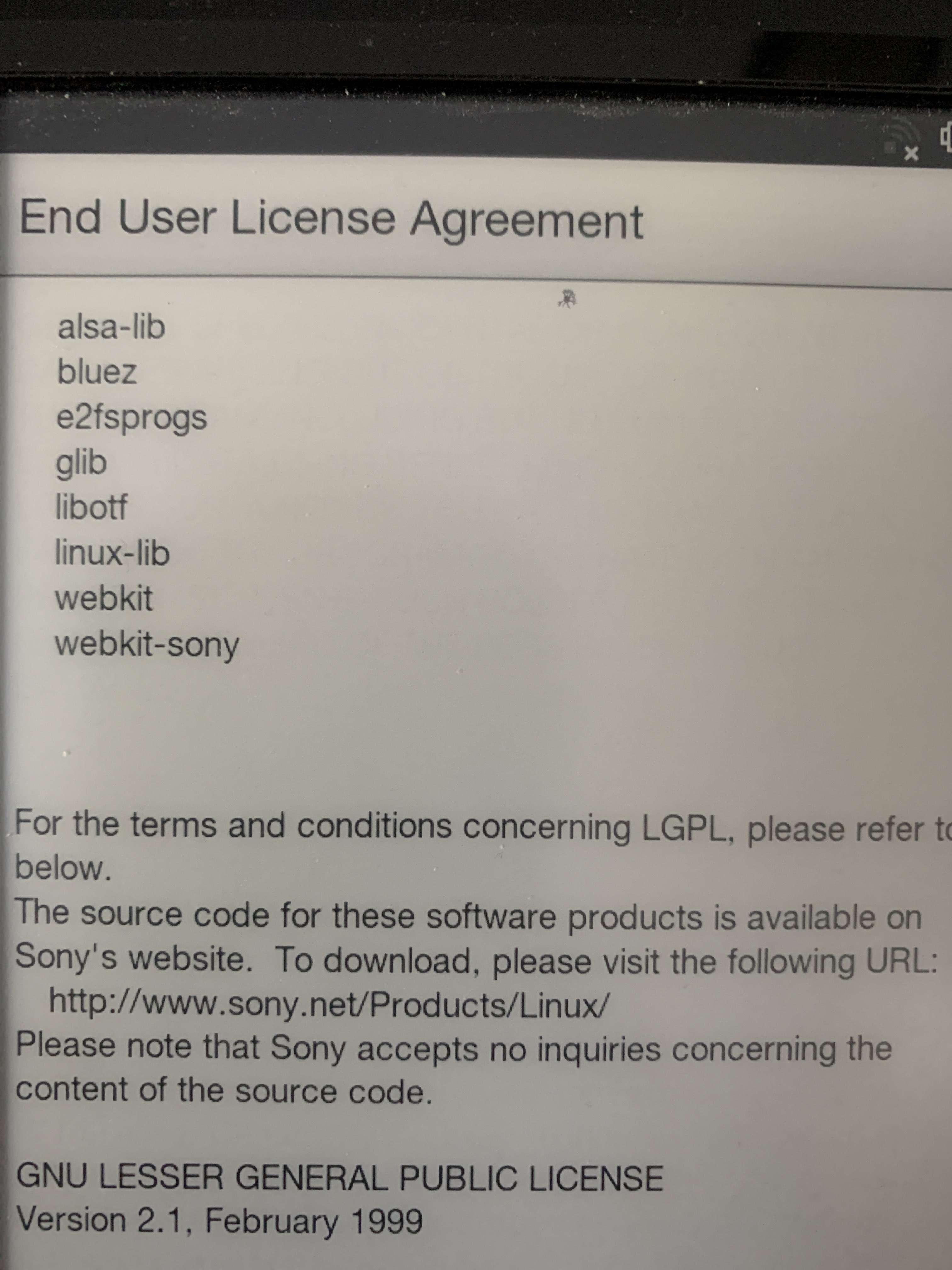
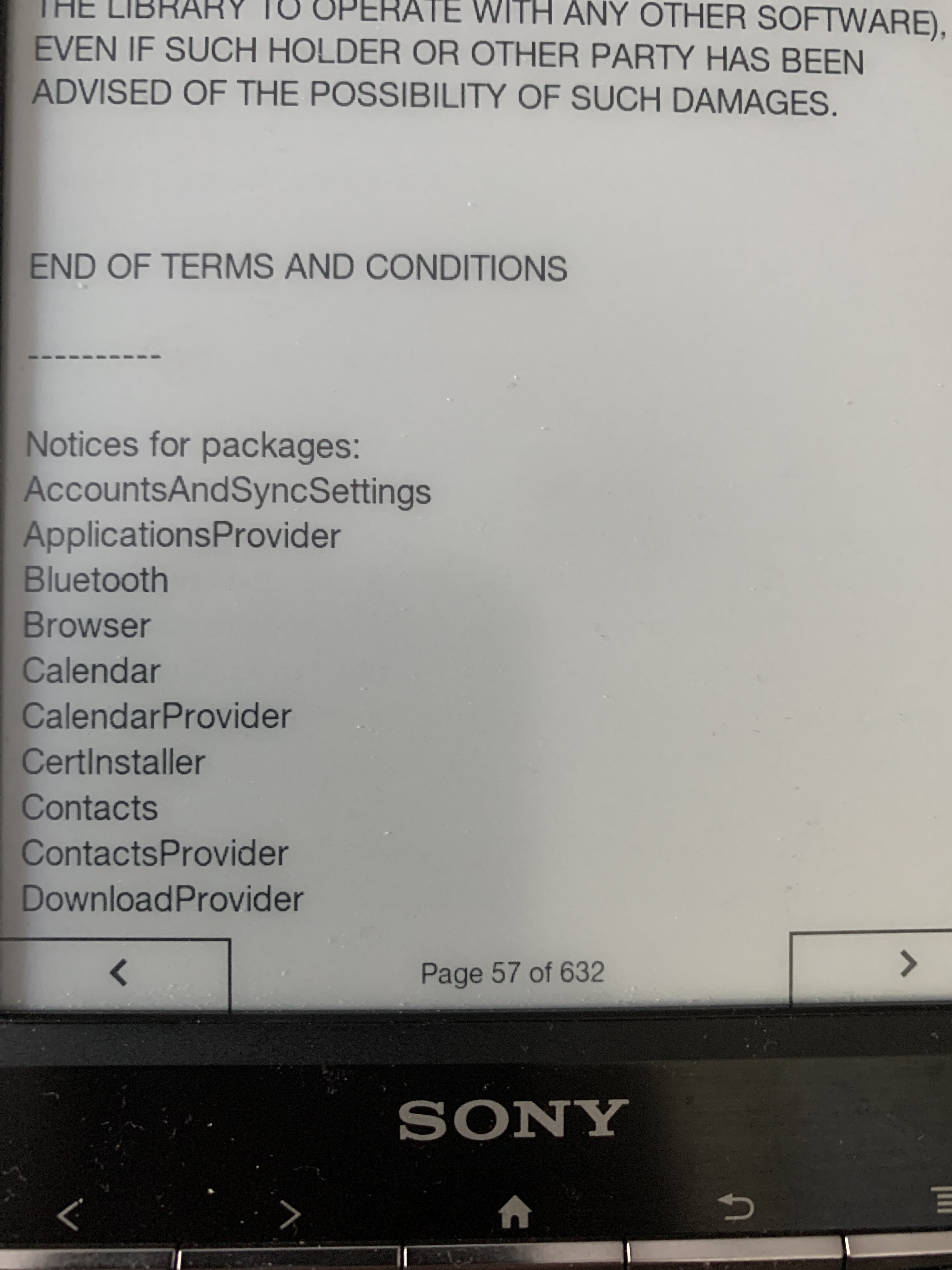
Inkbox needs a 632 page Eula
4:04 PM
4:05 PM
4:05 PM
4:06 PM
4:28 PM
You can see how smooth and fast the blanking is
4:31 PM
also very clean no ghosting
Avatar
1. its propably better hardware? 2. inkbox is in early stage of developement 3. some engineers will make a better job than some students, without the datasheets etc (edited)
Avatar
Oh I'm just comparing with the Kobo in general not saying anything about InkBox
Avatar
sony has a soldered in battery ;p
😂 1
Avatar
same CPU though
4:37 PM
not sure what it uses for the eink driver
Avatar
Avatar
NonaSuomy
Click to see attachment 🖼️
Very good
Avatar
Avatar
NonaSuomy
Inkbox needs a 632 page Eula
Yay
😅 1
Avatar
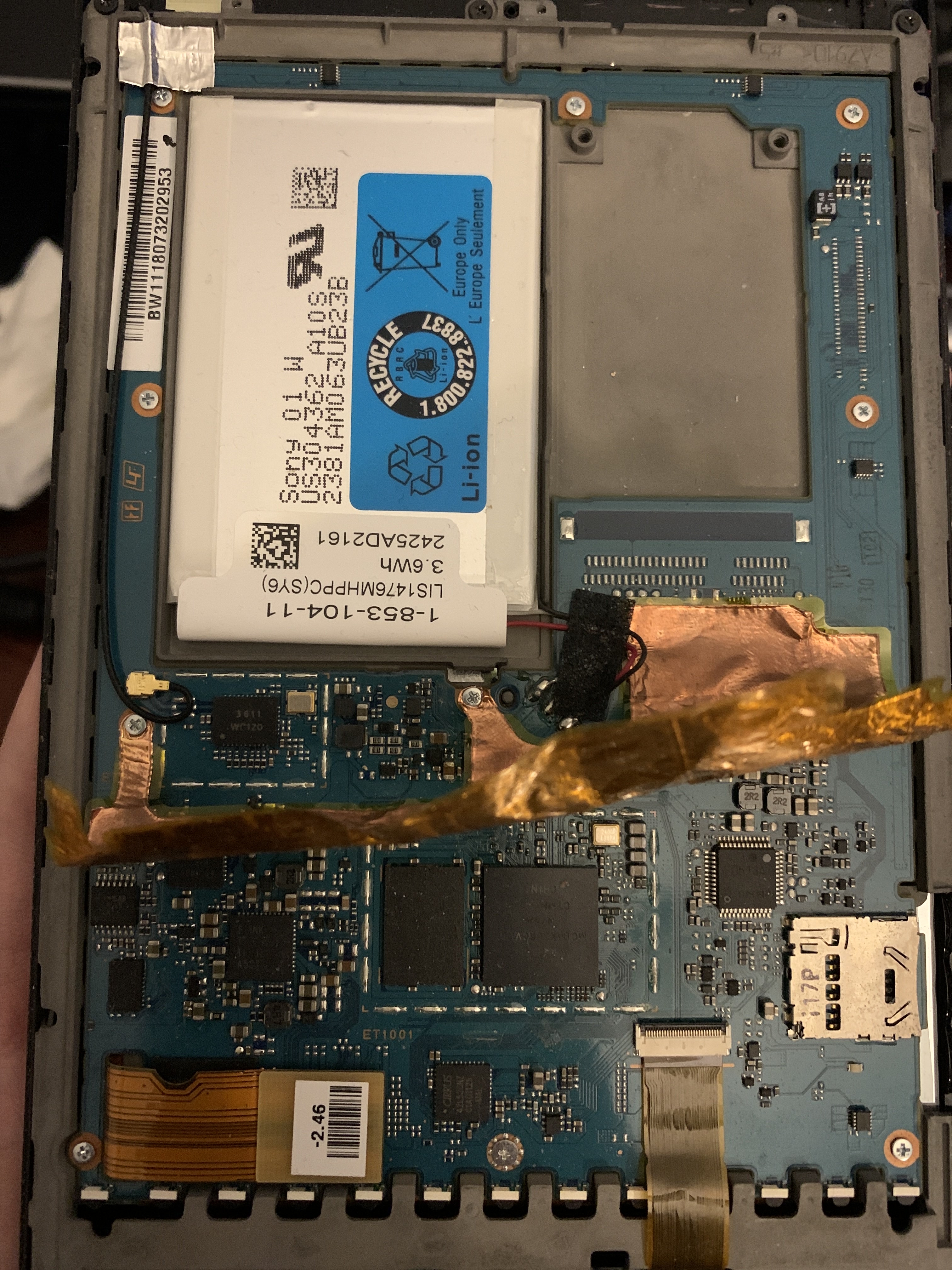
The rf shielding sticker ripped some of the labels off
Avatar
I should get it somehow
4:39 PM
It seems a really nice device
Avatar
Avatar
tux-linux
I should get it somehow
reverse engineering the android sources to get linux kernel to work?
Avatar
Maybe trying Touch B kernel could somehow work
4:43 PM
At least partly
Avatar
is there waveform too?
4:43 PM
on this device
Avatar
Sure It is needed
Avatar
wm8321g
8:58 PM
Avatar
nice
Avatar
sketchy taking that out there was a piece of double sided tape right along that thin pcb part 😐
👍 1
Avatar
which baud rate would you guess?
9:35 PM
tried 9600
Avatar
115200
9:36 PM
It's pretty common on embedded devices
Avatar
nop 😦
Avatar
are you seeing any 'noise' on the terminal?
Avatar
yeah
Avatar
PRS-T1 PRS-T1 run from SD card / UART recovery from broken internal flash Sony Reader Dev Corner
9:41 PM
Are you grounded correctly?
Avatar
some times they use diff bauds for boot and terminals
9:42 PM
yes
9:45 PM
sony are a bunch of non conformists so I'm sure its something rando
Avatar
maybe
9:45 PM
try 38400
Avatar
when I'm not grounded I get nothing
Avatar
But I don't think it covers UART
Avatar
nope
9:56 PM
seems you can just dump serial over usb without doing this
9:57 PM
but I'll keep trying for now
9:57 PM
maybe it's just dumping random binary garbage to the port
Avatar
Maybe
Avatar
▒|D▒"!▒ ▒@ ▒▒▒▒▒ ▒▒▒F▒0▒▒ ▒▒"x▒▒▒ ▒@@▒▒▒▒8▒▒ ▒▒ <▒ ▒▒!@▒p▒▒@( @@▒▒▒▒▒▒▒@▒@ @(▒▒▒▒▒▒▒P`▒(▒@ 0! @@ ▒
9:58 PM
some ascii art for you
Avatar
19200 or 57600 try this (edited)
Avatar
I call it the sony city scape.
Avatar
hehe
Avatar
Avatar
tux-linux
19200 or 57600 try this (edited)
yes no love
9:58 PM
may try lower now
Avatar
quite strange
9:59 PM
did you solder them?
Avatar
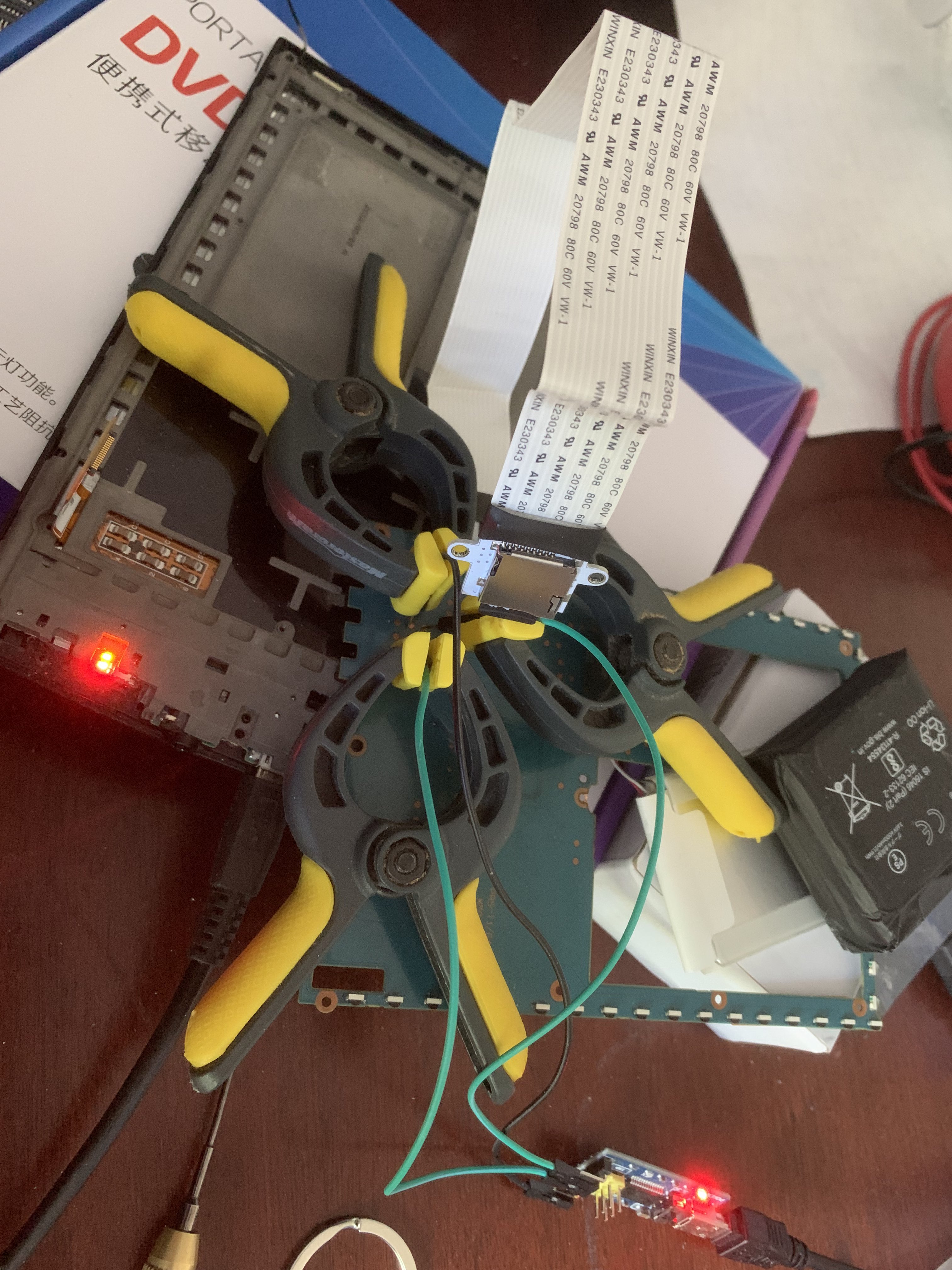
no just holding them on the pads as there is 0.0000000001mm clearance between the board and the case
10:00 PM
I never solder anything myself but maybe it's something to try here
Avatar
Don't think it would matter in general if I put an solder on the pads when I go to put it back together it will touch the casted frame then I would have to clean it off and probably pull the traces off the board or something fun
👍 1
10:03 PM
pretty sure it's baud related or maybe this rx he lists is actually tx
Avatar
try swapping them
Avatar
seems to be dumping on both just tried 115200
10:07 PM
you would think rx would be silent
Avatar
that's really strange
Avatar
does it output garbage even when it's powered off?
11:41 PM
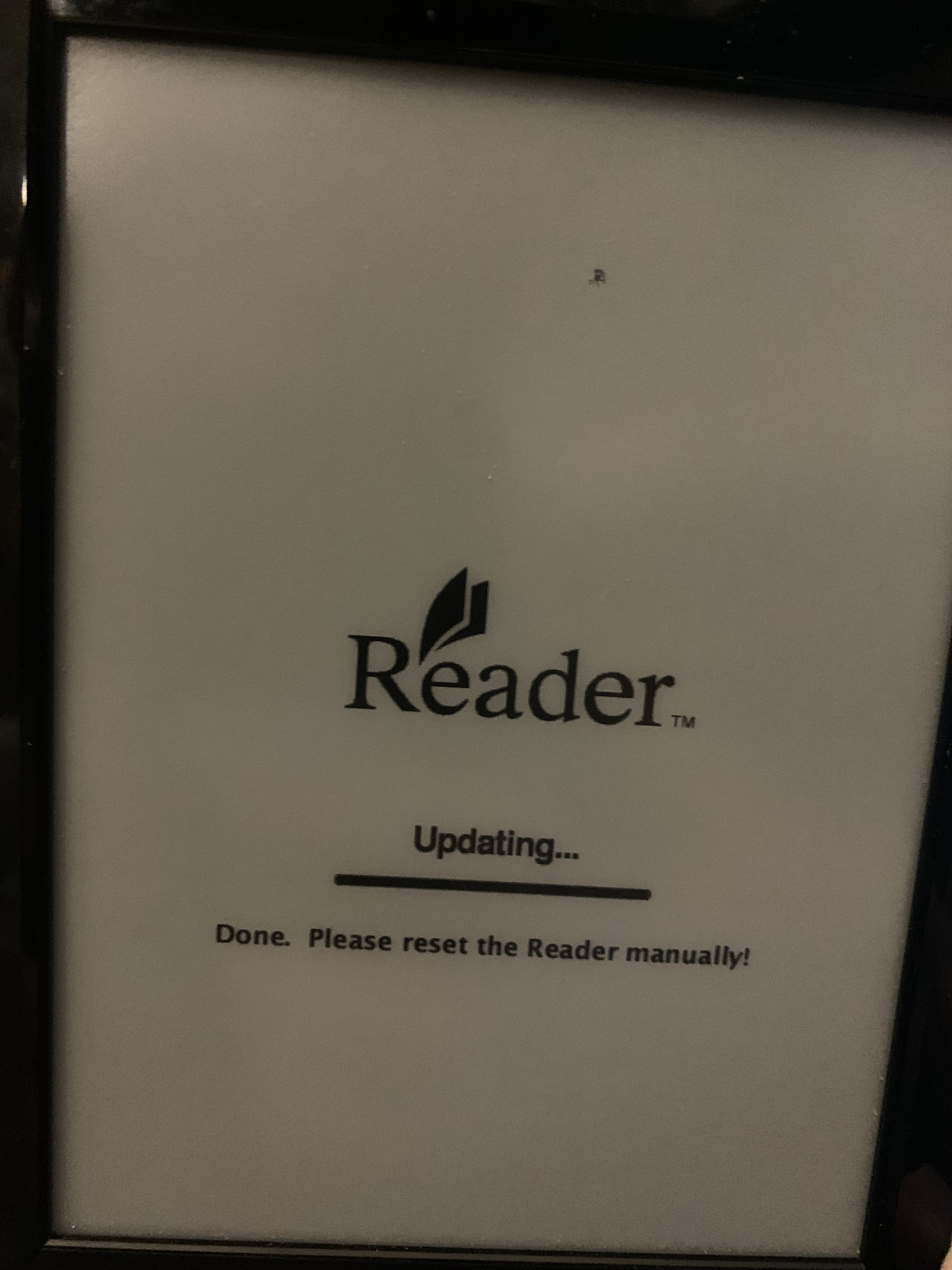
I put the rupor-rescue folder OS Firmware on the root of the SD card then hold the home and menu then reset the pin then it flashes the yellow light but then reboots if you have the USB plug in.
11:42 PM
It got updated to the latest firmware and then attempted to put back to the older firmware which causes the USB Lock on boot and No Wifi
11:42 PM
If you leave the USB cable out it boots fine.
11:42 PM
just no wifi
11:43 PM
11:44 PM
If the device sees that it is on a higher version than the update files it won't update.
11:46 PM
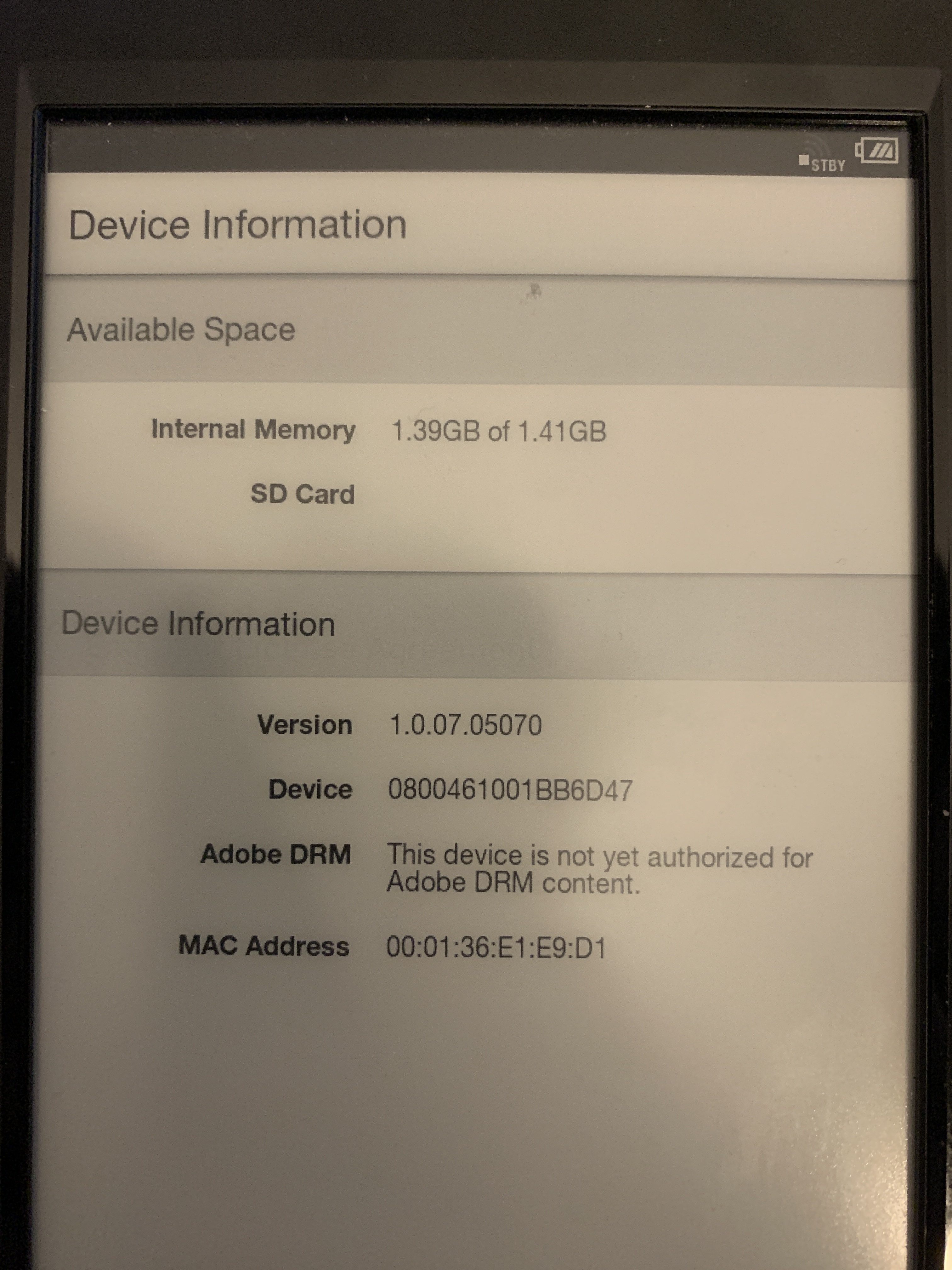
There's a trick to it where you can put the older version back but it still reports the newer version number. I think I got to this part but could never get it to show the older version so I couldn't properly restore the older firmware which makes it stuck with this USB problem. (edited)
11:49 PM
You have to make it think it's at 03 to make it able to upgrade back to .05 where all the problems go away.
11:50 PM
.07 has problems
Avatar
"But beware - we haven't found a way to restore the whole flash memory - if you damage the first sectors or the first partitions, you're lost."
12:10 AM
Interesting...
12:10 AM
Applicable models: PRS-300, PRS-350, PRS-505, PRS-600, PRS-650, PRS-T1, PRS-T2, PRS-T2N, PRS-T3, PRS-T3S Benefits and improvements: For Country/Region setting as UK, Germany and Austria, this update will replace “Reader Store” icon with “Kobo eBook Store” icon to enable direct access to Kobo
Avatar
Avatar
NonaSuomy
no just holding them on the pads as there is 0.0000000001mm clearance between the board and the case
This will not work
12:28 AM
Solder them, really
Avatar
Yes it will done it many times with different devices.
Avatar
Avatar
NonaSuomy
seems to be dumping on both just tried 115200
Do you have proper ground connection?
Avatar
Did you soldered it?
Avatar
No and I won't.
Avatar
Then you will achieve nothing
12:31 AM
Why?
Avatar
There is nothing wrong with holding a connection you can see the console dumping stuff soldering it won't change that we have no idea what it's doing
12:33 AM
copper to copper solder wont make magic happen.
Avatar
Do you se stuff that makes sense?
Avatar
It's probably dumping glitched crud as to why the usb port won't work.
Avatar
Avatar
Szybet
This will not work
It works for me
12:38 AM
I've never done any soldering in my life and I can connect Kobos and Kindles with toothpicks
☑️ 1
Avatar
I'm just going to start flashing it with those packages above and hope for the best
12:47 AM
restore-set-1.0.05.11130-us.zip
12:47 AM
Says updating on the screen now and the SD card light is going crazy so hopefully it's doing something...
👍 1
12:52 AM
I think I tossed in the towel last time because it took multiple mins to an hour to do a flash and every time I modified the firmware version in hex it always just kept showing up as 07
12:54 AM
12:54 AM
Nope still dead lock with us cable plugged in on boot 😦
12:56 AM
Such a most annoying glitch when the usb cable doesn’t work.
1:05 AM
See even though I flashed it with 05 it still shows 07
Avatar
Avatar
tux-linux
It works for me
I dont understand you people :p
Avatar
I think this is where the document goes wrong “Then take out the microSD and feed it to your pc. Make a copy of mmcblk2.img and use a hex-editor to do a search & replace in 'text' mode: there are four instances of '1.0.07.05070' (or whatever version number is shown by 'settings -> about -> device information' to replace with '1.0.03.11140'. I used Bless for this, which is available for Debian variants of gnu/linux. My source for much of the above, a posting by edclark on http://community.sony.com/t5/Reader-...re/td-p/460702 Used HxD on a Windows box.” Search never found 4 instances they should have told you exactly where they were or just upload the already modified working image.
Avatar
Finally got the rescue console working... ```
Avatar
Output?
Avatar
I think the eMMc has some bad sectors 😦 [root (ttyGS0)]# mount -o remount,rw /dev/mmcblk0p1 /initrd/mnt/sd [root (ttyGS0)]# dd if=/dev/mmcblk2 of=/initrd/mnt/sd/mmcblk2.img dd: /dev/mmcblk2: Input/output error
10:18 AM
g_multi gadget: Multifunction Composite Gadget, version: 2009/07/21 g_multi gadget: g_multi ready dr_controller_run: udc enter low power mode fsl-usb2-udc: bind to driver g_multi epdc_progress_work_func end progress. usb wakeup is here otg udc wakeup try_wake_up_udc: udc out low power mode it is ACTIVE host g_multi gadget: high speed config #2: Multifunction Composite (RNDIS + MS + ACM) mmcblk2: retrying using single block read(cmderr=0,dataerr=-110,stoperr=0) mmcblk2: error -110 transferring data, sector 8160, nr 16, card status 0x80900 end_request: I/O error, dev mmcblk2, sector 8160 mmcblk2: error -110 transferring data, sector 8161, nr 15, card status 0x80900 end_request: I/O error, dev mmcblk2, sector 8161 mmcblk2: error -110 transferring data, sector 8162, nr 14, card status 0x80900 end_request: I/O error, dev mmcblk2, sector 8162 mmcblk2: error -110 transferring data, sector 8163, nr 13, card status 0x80900 end_request: I/O error, dev mmcblk2, sector 8163 Buffer I/O error on device mmcblk2, logical block 1020 mmcblk2: retrying using single block read(cmderr=0,dataerr=-110,stoperr=0) mmcblk2: error -110 transferring data, sector 8160, nr 8, card status 0x80900 end_request: I/O error, dev mmcblk2, sector 8160 mmcblk2: error -110 transferring data, sector 8161, nr 7, card status 0x80900 end_request: I/O error, dev mmcblk2, sector 8161 mmcblk2: error -110 transferring data, sector 8162, nr 6, card status 0x80900 end_request: I/O error, dev mmcblk2, sector 8162 mmcblk2: error -110 transferring data, sector 8163, nr 5, card status 0x80900 end_request: I/O error, dev mmcblk2, sector 8163 Buffer I/O error on device mmcblk2, logical block 1020
10:21 AM
I remember trying to use http://forum.xda-developers.com/attachment.php?attachmentid=1819847&d=1363793360 gTablet-e2fsprogs-1.42.7.zip
10:22 AM
use e2fsck to check and repair three file systems with this string of commands: [root (ttyGS0)]# cd /initrd/mnt/sd/ [root (ttyGS0)]# busybox chmod +x e2fsck [root (ttyGS0)]# e2fsck -v /dev/mmcblk2p9 [root (ttyGS0)]# e2fsck -v /dev/mmcblk2p10 [root (ttyGS0)]# e2fsck -v /dev/mmcblk2p6

Avatar
Only issue is I don't believe the corruption is on any of those partitions 😦
11:22 AM
6 9 10 all report as no issues and clean
11:22 AM
yet it still fails at those sectors above
Avatar
its internal flash?
Avatar
then... well
Avatar
well then... ?
Avatar
you can replace the flash IC
Avatar
It was stated above that they have no idea how to clone the very first boot sector of the device.
Avatar
1. i dont think you will find one 2. its not easy to replace 3. bootloader and everything
Avatar
Avatar
NonaSuomy
It was stated above that they have no idea how to clone the very first boot sector of the device.
??? dd doesn't work?
Avatar
You would think but that was a quote from the guy called U-Boot... you think he would know what he was doing... haha
11:26 AM
u-boot is the bootloader for imx boards, and many other arm platforms
Avatar
correct but the guy that was talking about not being able to properly backup the first boot partition in the forum his name was "U-Boot" I would expect he would know a lot about U-Boot to name himself that.
11:28 AM
Just like a guy named Tux-Linux I would expect to know a lot about Linux 😄
Avatar
Avatar
NonaSuomy
correct but the guy that was talking about not being able to properly backup the first boot partition in the forum his name was "U-Boot" I would expect he would know a lot about U-Boot to name himself that.
this sounds like someone is stupid why coudln't you dd the whole flash? wtf?
Avatar
Not sure if I come across the comment again I will let you determine their level of intellect.
11:53 AM
Wonder if I can just take the partition from this EU version and dump it on this US version https://mega.nz/folder/NNUFCKAI#kV3Kr2Zvsa87_tFiDxOORw
Avatar
Avatar
Szybet
this sounds like someone is stupid why coudln't you dd the whole flash? wtf?
PRS-T1 Backup/Restore with Linux (rupor-rescue.7z) Sony Reader Dev Corner
1:05 PM
Comment #2
Avatar
you can backup everything, but in order to restore a partition, you have to enter recovery mode and access the reader via serial gadget connection. but this is impossible with a damaged boot manager / initrd / kernel So, I would not only backup the whole flash disk, but each partition seperately because in case of a messed up device, you will more likely want to restore system or data partition its simply bricked then
1:06 PM
wrong choosing of words
1:07 PM
without a way to read the flash when u-boot is bricked we won't have good time
1:07 PM
what is the flash chip? maybe after desoldering it can be readed from a usb - flash reading thing
Avatar
It's a BGA would not be fun to solder.
Avatar
there is no other way really
Avatar
maybe there are exposed i2c spi or something other of the chip, and you can write to it externally
Avatar
My limitation right now is I don't have a spare SD card to try this booting direct to SD trying to find something suitable so far just finding dead cards (I don't want to flash over my inkbox setup one)
Avatar
can you boot the kernel from the sd card?
Avatar
I have a 16GB one here but it has PIKVM on it so I have to rip it first may work
Avatar
Avatar
Szybet
can you boot the kernel from the sd card?
Yes this is what we want.
Avatar
so you can?...
1:15 PM
i dont think so
Avatar
PRS-T1 PRS-T1 run from SD card / UART recovery from broken internal flash Sony Reader Dev Corner
1:15 PM
look past the first guys comments he starts explaining to another person how to flash his image to sd and boot from it.
1:16 PM
says something about how they had corruption in different spots
1:17 PM
Ideally I want to try what @tux-linux said about testing the touch a/b build with a mix of those directions.
Avatar
Wish that JS-Wolf guy would stop replying to topics with "just buy another reader" second time I've seen him do that.
1:27 PM
Then all the quality information gets side tracked in to a blah blah about a device to buy.
1:28 PM
Also wish people put more information after they figured something out with the OP's help... Just like YAY IT WORKS... ok well wtf did you do...
Avatar
"Based on your error messages & symptoms, it seems your flash is broken in the user partition area while my was broken in the kernel area. But doesn't matter, as my image moves it all to SD card."
Avatar
Avatar
NonaSuomy
Also wish people put more information after they figured something out with the OP's help... Just like YAY IT WORKS... ok well wtf did you do...
That's never funny
Avatar
Avatar
NonaSuomy
It's a BGA would not be fun to solder.
Maybe divert contacts to another MMC?
Avatar
Maybe we can https://jpa.kapsi.fi/stuff/other/sd_card_PRS-T1_1.0.07_adb_enabled.bin.xz modify this image with the files from Touch A/B
1:44 PM
Can you explain this step I'm not following why you would want to make a copy of the same image why not just use the first image? I haven't actually tried this myself, but I think you could get it done this way using the rupor USB shell: 1. Copy the uboot env from my image to a separate file: Code: dd if=sd_card_PRS-T1_1.0.07_adb_enabled.bin skip=786432 of=uboot_new.bin bs=1 count=131072
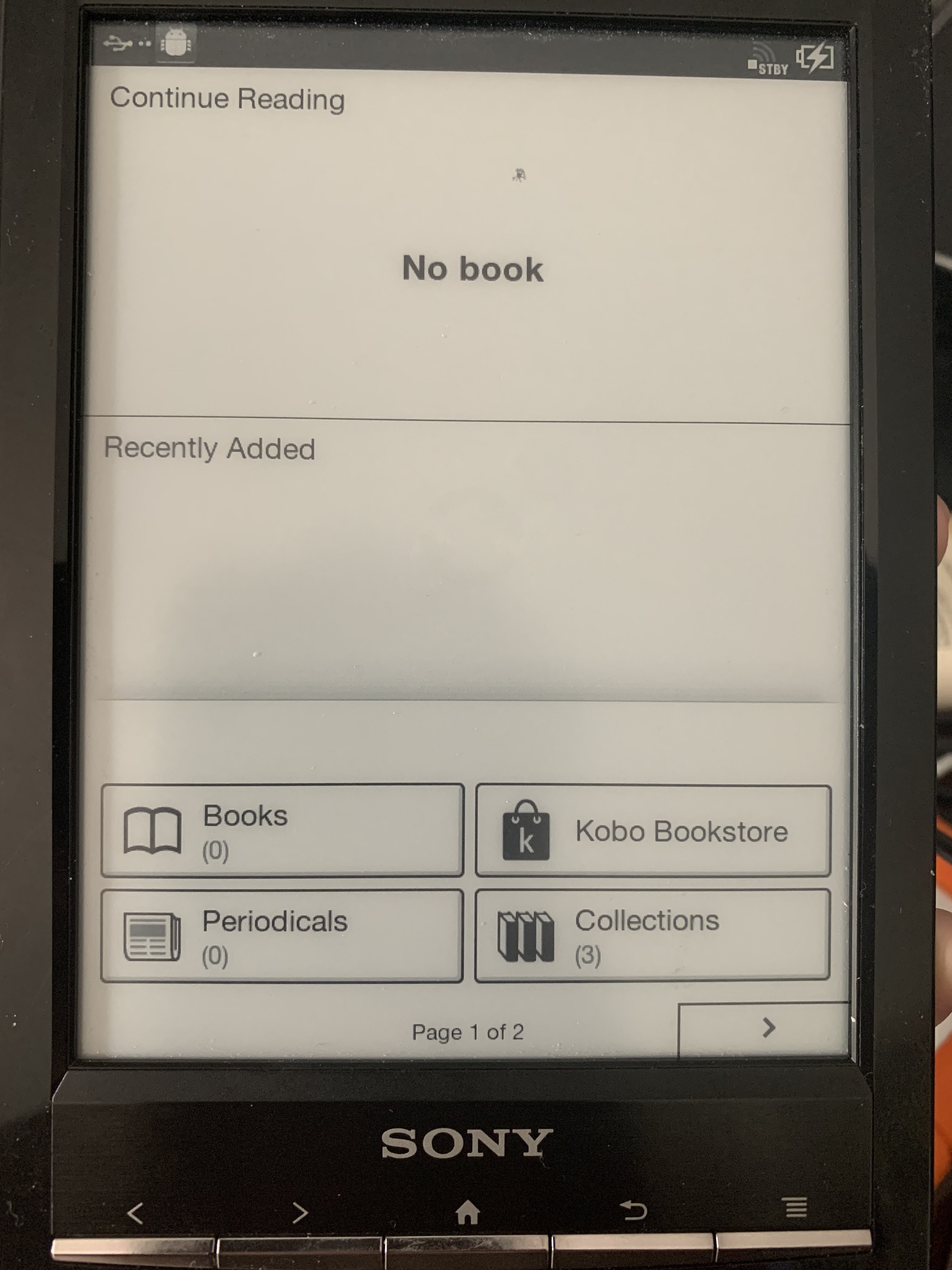
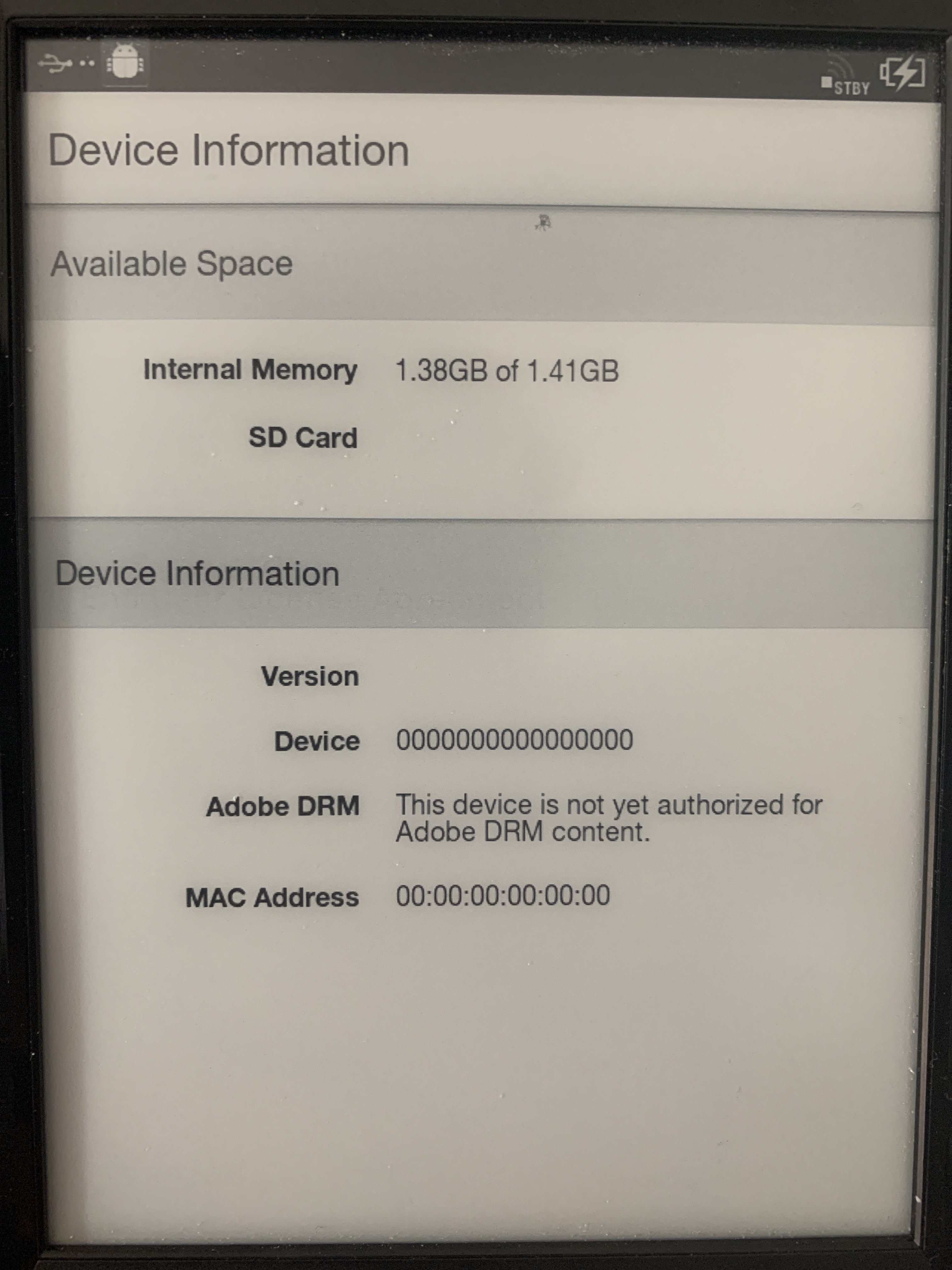
Avatar
Looks like that made a 128KB image
2:05 PM
so maybe it's just the boot parameters
2:07 PM
Ah yes that is what he is doing.
2:13 PM
Ideally this would be best as then you could mod these without taking anything apart.
2:13 PM
Here goes nothing... booting oem os from the sd card slot...
2:14 PM
yay it works
2:15 PM
quits room never to be seen again...
2:16 PM
2:17 PM
So nice to have wifi and usb working again!
2:18 PM
Hmm
2:22 PM
Looks like it lost all it's where abouts while being on the SDCard slot. (edited)
2:22 PM
2:23 PM
Browser auto flips to landscape
Avatar
Here is just the bootloader to swap to SDCard boot.
👍 1
Avatar
Avatar
NonaSuomy
so maybe it's just the boot parameters
U-Boot is usually that small
Avatar
SDCard Boot directions for Sony PRS-T1 Copy contents of https://discord.com/channels/809205711778480158/966554812567130152/966907186154438686 to root of SDCard folder Copy uboot_new.bin https://discord.com/channels/809205711778480158/966554812567130152/967133364454834197 to Rupor Rescue SD Card, along with the other files that are already there. SD Card Layout OS Firmware |-files | |-update.img uboot_new.bin Boot Rupor Rescue to get serial shell over USB (Hold HOME + MENU buttons before you turn on device). Remount SD Card as writable. mount -o remount,rw /dev/mmcblk0p1 /initrd/mnt/sd Change directory to the SD Card mounted. cd /initrd/mnt/sd Backup the old uboot env to a file. dd if=/dev/mmcblk2 skip=786432 of=uboot_old.bin bs=1 count=131072 Write a new one. dd if=uboot_new.bin of=/dev/mmcblk2 seek=786432 bs=1 count=131072 Reset device and it should now be booting to the SD Card image. (edited)
3:03 PM
@tux-linux what information were you looking for from the uart?
3:04 PM
Addresses of various important blocks that are stored on SD/eMMC before the first partition [root (ttyGS0)]# cat /sys/module/rawdatatable/parameters/rawdata_param MBR :0x00000000:0x00000400 uBoot :0x00000400:0x000bfc00 Boot Env :0x000c0000:0x00020000 Reserved1 :0x000e0000:0x00020000 Normal Kernel :0x00100000:0x00400000 Normal Rootfs :0x00500000:0x00100000 Recovery Kernel :0x00600000:0x00400000 Reserved2 :0x00a00000:0x00500000 Normal Boot Env :0x00f00000:0x00020000 Recovery Boot Env :0x00f20000:0x00020000 Raw Data Table :0x00f40000:0x00020000 Info :0x00f60000:0x00020000 Id :0x00f80000:0x00020000 Reserved3 :0x00fa0000:0x00060000 Boot Image :0x01000000:0x00100000 Waveform :0x01100000:0x00200000 LOG :0x01300000:0x00500000 (edited)
3:06 PM
Wonder if I should attempt to root from the sdcard first to get more information before attempting Touch A/B combination.
Avatar
Avatar
NonaSuomy
@tux-linux what information were you looking for from the uart?
U-Boot version, U-Boot log, kernel position in MMC, load address, etc
Avatar
Nice
Avatar
Avatar
tux-linux
U-Boot version, U-Boot log, kernel position in MMC, load address, etc
besides watching the uart can you explain more verbosely where these things are so I can find them for you maybe through the recovery console?
Avatar
You need to get into U-Boot, execute help, look for version command, then execute it, execute boot and gather all the output even from the begginging, thats it
8:15 PM
Propably
Avatar
Do you think there is a way to "get into U-Boot" from the ADB Shell?
10:40 PM
Usually you interrupt the boot process by pressing a key on the keyboard right after you press the power button
Avatar
MX50_ARM2 U-Boot > help ? - alias for 'help' autoscr - DEPRECATED - use "source" command instead base - print or set address offset bdinfo - print Board Info structure boot - boot default, i.e., run 'bootcmd' bootd - boot default, i.e., run 'bootcmd' bootm - boot application image from memory bootp - boot image via network using BOOTP/TFTP protocol cls - clear screen cmp - memory compare coninfo - print console devices and information cp - memory copy crc32 - checksum calculation dhcp - boot image via network using DHCP/TFTP protocol echo - echo args to console erase - erase FLASH memory ext2load- load binary file from a Ext2 filesystem ext2ls - list files in a directory (default /) fatinfo - print information about filesystem fatload - load binary file from a dos filesystem fatls - list files in a directory (default /) flinfo - print FLASH memory information go - start application at address 'addr' help - print online help i2c - I2C sub-system iminfo - print header information for application image imxtract- extract a part of a multi-image itest - return true/false on integer compare loadb - load binary file over serial line (kermit mode) loads - load S-Record file over serial line loady - load binary file over serial line (ymodem mode) loop - infinite loop on address range md - memory display mii - MII utility commands mm - memory modify (auto-incrementing address) mmc - MMC sub system mmcinfo - mmcinfo <dev num>-- display MMC info (edited)
1:09 AM
mtest - simple RAM read/write test mw - memory write (fill) nfs - boot image via network using NFS protocol nm - memory modify (constant address) ping - send ICMP ECHO_REQUEST to network host printenv- print environment variables protect - enable or disable FLASH write protection rarpboot- boot image via network using RARP/TFTP protocol reset - Perform RESET of the CPU run - run commands in an environment variable saveenv - save environment variables to persistent storage setenv - set environment variables sf - SPI flash sub-system sleep - delay execution for some time source - run script from memory sspi - SPI utility commands tftpboot- boot image via network using TFTP protocol version - print monitor version MX50_ARM2 U-Boot >
Avatar
MX50_ARM2 U-Boot > base Base Address: 0x00000000
1:23 AM
MX50_ARM2 U-Boot > coninfo List of available devices: lcd 00000002 ..O serial 80000003 SIO stdin stdout stderr nulldev 80000003 SIO
1:24 AM
MX50_ARM2 U-Boot > version U-Boot 2009.08 (Dec 21 2011 - 14:48:38)
Avatar
MX50_ARM2 U-Boot > iminfo

Checking Image at 70800000 ...

Unknown image format!
1:32 AM
@tux-linux anything else?
Avatar
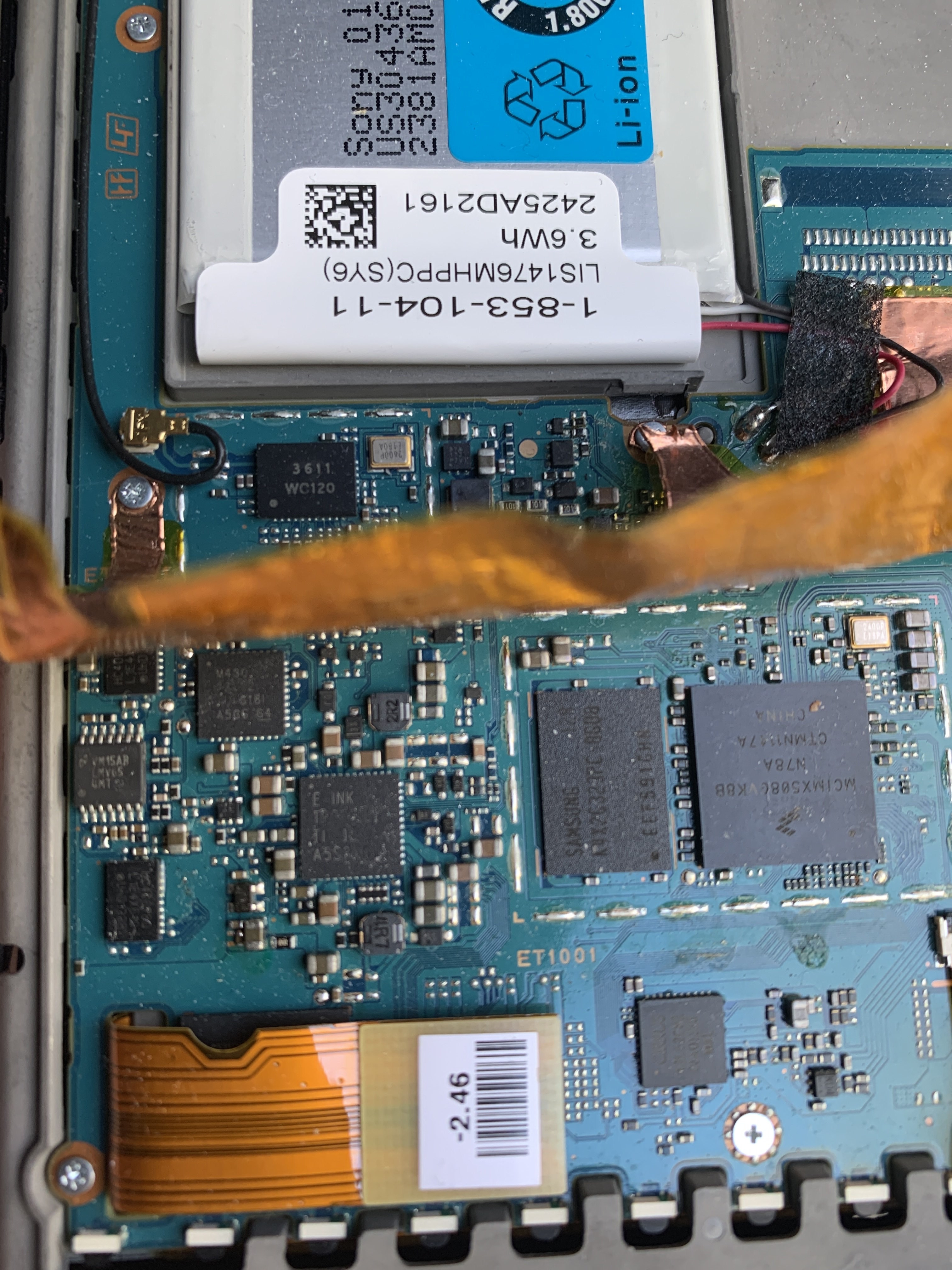
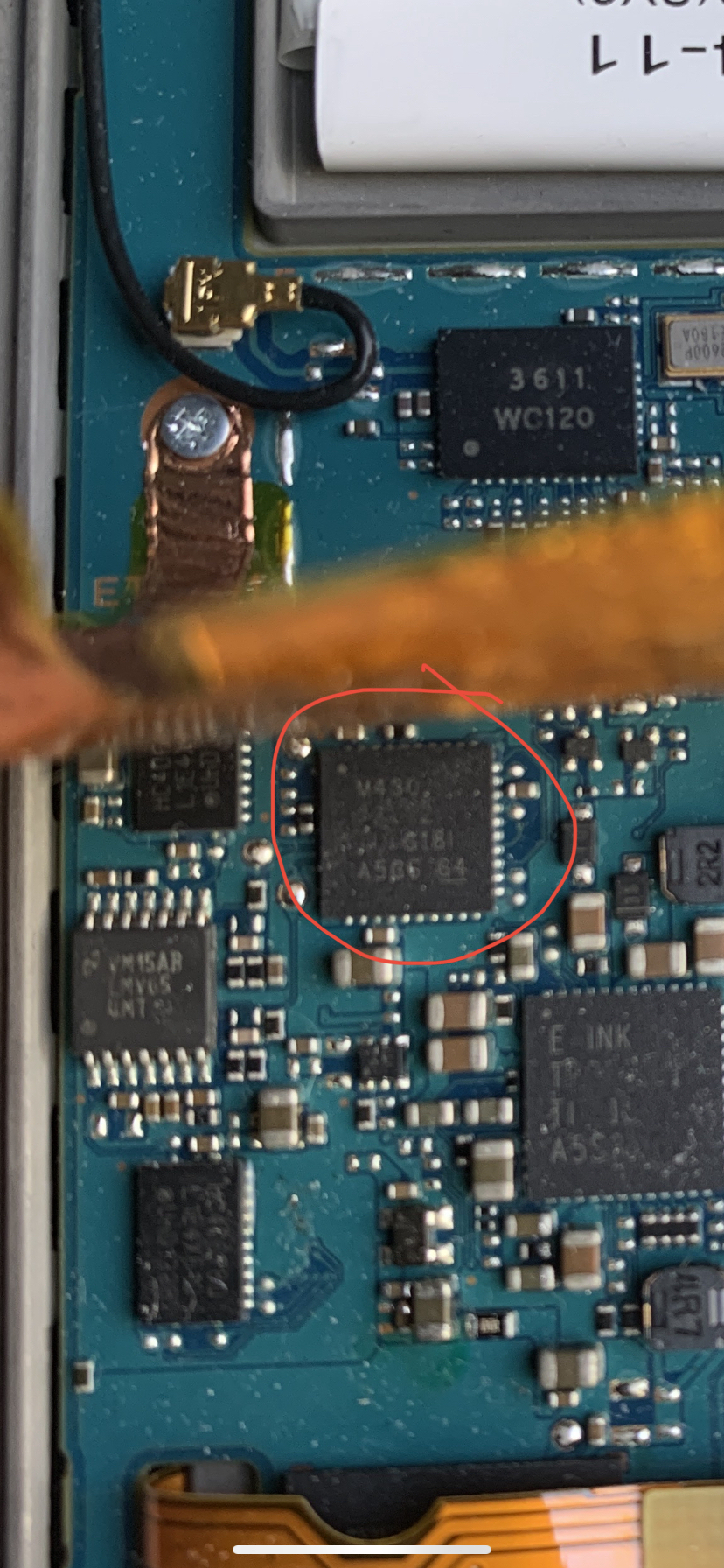
There’s the faulty Sandisk eMMC under the e-ink flex cable.
Avatar
That PRSTUX set this for their build... stdin=serial stdout=serial stderr=serial ethact=FEC0 loadaddr=0x70800000 loadaddr_ramdisk=0x70C00000 bootdev=2 rawtable=0xF40000 bootcmd=mmc read 2 ${loadaddr} 0x800 0x1400;bootm ${loadaddr} bootargs=root=/dev/mmcblk0p1 rootfstype=ext4 rw rootwait init=/sbin/init bootdev=2 rawtable=0xF40000
Avatar
Thanks for the logs It seems pretty similar to the Touch B on the bare hardware part
Avatar
What do you think would happen if I just tried to boot the touch B image?
12:40 PM
Is that load addr the right position for that?
Avatar
1. Nothing, it panicks 2. magic smoke comes out of some chip 3. the battery starts burning
Avatar
Are you speaking from exp?
Avatar
not experience, from my knowledge
Avatar
@tux-linux what version of Debian do you use for compiling?
Avatar
it isin't really that much diffrence, just not an old one. use 11 or 10
Avatar
Avatar
Szybet
1. Nothing, it panicks 2. magic smoke comes out of some chip 3. the battery starts burning
The eink screen will probably go bye-bye
1:15 PM
(forever)
Avatar
hm, why exactly? details?
Avatar
Avatar
NonaSuomy
Is that load addr the right position for that?
It should load the kernel fine But don't try it
Avatar
Avatar
Szybet
hm, why exactly? details?
Well, I'm pretty certain it's a completely different eink screen, so the waveform will mess it up completely
Avatar
sad that it doesn't have any protection
Avatar
Avatar
NonaSuomy
@tux-linux what version of Debian do you use for compiling?
11, 10 will do
1:20 PM
Also the Touch B image is too big for the MMC
Avatar
Are you talking about the 2GB eMMC that is corrupted? Using an external 4GB SDCard
Avatar
waveform is on the internal emmc right?...
3:47 PM
you won't get far if you don't replace this flash :/
Avatar
I already have it booting from the SDCard with the OEM os.
Avatar
its steal reading from the flash
3:49 PM
it will kill it one day completly
Avatar
We’ll deal with that when that time comes.
3:51 PM
What does the waveform data do? Controls how the screen updates?
Avatar
its the information for the kernel / cpu how and what to write to the e-ink
Avatar
Where is it normally stored?
Avatar
on a specified location on a flash
Avatar
What does it look like
3:54 PM
here it is from the nia
3:54 PM
its model specific, but still maybe you will find it
Avatar
Avatar
NonaSuomy
Are you talking about the 2GB eMMC that is corrupted? Using an external 4GB SDCard
Does everything load from the external MMC?
Avatar
it would be nice if it did
Avatar
Well holding onto home and menu triggers the device to update from SD so maybe if you know what to do from there.
4:43 PM
Does the device know what to do with those buttons before it touches loading commands from the eMMC? If there was no internal SD card in the KOBO would it still do something?
4:45 PM
Is there some kind of hardware bios before the internal memory module.
Avatar
Someone should make a bga to sdcard slot
7:31 PM
Lots of devices to go from eMMC to SD but not SD to eMMC 😄
Avatar
Avatar
NonaSuomy
There’s the faulty Sandisk eMMC under the e-ink flex cable.
7:38 PM
Avatar
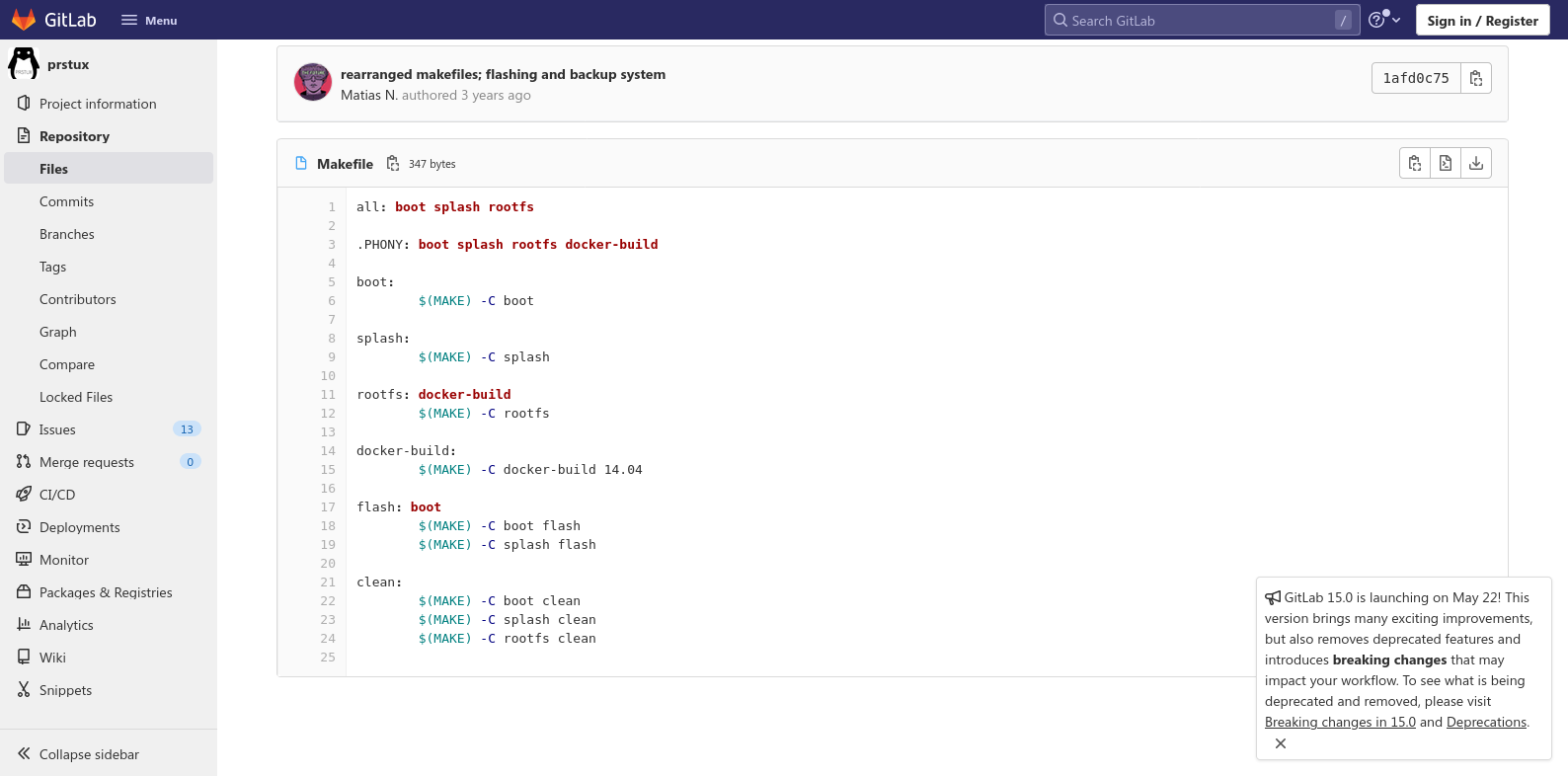
I got the folders docker-build 14.04 / rootfs / splash to make but not boot or 12.04 (if this is needed?)
7:48 PM
Anything there standout that may be a tool that I don't have?
7:49 PM
think this mkubootenv maybe something.
7:49 PM
U-Boot environment image creator. Contribute to tklauser/mkubootenv development by creating an account on GitHub.
7:51 PM
I think that checks out... usage: mkubootenv [-s <size>] <source file> <target file> mkubootenv/mkubootenv -s 131072 boot-env.txt bootenv
Avatar
Probably, but why not use setenv in U-Boot console?
Avatar
not sure I'm just trying to get this to build the prstux image not trying to do anything a different way just yet.
👍 1
7:55 PM
Are the steps some place to build the InkBox Touch B build?
Avatar
Hmm... Not really You can try imgtool, but there's not a written walkthrough
Avatar
What dependencies would be required?
Avatar
A lot
Avatar
Can you list them for me?
7:56 PM
I'll start installing everything in this VM
Avatar
Too much to remember I'll try to write them down later Look in the emu repo, in the readme there are some you should install
Avatar
What do you think would have to be mainly modified in the Touch B firmware to get this working on the PRS-T1? (edited)
Avatar
Eink related stuff
Avatar
I just tried to run it. It strangely blanked the screen then showed the regular loading screen but the bar never moved heard some squealing so I just reset it and put the other card back in seems ok.
Avatar
Whoa, I'm impressed it got there
8:54 PM
Well, first thing would be to compile a kernel from Sony's sources
Avatar
How do you go about that?
Avatar
Have no idea what I built with prstux repo but it completed and after a small tweak of pointing it to a file instead of the card it spit out a 900K image not sure what it’s for.
10:46 PM
Pokes @NiLuJe
Avatar
Avatar
NonaSuomy
Have no idea what I built with prstux repo but it completed and after a small tweak of pointing it to a file instead of the card it spit out a 900K image not sure what it’s for.
I think you need to set up a block device with a file Some things (partition, dd) won't work otherwise Read about qemu-nbd
11:18 PM
qemu-img create -f qcow2 prstux.img 3.6G modprobe nbd qemu-nbd --connect /dev/nbd0 prstux.img Then point your script to nbd0 (edited)
11:19 PM
To write it to the SD, dd from nbd0 and not the image (edited)
Avatar
Building PRSTUX repo from fresh debian 11 install (not sure what I'm doing yet...) sudo apt install git linux-headers-$(uname -r) build-essential docker curl debootstrap qemu qemu-utils qemu-user-static binfmt-support imagemagick vim sudo modprobe binfmt_misc sudo curl -sSL https://get.docker.com/ | sh mkdir code cd code git clone https://github.com/tklauser/mkubootenv.git cd mkubootenv sudo make cd .. git clone https://gitlab.com/phreakuencies/prstux.git cd prstux cp ~/code/mkubootenv/mkubootenv ~/code/prstux/mkubootenv/ Fix broken Makefile replace spaces with tabs vim /home/nonasuomy/code/prstux/splash/Makefile :%s/^[ ]\+/\t/g remove the first ../ in front of the script path as well. sudo make flash DEVICE=./prstux.img (edited)
10:22 AM
Output ~/code/prstux$ make flash DEVICE=./prstux.img make -C boot make[1]: Entering directory '/home/nonasuomy/code/prstux/boot' mkubootenv/mkubootenv -s 131072 boot-env.txt bootenv make[1]: Leaving directory '/home/nonasuomy/code/prstux/boot' make -C boot flash make[1]: Entering directory '/home/nonasuomy/code/prstux/boot' Flashing... ../scripts/flash_normal_bootenv.sh ./prstux.img Will flash into device: ./prstux.img Continue? Type 'yes': yes + echo 'Zeroing normal env area' Zeroing normal env area + sudo dd if=/dev/zero of=./prstux.img bs=512 seek=30720 count=256 256+0 records in 256+0 records out 131072 bytes (131 kB, 128 KiB) copied, 0.00130886 s, 100 MB/s + echo 'Flashing env' Flashing env + sudo dd if=bootenv of=./prstux.img bs=512 seek=30720 count=256 256+0 records in 256+0 records out 131072 bytes (131 kB, 128 KiB) copied, 0.00254849 s, 51.4 MB/s + sudo dd if=bootenv of=./prstux.img bs=512 seek=1536 count=256 256+0 records in 256+0 records out 131072 bytes (131 kB, 128 KiB) copied, 0.00657853 s, 19.9 MB/s + echo Synching Synching + sync + sync + sync Done. make[1]: Leaving directory '/home/nonasuomy/code/prstux/boot' make -C splash flash make[1]: Entering directory '/home/nonasuomy/code/prstux/splash' convert splash.png -size 800x600 -depth 8 gray:bootsplash.bin Flashing... ../scripts/flash_bootsplash.sh ./prstux.img Flashing bootsplash 480000+0 records in 480000+0 records out 480000 bytes (480 kB, 469 KiB) copied, 1.40263 s, 342 kB/s Synching Done. make[1]: Leaving directory '/home/nonasuomy/code/prstux/splash'
Avatar
Avatar
tux-linux
qemu-img create -f qcow2 prstux.img 3.6G modprobe nbd qemu-nbd --connect /dev/nbd0 prstux.img Then point your script to nbd0 (edited)
ok so you don't need to do this?
10:22 AM
and provide nbd0 as DEVICE env var?
Avatar
not sure where are you finding this?
Avatar
Because dd-ing to files doesn't work as you expect
Avatar
Do you see that process in any of their build files?
Avatar
No But they're using the MMC as DEVICE
10:24 AM
Which is a block device, just like nbd0, and not a file
Avatar
Avatar
NonaSuomy
Output ~/code/prstux$ make flash DEVICE=./prstux.img make -C boot make[1]: Entering directory '/home/nonasuomy/code/prstux/boot' mkubootenv/mkubootenv -s 131072 boot-env.txt bootenv make[1]: Leaving directory '/home/nonasuomy/code/prstux/boot' make -C boot flash make[1]: Entering directory '/home/nonasuomy/code/prstux/boot' Flashing... ../scripts/flash_normal_bootenv.sh ./prstux.img Will flash into device: ./prstux.img Continue? Type 'yes': yes + echo 'Zeroing normal env area' Zeroing normal env area + sudo dd if=/dev/zero of=./prstux.img bs=512 seek=30720 count=256 256+0 records in 256+0 records out 131072 bytes (131 kB, 128 KiB) copied, 0.00130886 s, 100 MB/s + echo 'Flashing env' Flashing env + sudo dd if=bootenv of=./prstux.img bs=512 seek=30720 count=256 256+0 records in 256+0 records out 131072 bytes (131 kB, 128 KiB) copied, 0.00254849 s, 51.4 MB/s + sudo dd if=bootenv of=./prstux.img bs=512 seek=1536 count=256 256+0 records in 256+0 records out 131072 bytes (131 kB, 128 KiB) copied, 0.00657853 s, 19.9 MB/s + echo Synching Synching + sync + sync + sync Done. make[1]: Leaving directory '/home/nonasuomy/code/prstux/boot' make -C splash flash make[1]: Entering directory '/home/nonasuomy/code/prstux/splash' convert splash.png -size 800x600 -depth 8 gray:bootsplash.bin Flashing... ../scripts/flash_bootsplash.sh ./prstux.img Flashing bootsplash 480000+0 records in 480000+0 records out 480000 bytes (480 kB, 469 KiB) copied, 1.40263 s, 342 kB/s Synching Done. make[1]: Leaving directory '/home/nonasuomy/code/prstux/splash'
Is it still a 900K image?
Avatar
little bit larger now after I corrected the Makefile error as it seems to have added the splash haha.
10:25 AM
-rw-r--r-- 1 nonasuomy nonasuomy 17257216 Apr 24 10:17 prstux.img
Avatar
hmm what if you flash it to an MMC?
Avatar
Does 17MB seem like enough?
Avatar
...no? But I don't really know PRSTux, maybe it is enough
Avatar
I feel like nothing is in there no kernel or system files etc
Avatar
then try with the qemu-img thing above
Avatar
Wouldn't that just make an empty image that is 3.6G then it would splice that 17MB into it?
10:36 AM
I feel like something is missing
Avatar
qcow2 is dynamically allocated (edited)
Avatar
Where are the linux os files coming from
Avatar
so if you try to see the size of the img file, it will show how much has been written to it (approximately)
10:37 AM
that's why you need to dd from nbd0 and not the img itself
Avatar
He seems to only have modules from sony in the directory no kernel
Avatar
it says it, there are two parts
10:38 AM
first that 17mb nonsense, then apparently there is a prstux.img somewhere
10:39 AM
unless there isn't (edited)
Avatar
there isn't
Avatar
but you should make all then
10:40 AM
Avatar
Hmm maybe this prstux-base image...
10:43 AM
sudo make all [sudo] password for nonasuomy: make -C boot make[1]: Entering directory '/home/nonasuomy/code/prstux/boot' make[1]: Nothing to be done for 'all'. make[1]: Leaving directory '/home/nonasuomy/code/prstux/boot' make -C splash make[1]: Entering directory '/home/nonasuomy/code/prstux/splash' make[1]: 'bootsplash.bin' is up to date. make[1]: Leaving directory '/home/nonasuomy/code/prstux/splash' make -C docker-build 14.04 make[1]: Entering directory '/home/nonasuomy/code/prstux/docker-build' docker build -t prstux-dev:14.04 14.04 Sending build context to Docker daemon 2.56kB Step 1/8 : FROM ubuntu:14.04 ---> 13b66b487594 Step 2/8 : RUN apt-get -y update ---> Using cache ---> e2966287f94f Step 3/8 : RUN apt-get install -y emdebian-archive-keyring ---> Using cache ---> 68f078683adf Step 4/8 : RUN apt-get install -y build-essential git bison autoconf gperf flex texinfo help2man gawk libtool libncurses5-dev unzip bc ---> Using cache ---> 510d48b1e3ab Step 5/8 : RUN apt-get install -y pkg-config-arm-linux-gnueabihf ---> Using cache ---> df7b42790e3a Step 6/8 : RUN apt-get install -y u-boot-tools ---> Using cache ---> 5f70785bb8bb Step 7/8 : RUN apt-get install -y wget vim ---> Using cache ---> 46afb16fe8b3 Step 8/8 : RUN apt-get install -y debootstrap qemu-user-static ---> Using cache ---> 322a2df2c107 Successfully built 322a2df2c107 Successfully tagged prstux-dev:14.04 make[1]: Leaving directory '/home/nonasuomy/code/prstux/docker-build' make -C rootfs make[1]: Entering directory '/home/nonasuomy/code/prstux/rootfs' ./make-base.sh prstux-base docker image already exists. use make clean_base to remove if you want to rebuild it make[1]: Leaving directory '/home/nonasuomy/code/prstux/rootfs'
10:45 AM
He says this: Build TODO: not finished In case you prefer to recreate PRSTUX image yourself, you can do so by cloning the repository and simply do: $ make This will produce a .tar file containing the contents of the root filesystem and a ready-made image appropriate for burning into an SD card. The .tar file is useful if you want to update PRSTUX after an update but want to leave your data (such as eBooks) intact.
10:46 AM
I'm guessing by the terminal output above that it created a docker container but never output a build file from it as a tar as said above.
10:51 AM
How would we output that docker to a writable image? (edited)
Avatar
Hmm I guess it does…
11:25 AM
‘’’sudo tar -C rootfs -c . | docker import - prstux-base:latest sudo rm -rf rootfs/‘’’
Avatar
Hmm maybe because I ran everything separately to figure out the dependancies and maybe it broke the flow with those files already existing in each of the folders.
Avatar
I guess thats actually dumping the contents of rootfs to the docker running.
Avatar
that's what it seems it does, yeah
Avatar
mount: permission denied update-binfmts: warning: Couldn't mount the binfmt_misc filesystem on /proc/sys/fs/binfmt_misc. (edited)
Avatar
you need to enable that feature in your kernel
1:13 PM
or maybe it is availble as a module
Avatar
I believe I modprobed it above
Avatar
that's strange
1:16 PM
it's a warning, I don't know if it is fatal or not
Avatar
Does it need sudo modprobe binfmt_misc inside the docker build or binfmt_misc is for the host?
Avatar
afaik, docker doesn't use its own kernel/VM
1:29 PM
so, on the host
Avatar
It says mount: permission denied above the warning (edited)
Avatar
probably sudo then
1:31 PM
and docker probably isn't running as root
1:31 PM
modprobe on your host
Avatar
binfmt is trying to register qemu as a binary loader so you don't need to invoke qemu everytime you need to run a binary with it. To do that it requires privileges that the container doesn't have. Ignore those warnings because it doesn't make sense to register binfmt on the host while the image is being built.
Avatar
where's that written?
Avatar
Trying to get a cross chroot running under ubuntu:18.04 in a docker container. While trying to install binfmt-support (dependency of qemu-user-static) this happens: ~ docker run -it ubuntu:18.04 ...
Avatar
well, from an educated guess, prstux img builder is probably trying to use qemu-arm or qemu-user-arm, which requires binfmt most of the time
1:36 PM
it would make sense, given it's building an image for an ARM device
Avatar
I am having trouble building a ls1088ardb_pb image (with CONFIG_APP_SECURE_OBJ and CONFIG_APP_OPTEE enabled) via LSDK 19.09 on a docker amd64 Ubuntu 18.04.3 container. I have seen previous questions about this (LSDK weston build error , compilation failure flexbuild_lsdk1909_update_221019 "app" com...
1:38 PM
"I figured out the issue: I had been installing “sudo apt install -y binfmt-support qemu-system-common qemu-user-static" within the container, rather than the host.After installing it on the host, the issue was resolved." (edited)
Avatar
Tried both ways and still has the error so we're just going to ignore it like you said haha... (edited)
Avatar
A semi-appropriate thing to do would be to actually install Ubuntu 14.04 on a VM and use the tools that were available at the time
1:53 PM
Though I don't know if you could still access the packages server
1:53 PM
Probably archive.ubuntu.com
Avatar
Maybe
1:59 PM
I: Base system installed successfully. sha256:f60291bf47337abb8193d56f1dd1b8dfae0bafd245cb93f6ece11260a4f64e60 make[1]: Leaving directory '/home/nonasuomy/code/prstux/rootfs'
2:00 PM
ok so what now build thing...
Avatar
that's suspicious
2:00 PM
but anyway, we'll see
Avatar
Checked all the folders nothing came out
Avatar
*yay*
2:03 PM
we really should just get the kernel sources
2:03 PM
after that we can setup inkbox
Avatar
I think the scripts are missing the output part from docker after it does this massaging
Avatar
but this is not for android right?
Avatar
This device stock runs android 2.2.1 is that what you are asking?
Avatar
yes, there are differences between android and linux kernel
2:08 PM
even though the Android one is Linux-based
2:08 PM
but maybe they don't matter
Avatar
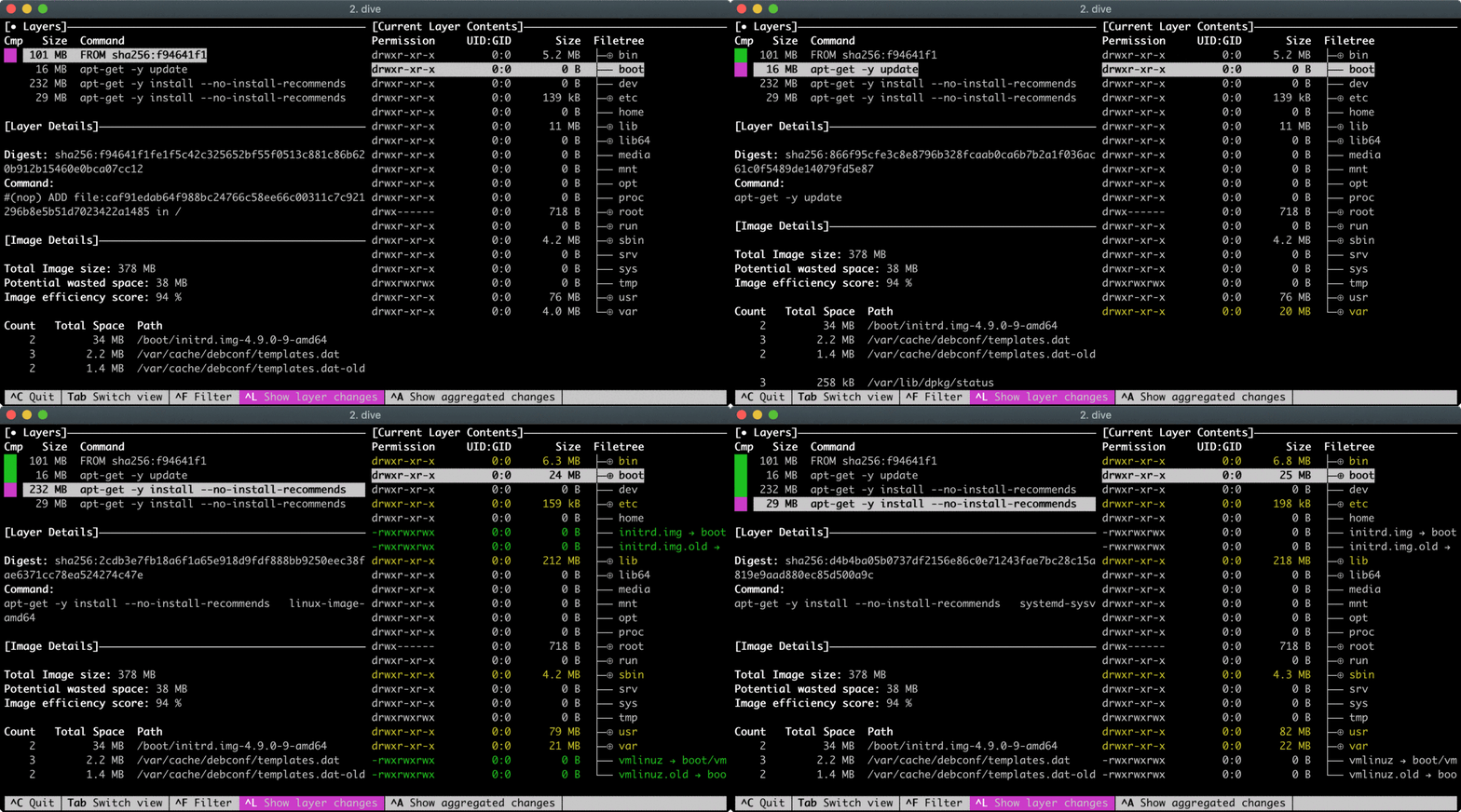
:~/code/prstux$ sudo docker images REPOSITORY TAG IMAGE ID CREATED SIZE prstux-base latest f60291bf4733 13 minutes ago 342MB prstux-dev 14.04 9fb33fb8ac9b 22 minutes ago 527MB <none> <none> d97cb24c140d About an hour ago 524MB ubuntu 14.04 13b66b487594 13 months ago 197MB
2:17 PM
I'm guessing the image would have to be close to one of those in size.
2:22 PM
Dump Docker container's filesystem to tar archive and covert it to bootable Linux disk image.
2:25 PM
"We couldn't find any code results matching docker export in project Matias N. / prstux"
Avatar
Maybe it didn't exist at the time
Avatar
Maybe or they got side tracked after getting that far...
2:44 PM
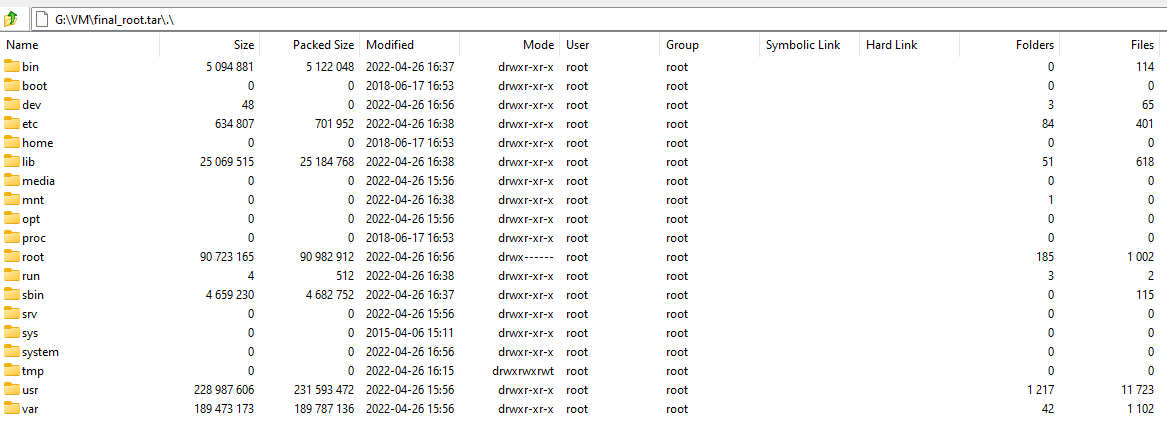
CID=$(docker run -d prstux-base /bin/true) docker export -o prstux.tar ${CID} sudo tar -tf prstux.tar | grep -E '^[^/]*/?$' .dockerenv bin/ boot/ dev/ etc/ home/ lib/ media/ mnt/ opt/ proc/ root/ run/ sbin/ srv/ sys/ tmp/ usr/ var/ (edited)
Avatar
Avatar
tux-linux
but maybe they don't matter
So what needs to happen?
Avatar
first, try to compile a kernel from those sources and get it to boot on the Sony
5:03 PM
after that we can include it in the official kernel repo and start porting
Avatar
Avatar
tux-linux
first, try to compile a kernel from those sources and get it to boot on the Sony
How do you accomplish this process?
Avatar
git clone https://github.com/Kobo-InkBox/kernel export PATH="${PATH}:/kernel/toolchain/gcc-4.8/bin" cd "/sony/kernel/source" make ARCH=arm CROSS_COMPILE=arm-linux-gnueabihf- uImage (edited)
5:09 PM
Then dd if=uImage of=/dev/mmcblk0 bs=512 seek=2048 the seek value may not be the same if sony put the load sector elsewhere
Avatar
Avatar
NonaSuomy
That PRSTUX set this for their build... stdin=serial stdout=serial stderr=serial ethact=FEC0 loadaddr=0x70800000 loadaddr_ramdisk=0x70C00000 bootdev=2 rawtable=0xF40000 bootcmd=mmc read 2 ${loadaddr} 0x800 0x1400;bootm ${loadaddr} bootargs=root=/dev/mmcblk0p1 rootfstype=ext4 rw rootwait init=/sbin/init bootdev=2 rawtable=0xF40000
it will be 2048 (0x800) (edited)
5:11 PM
Does that explain where it is or this is something different?
Avatar
the bootcmd part tells it
5:12 PM
mmc read 2 ${loadaddr} 0x800 0x1400 means read the MMC 2 from sector 2048 to sector 5120
Avatar
Ok will see how this goes!
👍 1
Avatar
Too many cooks: what was the actual ping about?
Avatar
Avatar
NiLuJe
Too many cooks: what was the actual ping about?
6:55 PM
Did you have a PRS-T2/T1 and have that PRSTUX running? (edited)
Avatar
Avatar
tux-linux
git clone https://github.com/Kobo-InkBox/kernel export PATH="${PATH}:/kernel/toolchain/gcc-4.8/bin" cd "/sony/kernel/source" make ARCH=arm CROSS_COMPILE=arm-linux-gnueabihf- uImage (edited)
~/code/linux-2.6.35.2$ sudo make ARCH=arm CROSS_COMPILE=arm-linux-gnueabihf- uImage make: arm-linux-gnueabihf-gcc: No such file or directory HOSTCC scripts/basic/fixdep HOSTCC scripts/basic/docproc HOSTCC scripts/basic/hash HOSTCC scripts/kconfig/conf.o scripts/kconfig/conf.c: In function ‘conf_sym’: scripts/kconfig/conf.c:159:6: warning: variable ‘type’ set but not used [-Wunused-but-set-variable] 159 | int type; | ^~~~ scripts/kconfig/conf.c: In function ‘conf_choice’: scripts/kconfig/conf.c:231:6: warning: variable ‘type’ set but not used [-Wunused-but-set-variable] 231 | int type; | ^~~~ HOSTCC scripts/kconfig/kxgettext.o SHIPPED scripts/kconfig/zconf.tab.c SHIPPED scripts/kconfig/lex.zconf.c SHIPPED scripts/kconfig/zconf.hash.c HOSTCC scripts/kconfig/zconf.tab.o HOSTLD scripts/kconfig/conf scripts/kconfig/conf -s arch/arm/Kconfig *** *** You have not yet configured your kernel! *** (missing kernel config file ".config") *** *** Please run some configurator (e.g. "make oldconfig" or *** "make menuconfig" or "make xconfig"). *** make[2]: *** [/home/nonasuomy/code/linux-2.6.35.2/scripts/kconfig/Makefile:34: silentoldconfig] Error 1 make[1]: *** [/home/nonasuomy/code/linux-2.6.35.2/Makefile:464: silentoldconfig] Error 2 make: *** No rule to make target 'include/config/auto.conf', needed by 'include/config/kernel.release'. Stop.
Avatar
env | grep PATH?
Avatar
env | grep PATH PATH=/home/nonasuomy/bin:/usr/local/bin:/usr/bin:/bin:/usr/local/games:/usr/games:/snap/bin:/home/nonasuomy/code/kernel/toolchain/gcc-4.8/bin
Avatar
If you run arm-linux-gnueabihf-gcc, what does it output?
8:03 PM
don't use sudo to make
8:04 PM
i think it might actually be your problem
Avatar
make ARCH=arm CROSS_COMPILE=arm-linux-gnueabihf- uImage scripts/kconfig/conf -s arch/arm/Kconfig *** *** You have not yet configured your kernel! *** (missing kernel config file ".config") *** *** Please run some configurator (e.g. "make oldconfig" or *** "make menuconfig" or "make xconfig"). *** make[2]: *** [/home/nonasuomy/code/linux-2.6.35.2/scripts/kconfig/Makefile:34: silentoldconfig] Error 1 make[1]: *** [/home/nonasuomy/code/linux-2.6.35.2/Makefile:464: silentoldconfig] Error 2 make: *** No rule to make target 'include/config/auto.conf', needed by 'include/config/kernel.release'. Stop.
Avatar
then, the toolchain problem is fine now fiddle in arch/arm/configs and try to see if you see something relevant for the Sony
Avatar
~/code/linux-2.6.35.2/arch/arm/configs$ ls acs5k_defconfig mx21_defconfig acs5k_tiny_defconfig mx27_defconfig afeb9260_defconfig mx31pdk_defconfig am200epdkit_defconfig mx3_defconfig am3517_evm_defconfig mx3_updater_defconfig ams_delta_defconfig mx51_defconfig ap4evb_defconfig n770_defconfig assabet_defconfig n8x0_defconfig at572d940hfek_defconfig neocore926_defconfig at91cap9adk_defconfig neponset_defconfig at91rm9200dk_defconfig netwinder_defconfig at91rm9200ek_defconfig netx_defconfig at91sam9260ek_defconfig nhk8815_defconfig at91sam9261ek_defconfig ns9xxx_defconfig at91sam9263ek_defconfig nuc910_defconfig at91sam9g20ek_defconfig nuc950_defconfig at91sam9rlek_defconfig nuc960_defconfig ateb9200_defconfig omap_2430sdp_defconfig badge4_defconfig omap_3430sdp_defconfig bcmring_defconfig omap_3630sdp_defconfig cam60_defconfig omap3_beagle_defconfig carmeva_defconfig omap3_defconfig cerfcube_defconfig omap3_evm_defconfig cm_t35_defconfig omap3_pandora_defconfig cm_x2xx_defconfig omap3_stalker_lks_defconfig cm_x300_defconfig omap3_touchbook_defconfig cns3420vb_defconfig omap_4430sdp_defconfig colibri_pxa270_defconfig omap_apollon_2420_defconfig colibri_pxa300_defconfig omap_generic_1510_defconfig collie_defconfig omap_generic_1610_defconfig corgi_defconfig omap_generic_1710_defconfig cpu9260_defconfig omap_generic_2420_defconfig cpu9g20_defconfig omap_h2_1610_defconfig cpuat91_defconfig omap_h4_2420_defconfig csb337_defconfig omap_innovator_1510_defconfig csb637_defconfig omap_innovator_1610_defconfig da8xx_omapl_defconfig omap_ldp_defconfig davinci_all_defconfig omap_osk_5912_defconfig devkit8000_defconfig omap_perseus2_730_defconfig
8:10 PM
dove_defconfig omap_zoom2_defconfig ebsa110_defconfig omap_zoom3_defconfig ecbat91_defconfig onearm_defconfig edb7211_defconfig orion5x_defconfig em_x270_defconfig overo_defconfig ep93xx_defconfig palmte_defconfig eseries_pxa_defconfig palmtt_defconfig ezx_defconfig palmz71_defconfig footbridge_defconfig palmz72_defconfig fortunet_defconfig pcm027_defconfig g3evm_defconfig picotux200_defconfig g4evm_defconfig pleb_defconfig h3600_defconfig pnx4008_defconfig h5000_defconfig pxa168_defconfig h7201_defconfig pxa255-idp_defconfig h7202_defconfig pxa3xx_defconfig hackkit_defconfig pxa910_defconfig htcherald_defconfig qil-a9260_defconfig igep0020_defconfig raumfeld_defconfig imote2_defconfig realview_defconfig imx23evk_defconfig realview-smp_defconfig imx23evk_updater_defconfig rpc_defconfig imx25_3stack_defconfig rx51_defconfig imx25_updater_defconfig s3c2410_defconfig imx28evk_defconfig s3c6400_defconfig imx28evk_updater_defconfig s5p6440_defconfig imx5_android_defconfig s5p6442_defconfig imx5_defconfig s5pc100_defconfig imx5_updater_defconfig s5pc110_defconfig
8:11 PM
integrator_defconfig s5pv210_defconfig iop13xx_defconfig sam9_l9260_defconfig iop32x_defconfig shannon_defconfig iop33x_defconfig shark_defconfig ixp2000_defconfig simpad_defconfig ixp23xx_defconfig spear300_defconfig ixp4xx_defconfig spear310_defconfig jornada720_defconfig spear320_defconfig kafa_defconfig spear600_defconfig kb9202_defconfig spitz_defconfig kirkwood_defconfig stamp9g20_defconfig ks8695_defconfig stmp378x_defconfig lart_defconfig stmp37xx_defconfig loki_defconfig sx1_defconfig lpd270_defconfig tct_hammer_defconfig lpd7a400_defconfig trizeps4_defconfig lpd7a404_defconfig u300_defconfig lubbock_defconfig u8500_defconfig lusl7200_defconfig usb-a9260_defconfig magician_defconfig usb-a9263_defconfig mainstone_defconfig versatile_defconfig mini2440_defconfig viper_defconfig mmp2_defconfig xcep_defconfig msm_defconfig yl9200_defconfig mv78xx0_defconfig zeus_defconfig mx1_defconfig
8:11 PM
This one is highlighted imx5_android_defconfig
8:16 PM
8:16 PM
See anything there that might need changing?
8:22 PM
Definitely the right file "CONFIG_TOUCHSCREEN_SONYIR=y" What do you do with this file now?
Avatar
make ARCH=arm imx5_android_defconfig CROSS_COMPILE=arm-linux-gnueabihf- uImage arch/arm/configs/imx5_android_defconfig:514:warning: override: reassigning to symbol NETFILTER_XT_CONNMARK # # configuration written to .config # scripts/kconfig/conf -s arch/arm/Kconfig *** Error during update of the kernel configuration. make[3]: *** [/home/nonasuomy/code/linux-2.6.35.2/scripts/kconfig/Makefile:34: silentoldconfig] Error 1 make[2]: *** [/home/nonasuomy/code/linux-2.6.35.2/Makefile:464: silentoldconfig] Error 2 make[1]: *** No rule to make target 'include/config/auto.conf', needed by 'include/config/kernel.release'. Stop. make: *** [Makefile:444: uImage] Error 2
Avatar
try the two commands separately?
8:40 PM
make ARCH=arm CORSS_COMPILE=arm-linux-gnueabihf- imx5_android_defconfig make ARCH=arm CROSS_COMPILE=arm-linux-gnueabihf- uImage
Avatar
nonasuomy@DebianCompiler:~/code/linux-2.6.35.2$ make ARCH=arm CORSS_COMPILE=arm-linux-gnueabihf- imx5_android_defconfig arch/arm/configs/imx5_android_defconfig:514:warning: override: reassigning to symbol NETFILTER_XT_CONNMARK # # configuration written to .config # nonasuomy@DebianCompiler:~/code/linux-2.6.35.2$ make ARCH=arm CROSS_COMPILE=arm-linux-gnueabihf- uImage scripts/kconfig/conf -s arch/arm/Kconfig *** Error during update of the kernel configuration. make[2]: *** [/home/nonasuomy/code/linux-2.6.35.2/scripts/kconfig/Makefile:34: silentoldconfig] Error 1 make[1]: *** [/home/nonasuomy/code/linux-2.6.35.2/Makefile:464: silentoldconfig] Error 2 make: *** No rule to make target 'include/config/auto.conf', needed by 'include/config/kernel.release'. Stop.
Avatar
strange.
8:43 PM
make ARCH=arm CROSS_COMPILE=arm-linux-gnueabihf- distclean make ARCH=arm CROSS_COMPILE=arm-linux-gnueabihf- mrproper
8:43 PM
then run the two commands above again
Avatar
yay it's doing stuff!
👍 1
8:45 PM
Can't use 'defined(@array)' (Maybe you should just omit the defined()?) at kernel/timeconst.pl line 373. make[1]: *** [/home/nonasuomy/code/linux-2.6.35.2/kernel/Makefile:138: kernel/timeconst.h] Error 255 make: *** [Makefile:884: kernel] Error 2
Avatar
vi kernel/timeconst.pl go to line 373 replace the existing statement with if (!@val) {
8:47 PM
so it looks like this
Avatar
Compiling again... 😄
👍 1
8:58 PM
Did you have to do the same?
8:58 PM
for the kobo
Avatar
on those kernels, yes
8:58 PM
not the distclean/mrproper bit though
Avatar
any more of those gotchas?
Avatar
i don't think so
🤞 1
Avatar
I always shoot myself in the foot with vm size I told myself to always use 40GB and some dumb reason I put it to 20GB and have like 99mb so this compile will probably die
9:01 PM
prob need to expand the vdi.
Avatar
CC net/core/gen_stats.o In file included from net/core/gen_stats.c:18:0: include/linux/module.h:212:22: fatal error: closing dependency file net/core/.gen_stats.o.d: No space left on device static const struct kernel_symbol __ksymtab_##sym \ ^ include/linux/module.h:218:2: note: in expansion of macro ‘__EXPORT_SYMBOL’ __EXPORT_SYMBOL(sym, "") ^ net/core/gen_stats.c:252:1: note: in expansion of macro ‘EXPORT_SYMBOL’ EXPORT_SYMBOL(gnet_stats_finish_copy); ^ compilation terminated. make[2]: *** [scripts/Makefile.build:231: net/core/gen_stats.o] Error 1 make[1]: *** [scripts/Makefile.build:366: net/core] Error 2 make: *** [Makefile:884: net] Error 2
9:03 PM
haha
9:03 PM
no space left on device
Avatar
well...
9:03 PM
expand your disk
Avatar
speak of the devil
Avatar
or compile in ram
9:04 PM
(if you have enough)
Avatar
how much space in total does it require?
Avatar
not that much
9:04 PM
512M more I would say
Avatar
Purged all the Sony files going again for now 450MB free will see if there's anything else hiding.
9:09 PM
596MB free hope that's enough (edited)
9:10 PM
How long did the compile take on your vm?
Avatar
~50s
👀 1
9:11 PM
but my VM is fast
9:11 PM
you can try with make jobs -j4, -j8, etc.
Avatar
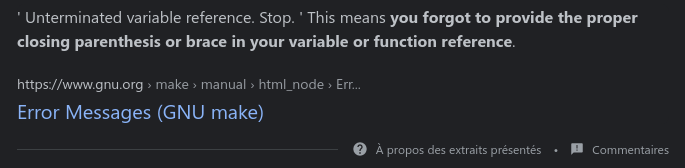
CC net/socket.o net/core/.scm.o.cmd:3: *** unterminated variable reference. Stop. make[1]: *** [scripts/Makefile.build:366: net/core] Error 2 make: *** [Makefile:884: net] Error 2
Avatar
no idea
Avatar
😦 (edited)
Avatar
But maybe the fix is easy
Avatar
I may have got it someone said quote marks shouldn't be in make files even though it wasn't directly related I removed that and it started compiling again
👍 1
9:43 PM
-D"KBUILD_STR(s)=#s" -D"KBUILD_BASENAME=KBUILD_STR(scm)" -D"KBUILD_MODNAME=KBUILD_STR(scm)" to -DKBUILD_STR(s)=#s -DKBUILD_BASENAME=KBUILD_STR(scm) -DKBUILD_MODNAME=KBUILD_STR(scm) (edited)
9:46 PM
nope
9:47 PM
CC net/socket.o net/core/.scm.o.cmd:3: *** unterminated variable reference. Stop. make[1]: *** [scripts/Makefile.build:366: net/core] Error 2 make: *** [Makefile:884: net] Error 2
Avatar
Sooo not saying this is sane to do but I only found 3 instance of that file mentioned in google and did a search in this repo https://github.com/ananjaser1211/Refinedkernel_2/search?q=.scm.o.cmd
Refined Kernel For Galaxy J5/J7 2017 - V2.8. Contribute to ananjaser1211/Refinedkernel_2 development by creating an account on GitHub.
10:18 PM
/.gitignore net/core/.request_sock.o.cmd net/core/.rtnetlink.o.cmd net/core/.scm.o.cmd net/core/.secure_seq.o.cmd net/core/.skbuff.o.cmd
10:19 PM
I saw here that it was on the ignore list... so I deleted the file...
Avatar
hmm and?
Avatar
Image Name: Linux-2.6.35.3 Created: Sun Apr 24 22:16:10 2022 Image Type: ARM Linux Kernel Image (uncompressed) Data Size: 2246720 Bytes = 2194.06 KiB = 2.14 MiB Load Address: 70008000 Entry Point: 70008000 Image arch/arm/boot/uImage is ready
Avatar
yay!
10:21 PM
but it's possible it won't load because it seems it doesn't load enough from the MMC
10:21 PM
you'll have to change the env try it before
Avatar
What do you mean?
Avatar
It might not load all of the uImage
10:22 PM
only read the MMC up to a certain point
Avatar
Avatar
tux-linux
Then dd if=uImage of=/dev/mmcblk0 bs=512 seek=2048 the seek value may not be the same if sony put the load sector elsewhere
So now this... I'm just writing this to a blank SD card?
Avatar
No, the SD card needs to contain at least U-Boot
Avatar
./tux-linux --verbose
😂 1
Avatar
tl;dr, just dd the kernel to an existing working sony firmware card
Avatar
What about if I do it to this Rupor's recovery will that work?
Avatar
i don't really know
Avatar
I'm just not sure what android will do with it if I do it to the official os
10:30 PM
I guess we can just try them all...
10:31 PM
do we care about the full os loading or just enough to get a console?
10:31 PM
rupors would just be a console
Avatar
enough to get a kernel panic (edited)
10:32 PM
that will let us know that it's working (roughly)
Avatar
Avatar
NonaSuomy
Did you have a PRS-T2/T1 and have that PRSTUX running? (edited)
Nope, but supposedly the author did ;p
😅 1
Avatar
Nothing so far
11:56 PM
not even uboot
12:01 AM
just an orange flashing light
Avatar
Ok got something
12:27 AM
U-Boot 2009.08 (Dec 21 2011 - 14:48:38) CPU: Freescale i.MX50 family 1.1V at 800 MHz mx50 pll1: 800MHz mx50 pll2: 400MHz mx50 pll3: 216MHz ipg clock : 66666666Hz ipg per clock : 66666666Hz uart clock : 24000000Hz ahb clock : 133333333Hz axi_a clock : 400000000Hz axi_b clock : 200000000Hz weim_clock : 100000000Hz ddr clock : 160000000Hz esdhc1 clock : 80000000Hz esdhc2 clock : 80000000Hz esdhc3 clock : 80000000Hz esdhc4 clock : 80000000Hz Board: MX50 ARM2 board Boot Reason: [POR] Boot Device: MMC I2C: ready DRAM: 256 MB MMC: FSL_ESDHC: 0, FSL_ESDHC: 1, FSL_ESDHC: 2 imx_esdhc.c bus_width 0x1 imx_esdhc.c bus_width 0x1 imx_esdhc.c bus_width 0x4 imx_esdhc.c bus_width 0x4 MMC set clock 50MHz imx_esdhc.c bus_width 0x1 imx_esdhc.c bus_width 0x1 imx_esdhc.c bus_width 0x4 imx_esdhc.c bus_width 0x4 MMC set clock 50MHz imx_esdhc.c bus_width 0x1 imx_esdhc.c bus_width 0x1 imx_esdhc.c bus_width 0x4 imx_esdhc.c bus_width 0x4 MMC set clock 50MHz imx_esdhc.c bus_width 0x1 imx_esdhc.c bus_width 0x1 imx_esdhc.c bus_width 0x4 imx_esdhc.c bus_width 0x4 MMC set clock 50MHz temperature 31 imx_esdhc.c bus_width 0x1 imx_esdhc.c bus_width 0x1 imx_esdhc.c bus_width 0x4 imx_esdhc.c bus_width 0x4 MMC set clock 50MHz In: serial Out: serial Err: serial Net: got MAC address from IIM: 00:00:00:00:00:00 FEC0 Hit any key to stop autoboot: 0 MMC read: dev # 0, block # 2048, count 5120 partition # 0 ... imx_esdhc.c bus_width 0x1 imx_esdhc.c bus_width 0x1 imx_esdhc.c bus_width 0x4 imx_esdhc.c bus_width 0x4 SD set clock 50MHz 5120 blocks read: OK
12:27 AM
MMC read: dev # 0, block # 10240, count 600 partition # 0 ... imx_esdhc.c bus_width 0x1 imx_esdhc.c bus_width 0x1 imx_esdhc.c bus_width 0x4 imx_esdhc.c bus_width 0x4 SD set clock 50MHz 600 blocks read: OK ## Booting kernel from Legacy Image at 70800000 ... Image Name: Linux-2.6.35.3 Image Type: ARM Linux Kernel Image (uncompressed) Data Size: 2246720 Bytes = 2.1 MB Load Address: 70008000 Entry Point: 70008000 Verifying Checksum ... OK ## Loading init Ramdisk from Legacy Image at 70c00000 ... Image Name: Normal Rootfs Image Type: ARM Linux RAMDisk Image (uncompressed) Data Size: 286848 Bytes = 280.1 kB Load Address: 70308000 Entry Point: 70308000 Verifying Checksum ... OK Loading Kernel Image ... OK OK
12:27 AM
Starting kernel ... Linux version 2.6.35.3 (nonasuomy@DebianCompiler) (gcc version 4.8.1 20130401 (prerelease) (crosstool-NG linaro-1.13.1-4.8-2013.04-20130417 - Linaro GCC 2013.04) ) #1 PREEMPT Sun Apr 24 22:16:04 EDT 2022 CPU: ARMv7 Processor [412fc085] revision 5 (ARMv7), cr=10c53c7f CPU: VIPT nonaliasing data cache, VIPT nonaliasing instruction cache Machine: Freescale MX50 ARM2 Board Ignoring unrecognised tag 0x54410008 Memory policy: ECC disabled, Data cache writeback Built 1 zonelists in Zone order, mobility grouping on. Total pages: 63754 Kernel command line: console=ttymxc2,115200 init=/init bootdev=0 rawtable=0xF40000 PID hash table entries: 1024 (order: 0, 4096 bytes) Dentry cache hash table entries: 32768 (order: 5, 131072 bytes) Inode-cache hash table entries: 16384 (order: 4, 65536 bytes) Memory: 251MB = 251MB total Memory: 249236k/249236k available, 7788k reserved, 0K highmem Virtual kernel memory layout: vector : 0xffff0000 - 0xffff1000 ( 4 kB) fixmap : 0xfff00000 - 0xfffe0000 ( 896 kB) DMA : 0xf9e00000 - 0xffe00000 ( 96 MB) vmalloc : 0x90000000 - 0xf4000000 (1600 MB) lowmem : 0x80000000 - 0x8fb00000 ( 251 MB) pkmap : 0x7fe00000 - 0x80000000 ( 2 MB) modules : 0x7f000000 - 0x7fe00000 ( 14 MB) .init : 0x80008000 - 0x80025000 ( 116 kB) .text : 0x80025000 - 0x80412000 (4020 kB) .data : 0x8042e000 - 0x804a86c0 ( 490 kB) SLUB: Genslabs=9, HWalign=64, Order=0-3, MinObjects=0, CPUs=1, Nodes=1 Hierarchical RCU implementation. RCU-based detection of stalled CPUs is disabled. Verbose stalled-CPUs detection is disabled. NR_IRQS:396 MXC GPIO hardware MXC IRQ initialized You should not call the gpmi_set_parent MXC_Early serial console at MMIO 0x63f90000 (options '115200') bootconsole [ttymxc2] enabled Console: colour dummy device 80x30 Mix log static memory : 7fe00000 - 7fffffff address : 90400000 There is not the last log.
12:28 AM
Initialize a static memory for mix_logger.
12:31 AM
So nothing panic'd?
12:32 AM
What would be the next step?
12:36 AM
2.14 MB
Avatar
ok, well, even better if nothing panicked
8:37 AM
congrats, we have a working kernel
8:37 AM
the screen flashes alright?
Avatar
Flashes but then restarts and flashes again.
9:25 AM
I believe there is supposed to be more to the log but maybe that is because no os booted?
9:26 AM
I searched "There is not the last log." and there is only one result of someone capturing the boot process in gist... https://gist.github.com/nrdmn/c75f8c8011ca82def7f28e4e23d05ed8
Sony PRS-T1. GitHub Gist: instantly share code, notes, and snippets.
9:29 AM
Maybe it died Initializing a static memory for mix_logger?
9:29 AM
What do you need next?
Avatar
Avatar
NonaSuomy
Flashes but then restarts and flashes again.
Is it with the stock Sony system?
Avatar
Whoops
10:06 AM
Do you know how to embed an initrd in a kernel?
Avatar
No sir.
10:08 AM
What need to be done to do that?
10:08 AM
Get busybox source
10:08 AM
Tell me when you have
Avatar
Any specific version?
10:09 AM
Latest
10:09 AM
Latest stable
Avatar
3 May 2021 -- BusyBox 1.33.1 (stable) Does this version make sense?
Avatar
Ok yeah
Avatar
30 November 2021 -- BusyBox 1.33.2 (stable)
Avatar
Latest then
Avatar
26 December 2021 -- BusyBox 1.35.0 (unstable)
Avatar
Latest stable
10:12 AM
So November
10:12 AM
Do you have gcc 4.8 in your path?
Avatar
Isn't that what was in your kernel package?
10:13 AM
So get it in your path
10:14 AM
Then make ARCH=arm CROSS_COMPILE=arm-linux-gnueabihf defconfig
10:14 AM
make ARCH=arm CROSS_COMPILE=arm-linux-gnueabihf -j8 install
10:14 AM
Tell me when it's done
Avatar
Rebuilding the VM will be back in action soon.
👍 1
Avatar
ok back!
3:52 PM
export PATH="${PATH}:/home/nonasuomy/code/busybox" make ARCH=arm CROSS_COMPILE=arm-linux-gnueabihf- imx5_android_defconfig make ARCH=arm CROSS_COMPILE=arm-linux-gnueabihf -j8 install (edited)
3:57 PM
hmmm it's trying to install that kernel on my machine... and getting a permission denied
Avatar
what exactly error?
Avatar
sbin/installkernel 42 cannot create /boot/vmlinuz-2.6.35.3: Permission denied
Avatar
why are you installing kernel for PRS-T1 on your machine...
Avatar
lurk up.
Avatar
Avatar
tux-linux
make ARCH=arm CROSS_COMPILE=arm-linux-gnueabihf -j8 install
you need here to change a env variable to install it somewhere else
3:58 PM
or just install it there and then copy
Avatar
how do you give it a different directory?
4:06 PM
Apparently export INSTALL_PATH=/home/nonasuomy/code/kernelinstall (edited)
Avatar
Kernel: arch/arm/boot/Image is ready /bin/bash /home/nonasuomy/code/linux-2.6.35.2/arch/arm/boot/install.sh 2.6.35.3 \ arch/arm/boot/Image System.map "/home/nonasuomy/code/kernelinstall/"
Avatar
Avatar
NonaSuomy
Rebuilding the VM will be back in action soon.
Are you compiling this in a VM?
Avatar
Yes sir
Avatar
It is not efficient... Try a container
4:52 PM
Distrobox, docker
4:52 PM
There was another one too, orange logo
Avatar
Well for now stick with a VM, but for the future use containers
Avatar
Or do what actually works for you ;). (VMs are fine, I hate docker).
Avatar
Why do you hate it?
Avatar
Because I can't be arsed to learn to use it, so it's just an impediment to actually getting shit done.
6:21 PM
And getting shit done > learning to use crap to maybe get shit done slower
6:21 PM
😄
6:22 PM
(I can see the appeal for some things, these are... not it).
6:22 PM
I don't even use a VM at all to cross-compile, FWIW.
6:22 PM
And, surprise: it works 😄
6:22 PM
(Requires not running a shitty distro, though)
Avatar
I always assume when people say they hate something is because they don't want to learn something new.
Avatar
I also hate indirection layers with a fiery passion
6:24 PM
And it's the very definition of a system-level indirection layer ;o)
6:24 PM
If you actually need to automate builds or some such, sure, it's "fun" (not), but practical and useful (edited)
6:24 PM
If you're actually just building stuff for the first time by hand: ahahaha, nope. (edited)
6:25 PM
Cross compilation is already a balancing act, that would feel akin to doing that with your eyes closed and your hands bound behind your back. (edited)
Avatar
Yeah I didn't understand why they were suggesting that when we have yet to get anything working properly yet.
Avatar
I agree from an automation stand point it is pretty important though when you are trying to do something large scale. One off nothingness testing... not so much.
6:50 PM
@tux-linux what needs to be done next with the install kernel?
Avatar
sorry, i really don't feel like it now the goal would be to get a working busybox initrd with a console+shell
Avatar
are you ok?
Avatar
yea kinda tired among others
Avatar
Ok well I hope you feel better.
👍 1
Avatar
Well, what's working as of right now ?
Avatar
we attempted that uImage boot it got so far and then you said whoops. Then told me to grab busybox. I did so and seemed like the compile completed.
8:26 PM
I'm just not sure what to do with the output of that now.
Avatar
do you have an _install folder in the busybox source?
Avatar
Checking
👍 1
8:29 PM
~/code/kernelinstall$ ls config-2.6.35.3 System.map-2.6.35.3 vmlinuz-2.6.35.3
8:30 PM
~/code/busybox$ cd _install bash: cd: _install: No such file or directory
Avatar
ls -shal ?
Avatar
Nothing
Avatar
nothing, as in no _install?
Avatar
ok, make distclean
Avatar
export INSTALL_PATH=/home/nonasuomy/code/kernelinstall export PATH="${PATH}:/home/nonasuomy/code/busybox" make ARCH=arm CROSS_COMPILE=arm-linux-gnueabihf- imx5_android_defconfig make ARCH=arm CROSS_COMPILE=arm-linux-gnueabihf -j8 install
8:36 PM
this is all I have done.
Avatar
i'm trying it on my box right now
Avatar
You may have set that path _install under busybox I set the path to ~/code/kernelinstall
Avatar
Avatar
NonaSuomy
~/code/kernelinstall$ ls config-2.6.35.3 System.map-2.6.35.3 vmlinuz-2.6.35.3
were these things not what you were looking for?
Avatar
so there is something in ~/code/kernelinstall
8:39 PM
no
8:39 PM
like this nicolas@gentoo-ryzen ~/D/busybox-1.35.0> ls -shal _install total 20K 4.0K drwxr-xr-x 5 nicolas nicolas 4.0K Apr 25 20:37 ./ 4.0K drwxr-xr-x 36 nicolas nicolas 4.0K Apr 25 20:37 ../ 4.0K drwxr-xr-x 2 nicolas nicolas 4.0K Apr 25 20:37 bin/ 0 lrwxrwxrwx 1 nicolas nicolas 11 Apr 25 20:37 linuxrc -> bin/busybox* 4.0K drwxr-xr-x 2 nicolas nicolas 4.0K Apr 25 20:37 sbin/ 4.0K drwxr-xr-x 4 nicolas nicolas 4.0K Apr 25 20:37 usr/ nicolas@gentoo-ryzen ~/D/busybox-1.35.0>
8:40 PM
also, I forgot something, you need to enable static build in menuconfig
8:40 PM
Settings -> Static binary
8:40 PM
(make menuconfig)
Avatar
installing ncurses stuff...
8:43 PM
fml "your display is too small to run menuconfig...
Avatar
you could also edit .config
Avatar
the virtualbox linux additions are a PoS 😦
8:44 PM
don't let the desktop load
Avatar
I don't remember what's its name
Avatar
Avatar
NonaSuomy
the virtualbox linux additions are a PoS 😦
ssh instead?
8:46 PM
fixing networking...
👍 1
8:46 PM
Need bridge not Nat
Avatar
you could just unzoom the terminal otherwise
Avatar
ok got it but no settings...
Avatar
CTRL+- and CTRL+SHIFT++
Avatar
Looks like I need to be in the busybox directory not the linux kernel directory?
Avatar
yes?
Avatar
probably why _install doesn't exist as well..
9:00 PM
minor details are missing...
Avatar
why did you think I wanted you to get busybox source?
Avatar
I thought adding it to path made it magically use it somehow from the kernel directory 😄
Avatar
welp, ok
9:02 PM
well no we know why it didn't work... ;p
😅 1
Avatar
"Build static binary (no shared libs) (new) ?
Avatar
yes that one
9:02 PM
space to select it
Avatar
That is all just exit and save?
9:03 PM
then compile and install with make install (edited)
9:04 PM
(with ARCH, CROSS_COMPILE env vars, etc.)
Avatar
cd ~/code/busybox export PATH="/usr/local/bin:/usr/bin:/bin:/usr/local/games:/usr/games:/home/nonasuomy/code/kernel/toolchain/gcc-4.8/bin:/home/nonasuomy/code/busybox" make ARCH=arm CROSS_COMPILE=arm-linux-gnueabihf- distclean make ARCH=arm CROSS_COMPILE=arm-linux-gnueabihf- mrproper make ARCH=arm CROSS_COMPILE=arm-linux-gnueabihf- imx5_android_defconfig make ARCH=arm CROSS_COMPILE=arm-linux-gnueabihf- -j8 install
9:14 PM
Look ok?
Avatar
you mixed up the kernel and busybox source
9:16 PM
cd ~/code/busybox export PATH="/usr/local/bin:/usr/bin:/bin:/usr/local/games:/usr/games:/home/nonasuomy/code/kernel/toolchain/gcc-4.8/bin" make ARCH=arm CROSS_COMPILE=arm-linux-gnueabihf- distclean make ARCH=arm CROSS_COMPILE=arm-linux-gnueabihf- menuconfig # Enable static build # make ARCH=arm CROSS_COMPILE=arm-linux-gnueabihf- -j8 install (edited)
Avatar
Avatar
tux-linux
cd ~/code/busybox export PATH="/usr/local/bin:/usr/bin:/bin:/usr/local/games:/usr/games:/home/nonasuomy/code/kernel/toolchain/gcc-4.8/bin" make ARCH=arm CROSS_COMPILE=arm-linux-gnueabihf- distclean make ARCH=arm CROSS_COMPILE=arm-linux-gnueabihf- menuconfig # Enable static build # make ARCH=arm CROSS_COMPILE=arm-linux-gnueabihf- -j8 install (edited)
Clear as a bell thank you.
👍 1
9:19 PM
compiling...
9:20 PM
-------------------------------------------------- You will probably need to make your busybox binary setuid root to ensure all configured applets will work properly. --------------------------------------------------
9:20 PM
hopefully that means all good.
Avatar
not to worry about
9:21 PM
now, go to kernel source
Avatar
cd ~/code/linux-2.6.35.2
9:21 PM
here.
Avatar
2.6.35.2? (edited)
9:21 PM
that's interesting
9:22 PM
what is kobo?
Avatar
2.6.35.3 (edited)
Avatar
niceeee
Avatar
*not nice
Avatar
sadface.
Avatar
I made a typo
9:22 PM
well, I don't know
9:22 PM
make ARCH=arm CROSS_COMPILE=arm-linux-gnueabihf- menuconfig
Avatar
done
Avatar
hang on
Avatar
hanging!
9:24 PM
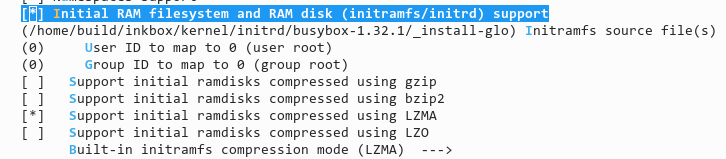
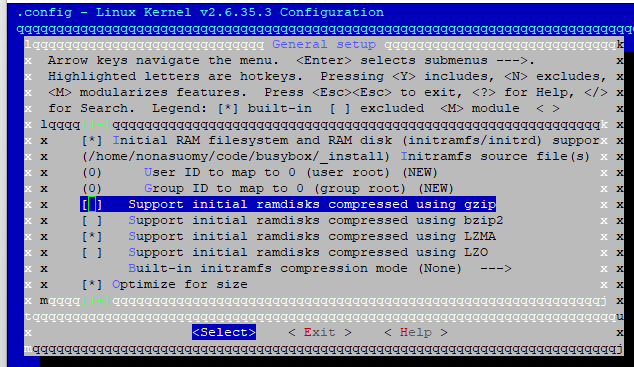
Go in General setup and make that part look like this
9:24 PM
Change intramfs source file(s) path to /home/nonasuomy/code/busybox/_install
9:27 PM
For some reason it says .3 at the top...
9:27 PM
so maybe just a mislabel on sony's part of the folder.
Avatar
probably (edited)
Avatar
more to do in here or exit save?
9:29 PM
go into boot options
9:29 PM
are you able to access your sony's recovery console now?
9:29 PM
fine actually
9:29 PM
i've got it with the gist from earlier
😅 1
9:30 PM
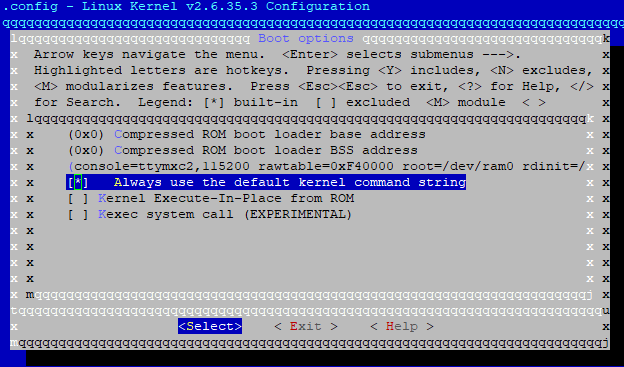
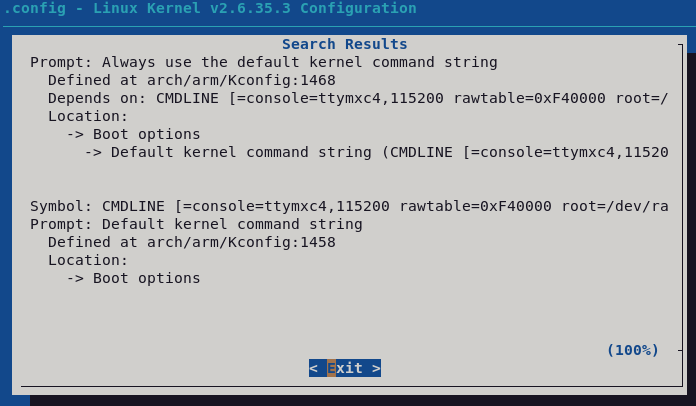
console=ttymxc2,115200 rawtable=0xF40000 root=/dev/ram0 rdinit=/sbin/init rootfstype=ramfs set this as the kernel command line (edited)
9:30 PM
i modified the message, take what is there now
9:31 PM
then enable "always use the default kernel command string"
Avatar
anything there that may understand that we are going to sdcard and not the eMMC? or nothing related to that currently?
Avatar
oh wait
9:32 PM
I forgot some things in the cmdline
9:32 PM
well, it will just boot the initrd from ram, so nothing to do with the emmc
9:32 PM
nor the sd
9:32 PM
ok the command line should be fine now
9:32 PM
then, exit save
9:34 PM
vi ~/code/busybox/_install/etc/init.d/rcS create etc/init.d if not existing populate rcS with this content: #!/bin/sh mkdir -p /sys /proc /dev mount -t sysfs sysfs /sys mount -t proc proc /proc mount -t devtmpfs devtmpfs /dev /bin/sh then recompile the kernel (edited)
Avatar
noinitrd console=ttymxc0,115200 root=/dev/mtdblock2 rw rootfstype=jffs2 ip=off
9:34 PM
this is what used to be there just for ref...
Avatar
outdated it's not even using the right serial console
Avatar
I'm removing that noinitrd as well at the start?
Avatar
absolutely all of it
9:35 PM
and paste the cmdline above
9:36 PM
Avatar
check always use...
9:38 PM
all good exit save then do the instructions above
Avatar
on my way...
👍 1
Avatar
Avatar
tux-linux
vi ~/code/busybox/_install/etc/init.d/rcS create etc/init.d if not existing populate rcS with this content: #!/bin/sh mkdir -p /sys /proc /dev mount -t sysfs sysfs /sys mount -t proc proc /proc mount -t devtmpfs devtmpfs /dev /bin/sh then recompile the kernel (edited)
create etc/init.d if not existing ... they didn't
Avatar
it's normal
Avatar
Ok so just for clarity and future generations reading this cd ~/code/linux-2.6.35.2 export PATH="/usr/local/bin:/usr/bin:/bin:/usr/local/games:/usr/games:/home/nonasuomy/code/kernel/toolchain/gcc-4.8/bin" make ARCH=arm CROSS_COMPILE=arm-linux-gnueabihf- distclean make ARCH=arm CROSS_COMPILE=arm-linux-gnueabihf- mrproper make ARCH=arm CROSS_COMPILE=arm-linux-gnueabihf- imx5_android_defconfig make ARCH=arm CROSS_COMPILE=arm-linux-gnueabihf- menuconfig Go in General setup and make that part look like this Change intramfs source file(s) path to /home/nonasuomy/code/busybox/_install Turn off Support initial ramdisks compressed using gzip Turn on Support initial ramdisks compressed using LZMA Exit General setup Go into Boot options Delete everything in the kernel command string noinitrd console=ttymxc0,115200 root=/dev/mtdblock2 rw rootfstype=jffs2 ip=off change it to this console=ttymxc2,115200 rawtable=0xF40000 root=/dev/ram0 rdinit=/sbin/init rootfstype=ramfs Then enable "Always use the default kernel command string" Exit Boot Options Exit Main Menu then save yes. make ARCH=arm CROSS_COMPILE=arm-linux-gnueabihf- -j8 uImage Flash to working Sony SD Image dd if=uImage of=/dev/mmcblk0 bs=512 seek=2048 (edited)
9:45 PM
?
Avatar
NOOOOOO
Avatar
haha
Avatar
you need to redo the kernel menuconfig
9:48 PM
the imx5_android_defconfig reset .config
Avatar
ok I never did anything yet.
9:48 PM
so just do make ARCH=arm CROSS_COMPILE=arm-linux-gnueabihf- -j8 install
9:49 PM
nothing else
Avatar
not install
9:49 PM
uImage
9:49 PM
cd ~/code/linux-2.6.35.2 export PATH="/usr/local/bin:/usr/bin:/bin:/usr/local/games:/usr/games:/home/nonasuomy/code/kernel/toolchain/gcc-4.8/bin" make ARCH=arm CROSS_COMPILE=arm-linux-gnueabihf- -j8 uImage
9:49 PM
distclean and mrproper will clean .config too
Avatar
compiling...
Avatar
LD arch/arm/boot/compressed/vmlinux OBJCOPY arch/arm/boot/zImage Kernel: arch/arm/boot/zImage is ready UIMAGE arch/arm/boot/uImage Image Name: Linux-2.6.35.3 Created: Mon Apr 25 21:54:31 2022 Image Type: ARM Linux Kernel Image (uncompressed) Data Size: 3303116 Bytes = 3225.70 KiB = 3.15 MiB Load Address: 70008000 Entry Point: 70008000 Image arch/arm/boot/uImage is ready
10:03 PM
now try to flash it to the mmc
Avatar
3.2M Apr 25 21:54 uImage (edited)
Avatar
uImage
Avatar
does that size seem ok
Avatar
should it be bigger now with the inclusion of busybox?
10:05 PM
than the prior one we made
Avatar
Avatar
NonaSuomy
Click to see attachment 🖼️
looks like it 2.14MB (edited)
10:08 PM
3.15 MB
Avatar
dd it to the sd
Avatar
Avatar
tux-linux
Then dd if=uImage of=/dev/mmcblk0 bs=512 seek=2048 the seek value may not be the same if sony put the load sector elsewhere
This
10:14 PM
uart right nothing will be going to the screen yet?
10:18 PM
Nothing just red flashing so far
10:18 PM
flashes red a few times then dead
10:21 PM
U-Boot 2009.08 (Dec 21 2011 - 14:48:38) CPU: Freescale i.MX50 family 1.1V at 800 MHz mx50 pll1: 800MHz mx50 pll2: 400MHz mx50 pll3: 216MHz ipg clock : 66666666Hz ipg per clock : 66666666Hz uart clock : 24000000Hz ahb clock : 133333333Hz axi_a clock : 400000000Hz axi_b clock : 200000000Hz weim_clock : 100000000Hz ddr clock : 160000000Hz esdhc1 clock : 80000000Hz esdhc2 clock : 80000000Hz esdhc3 clock : 80000000Hz esdhc4 clock : 80000000Hz Board: MX50 ARM2 board Boot Reason: [POR] Boot Device: MMC I2C: ready DRAM: 256 MB MMC: FSL_ESDHC: 0, FSL_ESDHC: 1, FSL_ESDHC: 2 imx_esdhc.c bus_width 0x1 imx_esdhc.c bus_width 0x1 imx_esdhc.c bus_width 0x4 imx_esdhc.c bus_width 0x4 MMC set clock 50MHz imx_esdhc.c bus_width 0x1 imx_esdhc.c bus_width 0x1 imx_esdhc.c bus_width 0x4 imx_esdhc.c bus_width 0x4 MMC set clock 50MHz imx_esdhc.c bus_width 0x1 imx_esdhc.c bus_width 0x1 imx_esdhc.c bus_width 0x4 imx_esdhc.c bus_width 0x4 MMC set clock 50MHz imx_esdhc.c bus_width 0x1 imx_esdhc.c bus_width 0x1 imx_esdhc.c bus_width 0x4 imx_esdhc.c bus_width 0x4 MMC set clock 50MHz temperature 35 imx_esdhc.c bus_width 0x1 imx_esdhc.c bus_width 0x1 imx_esdhc.c bus_width 0x4 imx_esdhc.c bus_width 0x4 MMC set clock 50MHz In: serial Out: serial Err: serial Net: got MAC address from IIM: 00:00:00:00:00:00 FEC0 Hit any key to stop autoboot: 0 MMC read: dev # 0, block # 2048, count 5120 partition # 0 ... imx_esdhc.c bus_width 0x1 imx_esdhc.c bus_width 0x1 imx_esdhc.c bus_width 0x4 imx_esdhc.c bus_width 0x4 SD set clock 50MHz 5120 blocks read: OK MMC read: dev # 0, block # 10240, count 600 partition # 0 ... imx_esdhc.c bus_width 0x1 imx_esdhc.c bus_width 0x1 imx_esdhc.c bus_width 0x4 imx_esdhc.c bus_width 0x4 SD set clock 50MHz 600 blocks read: OK (edited)
Avatar
## Booting kernel from Legacy Image at 70800000 ... Image Name: Linux-2.6.35.3 Image Type: ARM Linux Kernel Image (uncompressed) Data Size: 3303116 Bytes = 3.2 MB Load Address: 70008000 Entry Point: 70008000 Verifying Checksum ... Bad Data CRC ERROR: can't get kernel image! MX50_ARM2 U-Boot >
Avatar
Ok it's the load size
10:35 PM
printenv ?
Avatar
MX50_ARM2 U-Boot > printenv stdin=serial stdout=serial stderr=serial ethact=FEC0 loadaddr=0x70800000 loadaddr_ramdisk=0x70C00000 rawtable=0xF40000 bootargs=console=ttymxc2,115200 init=/init bootdev=0 rawtable=0xF40000 bootcmd=mmc read 0 ${loadaddr} 0x800 0x1400;mmc read 0 ${loadaddr_ramdisk} 0x2800 0x258;bootm ${loadaddr} ${loadaddr_ramdisk} bootdev=0 Environment size: 326/131068 bytes
Avatar
Change bootcmd for mmc read 0 ${loadaddr} 0x800 0x2710; bootm ${loadaddr}
10:44 PM
Escape ";" when setenv
10:44 PM
Basically, setenv bootcmd mmc read...
10:45 PM
saveenv when done, then reset
Avatar
MX50_ARM2 U-Boot > mmc read 0 ${loadaddr} 0x800 0x2710; bootm ${loadaddr} MMC read: dev # 0, block # 2048, count 10000 partition # 0 ... imx_esdhc.c bus_width 0x1 imx_esdhc.c bus_width 0x1 imx_esdhc.c bus_width 0x4 imx_esdhc.c bus_width 0x4 SD set clock 50MHz 10000 blocks read: OK ## Booting kernel from Legacy Image at 70800000 ... Image Name: Linux-2.6.35.3 Image Type: ARM Linux Kernel Image (uncompressed) Data Size: 3303116 Bytes = 3.2 MB Load Address: 70008000 Entry Point: 70008000 Verifying Checksum ... OK Loading Kernel Image ... OK OK Starting kernel ... U-Boot 2009.08 (Dec 21 2011 - 14:48:38)
10:47 PM
then it said bad again
10:47 PM
didnt get a chance to do anything else
Avatar
Maybe earlyprintk can help Time to sleep here
Avatar
ok I'll wait for you have a good rest.
👍 1
Avatar
Avatar
tux-linux
Maybe earlyprintk can help Time to sleep here
Try to enable it
Avatar
Enable what?
Avatar
earlyprintk
Avatar
earlyprintk=serial,ttymxc2,115200 init=/init bootdev=0 rawtable=0xF40000 root=/dev/ram0 rdinit=/sbin/init rootfstype=ramfs (edited)
10:53 PM
can you change that from u-boot or have to rebuild?
Avatar
Rebuild
Avatar
"earlyprintk=serial,ttyS0,115200 enable earlyprintk on serial port. Pretty much useless on sunxi since some u-boot specific mechanism of printing to u-boot enabled serial port is used anyway and duplicates the earlyprintk functionality. Might come handy if you want to use another port, however."
Avatar
We're not on sunxi hardware
Avatar
Avatar
Szybet
Well for now stick with a VM, but for the future use containers
VMs are efficient with QEMU/KVM or Xen hypervisors VirtualBox a bit less though (edited)
Avatar
Should we change some size stuff before compile so we don't have that crc error?
11:05 PM
Use the same command to start it from U-Boot
Avatar
It basically just crashes and reboots endlessly
11:08 PM
Someone said this is in the kernel config as well does it need to be enabled as well?
11:08 PM
CONF_PRINTK=y CONF_EARLY_PRINTK=y CONFIG_DEBUG_LL=y (low-level debug) # CONFIG_DEBUG_ICEDCC is not set
Avatar
I am booting the kernel (arm, cortexa15), and the kernel hung at:

Booting kernel from Legacy Image at 40007fc0 ...

Image Name: Linux-4.4.138-cip25-rt19-yocto-s Image Type: ARM Linux K...
Avatar
Finally found it Kernel hacking ---> [*] Kernel debugging [*] Kernel low-level debugging functions [*] Early printk
Avatar
won't compile now with that enabled
12:14 AM
just drops out after: kernel/power/fbearlysuspend.c: In function ‘stop_drawing_early_suspend’: kernel/power/fbearlysuspend.c:40:6: warning: variable ‘ret’ set but not used [-Wunused-but-set-variable] int ret; ^ CC kernel/time/tick-oneshot.o CC kernel/time/tick-sched.o LD kernel/irq/built-in.o LD kernel/power/built-in.o LD kernel/time/built-in.o LD kernel/built-in.o ~/code/linux-2.6.35.2$ (edited)
12:20 AM
If I remove these [*] Kernel low-level debugging functions [*] Early printk it compiles again...
Avatar
Avatar
tux-linux
VMs are efficient with QEMU/KVM or Xen hypervisors VirtualBox a bit less though (edited)
Qemu is pain ;p
Avatar
...no
Avatar
It was for me with virt manager
Avatar
virt-manager is a pain
8:16 AM
qemu-img create -f qcow2 hd.img 40G qemu-system-x86_64 -cdrom linux-livecd.iso -hda hd.img -m 4G -enable-kvm -vga virtio As simple as that
Avatar
I dont have time in school for figuring out how to add a folder to the VM using cmd
Avatar
A shared folder
8:17 AM
An example
Avatar
networking is more complicated but it's feasible
Avatar
Well, time is a problem
Avatar
Avatar
NonaSuomy
just drops out after: kernel/power/fbearlysuspend.c: In function ‘stop_drawing_early_suspend’: kernel/power/fbearlysuspend.c:40:6: warning: variable ‘ret’ set but not used [-Wunused-but-set-variable] int ret; ^ CC kernel/time/tick-oneshot.o CC kernel/time/tick-sched.o LD kernel/irq/built-in.o LD kernel/power/built-in.o LD kernel/time/built-in.o LD kernel/built-in.o ~/code/linux-2.6.35.2$ (edited)
That's just a warning The error is above somewhere
Avatar
I know was just showing that it dies there. Seems silly to not dump your actual die error at the end. 😦 (edited)
Avatar
Avatar
NonaSuomy
I know was just showing that it dies there. Seems silly to not dump your actual die error at the end. 😦 (edited)
"Ignore errors, it is fine, propably. Propably actually not"
Avatar
My whole network revolves around qemu kvm virt-manager 😅
Avatar
Avatar
NonaSuomy
I know was just showing that it dies there. Seems silly to not dump your actual die error at the end. 😦 (edited)
I don't recall if this changed in recent kernels, but keep in mind that this is 11 years old code... (edited)
9:20 AM
Here's the full log with earlyprintk enabled again...
9:24 AM
Ignore the first part didn't have the export set after reconnecting to the session export PATH="/usr/local/bin:/usr/bin:/bin:/usr/local/games:/usr/games:/home/nonasuomy/code/kernel/toolchain/gcc-4.8/bin" (edited)
Avatar
AS arch/arm/kernel/debug.o In file included from arch/arm/plat-mxc/include/mach/debug-macro.S:52:0, from arch/arm/kernel/debug.S:130: arch/arm/plat-mxc/include/mach/mx5x.h:23:2: error: #error "Do not include directly." #error "Do not include directly." ^ make[1]: *** [scripts/Makefile.build:266: arch/arm/kernel/debug.o] Error 1 make[1]: *** Waiting for unfinished jobs....
10:00 AM
10:02 AM
//#ifndef __ASM_ARCH_MXC_HARDWARE_H__ //#error "Do not include directly." //#endif
10:05 AM
CC arch/arm/mach-mx5/cpu.o arch/arm/kernel/debug.S: Assembler messages: arch/arm/kernel/debug.S:167: Error: garbage following instruction -- `ldrne r3,=MX51_AIPS1_IO_ADDRESS(MX51_UART1_BASE_ADDR)' arch/arm/kernel/debug.S:183: Error: garbage following instruction -- `ldrne r3,=MX51_AIPS1_IO_ADDRESS(MX51_UART1_BASE_ADDR)' make[1]: *** [scripts/Makefile.build:266: arch/arm/kernel/debug.o] Error 1 make[1]: *** Waiting for unfinished jobs.... CC arch/arm/mach-mx5/mm.o CC arch/arm/mm/init.o CC arch/arm/mm/iomap.o CC arch/arm/mach-mx5/devices.o CC arch/arm/mach-mx5/serial.o CC arch/arm/mach-mx5/dma.o CC arch/arm/mach-mx5/lpmodes.o make: *** [Makefile:884: arch/arm/kernel] Error 2 make: *** Waiting for unfinished jobs.... CC arch/arm/mach-mx5/pm.o
10:09 AM
ASM file 😬
10:10 AM
"Error: garbage following instruction Check your instruction syntax, comments, etc. Check that you have the .syntax unified declaration at the top of your module."
Avatar
yea, there is some playing arround with patches
10:10 AM
i hope you get it done
Avatar
That worked for that file but alas not sure about this one.
10:15 AM
http://r40eubuntu.blogspot.com/2011/09/ turn on translate and search "garbage"
ubuntu 在 R40e 上 還有 Debian 在 Sempron 2600 上
10:15 AM
this is a little above my head...
10:19 AM
arch/arm/kernel/debug.S: Assembler messages: arch/arm/kernel/debug.S:167: Error: garbage following instruction -- `ldrne r3,=MX51_AIPS1_IO_ADDRESS(MX51_UART1_BASE_ADDR)' arch/arm/kernel/debug.S:183: Error: garbage following instruction -- `ldrne r3,=MX51_AIPS1_IO_ADDRESS(MX51_UART1_BASE_ADDR)' make[1]: *** [arch/arm/kernel/debug.o] Error 1 make: *** [arch/arm/kernel] Error 2 make: *** Waiting for unfinished jobs.... trace debug.S: 167 addruart r3, r1 addruart is defined in debug-macro.S: .macro addruart, rx, tmp mrc p15, 0, \rx, c1, c0 tst \rx, #1 @ MMU enabled? ldreq \rx, =UART_PADDR @ physical ldrne \rx, =UART_VADDR @ virtual so is the definition of UART_VADDR: (debug-macro.S): MX51_AIPS1_IO_ADDRESS( ) is not expanded (defined). This is defined in mx51.h. Use git blame to find debug-macro.S, and found that it was include mx51.h. Later, after adding mx5x.h, it was changed to include mx51.h.. Change it back and build OK ... But. .After adding earlyprintk to boot argument, after , there is no message... #include #define UART_PADDR MX51_UART1_BASE_ADDR #define UART_VADDR MX51_AIPS1_IO_ADDRESS(MX51_UART1_BASE_ADDR)
10:20 AM
Something may be lost in translation but seems that even after the fix nothing showed up on the console still.
Avatar
//#ifndef __ASM_ARCH_MXC_HARDWARE_H__ //#error "Do not include directly." //#endif // Issue: arch/arm/kernel/debug.S:167/183: Error: garbage following instruction -- `ldrne issue... #define UART_PADDR MX51_UART1_BASE_ADDR #define UART_VADDR MX51_AIPS1_IO_ADDRESS(MX51_UART1_BASE_ADDR)
11:10 AM
Still failed
11:11 AM
seems like this is already there in debug-macro.S #include <mach/mx5x.h> #define UART_PADDR MX51_UART1_BASE_ADDR #define UART_VADDR MX51_AIPS1_IO_ADDRESS(MX51_UART1_BASE_ADDR) #endif
11:16 AM
Shakes fist at Ben... /* arch/arm/mach-imx/include/mach/debug-macro.S * * Debugging macro include header * * Copyright (C) 1994-1999 Russell King * Moved from linux/arch/arm/kernel/debug.S by Ben Dooks
11:21 AM
Does EarlyPrintK work with kobo kernel?
11:27 AM
Assuming it will have the same issue with Ben... haha
Avatar
Looks like Ben made that change in 2.6.27-rc3
11:54 AM
Guess he just moved it used to be #include <asm/arch/debug-macro.S>
Avatar
moved this under the #endif which got past it.. debug.S #else #include <mach/debug-macro.S> #endif /* CONFIG_DEBUG_ICEDCC */ #include <mach/debug-macro.S> /* * Useful debugging routines */ (edited)
12:08 PM
Next up... CC arch/arm/kernel/early_printk.o In file included from arch/arm/kernel/debug.S:132:0: arch/arm/plat-mxc/include/mach/debug-macro.S:51:2: error: #error "CONFIG_DEBUG_LL is incompatible with multiple archs" #error "CONFIG_DEBUG_LL is incompatible with multiple archs" ^
12:09 PM
I'm guessing that someplace it's not defining which processor it is for these files to work properly
Avatar
Avatar
NonaSuomy
Does EarlyPrintK work with kobo kernel?
Never tried it...
Avatar
do you know where you select the processor type in menuconfig?
Avatar
Somewhere in general setup?
12:32 PM
The kernel booted before we added the initrd, right?
Avatar
Well it got to that one point
12:33 PM
about the mem log
Avatar
Is there fatload in your U-Boot?
Avatar
is there in kobo?
Avatar
I'm not sure
12:34 PM
In recent U-Boots, yes
Avatar
which version is kobo u-boot?
12:34 PM
on the touch a/b (edited)
Avatar
2009.08
12:35 PM
Just try fatload cmd
Avatar
ok so same as the sony prst1
Avatar
Might not be the same config
Avatar
Avatar
NonaSuomy
MX50_ARM2 U-Boot > help ? - alias for 'help' autoscr - DEPRECATED - use "source" command instead base - print or set address offset bdinfo - print Board Info structure boot - boot default, i.e., run 'bootcmd' bootd - boot default, i.e., run 'bootcmd' bootm - boot application image from memory bootp - boot image via network using BOOTP/TFTP protocol cls - clear screen cmp - memory compare coninfo - print console devices and information cp - memory copy crc32 - checksum calculation dhcp - boot image via network using DHCP/TFTP protocol echo - echo args to console erase - erase FLASH memory ext2load- load binary file from a Ext2 filesystem ext2ls - list files in a directory (default /) fatinfo - print information about filesystem fatload - load binary file from a dos filesystem fatls - list files in a directory (default /) flinfo - print FLASH memory information go - start application at address 'addr' help - print online help i2c - I2C sub-system iminfo - print header information for application image imxtract- extract a part of a multi-image itest - return true/false on integer compare loadb - load binary file over serial line (kermit mode) loads - load S-Record file over serial line loady - load binary file over serial line (ymodem mode) loop - infinite loop on address range md - memory display mii - MII utility commands mm - memory modify (auto-incrementing address) mmc - MMC sub system mmcinfo - mmcinfo <dev num>-- display MMC info (edited)
So glad I just keep dumping everything here... (edited)
12:36 PM
fatload - load binary file from a dos filesystem
Avatar
Nice The goal would be to put the kernel in a fat partition and load it from there
Avatar
Nice The goal would be to put the kernel in a fat partition and load it from there
Avatar
Is that how you got it working on the kobo?
Avatar
No but success rate is quite higher that way
Avatar
I found this python file under bootfs called undocker.py and these options in bootfs make stage2 make stage3 PRSTUX which produced final_root.tar not sure what to do with it though... thinking there would maybe a step after that, that produced the prstux.img
1:07 AM
stage1: ./make-base.sh stage2: stage1 docker build -t prstux . stage3: final_root.tar final_root.tar: stage2 koreader ./make-rootfs.sh
1:08 AM
the tar it produces has a dot folder in it with all the os directories.
1:08 AM
not sure why they are in a . folder though seems strange...
1:11 AM
1:11 AM
Not sure if the kernel is in there some place...
1:12 AM
Avatar
I think Sony classified the device as "mx50_arm2" which is why the debug code is not engaging properly
3:50 PM
In file included from arch/arm/kernel/debug.S:132:0: arch/arm/plat-mxc/include/mach/debug-macro.S:51:2: error: #error "CONFIG_DEBUG_LL is incompatible with multiple archs" #error "CONFIG_DEBUG_LL is incompatible with multiple archs"
Avatar
I contacted the Matias Nitsche from PRSTUX but he said he doesn't have any of the files and doesn't remember much about it and that he can't help 😦
👍 1
10:24 AM
Final_root.tar that his build spits out.
Avatar
What is this processor considered to the kernel MX51?
Avatar
Avatar
NonaSuomy
I contacted the Matias Nitsche from PRSTUX but he said he doesn't have any of the files and doesn't remember much about it and that he can't help 😦
I'm surprised you got a reply
😅 1
Avatar
Avatar
NonaSuomy
Final_root.tar that his build spits out.
Seems legit
Avatar
Avatar
tux-linux
Seems legit
what else would be required for it to boot do you think?
Avatar
A working kernel
😬 1
2:44 PM
What do you want, it's like you want to eat a hamburger without the meatball
Avatar
Avatar
tux-linux
A working kernel
Any chance when you have a moment can enable earlyprintk and see what would be needed to get it to process?
2:44 PM
for the kobo etc
Avatar
I suspect it's not loading properly Look into fatload or extload in U-Boot and load the uImage from a partition (edited)
Avatar
there's like a million and one patches but not sure what any of them are talking about
Avatar
what is the main problem once more?
Avatar
Usually I don't have much hope with 12+ years old code (edited)
2:50 PM
This problem happened before on my Kobos, and more often than not it was related to the load size
2:50 PM
(kernel not booting)
Avatar
I feel like this one would be not too bad to get past I just lack any low level understanding.
2:52 PM
I think that is just telling it where to dump the extra data to. Just that stuff was moved around so it doesn't know which arch it's actually trying to apply it to.
2:54 PM
You will probably be able to solve it right away soon as you enable it and see what it's doing haha.
Avatar
Avatar
tux-linux
I suspect it's not loading properly Look into fatload or extload in U-Boot and load the uImage from a partition (edited)
That would be my best bet
Avatar
I'm not sure why you would take a different route than what you already did with the kobo's feels like then I'm just tossing myself into uncharted waters where I won't get anything functioning.
Avatar
Avatar
Szybet
what is the main problem once more?
?
Avatar
We already had the kernel compiling what went wrong after that?
2:59 PM
Why did we need to compile busybox into the kernel did you do this for the Kobo?
Avatar
Avatar
NonaSuomy
Why did we need to compile busybox into the kernel did you do this for the Kobo?
yes, it is like that
Avatar
Then why does the kobo not need fatload or extload in U-Boot
3:01 PM
They are basically the same hardware just with some sony flair.
Avatar
Avatar
NonaSuomy
Then why does the kobo not need fatload or extload in U-Boot
Because kernel loading is handled differently, directly in the C code, not with a command in U-Boot env (edited)
Avatar
Is that something kobo changed in the kernel source?
Avatar
What needs to be done to do that?
Avatar
Maybe... It could be possible to use the Kobo U-Boot But I would really try to load the kernel from a partition Or via serial transfer (loady cmd in U-Boot)
Avatar
i dont think this is a good idea
Avatar
Which one?
Avatar
this is a terrible idea? u-boot has preconfigured usb ports, serial etc. its the same cpu, but there are many usb ports for those cpus. it could not work at all after this
Avatar
Avatar
tux-linux
Which one?
u-boot
Avatar
It's the same soc U-Boot shouldn't touch the epdc
4:44 PM
I would try serial loading before
Avatar
im talking about other things. maybe low-level things at boot are configured by u-boot, like voltage regulators
Avatar
Avatar
tux-linux
I would try serial loading before
to boot u-boot?
4:45 PM
is it possible?
Avatar
No, to boot the kernel
Avatar
why not? i dont even know whats the problem for now, i got lost in this thread
Avatar
How does serial booting work?
Avatar
MobileRead - the resource for mobile geeks seeking information and advice for keeping their gadgets happy.
Avatar
Talks about kernel building and drawing to the screen.
8:42 PM
Guy never makes his own post though and it just dies there 😦
Avatar
@tux-linux what would happen once the busybox kernel booted? Would it then be a login console prompt of some kind? (edited)
Avatar
If we get that done, it's probably half the way of the InkBox port, as @Szybet once said
Avatar
Oh sorry I mean like what would I see on the console if it worked...
Avatar
A shell prompt
9:59 PM
And kernel messages
9:59 PM
Try loady + minicom
9:59 PM
Have you got it nearby?
Avatar
yeah I'm just compiling now
👍 1
Avatar
After loady just type bootm and it should boot
Avatar
how do you select what its loady'n?
Avatar
Ctrl A Ctrl S
10:04 PM
More like ctrl a+s
10:04 PM
But a first, then s
10:05 PM
Idk Something like that should open a menu
Avatar
Am I still writing the too large kernel to the sdcard first?
10:08 PM
then booting from that
Avatar
then trying loading from u-boot?
10:08 PM
loady
Avatar
You boot from mem
10:08 PM
Yes
Avatar
So just stock kernel and try to trigger uboot then run loady.
10:15 PM
u-boot is the bootloader so it won't try to run the kernel (edited)
Avatar
Can't seem to get minicom to take input
Avatar
Really?
Avatar
Ah had to set hardware flow control to off
10:30 PM
zmodem ?
Avatar
Ymodem
Avatar
hmm not sure what zmodem did when I selected that first but the ttyUSB0 no longer functions 😦
10:38 PM
Tried restarting still shows up under /dev
Avatar
strange
Avatar
nm me being dumb
10:39 PM
forgot to put /dev/ in the mincom line
Avatar
Transfer incomplete
10:47 PM
retry count exceeded
Avatar
reset the board and try again
10:48 PM
don't touch the wires at all
Avatar
I think this boot process auto times out and restarts
10:48 PM
some watchdog or something
Avatar
run i2c probe
10:48 PM
maybe it can help
10:48 PM
for some reason
Avatar
valid chip addresses: 0048
Avatar
yeah, i don't need the output
10:52 PM
on kobos it prevents serial console watchdog
10:52 PM
for some reason
Avatar
it keeps trying to boot and I have to type keys again
Avatar
there is extload in there right?
10:52 PM
or ext2load
Avatar
is there an ext2 partition where you could put the uImage?
10:54 PM
or a fat partition, with fatload
10:55 PM
Do it like this kobo => ext4load mmc 0:1 0x70800000 uImage-root Loading file "uImage-root" from mmc device 0:1 (xxa1) 9254016 bytes read kobo => (edited)
Avatar
cat /sys/module/rawdatatable/parameters/rawdata_table MBR :0x00000000:0x00000400 uBoot :0x00000400:0x000bfc00 Boot Env :0x000c0000:0x00020000 Reserved1 :0x000e0000:0x00020000 Normal Kernel :0x00100000:0x00400000 Normal Rootfs :0x00500000:0x00100000 Recovery Kernel :0x00600000:0x00400000 Reserved2 :0x00a00000:0x00500000 Normal Boot Env :0x00f00000:0x00020000 Recovery Boot Env :0x00f20000:0x00020000 Raw Data Table :0x00f40000:0x00020000 Info :0x00f60000:0x00020000 Id :0x00f80000:0x00020000 Reserved3 :0x00fa0000:0x00060000 Boot Image :0x01000000:0x00100000 Waveform :0x01100000:0x00200000 LOG :0x01300000:0x00500000
10:57 PM
Partitions Disk /dev/mmcblk2: 1958 MB, 1958739968 bytes 4 heads, 16 sectors/track, 59776 cylinders Units = cylinders of 64 * 512 = 32768 bytes Device Boot Start End Blocks Id System /dev/mmcblk2p1 801 1120 10240 83 Linux /dev/mmcblk2p2 1121 1440 10240 83 Linux /dev/mmcblk2p3 1441 27008 818176 5 Extended Partition 3 does not end on cylinder boundary /dev/mmcblk2p4 27009 59776 1048576 b Win95 FAT32 Partition 4 does not end on cylinder boundary /dev/mmcblk2p5 1441 2721 40984 83 Linux /dev/mmcblk2p6 2722 7074 139288 83 Linux /dev/mmcblk2p7 7075 7395 10264 83 Linux /dev/mmcblk2p8 7396 9188 57368 83 Linux /dev/mmcblk2p9 9189 22399 422743 82 Linux swap /dev/mmcblk2p10 22400 27008 147480 82 Linux swap
10:57 PM
correspond to: P1: recovery initrd. seems to test for update image on SD card and chroots into actual recovery root otherwise P2: recovery root filesystem or "diagnostic" system P3: extended partition P4: user-data partition ("READER") P5: font partition P6: dictionary partition P7: "setup" partition (contains Sony applications for Windows) P8: "preload" partition (free ebooks and example content) P9: Android data partition P10: Android system partition
Avatar
Avatar
NonaSuomy
cat /sys/module/rawdatatable/parameters/rawdata_table MBR :0x00000000:0x00000400 uBoot :0x00000400:0x000bfc00 Boot Env :0x000c0000:0x00020000 Reserved1 :0x000e0000:0x00020000 Normal Kernel :0x00100000:0x00400000 Normal Rootfs :0x00500000:0x00100000 Recovery Kernel :0x00600000:0x00400000 Reserved2 :0x00a00000:0x00500000 Normal Boot Env :0x00f00000:0x00020000 Recovery Boot Env :0x00f20000:0x00020000 Raw Data Table :0x00f40000:0x00020000 Info :0x00f60000:0x00020000 Id :0x00f80000:0x00020000 Reserved3 :0x00fa0000:0x00060000 Boot Image :0x01000000:0x00100000 Waveform :0x01100000:0x00200000 LOG :0x01300000:0x00500000
that's useful
10:57 PM
awesome
Avatar
Unmapped offsets Bootsplash image: 0x01000000, 800x600 = 480000 bytes.
Avatar
so put it in p4
Avatar
fatload mmc 2:4 0x70800000 uImage; bootm (edited)
Avatar
Said wrong image format for bootm
Avatar
ok, well, good that it loaded at least
tux-linux pinned a message to this channel. 2022-04-28 11:06 PM
Avatar
bootm 0x708000000?
Avatar
and if you try with the smaller uImage of a few days ago?
Avatar
the full message was ** Unable to read "uImage" from mmc 2:4 ** Wrong Image Format for bootm command ERROR: can't get kernel image!
Avatar
is there an uImage file in p4?
11:17 PM
what's the command?
11:18 PM
the first one you said
Avatar
what's mmcinfo?
11:28 PM
Sorry for the delay it’s hard to keep that watchdog happy then it starts booting and it doesn’t seem to like to reset until I unplug the usb cable. Takes a bit to get it going again.
11:30 PM
4GB SDCard
11:31 PM
so it checks out with the capacity there
11:31 PM
Internal is only 2GB
Avatar
Avatar
tux-linux
and if you try with the smaller uImage of a few days ago?
did you try that?
11:39 PM
what's fatls mmc 0:2?
Avatar
Not yet it doesn't seem like it found the file to begin with. Will try
11:40 PM
...fatls
11:46 PM
how do you look in a folder
11:46 PM
I think 2:4 was correct
Avatar
fatls mmc 2:4 folder/?
Avatar
MX50_ARM2 U-Boot > fatls mmc 2:4 521090 e2fsck sony_reader/ books/ dcim/ 214586 badblocks 2 file(s), 3 dir(s)
11:48 PM
missed the watchdog think its in that sony_reader/ folder
11:48 PM
will be a min
11:50 PM
didnt like that
11:50 PM
just times out then tries to boot
Avatar
well at least we can see that the uImage isn't there
11:51 PM
where could it be then?...
Avatar
It's in that sony_reader folder for sure.
11:52 PM
I would like to verify that through uboot though
Avatar
then fatload mmc 2:4 0x70800000 sony_reader/uImage (edited)
Avatar
MX50_ARM2 U-Boot > fatload mmc 2:4 0x70800000 sony_reader/uImage reading sony_reader/uImage
Avatar
paste that in batch fatload mmc 2:4 0x70800000 sony_reader/uImage; bootm (edited)
Avatar
watchdog kills it every time
11:59 PM
12:00 AM
(Linux version 2.6.35.3 (hudson@devuntu5)
12:00 AM
should say nonasuomy
12:02 AM
i hate this u-boot
😂 1
Avatar
Avatar
NonaSuomy
hmm not sure what zmodem did when I selected that first but the ttyUSB0 no longer functions 😦
It sends the file? You need to wait, there should be a progress bar
Avatar
Avatar
NonaSuomy
retry count exceeded
Sound like a problem with the connection, maybe gry to solder :D
Avatar
Nah it doesn't uboot watchdog kills it after about 7 secs
Avatar
Avatar
NonaSuomy
Nah it doesn't uboot watchdog kills it after about 7 secs
Bad connection it is
Avatar
no it is not.
😆 1
12:37 AM
it's a feature of u-boot
Avatar
Also i couldn't figure out how to boot from zmodem too, i have no idea
Avatar
"Method 2:a. Boot into U-boot and enter this command:mw fffffd44 00008000[Enter]You may not be quick enough to enter this command by hand. To be quick enough, you should copy the above command and then when U-boot gives its prompt you just do a paste and press the [Enter] key.This command will prevent the box from rebooting.b. setenv wdt_dis mw.l fffffd44 00008000[Enter]Note: letter l (el) not number 1. c. save[Enter]d. save[Enter]Now, you can do whatever within U-boot and it will not reset. Once you're done with U-boot, you can issue the command: reset[Enter] and the unit will reboot and re-enable the WDT.For future flash updates after having done the above Method 2, you can just go into U-Boot and issue the command and then do your update:run wdt_dis[Enter]Once done, reset the unit and the WDT will automatically re-enable."
12:38 AM
this is for a different processor
Avatar
Avatar
Szybet
Also i couldn't figure out how to boot from zmodem too, i have no idea
And i have tryied for some time on the nia
Avatar
maybe we can do this to disable the WDT
12:38 AM
Just not sure if that memory location is correct for the MXC
Avatar
Maybe try fastboot boot? (edited)
12:39 AM
Its not like it will work, but maybe
12:41 AM
But i think booting from a partition would be the best for testing, less headache to make it work
Avatar
We tried that above but still not fast enough
Avatar
Avatar
NonaSuomy
it's a feature of u-boot
that's not a joke, U-Boot's really programmed like that
Avatar
wdt kills everything with in 7 seconds
Avatar
Avatar
NonaSuomy
wdt kills everything with in 7 seconds
WTF, why
Avatar
Avatar
Szybet
Maybe try fastboot boot? (edited)
2009.08 u-boots I encountered often have broken fastboot/not working at all fastboot
Avatar
Avatar
Szybet
WTF, why
because
Avatar
any chance you would know where the memory location would be on these?
Avatar
Avatar
tux-linux
2009.08 u-boots I encountered often have broken fastboot/not working at all fastboot
Maybe Sony wanted fastboot
Avatar
memory location of what?
Avatar
I tested setenv wdt_dis mw.l fffffd44 00008000
Avatar
Avatar
Szybet
Maybe Sony wanted fastboot
since it's using Android, maybe there are more chances it will work
Avatar
mw fffffd44 00008000
12:44 AM
nothing happened with setenv so prob wrong memory location
Avatar
Avatar
Szybet
Also i couldn't figure out how to boot from zmodem too, i have no idea
on the nia it's more difficult on old devices, I sometimes load the kernel to RAM via loady and ymodem and then boot it
Avatar
Avatar
NonaSuomy
nothing happened with setenv so prob wrong memory location
you're trying to disable the watchdog?
Avatar
maybe you can just recompile u-boot
12:44 AM
or maybe the watchdog is an soc feature
Avatar
could be
Avatar
which is why it needs that memory write thing
12:45 AM
sony must do it at some point
12:45 AM
maybe booted in linux
12:45 AM
OH!
12:45 AM
I know why the kernel did not boot
12:47 AM
I just remembered something from a year ago Linux kernel, somehow, on imx507/imx508s boards, disables the watchdog. But it isn't disabled until the kernel is started. So, usually bigger kernels load slower, that's why the kernel we compiled didn't boot because it is always interrupted in the middle of the load and never started. So yeah, we need to find a way to disable this watchdog. Or load a really small kernel which would load a bigger one afterwards (if kexec works there, that is). On Kobos, I added i2c probe at the beginning of the bootcmd to disable the watchdog and didn't have problems after that. (edited)
12:54 AM
Is there an msp430 controller on your board?
1:02 AM
Maybe that’s a 450
1:03 AM
Nope 430
1:03 AM
M430
Avatar
Contribute to twhitehead/notes-kobohacking development by creating an account on GitHub.
Avatar
So i2c probe shows me 00 48 should I use that instead of 43?
1:13 AM
MX50_ARM2 U-Boot > i2c md 0x43 0x0.1 0x2 i2c_addr:chip address cycle fail(a1) i2c_addr failed Error reading the chip. MX50_ARM2 U-Boot > i2c md 0x48 0x0.1 0x2 0000: 1c 1f ..
Avatar
Avatar
NonaSuomy
any chance you would know where the memory location would be on these?
CPU datasheet
Avatar
MX50_ARM2 U-Boot > i2c mm 0x48 0x16.1 00000016: 00 ?
Avatar
i don't know
Avatar
Avatar
NonaSuomy
So i2c probe shows me 00 48 should I use that instead of 43?
try to run i2cdetect on the sony in linux
Avatar
You want to see if linux sees more devices than u-boot?
11:33 AM
Why don't we take a step back and analyze what prstux did? I don't have a total understanding what I'm looking at but with your help we can probably map it out.
11:33 AM
It's not totally complete but maybe we can fill in the gaps with the kernel we compiled
11:35 AM
PRSTUX Installation Flashing WARNING install PRSTUX at your own risk. If you make a mistake or there's a problem during flashing, you risk bricking your device. In order to install PRSTUX, you first need to clone/download the repository. Once you have booted into recovery mode (on PRS-T2 you need to hold Home and Menu keys while booting until you see the progress bar moving), plug the device into your computer using the USB cable. You should take note of the mass storage device name which is detected in your computer. You can retrieve this information running dmesg or having udiskctl monitor running before plugging in and noting the output. This guide will assume your device is named /dev/sdb. Once plugged in, enter prstux directory and run $ make flash DEVICE=/dev/sdb replacing your device name as appropriate. This will build the boot configuration or environment and also a custom boot splash image with the PRSTUX logo and then flash it to the reader. Before flashing, it will take a backup of the sections to be modified, just in case something goes wrong.
11:36 AM
Install PRSTUX into SD card The next step is to write the PRSTUX image into an SD card. You should have a SD card with at least 4GB. To burn the image you should insert your SD card into a reader and do: $ ddrescue --force --synchronous prstux.img <sd card device> Note that you should use the entire device (such as /dev/sdc) and not of any existing partition in it (such as /dev/sdc1). Note that this creates an image with the root partition and a separate data partition. If your SD card is bigger than 4GB you can use gparted to increase the size of the data partition if you like. After this step, poweroff your reader, insert the SD card and power on again. You should see the PRSTUX logo during boot.
11:36 AM
Usage There are no specific instructions on how to use PRSTUX. Upon booting Koreader will open. Wifi works as expected. Pressing the power button will make the reader go to suspend mode (disabling devices including WiFi). You can access the reader via SSH. If connected via USB, it will create a USB-based network. The device is set with IP 192.168.101.1 (so you can set yourself .2, for example). Otherwise, you can access via WiFi. To add books, you should use calibre wireless connection (see Koreader wiki). At the moment, loading via USB is not possible. KOreader settings are stored in /mnt/data/koreader. You should load data directly into /mnt/data.
Avatar
Avatar
NonaSuomy
PRSTUX Installation Flashing WARNING install PRSTUX at your own risk. If you make a mistake or there's a problem during flashing, you risk bricking your device. In order to install PRSTUX, you first need to clone/download the repository. Once you have booted into recovery mode (on PRS-T2 you need to hold Home and Menu keys while booting until you see the progress bar moving), plug the device into your computer using the USB cable. You should take note of the mass storage device name which is detected in your computer. You can retrieve this information running dmesg or having udiskctl monitor running before plugging in and noting the output. This guide will assume your device is named /dev/sdb. Once plugged in, enter prstux directory and run $ make flash DEVICE=/dev/sdb replacing your device name as appropriate. This will build the boot configuration or environment and also a custom boot splash image with the PRSTUX logo and then flash it to the reader. Before flashing, it will take a backup of the sections to be modified, just in case something goes wrong.
For this part I believe is modifying the eMMC to tell it to boot from SD which maybe you can confirm. PRSTUX Makefile ~/code/prstux/Makefile all: boot splash rootfs .PHONY: boot splash rootfs docker-build boot: $(MAKE) -C boot splash: $(MAKE) -C splash rootfs: docker-build $(MAKE) -C rootfs docker-build: $(MAKE) -C docker-build 14.04 flash: boot $(MAKE) -C boot flash $(MAKE) -C splash flash clean: $(MAKE) -C boot clean $(MAKE) -C splash clean $(MAKE) -C rootfs clean flash: boot $(MAKE) -C boot flash $(MAKE) -C splash flash ~/code/prstux/boot/Makefile .PHONY: clean flash DEVICE ?= all: bootenv mkubootenv/mkubootenv: $(MAKE) -C mkubootenv # boot environment creation bootenv: boot-env.txt mkubootenv/mkubootenv mkubootenv/mkubootenv -s 131072 boot-env.txt bootenv # backup of boot environment bootenv.bak: ifeq ($(DEVICE),) @echo Please specify target device with the DEVICE variable else @echo Backing up current bootenv ../scripts/extract_normal_bootenv.sh $(DEVICE) > bootenv.bak endif # boot environment and splash image flashing flash: bootenv bootenv.bak ifeq ($(DEVICE),) @echo Please specify target device with the DEVICE variable else @echo Flashing... ../scripts/flash_normal_bootenv.sh $(DEVICE) @echo Done. endif clean: rm -f bootenv
11:45 AM
~/code/prstux/boot/boot-env.txt stdin=serial stdout=serial stderr=serial ethact=FEC0 loadaddr=0x70800000 loadaddr_ramdisk=0x70C00000 bootdev=2 rawtable=0xF40000 bootcmd=mmc read 2 ${loadaddr} 0x800 0x1400;bootm ${loadaddr} bootargs=root=/dev/mmcblk0p1 rootfstype=ext4 rw rootwait init=/sbin/init bootdev=2 rawtable=0xF40000
11:49 AM
~/code/prstux/scripts/extract_normal_bootenv.sh #!/bin/bash set -x if [ "$1" != "" ]; then sudo dd if=$1 bs=512 skip=$((0x00f00000/512)) count=$((0x00020000/512)) else echo "usage: $(basename $0) <flash device>" exit 1 fi
11:49 AM
~/code/prstux/scripts/extract_bootsplash.sh #!/bin/bash if [ "$1" != "" ]; then dd if=$1 bs=1 skip=$((0x01000000)) count=$((800*600)) else echo "usage: $(basename $0): <device>" exit 1 fi
11:51 AM
~/code/prstux/scripts/flash_normal_bootenv.sh #!/bin/bash if [ "$1" != "" ]; then echo "Will flash into device: $1" echo -n "Continue? Type 'yes': " read answer if [ "$answer" = "yes" ]; then set -x echo "Zeroing normal env area" sudo dd if=/dev/zero of=$1 bs=512 seek=$((0x00f00000/512)) count=$((0x00020000/512)) echo "Flashing env" sudo dd if=bootenv of=$1 bs=512 seek=$((0x00f00000/512)) count=$((0x00020000/512)) sudo dd if=bootenv of=$1 bs=512 seek=$((0x000c0000/512)) count=$((0x00020000/512)) echo "Synching" sync; sync; sync else echo "Aborted" fi else echo "usage: $(basename $0): <flash device>" exit 1 fi
11:53 AM
~/code/prstux/scripts/flash_bootsplash.sh #!/bin/bash if [ "$1" != "" ]; then echo "Flashing bootsplash" dd if=bootsplash.bin of=$1 bs=1 seek=$((0x01000000)) count=$((800*600)) echo "Synching" sync; sync; sync else echo "usage $(basename $0): <device>" exit 1 fi
11:54 AM
~/code/prstux/scripts/flash_normal_kernel.sh #!/bin/bash echo "Zeroing normal kernel area" dd if=/dev/zero of=/dev/mmcblk2 bs=512 seek=$((0x00100000/512)) count=$((0x00400000/512)) echo "Flashing kernel" dd if=uImage of=/dev/mmcblk2 bs=512 seek=$((0x00100000/512)) echo "Synching" sync; sync; sync
11:54 AM
~/code/prstux/scripts/flash_normal_ramdisk.sh #!/bin/bash echo "Zeroing normal rootfs area" dd if=/dev/zero of=/dev/mmcblk2 bs=512 seek=$((0x00500000/512)) count=$((0x00100000/512)) echo "Flashing kernel" dd if=root.img of=/dev/mmcblk2 bs=512 seek=$((0x00500000/512)) echo "Synching" sync; sync; sync
11:58 AM
~/code/prstux/splash/Makefile .PHONY: flash clean DEVICE ?= bootsplash.bin: splash.png convert splash.png -size 800x600 -depth 8 gray:bootsplash.bin bootsplash.bin.bak: ifeq ($(DEVICE),) @echo Please specify target device with the DEVICE variable else @echo Backing up current bootplash image ../../scripts/extract_bootsplash.sh $(DEVICE) > bootsplash.bin.bak endif flash: bootsplash.bin bootsplash.bin.bak ifeq ($(DEVICE),) @echo Please specify target device with the DEVICE variable else @echo Flashing... ../../scripts/flash_bootsplash.sh $(DEVICE) @echo Done. endif clean: rm -f bootsplash.bin all: bootsplash.bin
Avatar
~/code/prstux/rootfs/configs/etc/fstab # /etc/fstab: static file system information. # # file system mount type options dump pass /dev/mmcblk0p2 /mnt/data ext4 defaults 0 0 /dev/mmcblk2p10 /system ext4 defaults,ro 0 0 proc /proc proc defaults 0 0 devpts /dev/pts devpts gid=5,mode=620 0 0 sysfs /sys sysfs defaults 0 0
Avatar
Avatar
NonaSuomy
Why don't we take a step back and analyze what prstux did? I don't have a total understanding what I'm looking at but with your help we can probably map it out.
I think prstux didn't even care about fixing the watchdog because the kernel already did and prstux probably has a small kernel, as small as Sony's
Avatar
propably going with kexec is the easiest and fastest solution?
Avatar
if it works
Avatar
whats the kernel version?
Avatar
2.6.35.3
Avatar
well, maybe
Avatar
Do you need busybox built into the kernel for inkbox to load?
Avatar
its designed this way
1:19 PM
but it could be loaded after booting
Avatar
Like sony normally just has the busybox tools in a folder to use on the drive I used them to fix some badblocks on the eMMC one time.
1:20 PM
With the stock os.
Avatar
inkbox kernel/initrd needs busybox
Avatar
couldn't it be loaded a second after?
Avatar
what do you mean?
Avatar
do all the tools get stored in the kernel with it? is there a way to slimline busybox to only use the parts you need to load?
Avatar
load busybox from a partition
Avatar
no, all the tools need to be in the initrd/kernel
Avatar
why?
Avatar
Avatar
Szybet
load busybox from a partition
maybe, but it would not be practical and it would be subject to partition corruption
Avatar
it would be practical, this would solve kernel size issues
Avatar
Avatar
NonaSuomy
why?
handle boot switching between diagnostics/main, usb debug mode, print error splashes, verify digital signatures, etc.
Avatar
Avatar
Szybet
it would be practical, this would solve kernel size issues
it would also make the system less secure
1:26 PM
if someone can hack into busybox then they can compile the kernel from kobo etc
Avatar
not necessarily
Avatar
just... dont
Avatar
don't do what?
Avatar
"inkbox cannot support this device becouse of security" sound ridicoulus
Avatar
Think what you want, I stand on my position.
1:29 PM
The best solution would be to have kexec working Or maybe disable the watchdog
1:30 PM
somehow
Avatar
How does the watchdog work for Kobo what is the process?
1:59 PM
How large is kobo kernel + busybox?
Avatar
for nia its 10.5
Avatar
So the source is there for uboot as well is there a way to see if it’s enabling a watchdog or where?
Avatar
uboot-110901.tgz
Avatar
#define WDOG1_BASE_ADDR (AIPS1_BASE_ADDR + 0x00098000)
3:47 PM
MX50_PIN_WDOG = _MXC_BUILD_GPIO_PIN(5, 28, 1, 0x68, 0x314),
Avatar
WDOG memory map Absolute address (hex) Register name Width (in bits) Access Reset value Section/ page 53F9_8000 Watchdog Control Register (WDOG_WCR) 16 R/W 0030h 57.6.1/3418 53F9_8002 Watchdog Service Register (WDOG_WSR) 16 R/W 0000h 57.6.2/3420 53F9_8004 Watchdog Reset Status Register (WDOG_WRSR) 16 R 0000h 57.6.3/3421 53F9_8006 Watchdog Interrupt Control Register (WDOG_WICR) 16 R/W 0004h 57.6.4/3422 53F9_8008 Watchdog Miscellaneous Control Register (WDOG_WMCR) 16 R/W 0001h 57.6.5/3423
Avatar
Hardware PCB PRS-T1/G1 M5047 1-884-610-12 BW1118073202953 Cast 2012/05/05A MCIMX508CVK8B NXP i.MX50 32-bit MPU, ARM Cortex-A8 core, 800MHz, MAPBGA 416. K4X2G323PC-8GD8 Samsung DRAM Chip Mobile LPDDR SDRAM 256Mbit 64Mx32 90-Pin FBGA SDIN5D1-2G SanDisk e.MMC 2GB 4.41 BGA F0513A Renesas MCU 8-bit 78K0 SISC 32KB Flash 5V 44-Pin LQFP (SDCard Controller?) WM8321G Wolfson Processor Power Management Subsystem (PMIC) CS42L52-CNZ Cirrus Logic Low-power, Stereo CODEC w/ Headphone & Speaker Amps 3611 WC120 Atheros 6k (6002?) TPS65180 Texas Instruments PMIC for E Ink® Vizplex™-Enabled Electronic Paper Display 6 inch E-ink LCD (PRS-T1/NOOK Simple/ KOBO N905A/B/C) ED060SCE (LF)C1 RET60C4026(C118) E4K0C6B82M4VS5374AY -2.46 VM15AB LMV65 National Semiconductor LMV65x 12-MHz, Low Voltage (5V?), Low Power Amplifiers 2 x HC4067B 16-channel analog multiplexer/demultiplexer LIS1476MHPPC(SY6) 1-853-104-11 Sony 01 W US304362 3.7V 3.6Wh 1500mA Max Charge 4.30V (edited)
Avatar
do you have a version of i2cdetect that works on these units?
10:05 PM
Guess it's already included
10:05 PM
Not sure how I would get access though
10:06 PM
This latest firmware has no rooting information about it.
10:06 PM
ADB is running though
Avatar
Avatar
NonaSuomy
do you have a version of i2cdetect that works on these units?
busybox i2cdetect
10:24 PM
Transplanting the binary in _install/bin/busybox should work
Avatar
Tried it in the adb shell # busybox i2cdetect i2cdetect: applet not found
10:36 PM
# busybox --help BusyBox v1.17.4 (2010-12-13 13:27:50 JST) multi-call binary. Copyright (C) 1998-2009 Erik Andersen, Rob Landley, Denys Vlasenko and others. Licensed under GPLv2. See source distribution for full notice. Usage: busybox [function] [arguments]... or: function [arguments]... BusyBox is a multi-call binary that combines many common Unix utilities into a single executable. Most people will create a link to busybox for each function they wish to use and BusyBox will act like whatever it was invoked as. Currently defined functions: [, [[, acpid, addgroup, adduser, adjtimex, arp, arping, ash, awk, basename, beep, blkid, bootchartd, brctl, bunzip2, bzcat, bzip2, cal, cat, catv, chat, chattr, chgrp, chmod, chown, chpasswd, chpst, chroot, chrt, chvt, cksum, clear, cmp, comm, cp, cpio, crond, crontab, cryptpw, cttyhack, cut, date, dc, dd, deallocvt, delgroup, deluser, depmod, devmem, df, dhcprelay, diff, dirname, dmesg, dnsd, dnsdomainname, dos2unix, du, dumpkmap, dumpleases, echo, ed, egrep, eject, env, envdir, envuidgid, ether-wake, expand, expr, fakeidentd, false, fbset, fbsplash, fdflush, fdformat, fdisk, fgconsole, fgrep, find, findfs, flock, fold, free, freeramdisk, fsck, fsck.minix, fsync, ftpd, ftpget, ftpput, fuser, getopt, getty, grep, gunzip, gzip, halt, hd, hdparm, head, hexdump, hostid, hostname, httpd, hush, hwclock, id, ifconfig, ifdown, ifenslave, ifplugd, ifup, inetd, init, insmod, install, ionice, ip, ipaddr, ipcalc, ipcrm, ipcs, iplink, iproute, iprule, iptunnel, kbd_mode, kill, killall, killall5, klogd, last, length, less, linux32, linux64, linuxrc, ln, loadfont, loadkmap, logger, login, logname, logread, losetup, lpd, lpq, lpr, ls, lsattr, lsmod, lspci, lsusb, lzcat, lzma, lzop, lzopcat, makedevs, makemime, man, md5sum, mdev,
10:36 PM
mesg, microcom, mkdir, mkdosfs, mke2fs, mkfifo, mkfs.ext2, mkfs.minix, mkfs.vfat, mknod, mkpasswd, mkswap, mktemp, modinfo, modprobe, more, mount, mountpoint, mt, mv, nameif, nc, netstat, nice, nmeter, nohup, nslookup, ntpd, od, openvt, passwd, patch, pgrep, pidof, ping, ping6, pipe_progress, pivot_root, pkill, popmaildir, poweroff, printenv, printf, ps, pscan, pwd, raidautorun, rdate, rdev, readahead, readlink, readprofile, realpath, reboot, reformime, renice, reset, resize, rev, rm, rmdir, rmmod, route, rpm, rpm2cpio, rtcwake, run-parts, runlevel, runsv, runsvdir, rx, script, scriptreplay, sed, sendmail, seq, setarch, setconsole, setfont, setkeycodes, setlogcons, setsid, setuidgid, sh, sha1sum, sha256sum, sha512sum, showkey, slattach, sleep, smemcap, softlimit, sort, split, start-stop-daemon, stat, strings, stty, su, sulogin, sum, sv, svlogd, swapoff, swapon, switch_root, sync, sysctl, syslogd, tac, tail, tar, tcpsvd, tee, telnet, telnetd, test, tftp, tftpd, time, timeout, top, touch, tr, traceroute, traceroute6, true, tty, ttysize, tunctl, udhcpc, udhcpd, udpsvd, umount, uname, unexpand, uniq, unix2dos, unlzma, unlzop, unxz, unzip, uptime, usleep, uudecode, uuencode, vconfig, vi, vlock, volname, wall, watch, watchdog, wc, wget, which, who, whoami, xargs, xz, xzcat, yes, zcat, zcip
10:36 PM
Checks out... busybox-1.17.4.tgz
10:37 PM
seems they have the i2c-tools-3.0.2.tar.bz2 package maybe it's hiding.
10:43 PM
how do you cross compile these apps sources from sony?
10:50 PM
I guess just like this ~/code/i2c/i2c-tools-3.0.2/tools$ make ARCH=arm CROSS_COMPILE=arm-linux-gnueabihf- -j8
10:50 PM
Now can I upload this through adb
Avatar
maybe but just use the busybox you compiled for the initrd
10:56 PM
_install/bin/busybox
10:56 PM
it has i2c tools iirc
Avatar
ok I'll give that a go as it said permission denied for these things I uploaded over adb
10:58 PM
tried to chmod +x them and it said bad mode
Avatar
hmm strange
Avatar
I'm having an issue related to the Android ADB Shell. When I try to execute the command chmod he gives me a "Bad Mode". I don't get it why. I'm sure I'm executing under "su", as represented by the ...
10:59 PM
Apparently it doesn't understand +x need to use numbers
11:04 PM
maybe because this is not an android app (edited)
Avatar
Avatar
tux-linux
maybe but just use the busybox you compiled for the initrd
do you upload just the busybox binary or all the folders in there as well?
11:11 PM
guess it's just all symbolic links
11:13 PM
# ./busybox ./busybox: permission denied # ls database i2cdetect i2cdump i2cget i2cset busybox Note: These work fine if ran without ./ from rupor’s rescue image. (edited)
Avatar
just the binary
Avatar
platform-tools>adb root shell adbd is already running as root
11:17 PM
I think you have to root the device but no idea how one accomplishes that.
11:19 PM
besides all these sketch tools do you happen to know how to root android 2.2.1 manually?
11:20 PM
What do all these sketchy tools do to root devices
Avatar
nope, sorry
Avatar
[root (ttyGS0)]# ./busybox i2cdetect -l i2c-0 i2c imx-i2c I2C adapter i2c-1 i2c imx-i2c I2C adapter i2c-2 i2c imx-i2c I2C adapter
Avatar
I was expecting to see hex values there...
1:08 AM
[root (ttyGS0)]# i2cdetect -y 0 0 1 2 3 4 5 6 7 8 9 a b c d e f 00: -- -- -- -- -- -- -- -- -- -- -- -- -- 10: -- -- -- -- -- -- -- -- -- -- -- -- -- -- -- -- 20: -- -- -- -- -- -- -- -- -- -- -- -- -- -- -- -- 30: -- -- -- -- UU -- -- -- -- -- -- -- -- -- -- -- 40: -- -- -- -- -- -- -- -- -- -- -- -- -- -- -- -- 50: -- -- -- -- -- -- -- -- -- -- -- -- -- -- -- -- 60: -- -- -- -- -- -- -- -- -- -- -- -- -- -- -- -- 70: -- -- -- -- -- -- -- --
Avatar
I think this means this device is on i2c 34 wm831x 0-0034: WM8321 revision C 48 tps65180 1-0048: PMIC TPS6518x for eInk display (edited)
1:19 AM
Avatar
probably, this controller is there on kobos too
Avatar
MXC WatchDog Driver 2.0 MXC Watchdog # 0 Timer: initial timeout 60 sec
1:23 AM
was there something else you wanted me to try with the busybox ?
Avatar
no, it was to help you find the memory addresses for the watchdog
Avatar
I'm wondering if they actually have different pmic chips and that's why the i2c values don't work
Avatar
maybe
Avatar
do you see that WM8321 revision C in the kobo log?
1:26 AM
can I kexec our kernel from here?
1:31 AM
Someone said the touch doesn't have kexec
1:31 AM
Touch About compiling the kernel (actually `g_ether' for now) Kobo Developer's Corner
Avatar
the stock kernel doesn't, but you can enable CONFIG_KEXEC in kernel config
Avatar
Yes but if we can't run a custom kernel yet how would we accomplish that?
Avatar
i dont know
1:34 AM
i'm facing a similar problem on my kindle pw3
Avatar
What's it doing?
Avatar
can't boot the initramfs
1:39 AM
Tutorial How-to: Building a custom initramfs for fun and profit Kindle Developer's Corner
1:39 AM
(I'm trying to port InkBox to it)
Avatar
Please post your antics some place while doing so!
1:45 AM
So I can read for something to do while spinning my tires.
Avatar
Avatar
NonaSuomy
Please post your antics some place while doing so!
what do you mean?
Avatar
Basically like how I spam everything I'm doing here do the same for that device 😄
👍 1
Avatar
ok, apparently I succeeded
🥳 2
Avatar
Great work!
Avatar
that was the last thing I expected
😂 1
2:11 AM
join the kpw3 thread if you want
Avatar
I find it weird that everyone does so much with all these different devices but nothing with sony 😦
2:16 AM
all the posts are just changing official firmware versions and that's basically it.
Avatar
so... nothing new here?
Avatar
Do you have any new ideas>
Avatar
well, if we really can't get this watchdog to shut up...
Avatar
haha
Avatar
i was thinking of kexec with a spl kernel
Avatar
how does that work?
Avatar
but I have to know if kexec works
7:54 PM
please compile a kernel that works with the stock firmware enable kexec Boot options -> Kexec system call
Avatar
Well I guess we can just look at the source and see if it's enabled or not
Avatar
probably not
Avatar
Avatar
tux-linux
please compile a kernel that works with the stock firmware enable kexec Boot options -> Kexec system call
When we compiled the kernel to begin with do we have to do something differently to make it "stock" ?
Avatar
oh- you never had a kernel that worked with the stock system
7:57 PM
right?
Avatar
Like an android kernel or something
7:57 PM
correct
7:57 PM
It froze up at the log starting part
Avatar
Avatar
NonaSuomy
Starting kernel ... Linux version 2.6.35.3 (nonasuomy@DebianCompiler) (gcc version 4.8.1 20130401 (prerelease) (crosstool-NG linaro-1.13.1-4.8-2013.04-20130417 - Linaro GCC 2013.04) ) #1 PREEMPT Sun Apr 24 22:16:04 EDT 2022 CPU: ARMv7 Processor [412fc085] revision 5 (ARMv7), cr=10c53c7f CPU: VIPT nonaliasing data cache, VIPT nonaliasing instruction cache Machine: Freescale MX50 ARM2 Board Ignoring unrecognised tag 0x54410008 Memory policy: ECC disabled, Data cache writeback Built 1 zonelists in Zone order, mobility grouping on. Total pages: 63754 Kernel command line: console=ttymxc2,115200 init=/init bootdev=0 rawtable=0xF40000 PID hash table entries: 1024 (order: 0, 4096 bytes) Dentry cache hash table entries: 32768 (order: 5, 131072 bytes) Inode-cache hash table entries: 16384 (order: 4, 65536 bytes) Memory: 251MB = 251MB total Memory: 249236k/249236k available, 7788k reserved, 0K highmem Virtual kernel memory layout: vector : 0xffff0000 - 0xffff1000 ( 4 kB) fixmap : 0xfff00000 - 0xfffe0000 ( 896 kB) DMA : 0xf9e00000 - 0xffe00000 ( 96 MB) vmalloc : 0x90000000 - 0xf4000000 (1600 MB) lowmem : 0x80000000 - 0x8fb00000 ( 251 MB) pkmap : 0x7fe00000 - 0x80000000 ( 2 MB) modules : 0x7f000000 - 0x7fe00000 ( 14 MB) .init : 0x80008000 - 0x80025000 ( 116 kB) .text : 0x80025000 - 0x80412000 (4020 kB) .data : 0x8042e000 - 0x804a86c0 ( 490 kB) SLUB: Genslabs=9, HWalign=64, Order=0-3, MinObjects=0, CPUs=1, Nodes=1 Hierarchical RCU implementation. RCU-based detection of stalled CPUs is disabled. Verbose stalled-CPUs detection is disabled. NR_IRQS:396 MXC GPIO hardware MXC IRQ initialized You should not call the gpmi_set_parent MXC_Early serial console at MMIO 0x63f90000 (options '115200') bootconsole [ttymxc2] enabled Console: colour dummy device 80x30 Mix log static memory : 7fe00000 - 7fffffff address : 90400000 There is not the last log.
This is what it did...
Avatar
Ok, you have your busybox source?
8:03 PM
We tried to compile that in and then made the uImage too large
Avatar
let me make a very stripped down version
8:04 PM
install upx
8:05 PM
installed
8:07 PM
Make it super bare metal just to see if we can even get a console at all maybe.
Avatar
I was reading some place that busybox adds padding as well but it may be off by default now
8:08 PM
might have been in earlier editions
8:14 PM
They were saying no matter what they changed in busybox the uImage always stayed the same size and that was the reason why.
8:18 PM
please put this file as .config in your busybox source
8:18 PM
then make ARCH=arm CROSS_COMPILE=arm-linux-gnueabihf- install
8:20 PM
then upx --ultra-brute _install/bin/busybox
8:20 PM
I got a 524K binary
😂 1
8:20 PM
547.19 KB
8:23 PM
Very limited kobo:/tmp# ./busybox BusyBox v1.34.1 (2022-04-30 20:19:26 EDT) multi-call binary. BusyBox is copyrighted by many authors between 1998-2015. Licensed under GPLv2. See source distribution for detailed copyright notices. Usage: busybox [function [arguments]...] or: busybox --list[-full] or: busybox --install [-s] [DIR] or: function [arguments]... BusyBox is a multi-call binary that combines many common Unix utilities into a single executable. Most people will create a link to busybox for each function they wish to use and BusyBox will act like whatever it was invoked as. Currently defined functions: [, [[, ash, awk, base64, cat, chattr, chgrp, chmod, chown, chroot, cp, cttyhack, cut, date, dd, devmem, dmesg, echo, env, false, fbset, fdformat, fold, free, fsck, fuser, getty, grep, halt, i2cdetect, i2cdump, i2cget, i2cset, i2ctransfer, ifconfig, ifdown, ifenslave, ifplugd, ifup, init, insmod, kill, killall, linuxrc, ln, login, losetup, ls, lsattr, lsmod, lsof, mkdir, mkfifo, mknod, mount, mv, nc, nohup, nproc, pidof, ping, poweroff, printf, ps, pwd, reboot, reset, rm, rmmod, route, run-init, rx, sed, sh, sha256sum, sleep, sort, split, stat, sync, test, timeout, touch, tr, true, umount, uname, unlink, vi, watchdog, xxd, yes kobo:/tmp#
Avatar
-rwxr-xr-x 1 nonasuomy nonasuomy 894K Apr 30 20:22 busybox
Avatar
even with upx?
Avatar
does the config just go in the root dir of busybox?
Avatar
.config
Avatar
That was the ticket
Avatar
or just use my binary otherwise cp ~/Downloads/busybox ~/code/busybox/_install/bin/busybox
Avatar
it said using .config now when it started.
Avatar
-rwxr-xr-x 1 nonasuomy nonasuomy 548K Apr 30 20:25 busybox
8:26 PM
now recompile your kernel
8:26 PM
post its size here and try to boot it
Avatar
Image Name: Linux-2.6.35.3 Created: Sat Apr 30 20:33:57 2022 Image Type: ARM Linux Kernel Image (uncompressed) Data Size: 2817996 Bytes = 2751.95 KiB = 2.69 MiB Load Address: 70008000 Entry Point: 70008000 Image arch/arm/boot/uImage is ready Let me just verify that the _install directory was in place though.
8:35 PM
Looks good (/home/nonasuomy/code/busybox/_install) Initramfs source file(s) (edited)
Avatar
Hmm can't seem to get it to see our newly compiled kernel... keeps just showing the old one may need to reflash this sdcard
9:21 PM
9:26 PM
hmm we may have corrupted the sdcard 😦
9:26 PM
died at 38%
Avatar
Just noticed it said permission denied think it ran out of space...
9:37 PM
looks good now still going
Avatar
I think it may have lost its direction and is no longer pointing to the SDCard
9:50 PM
Yup that was the culprit.
9:52 PM
Well at the least I found out that SDCard change gets factory reset easy.
Avatar
Can no longer get it running from SDCard not sure what happened.
Avatar
Does eMMC work?
10:13 PM
still boots the broke 07 firmware with no usb/wifi support
10:13 PM
Just to note look at this comment..
Avatar
Can you try another SD card?
Avatar
MobileRead - the resource for mobile geeks seeking information and advice for keeping their gadgets happy.
10:15 PM
Writing to eMMC is easiest, but if your eMMC was totally broken (not just bad sectors), you'd have to modify the uboot image in NAND so that it would load its configuration from mmc0 instead of mmc2. To get recovery environment to boot, put rupor-rescue on the SD card partition 4 and then use this Python script to temporarily point uboot to load the rescue partition from SD card: Code: import serial, time, sys s = serial.Serial("/dev/ttyUSB0", 115200, timeout = 0.1) def slowsend(x): for b in x: s.write(b) time.sleep(0.001) while True: d = s.read(32) sys.stdout.write(d) s.write(' ' * 32) # "Any key" for uboot if 'Hit' in d: slowsend("\r\nprintenv\r\n") time.sleep(1.5) # To boot recovery from SD card slowsend("setenv bootargs 'root=/dev/mmcblk0p1 rootfstype=ext4 rw " + "rootwait init=/linuxrc console=ttymxc4,115200 bootdev=2 rawtable=0xF40000'\r\n") # To boot normal system from SD card # slowsend("setenv bootargs 'console=ttymxc4,115200 init=/init bootdev=0 rawtable=0xF40000'\r\n") time.sleep(1.0) slowsend("boot\r\n") break while True: d = s.read(64) sys.stdout.write(d) You can also just copy-paste the commands to serial terminal, but that is a bit annoying as the watchdog will reboot the device if it is stuck in uboot for more than 10 seconds or so.
10:17 PM
Can we do the same but point it to our uImage instead
Avatar
Avatar
tux-linux
Can you try another SD card?
I don't believe it's even looking at the card slot
10:19 PM
just boots direct to the eMMC every time it starts now. Before it would just die if there was no SDCard in the slot.
10:23 PM
Maybe something got messed up on the eMMC and now it's using the nand instead for booting.
10:27 PM
I don't remember it saying "legacy" in the kernel boot
10:28 PM
## Booting kernel from Legacy Image at 70800000 ... Image Name: Normal Kernel Image Type: ARM Linux Kernel Image (uncompressed) Data Size: 2288064 Bytes = 2.2 MB Load Address: 70008000 Entry Point: 70008000 Verifying Checksum ... OK ## Loading init Ramdisk from Legacy Image at 70c00000 ... Image Name: Normal Rootfs Image Type: ARM Linux RAMDisk Image (uncompressed) Data Size: 214270 Bytes = 209.2 kB Load Address: 70308000 Entry Point: 70308000 Verifying Checksum ... OK Loading Kernel Image ... OK
10:29 PM
N/m it did say it...
10:30 PM
Sony PRS-T1. GitHub Gist: instantly share code, notes, and snippets.
Avatar
So I flashed over the backup uboot_old then uboot_new again and it's working again.
10:47 PM
so something went screwy there...
10:48 PM
but alas MMC read: dev # 0, block # 10240, count 600 partition # 0 ... imx_esdhc.c bus_width 0x1 imx_esdhc.c bus_width 0x1 imx_esdhc.c bus_width 0x4 imx_esdhc.c bus_width 0x4 SD set clock 50MHz 600 blocks read: OK ## Booting kernel from Legacy Image at 70800000 ... Image Name: Linux-2.6.35.3 Image Type: ARM Linux Kernel Image (uncompressed) Data Size: 2817996 Bytes = 2.7 MB Load Address: 70008000 Entry Point: 70008000 Verifying Checksum ... Bad Data CRC ERROR: can't get kernel image!
10:48 PM
Size checks out 2.7 MB
10:49 PM
Stock kernel 2.2 MB (edited)
Avatar
Can you set kernel compression mode to LZMA?
10:49 PM
In general setup Should really improve things
Avatar
Think we did that
Avatar
Yes, for the initrd
10:50 PM
But there's also an option for the kernel
Avatar
Ok how do we do that?
Avatar
Go in kernel menuconfig
10:50 PM
General setup
10:50 PM
Kernel compression mode or something like that
Avatar
Ok found it
10:51 PM
Was on GZip
10:51 PM
Now on... Kernel compression mode (LZMA) --->
Avatar
Compiling...
👍 1
10:55 PM
Ideally were not going make it to 2.2MB do we need it to be exact?
10:57 PM
Nice it did make a difference
10:57 PM
2.12MB
Avatar
2.12mb is ok
10:58 PM
try it
Avatar
Hit any key to stop autoboot: 0 MMC read: dev # 0, block # 2048, count 5120 partition # 0 ... imx_esdhc.c bus_width 0x1 imx_esdhc.c bus_width 0x1 imx_esdhc.c bus_width 0x4 imx_esdhc.c bus_width 0x4 SD set clock 50MHz 5120 blocks read: OK MMC read: dev # 0, block # 10240, count 600 partition # 0 ... imx_esdhc.c bus_width 0x1 imx_esdhc.c bus_width 0x1 imx_esdhc.c bus_width 0x4 imx_esdhc.c bus_width 0x4 SD set clock 50MHz 600 blocks read: OK ## Booting kernel from Legacy Image at 70800000 ... Image Name: Linux-2.6.35.3 Image Type: ARM Linux Kernel Image (uncompressed) Data Size: 2226868 Bytes = 2.1 MB Load Address: 70008000 Entry Point: 70008000 Verifying Checksum ... OK ## Loading init Ramdisk from Legacy Image at 70c00000 ... Image Name: Normal Rootfs Image Type: ARM Linux RAMDisk Image (uncompressed) Data Size: 286848 Bytes = 280.1 kB Load Address: 70308000 Entry Point: 70308000 Verifying Checksum ... OK Loading Kernel Image ... OK OK Starting kernel ... Linux version 2.6.35.3 (nonasuomy@Marceline) (gcc version 4.8.1 20130401 (prerelease) (crosstool-NG linaro-1.13.1-4.8-2013.04-20130417 - Linaro GCC 2013.04) ) #4 PREEMPT Sat Apr 30 22:57:06 EDT 2022 CPU: ARMv7 Processor [412fc085] revision 5 (ARMv7), cr=10c53c7f CPU: VIPT nonaliasing data cache, VIPT nonaliasing instruction cache Machine: Freescale MX50 ARM2 Board Ignoring unrecognised tag 0x54410009 Ignoring unrecognised tag 0x54410008 Memory policy: ECC disabled, Data cache writeback Built 1 zonelists in Zone order, mobility grouping on. Total pages: 63754 Kernel command line: console=ttymxc2,115200 rawtable=0xF40000 root=/dev/ram0 rdinit=/sbin/init rootfstype=ramfs PID hash table entries: 1024 (order: 0, 4096 bytes) Dentry cache hash table entries: 32768 (order: 5, 131072 bytes) Inode-cache hash table entries: 16384 (order: 4, 65536 bytes) Memory: 251MB = 251MB total Memory: 248600k/248600k available, 8424k reserved, 0K highmem
11:08 PM
Virtual kernel memory layout: vector : 0xffff0000 - 0xffff1000 ( 4 kB) fixmap : 0xfff00000 - 0xfffe0000 ( 896 kB) DMA : 0xf9e00000 - 0xffe00000 ( 96 MB) vmalloc : 0x90000000 - 0xf4000000 (1600 MB) lowmem : 0x80000000 - 0x8fb00000 ( 251 MB) pkmap : 0x7fe00000 - 0x80000000 ( 2 MB) modules : 0x7f000000 - 0x7fe00000 ( 14 MB) .init : 0x80008000 - 0x800be000 ( 728 kB) .text : 0x800be000 - 0x804ad000 (4028 kB) .data : 0x804ca000 - 0x80544760 ( 490 kB) SLUB: Genslabs=9, HWalign=64, Order=0-3, MinObjects=0, CPUs=1, Nodes=1 Hierarchical RCU implementation. RCU-based detection of stalled CPUs is disabled. Verbose stalled-CPUs detection is disabled. NR_IRQS:396 MXC GPIO hardware MXC IRQ initialized You should not call the gpmi_set_parent MXC_Early serial console at MMIO 0x63f90000 (options '115200') bootconsole [ttymxc2] enabled Console: colour dummy device 80x30 Mix log static memory : 7fe00000 - 7fffffff address : 90400000 There is not the last log. Initialize a static memory for mix_logger.
11:08 PM
stopped at mix_logger. again.
Avatar
What is this mess
😂 1
11:12 PM
Go into kernel source top level grep -r "There is not the last log" .
Avatar
That's only a sony thing as that is how I found that gist above.
11:13 PM
engrish
11:14 PM
./drivers/staging/android/logger.c: printk(KERN_INFO " There is not the last log.\n");
11:18 PM
after that in the stock boot gist above comes ##### LOG START ##### Calibrating delay loop... 799.53 BogoMIPS (lpj=3997696)
11:18 PM
39.34 KB
11:19 PM
which you can also find in there.
11:19 PM
not sure what happens between there.
Avatar
Please count the time spent between when you press the power button and when you get the last message on serial
11:22 PM
How many seconds?
Avatar
Oh you think its the watchdog killing it
11:23 PM
ok
Avatar
I hope it's not
11:23 PM
But I can hardly see how a logger could hang the whole system (edited)
Avatar
I would say about 15 seconds
11:25 PM
used a stopwatch but give or take for not knowing when it's actually starting at.
Avatar
ok so no watchdog in the field
11:26 PM
good
11:26 PM
but also not good
Avatar
It very well may be as it just keeps rebooting nonstop at that same point every time.
11:29 PM
I think I read the default watchdog was 16 seconds
11:30 PM
then, in ultimate despair, a ping for @andi because I absolutely don't know what needs to be done to disable this @!@#$# watchdog
😂 1
11:32 PM
andi1 is like a magician for low-level hardware things
11:32 PM
he has ported mainline Linux 5.16 kernel to Clara HD and has ongoing ports for the Libra and Aura 2/SE
Avatar
Do you have a boot log of the Touch A/B can you see if it has that same WM8 chip for it's pmic (edited)
11:38 PM
(Power Management)
11:44 PM
Wonder what the stock Sony kernel sends to the mysterious watchdog to keep it happy
11:45 PM
Maybe this is missing in our custom version.
11:46 PM
Do you think it matters that the stock kernel was built with GCC 4.4 and ours is 4.8?
Avatar
Avatar
NonaSuomy
Do you have a boot log of the Touch A/B can you see if it has that same WM8 chip for it's pmic (edited)
I'll try to get one
Avatar
Touch B kernel ring buffer (edited)
Avatar
Defo different mc13892 & MSP430
Avatar
Avatar
NonaSuomy
Virtual kernel memory layout: vector : 0xffff0000 - 0xffff1000 ( 4 kB) fixmap : 0xfff00000 - 0xfffe0000 ( 896 kB) DMA : 0xf9e00000 - 0xffe00000 ( 96 MB) vmalloc : 0x90000000 - 0xf4000000 (1600 MB) lowmem : 0x80000000 - 0x8fb00000 ( 251 MB) pkmap : 0x7fe00000 - 0x80000000 ( 2 MB) modules : 0x7f000000 - 0x7fe00000 ( 14 MB) .init : 0x80008000 - 0x800be000 ( 728 kB) .text : 0x800be000 - 0x804ad000 (4028 kB) .data : 0x804ca000 - 0x80544760 ( 490 kB) SLUB: Genslabs=9, HWalign=64, Order=0-3, MinObjects=0, CPUs=1, Nodes=1 Hierarchical RCU implementation. RCU-based detection of stalled CPUs is disabled. Verbose stalled-CPUs detection is disabled. NR_IRQS:396 MXC GPIO hardware MXC IRQ initialized You should not call the gpmi_set_parent MXC_Early serial console at MMIO 0x63f90000 (options '115200') bootconsole [ttymxc2] enabled Console: colour dummy device 80x30 Mix log static memory : 7fe00000 - 7fffffff address : 90400000 There is not the last log. Initialize a static memory for mix_logger.
What if you try Sony kernel with Sony system but without the initrd and with LZMA compression? This should make it really small (edited)
Avatar
I'm game for anything just tell me what to do.
Avatar
Disable initrd support
8:57 PM
simpler: save .config somewhere, then make with the default sony config, don't remember its name then go into menuconfig and change kernel compression mode to LZMA
Avatar
I don't think we had any issues with size after the default compile but it still rebooted in the same spot after 15~16 seconds
Avatar
the default kernel is compressed with gzip
9:00 PM
so i'd try lzma as a last effort
Avatar
what do you expect to happen changing the compression?
Avatar
the kernel size will be smaller
9:01 PM
like, 1.x mb
Avatar
won't it take the same time to boot and then reset?
Avatar
maybe but maybe not (edited)
9:01 PM
last thing I would try
Avatar
I'll try it but I think there's something missing like you have to send a flag to the PMIC to stop it from power resetting.
Avatar
sure, but i don't know what
Avatar
I was looking all through the code today but found nothing 😄
Avatar
did you grep -r "watchdog" . or something?
Avatar
(not really sure what I'm looking for or where it would do that)
9:04 PM
found all these things related to watchdog 3 letter abbrivations in the mx.i documentation and the wm8321
9:05 PM
Just not sure where something would send the signal also noted that you can run the wm8321 over spi so maybe that's why there's no i2c connection for it.
9:05 PM
also in busybox is a watchdog systemlink
9:07 PM
9:08 PM
Interesting block diagram here
Avatar
so it is some gpio pin
Avatar
28 I believe in the source.
Avatar
Avatar
NonaSuomy
MX50_PIN_WDOG = _MXC_BUILD_GPIO_PIN(5, 28, 1, 0x68, 0x314),
this one
9:11 PM
Though that is on the CPU it could just be power resetting on the WM8321 and not sending anything to the CPU
Avatar
MobileRead - the resource for mobile geeks seeking information and advice for keeping their gadgets happy.
9:12 PM
maybe... some help
Avatar
maybe the CPU sends the PMIC something to say don't reset the power.
9:13 PM
Someone said to look in one of the linux folders under sys will show if it's enabled in the kernel.
9:18 PM
oh; look in kernel menuconfig, search with / for WATCHDOG
9:18 PM
maybe there is an option related to it
Avatar
--- Watchdog Timer Support [*] Disable watchdog shutdown on close *** Watchdog Device Drivers *** < > Software watchdog < > WM831x watchdog <*> MXC watchdog < > Max63xx watchdog < > IMX2+ Watchdog *** USB-based Watchdog Cards *** < > Berkshire Products USB-PC Watchdog
Avatar
what's "help" of the first option?
Avatar
interesting
9:29 PM
try disabling that
Avatar
disable that too
9:30 PM
why in the world were those options enabled
9:30 PM
it must be something I missed (edited)
Avatar
Probably if the ereader hangs on anything it reboots
9:31 PM
something probably keeps those heartbeats alive.
9:31 PM
something writing to /dev/watchdog
Avatar
Avatar
NonaSuomy
Probably if the ereader hangs on anything it reboots
well, nothing of that is used in inkbox, so we don't care
Avatar
Interesting under drivers they don't enable CONFIG_WM831X_POWER x Say Y here to enable support for the power management unit x x provided by Wolfson Microelectronics WM831x PMICs.
9:36 PM
If you look in the kernel config for kobo are any watchdogs enabled?
Avatar
no, there were not iirc
Avatar
Maybe have a quick looksee might surprise yourself.
9:38 PM
"< > WM831x watchdog" so this is not enabled as well.
Avatar
CONFIG_WATCHDOG=y CONFIG_WATCHDOG_NOWAYOUT=y CONFIG_SOFT_WATCHDOG=m CONFIG_MXC_WATCHDOG=m # CONFIG_MAX63XX_WATCHDOG is not set # CONFIG_USBPCWATCHDOG is not set
9:38 PM
CONFIG_WATCHDOG_NOWAYOUT=y quite funny
Avatar
I'm going to try to disable these first and build the kernel from before.
👍 1
9:41 PM
It maybe just that the kernel is hanging so the watchdog fires off as well..
9:41 PM
So we might just be met with no reset but nothing else.
Avatar
I always try to put my foot in my mouth seems to be good luck for me haha...
9:42 PM
"It will never do that..." - It does it...
9:42 PM
compiling...
9:45 PM
Could there be anything in the stock kernel config that is pointing to some place that we don't know about and it's not finding it because were telling it to goto busybox console
Avatar
Same issue
Avatar
oh well no clue there (edited)
Avatar
Linux version 2.6.35.3 (nonasuomy@Marceline) (gcc version 4.8.1 20130401 (prerelease) (crosstool-NG linaro-1.13.1-4.8-2013.04-20130417 - Linaro GCC 2013.04) ) #4 PREEMPT Sat Apr 30 22:57:06 EDT 2022 <= Should this change on every compile?
9:55 PM
or does the device itself just think it is that date...
Avatar
YES?!
9:55 PM
it is the kernel compile time so it didn't flash or something
Avatar
hmm...
9:57 PM
9:59 PM
hmm... Flash drive has the right date...
9:59 PM
dd said everything was good...
10:00 PM
I also noticed with the image boot I can't trigger UBoot console for some reason
Avatar
whoops
10:01 PM
that's not good
10:03 PM
you wrote Image ?!
Avatar
Not sure what would cause that as I can still do it during the rupor's recovery ``` UIMAGE arch/arm/boot/uImage Image Name: Linux-2.6.35.3 Created: Sun May 1 21:44:35 2022 Image Type: ARM Linux Kernel Image (uncompressed) Data Size: 2225840 Bytes = 2173.67 KiB = 2.12 MiB Load Address: 70008000 Entry Point: 70008000 Image arch/arm/boot/uImage is ready
10:03 PM
no I wrote uImage
10:04 PM
rupor's recovery u-boot triggers the watchdog too?
Avatar
I think so but maybe I never tried
Avatar
try!
Avatar
sudo dd if=/media/nonasuomy/UNTITLED/uImage of=/dev/mmcblk0 bs=512 seek=2048 [sudo] password for nonasuomy: 4347+1 records in 4347+1 records out 2225904 bytes (2.2 MB, 2.1 MiB) copied, 0.273714 s, 8.1 MB/s
Avatar
sync too
Avatar
Never did that before but I'll try
Avatar
it's important
10:14 PM
or eject at least
Avatar
could be the culprit
10:15 PM
just double checked here too just in case mkimage -l uImage Image Name: Linux-2.6.35.3 Created: Sun May 1 21:44:35 2022 Image Type: ARM Linux Kernel Image (uncompressed) Data Size: 2225840 Bytes = 2173.67 KiB = 2.12 MiB Load Address: 70008000 Entry Point: 70008000
10:16 PM
says may now 😄
10:17 PM
still dogs out.
10:17 PM
Starting kernel ... Linux version 2.6.35.3 (nonasuomy@Marceline) (gcc version 4.8.1 20130401 (prerelease) (crosstool-NG linaro-1.13.1-4.8-2013.04-20130417 - Linaro GCC 2013.04) ) #5 PREEMPT Sun May 1 21:44:29 EDT 2022 CPU: ARMv7 Processor [412fc085] revision 5 (ARMv7), cr=10c53c7f CPU: VIPT nonaliasing data cache, VIPT nonaliasing instruction cache Machine: Freescale MX50 ARM2 Board Ignoring unrecognised tag 0x54410009 Ignoring unrecognised tag 0x54410008 Memory policy: ECC disabled, Data cache writeback Built 1 zonelists in Zone order, mobility grouping on. Total pages: 63754 Kernel command line: console=ttymxc2,115200 rawtable=0xF40000 root=/dev/ram0 rdinit=/sbin/init rootfstype=ramfs PID hash table entries: 1024 (order: 0, 4096 bytes) Dentry cache hash table entries: 32768 (order: 5, 131072 bytes) Inode-cache hash table entries: 16384 (order: 4, 65536 bytes) Memory: 251MB = 251MB total Memory: 248612k/248612k available, 8412k reserved, 0K highmem Virtual kernel memory layout: vector : 0xffff0000 - 0xffff1000 ( 4 kB) fixmap : 0xfff00000 - 0xfffe0000 ( 896 kB) DMA : 0xf9e00000 - 0xffe00000 ( 96 MB) vmalloc : 0x90000000 - 0xf4000000 (1600 MB) lowmem : 0x80000000 - 0x8fb00000 ( 251 MB) pkmap : 0x7fe00000 - 0x80000000 ( 2 MB) modules : 0x7f000000 - 0x7fe00000 ( 14 MB) .init : 0x80008000 - 0x800be000 ( 728 kB) .text : 0x800be000 - 0x804ac000 (4024 kB) .data : 0x804c8000 - 0x80542660 ( 490 kB) SLUB: Genslabs=9, HWalign=64, Order=0-3, MinObjects=0, CPUs=1, Nodes=1 Hierarchical RCU implementation. RCU-based detection of stalled CPUs is disabled. Verbose stalled-CPUs detection is disabled.
10:17 PM
NR_IRQS:396 MXC GPIO hardware MXC IRQ initialized You should not call the gpmi_set_parent MXC_Early serial console at MMIO 0x63f90000 (options '115200') bootconsole [ttymxc2] enabled Console: colour dummy device 80x30 Mix log static memory : 7fe00000 - 7fffffff address : 90400000 There is not the last log. Initialize a static memory for mix_logger.
Avatar
Well, I'll ping again @andi in absolute despair or this port will likely come to an end unless a miracle happens To summarize, we have two problems: first, there is a watchdog that kicks us out no matter what we try to stop it, second, a custom compiled kernel hangs there without further explanation (see above boot log). I'm suspecting the watchdog but not sure. Hardware platform is imx508, could be great a triple port for that device, Kindle Touch and Kobo Touch B... Just suggestions (edited)
Avatar
Did you see this comment the guy made: "this tells us that they use uboot for loading two different kernels. i replaced the second image, that starts at block 0x3000 (byte offset 0x600000) with a newly compiled one like this:"
Avatar
Well, that's about the eMMC Not your microSD card
Avatar
The sd is running a copy of eMMC
Avatar
And U-Boot does the right thing, it loads your custom kernel
Avatar
Avatar
NonaSuomy
The sd is running a copy of eMMC
Hmm
10:25 PM
How do you switch between eMMC/SD?
Avatar
Ripped the uboot out of the guys sd image and transplanted overtop of the eMMC uboot.
10:28 PM
dd if=/dev/mmcblk2 skip=786432 of=uboot_old.bin bs=1 count=131072 dd if=sd_card_PRS-T1_1.0.07_adb_enabled.bin skip=786432 of=uboot_new.bin bs=1 count=131072 dd if=uboot_new.bin of=/dev/mmcblk2 seek=786432 bs=1 count=131072
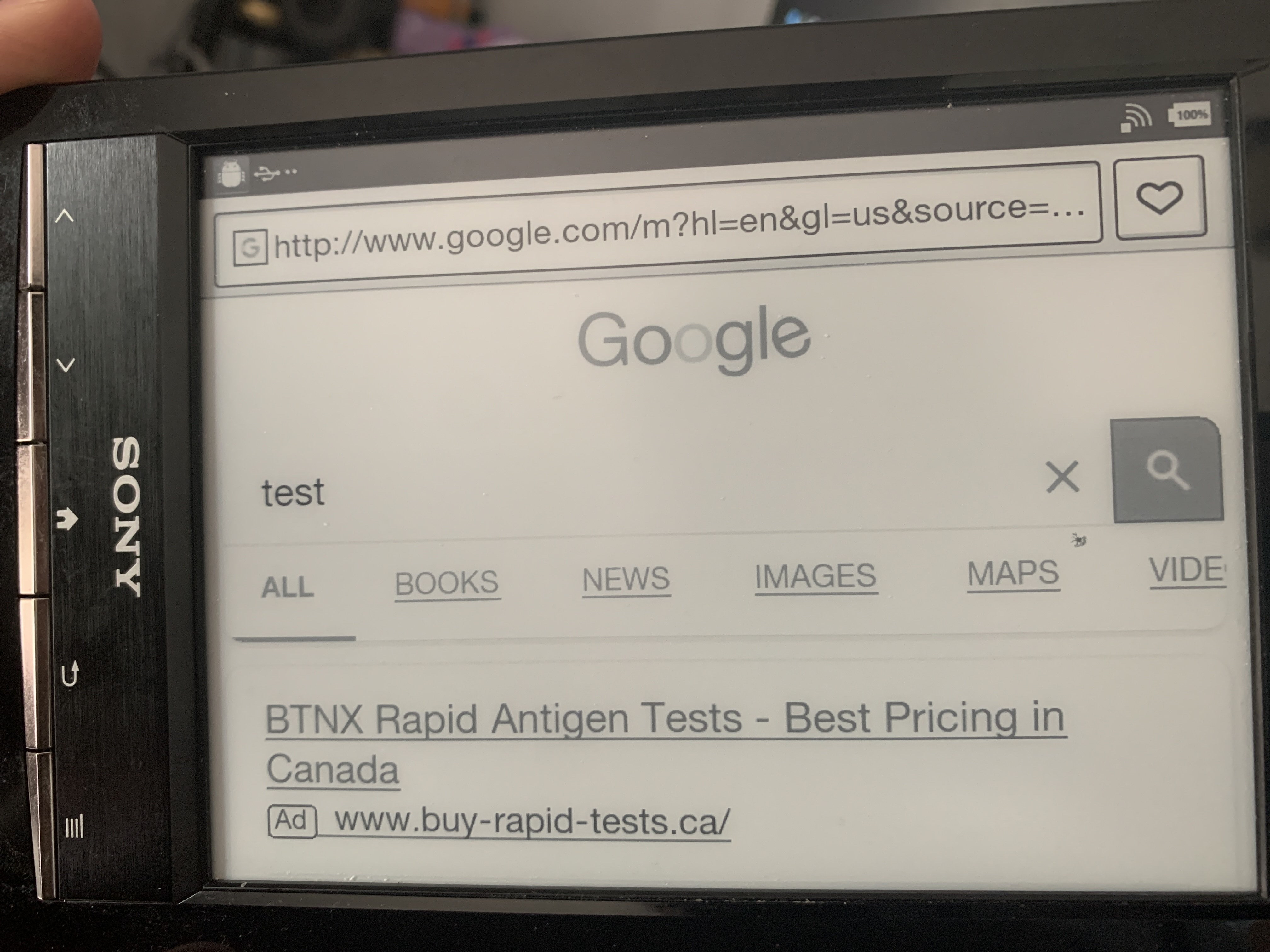
10:29 PM
"After that it should boot (in normal mode) from SD card that has my image on it. Rescue mode should still work as before, as this only changes the "active uboot env" instead of "rescue uboot env"."
10:32 PM
I would assume that means he already did everything needed to uboot.
10:33 PM
"make sure the kernel2backup file really starts with the uboot magic sequence: 27 05 19 56 " what is uboot magic sequence?
10:34 PM
He's copying the uImage to 0x3000
10:34 PM
"dd of=/dev/block/mmcblk2 if=uImage bs=512 seek=$((0x3000))"
10:35 PM
is that the same spot?
10:35 PM
(he's working with the eMMC)
10:36 PM
Wonder why he's telling you to compile UBoot
10:37 PM
hmm zcat /proc/config.gz > .config
10:38 PM
would this have the same stuff in it as that def android we used...
Avatar
go compare!
Avatar
where is /proc though..
10:39 PM
is that from the booted os
Avatar
huh? oh no don't tell me proc doesn't exist in android
10:40 PM
iirc it does it does on my phone that is
Avatar
I'm just saying he says get the sony kernel source and goto /proc
Avatar
boot the stock os or recovery mode whatever kernel that works and extract the config then diff
Avatar
wtf theres no proc in android???
10:41 PM
that would be WEIRD
Avatar
I don't think that is in the kernel source?
Avatar
not at all
Avatar
You guys are jumping to conclusions...
10:41 PM
MobileRead - the resource for mobile geeks seeking information and advice for keeping their gadgets happy.
10:42 PM
wget http://www.sony.net/Products/Linux/Audio/Download/common/L1KaMCC9mHxsZfoFPJnsBg/linux-2.6.35.3-110901.tgz wget zcat /proc/config.gz > .config make menuconfig (change what you want) make uImage make modules_install
Avatar
this makes absolutely no sense at all
Avatar
not sure where that second wget was going.
Avatar
the command list literally says "get the kernel source, extract the kernel config from your x86_64 computer (totally incompatible) and feed it to the sony kernel compilation" (edited)
10:43 PM
like, ...?
Avatar
I'm going to go boot the E-ink OS and see if something is laying in /proc/config.gz
👍 1
Avatar
Avatar
NonaSuomy
wget http://www.sony.net/Products/Linux/Audio/Download/common/L1KaMCC9mHxsZfoFPJnsBg/linux-2.6.35.3-110901.tgz wget zcat /proc/config.gz > .config make menuconfig (change what you want) make uImage make modules_install
it seems the command list is also getting a different kernel source linux-2.6.35.3 compared to the wrong .2 you had on your source tarball
Avatar
I think he was drunk while typing.
10:49 PM
or maybe older source
10:51 PM
Maybe it used to compile but no longer.
Avatar
Some how lost the ADB usb connection vanished from the USB menu...
11:43 PM
[root (ttyGS0)]# ls 1 193 332 driver pwr3 1008 197 382 execdomains sdma 1072 2 393 fb self 1074 201 397 filesystems slabinfo 1078 210 4 fs softirqs 1100 213 5 interrupts stat 1108 218 76 iomem swaps 1110 2264 77 ioports sys 1129 2275 8 irq sysvipc 1131 2282 9 kallsyms timer_list 1136 2286 apm kmsg tty 1144 2287 asound kpagecount uid_stat 1145 2288 buddyinfo kpageflags uptime 1150 2303 bus loadavg version 12 266 cmdline locks vmallocinfo 1229 3 config.gz meminfo vmstat 1230 306 cpu misc wakelocks 1247 308 cpuinfo modules zoneinfo 169 310 crypto mounts 171 312 devices net 173 315 diskstats pagetypeinfo 191 322 dma-engine partitions
11:43 PM
config.gz
Avatar
Ok extract that
11:44 PM
Extract cmdline too
11:52 PM
cat /proc/cmdline root=/dev/mmcblk2p1 rootfstype=ext4 rw rootwait init=/linuxrc console=ttymxc4,115200 bootdev=2 rawtable=0xF40000
11:53 PM
ttymxc4?
11:53 PM
Maybe we're just dumping to the wrong console?
11:53 PM
n/m it restarts
11:54 PM
so it's not like it had time to do anything.
11:54 PM
Just to note this was from the older generated Rupors Recover build
11:58 PM
I'll see if I can reflash that SD image again and get ADB back to look at the newer build
Avatar
Weird folder called dropbox/SYSTEM_BOOT@1651370276809.txt Build: sony/sydney/EBX-5047/imx50_evk:2.2.1/FRG83/105:user/test-keys Hardware: imx50_evk Bootloader: unknown Radio: unknown Kernel: Linux version 2.6.35.3 (hudson@devuntu5) (gcc version 4.4.0 (GCC) ) #1 PREEMPT Wed May 7 15:03:54 JST 2014 (edited)
Avatar
I was working too late and didn't realize I was on the eMMC for some reason and wiped it out haha... so may be a bit until I figure out how to recover as nothing works but a loading screen now and recover buttons no longer work. (Can't boot Rupor's Recovery anymore) (edited)
9:23 AM
"bricked until further notice"
9:24 AM
May have to connect the eMMC via that image above to write the partitions back to it.
9:29 AM
Avatar
Avatar
NonaSuomy
May have to connect the eMMC via that image above to write the partitions back to it.
i dont think that this will work, but hope dies the last
Avatar
its really propably that there are somewhere pads to program this IC
Avatar
Just need to get one of those level shifters as it works at 1.8v
Avatar
Avatar
Szybet
its really propably that there are somewhere pads to program this IC
It’s in the picture above
Avatar
Avatar
NonaSuomy
Just need to get one of those level shifters as it works at 1.8v
thats the tx50104?
Avatar
Avatar
NonaSuomy
It’s in the picture above
was this tested?
Avatar
Yeah they call it the “iron” method in Russian forums.
Avatar
i hope you get a logic shifter for 1.8, its not a popular voltage
Avatar
Well it’s popular for embedded systems…
9:43 AM
Wonder why they are showing two different IC’s 104/102 in the image above. (edited)
9:46 AM
Wonder if txB is ok seems voltage compatible and some make premade breakouts for it. I may even have one…
9:48 AM
The TXB0104 is a 4-bit bidirectional voltage-level translator with automatic direction sensing. This 4-bit noninverting translator uses two separate configurable power-supply rails. The A port is designed to track VCCA. VCCA accepts any supply voltage from 1.2V to 3.6V. The B port is designed to track VCCB. VCCB accepts any supply voltage from 1.65V to 5.5V. This allows for universal low-voltage bidirectional translation between any of the 1.2-V, 1.5-V, 1.8-V, 2.5-V, 3.3-V, and 5-V voltage nodes.
9:52 AM
Looks like it “TXS0104E 4-Bit Bidirectional Voltage-Level Translator for Open-Drain and Push-Pull Applications”
9:56 AM
9:56 AM
Think I have this one
9:57 AM
I could interface at full speed with all 4 data lines
10:18 AM
Those pins are so small 😅
Avatar
its time to learn soldering
Avatar
Avatar
Szybet
its time to learn soldering
There’s a “big” difference from through-hole to surface mount SMD 0201 soldering. Learning to solder is only half the battle there. The caps and resistors just stick to the end of your soldering iron at that size and burn up. You really need hot air tweezers and a microscope. (edited)
Avatar
of course tweezers are needed, and this can be done without air. and without sticking to the solder iron
Avatar
Make a video of you soldering smd 0201 by hand iron for me
Avatar
I would need a microscope to record that, I already did ( i dont know if this exact size ) to fpv googles to set the brightness (edited)
11:16 AM
it took hours
11:16 AM
but its not impossible
Avatar
I’ve done 0805 components by drag soldering but that’s really large in comparison to 0201
Avatar
You can maybe trigger some sort of download mode by shorting eMMC pins
11:20 AM
Just an idea Might not work
Avatar
its not a good idea
11:20 AM
it could kill the iC, its best too check in the datasheet
Avatar
Avatar
tux-linux
You can maybe trigger some sort of download mode by shorting eMMC pins
Any documentation you have seen preform this with an ereader you can paste a link to?
Avatar
So this is weird it seems to still be booting the stock kernel...
Avatar
you said you wiped it out
Avatar
Exactly.
Avatar
Literally purged each partition off of it before realizing that I selected the wrong device.
1:13 PM
The guy that mentioned how to boot from SD said there was 3 spots to boot from I think... Something about the NAND. ( I thought the eMMC / Nand were both the same thing as the datasheet from the eMMC said iNAND on it)
1:15 PM
or maybe it only allowed me to purge up to the kernel partition...
1:16 PM
They said: " Then it is just a matter of pointing uboot to boot kernel from mmc0 instead of mmc2. There are three ways to do it: Write eMMC from Linux recovery environment Write eMMC from uboot command prompt Write NAND chip from uboot command prompt Writing to eMMC is easiest, but if your eMMC was totally broken (not just bad sectors), you'd have to modify the uboot image in NAND so that it would load its configuration from mmc0 instead of mmc2. "
Avatar
Avatar
NonaSuomy
Any documentation you have seen preform this with an ereader you can paste a link to?
The pw3 uses a similar mechanism
Avatar
Avatar
NonaSuomy
They said: " Then it is just a matter of pointing uboot to boot kernel from mmc0 instead of mmc2. There are three ways to do it: Write eMMC from Linux recovery environment Write eMMC from uboot command prompt Write NAND chip from uboot command prompt Writing to eMMC is easiest, but if your eMMC was totally broken (not just bad sectors), you'd have to modify the uboot image in NAND so that it would load its configuration from mmc0 instead of mmc2. "
But then to write to nand you need U-Boot Oops
Avatar
We have access to U-Boot though? as said above it's still booting the uboot -> kernel It just has no files/folders.
1:46 PM
As I think it's getting it from the nand and not eMMC
Avatar
Oh ok nice
Avatar
MX50_ARM2 U-Boot > fatls mmc 2:4 ** Partition 4 not valid on device 2 ** ** Unable to use mmc 2:4 for fatls **
Avatar
imx_esdhc.c bus_width 0x1 imx_esdhc.c bus_width 0x1 imx_esdhc.c bus_width 0x4 imx_esdhc.c bus_width 0x4 SD set clock 50MHz Device: FSL_ESDHC Manufacturer ID: 2 OEM: 544d Name: SD02G Tran Speed: 25000000 Rd Block Len: 512 SD version 2.0 High Capacity: No Capacity: 2013265920 Bus Width: 4-bit Boot Partition Size: No boot partition available
Avatar
Niceeee directing uboot to the sdcard boot worked...
2:38 PM
MX50_ARM2 U-Boot > setenv bootargs 'console=ttymxc4,115200 init=/init bootdev=0 rawtable=0xF40000 MX50_ARM2 U-Boot > boot MMC read: dev # 2, block # 2048, count 5120 partition # 0 ... imx_esdhc.c bus_width 0x1 imx_esdhc.c bus_width 0x1 imx_esdhc.c bus_width 0x4 imx_esdhc.c bus_width 0x4 MMC set clock 50MHz 5120 blocks read: OK MMC read: dev # 2, block # 10240, count 500 partition # 0 ... imx_esdhc.c bus_width 0x1 imx_esdhc.c bus_width 0x1 imx_esdhc.c bus_width 0x4 imx_esdhc.c bus_width 0x4 MMC set clock 50MHz 500 blocks read: OK ## Booting kernel from Legacy Image at 70800000 ... Image Name: Normal Kernel Image Type: ARM Linux Kernel Image (uncompressed) Data Size: 2288064 Bytes = 2.2 MB Load Address: 70008000 Entry Point: 70008000 Verifying Checksum ... OK ## Loading init Ramdisk from Legacy Image at 70c00000 ... Image Name: Normal Rootfs Image Type: ARM Linux RAMDisk Image (uncompressed) Data Size: 214270 Bytes = 209.2 kB Load Address: 70308000 Entry Point: 70308000 Verifying Checksum ... OK Loading Kernel Image ... OK OK Starting kernel ...
2:38 PM
Linux version 2.6.35.3 (hudson@devuntu5) (gcc version 4.4.0 (GCC) ) #1 PREEMPT Wed May 7 15:03:54 JST 2014 CPU: ARMv7 Processor [412fc085] revision 5 (ARMv7), cr=10c53c7f CPU: VIPT nonaliasing data cache, VIPT nonaliasing instruction cache Machine: Freescale MX50 ARM2 Board Ignoring unrecognised tag 0x54410008 Memory policy: ECC disabled, Data cache writeback Built 1 zonelists in Zone order, mobility grouping on. Total pages: 63754 Kernel command line: console=ttymxc4,115200 init=/init bootdev=0 rawtable=0xF40000 PID hash table entries: 1024 (order: 0, 4096 bytes) Dentry cache hash table entries: 32768 (order: 5, 131072 bytes) Inode-cache hash table entries: 16384 (order: 4, 65536 bytes) Memory: 251MB = 251MB total Memory: 249220k/249220k available, 7804k reserved, 0K highmem Virtual kernel memory layout: vector : 0xffff0000 - 0xffff1000 ( 4 kB) fixmap : 0xfff00000 - 0xfffe0000 ( 896 kB) DMA : 0xf9e00000 - 0xffe00000 ( 96 MB) vmalloc : 0x90000000 - 0xf4000000 (1600 MB) lowmem : 0x80000000 - 0x8fb00000 ( 251 MB) pkmap : 0x7fe00000 - 0x80000000 ( 2 MB) modules : 0x7f000000 - 0x7fe00000 ( 14 MB) .init : 0x80008000 - 0x80025000 ( 116 kB) .text : 0x80025000 - 0x80424000 (4092 kB) .data : 0x80444000 - 0x804be700 ( 490 kB) SLUB: Genslabs=9, HWalign=64, Order=0-3, MinObjects=0, CPUs=1, Nodes=1 Hierarchical RCU implementation. RCU-based detection of stalled CPUs is disabled. Verbose stalled-CPUs detection is disabled. NR_IRQS:396 MXC GPIO hardware MXC IRQ initialized You should not call the gpmi_set_parent MXC_Early serial console at MMIO 0x63f90000 (options '115200') bootconsole [ttymxc4] enabled Console: colour dummy device 80x30 Mix log static memory : 7fe00000 - 7fffffff address : 90400000 There is not the last log. Initialize a static memory for mix_logger.
2:39 PM
##### LOG START ##### Calibrating delay loop... 799.53 BogoMIPS (lpj=3997696) pid_max: default: 32768 minimum: 301 Mount-cache hash table entries: 512 CPU: Testing write buffer coherency: ok regulator: core version 0.5 NET: Registered protocol family 16 i.MX IRAM pool: 128 KB@0x90040000 CPU is i.MX50 Revision 1.1 IR Power is LDO4 This is TPS65181. PWR3DET:power 3 detect FEC disable Using SDMA I.API MXC DMA API initialized IMX usb wakeup probe IMX usb wakeup probe bio: create slab <bio-0> at 0 CSPI: mxc_spi-0 probed CSPI: mxc_spi-2 probed usbcore: registered new interface driver usbfs usbcore: registered new interface driver hub usbcore: registered new device driver usb wm831x 0-0034: WM8321 revision C wm831x 0-0034: Security key had non-zero value 1 regulator: VCORE: 850 <--> 1100 mV at 1000 mV at 0 uA regulator: VPERI: 950 <--> 1250 mV at 1250 mV at 0 uA regulator: DCDC3: at 1800 mV regulator: DCDC4: at 2900 mV regulator: LDO1: 900 <--> 3300 mV at 1200 mV regulator: LDO2: 900 <--> 3300 mV at 1200 mV regulator: LDO3: 900 <--> 3300 mV at 2500 mV regulator: LDO4: 900 <--> 3300 mV at 3200 mV regulator: LDO5: 900 <--> 3300 mV at 2900 mV regulator: LDO6: 900 <--> 3300 mV at 2500 mV regulator: LDO7: 1000 <--> 3500 mV at 1800 mV regulator: LDO8: 1000 <--> 3500 mV at 2500 mV regulator: LDO9: 1000 <--> 3500 mV at 3100 mV regulator: LDO10: 1000 <--> 3500 mV at 3200 mV regulator: LDO11: 800 <--> 1550 mV at 1200 mV Advanced Linux Sound Architecture Driver Version 1.0.23. Switching to clocksource mxc_timer1 mxsdhci: MXC Secure Digital Host Controller Interface driver mxsdhci: MXC SDHCI Controller Driver. SDHC:sdhci_set_power:slot pwr off mmc_detect_change: id=0 mmc0: SDHCI detect irq 179 irq 1 INTERNAL DMA mxsdhci: MXC SDHCI Controller Driver. SDHC:sdhci_set_power:slot pwr on mmc_detect_change: id=1 mmc1: SDHCI detect irq 0 irq 2 INTERNAL DMA mxsdhci: MXC SDHCI Controller Driver. mmc_detect_change: id=2
2:40 PM
mmc2: SDHCI detect irq 228 irq 3 INTERNAL DMA mxsdhci: MXC SDHCI Controller Driver. mmc_detect_change: id=3 mmc3: SDHCI detect irq 0 irq 4 INTERNAL DMA NET: Registered protocol family 2 IP route cache hash table entries: 2048 (order: 1, 8192 bytes) TCP established hash table entries: 8192 (order: 4, 65536 bytes) TCP bind hash table entries: 8192 (order: 3, 32768 bytes) TCP: Hash tables configured (established 8192 bind 8192) TCP reno registered UDP hash table entries: 256 (order: 0, 4096 bytes) UDP-Lite hash table entries: 256 (order: 0, 4096 bytes) NET: Registered protocol family 1 RPC: Registered udp transport module. RPC: Registered tcp transport module. RPC: Registered tcp NFSv4.1 backchannel transport module. Unpacking initramfs... Freeing initrd memory: 208K LPMode driver module loaded Static Power Management for Freescale i.MX5 PM driver module loaded sdram autogating driver module loaded Bus freq driver module loaded mxc_dvfs_core_probe DVFS driver module loaded i.MXC CPU frequency driver DVFS PER driver module loaded ashmem: initialized msgmni has been set to 487 alg: No test for stdrng (krng) cryptodev: driver loaded. io scheduler noop registered io scheduler deadline registered io scheduler cfq registered (default) regulator: DISPLAY: regulator: VCOM: at 1250 mV regulator: V3P3_CTRL: regulator: PMIC_TEMP: regulator: PWR0_CTRL: regulator: PWR2_CTRL: regulator: VSYS_EPD: tps65180 1-0048: PMIC TPS6518x for eInk display SDHC:sdhci_set_power:slot pwr on mmc0: new high speed SDHC card at address e624 mmc_rescan:wake_lock_timeout (0) mmc_rescan:detect done(id=0) Serial: MXC Internal UART driver mxcuart register mxcintuart.2: ttymxc2 at MMIO 0x5000c000 (irq = 33) is a Freescale i.MX mxcintuart.3: ttymxc3 at MMIO 0x53ff0000 (irq = 13) is a Freescale i.MX mxcintuart.4: ttymxc4 at MMIO 0x63f90000 (irq = 86) is a Freescale i.MX
2:40 PM
console [ttymxc4] enabled, bootconsole disabled console [ttymxc4] enabled, bootconsole disabled mxcswuart register mxcintswuart.0: ttymxc0 at MMIO 0x53fbc000 (irq = 31) is a Freescale i.MX SSW:ssw port register 0 mxcintswuart.1: ttymxc1 at MMIO 0x53fc0000 (irq = 32) is a Freescale i.MX SSW:ssw port register 1 loop: module loaded FEC Ethernet Driver PPP generic driver version 2.4.2 usbcore: registered new interface driver asix usbcore: registered new interface driver cdc_ether usbcore: registered new interface driver net1080 usbcore: registered new interface driver cdc_subset mmc2: new high speed MMC card at address 0001 input: gpio-keys as /devices/platform/gpio-keys/input/input0 mmc_rescan:wake_lock_timeout (2) irtp_init irtp_connect mmc_rescan:wifi:wake unlock (3) input: SONY IR Touchpanel as /devices/virtual/input/input1 IRTP: register early_suspend input: wm831x_on as /devices/platform/imx-i2c.0/i2c-0/0-0034/wm831x-on/input/input2 input: phxlit_vbus as /devices/platform/phxlit_vbus.0/input/input3 phxlit_vbus phxlit_vbus.0: event(type 5 code 12) wm831x-rtc wm831x-rtc: rtc core: registered wm831x as rtc0 mxc_rtc mxc_rtc.0: rtc core: registered mxc_rtc as rtc1 using rtc device, wm831x, for alarms i2c /dev entries driver APM Battery Driver MXC WatchDog Driver 2.0 MXC Watchdog # 0 Timer: initial timeout 60 sec mmcblk0: mmc0:e624 SU04G 3.69 GiB mmcblk0: p1 p2 p3 < p5 p6 p7 p8 p9 p10 > p4 Raw data table load mmcblk2: mmc2:0001 SEM02G 1.82 GiB BUG: recent printk recursion! <6> mmcblk2: logger: created 64K log 'log_main' logger: created 64K log 'log_events' logger: created 64K log 'log_radio' logger: created 64K log 'log_system' logger: created 2047K log 'log_mix' logger: created 64K log 'log_kernel' Past log manager. CS42L52: CODEC revision C1 DMA Sound Buffers Allocated:UseIram=1 buf->addr=f8006000 buf->area=90046000 size=24576 DMA Sound Buffers Allocated:UseIram=1 buf->addr=7e360000 buf->area=f9e01000 size=24576
2:41 PM
asoc: CS42L52 dai <-> imx-ssi-2-0 mapping ok ALSA device list: #0: imx-3stack (CS42L52 codec) nf_conntrack version 0.5.0 (3897 buckets, 15588 max) ip_tables: (C) 2000-2006 Netfilter Core Team TCP cubic registered NET: Registered protocol family 17 VFP support v0.3: implementor 41 architecture 3 part 30 variant c rev 2 tps65180_vsys_enable : wait VSYS_EPD. regulator_init_complete: incomplete constraints, leaving PWR2_CTRL on regulator_init_complete: incomplete constraints, leaving PMIC_TEMP on epdc_progress_work_func start progress. regulator_init_complete: incomplete constraints, leaving LDO11 on regulator_init_complete: incomplete constraints, leaving LDO7 on regulator_init_complete: incomplete constraints, leaving LDO6 on regulator_init_complete: incomplete constraints, leaving LDO5 on regulator_init_complete: incomplete constraints, leaving LDO3 on regulator_init_complete: incomplete constraints, leaving LDO2 on regulator_init_complete: incomplete constraints, leaving LDO1 on input: sub_cpu_pwrbutton as /devices/platform/mxc_spi.2/spi3.2/sub_cpu_pwrbutton/input/input4 wm831x-rtc wm831x-rtc: setting system clock to 2010-01-01 00:01:59 UTC (1262304119) Freeing init memory: 116K init: cannot open '/initlogo.rle' init: cannot find '/system/bin/switcher', disabling 'switcher' init: cannot find '/system/bin/servicemanager', disabling 'servicemanager' init: cannot find '/system/bin/vold', disabling 'vold' init: cannot find '/system/bin/netd', disabling 'netd' init: cannot find '/system/bin/dispd', disabling 'dispd' init: cannot find '/system/bin/debuggerd', disabling 'debuggerd' init: cannot find '/system/bin/rild', disabling 'ril-daemon' init: cannot find '/system/bin/app_process', disabling 'zygote' init: cannot find '/system/bin/mediaserver', disabling 'media' init: cannot find '/system/bin/dbus-daemon', disabling 'dbus' init: cannot find '/system/bin/installd', disabling 'installd'
2:41 PM
init: cannot find '/system/etc/install-recovery.sh', disabling 'flash_recovery' init: cannot find '/system/etc/firewall.sh', disabling 'firewall' init: cannot find '/system/bin/keystore', disabling 'keystore' init: cannot find '/system/bin/logwrapper', disabling 'wpa_supplicant' epdc_progress_work_func end progress.
2:41 PM
Seems to spit out a bit more log doing it that way...
2:45 PM
MXC WatchDog Driver 2.0 MXC Watchdog # 0 Timer: initial timeout 60 sec
2:48 PM
input: wm831x_on as /devices/platform/imx-i2c.0/i2c-0/0-0034/wm831x-on/input/input2
2:52 PM
wm831x-rtc wm831x-rtc: rtc core: registered wm831x as rtc0 mxc_rtc mxc_rtc.0: rtc core: registered mxc_rtc as rtc1 using rtc device, wm831x, for alarms
2:52 PM
uses the wm831 as the Real Time Clock, guess that makes sense keep track of the wdt.
Avatar
To boot recovery from SD card setenv bootargs 'root=/dev/mmcblk0p1 rootfstype=ext4 rw rootwait init=/linuxrc console=ttymxc4,115200 bootdev=2 rawtable=0xF40000' boot To boot normal system from SD card setenv bootargs 'console=ttymxc4,115200 init=/init bootdev=0 rawtable=0xF40000' boot Are we writing our kernel to one of these spots? (edited)
3:12 PM
Tried both setenv but still got the stock kernel both times.
Avatar
Setenv is only for kernel cmdline
3:14 PM
Don't have time right now, will get back to you tonight
Avatar
ok no worries (I dd/sync'd our uImage over the stock SDCard Image so I assumed the stock kernel should no longer exist) dd if=uImage of=/dev/mmcblk0 bs=512 seek=2048 sync (edited)
Avatar
Can you still boot our kernel?
Avatar
Avatar
NonaSuomy
Click to see attachment 🖼️
ttymxc2 is the problem I think
7:25 PM
It should be ttymxc4
7:25 PM
Try this Last hope
Avatar
Avatar
tux-linux
Can you still boot our kernel?
I'm not sure how to yet
9:41 PM
You said that line is only for after the kernel loads
9:42 PM
so to me that means it's always going to be loading the stock kernel
Avatar
Yes, but it controls the boot console
9:42 PM
Yes
9:42 PM
Unless you find how to load something else
Avatar
But I really think ttymxc4 is the key
Avatar
But the "lock" is the watchdog woof.
Avatar
I think the logger does something related to the console, it auto-switches it somehow, so that's why we can't see anything else on the log idk (edited)
Avatar
Hopefully it unmasks something. First struggle will be to get the kernel booting again no idea yet how to accomplish that.
Avatar
there is a way in u-boot to read from the external mmc if it is supported
Avatar
Was hopping that I could boot rupor's recovery with that above but it never engaged the usb serial terminal like it normally did or I'm just not sure how it works in general.
tux-linux pinned a message to this channel. 2022-05-02 10:12 PM
Avatar
the SD card of rupors just has a folder called OS Firmware\update.img on it
Avatar
please do mmcinfo 0 in U-Boot
Avatar
so I'm sure it doesn't know how to launch that.
10:14 PM
As the SD image that the other guy did has all the linux and partitions expanded
10:14 PM
so maybe we can use loady to launch that update.img
Avatar
how much does it weigh?
Avatar
Then get usb serial console back then flash all the partitions back (edited)
Avatar
Avatar
NonaSuomy
so maybe we can use loady to launch that update.img
unless update.img is a kernel, nothing will 'launch'
Avatar
Avatar
NonaSuomy
Click to see attachment 🖼️
Have a look here
Avatar
loading 25mb with loady will take half an hour
10:17 PM
and it is not a kernel maybe there's some hope inside the file
Avatar
The normal process is toss that folder on the SDCard then hold HOME + MENU physical buttons during boot then it launches that.
10:18 PM
(the Home + Menu process I'm guessing requires some of those partitions I purged 😄
10:19 PM
as it no longer launches anything now.
Avatar
Avatar
tux-linux
please do mmcinfo 0 in U-Boot
can you do that, or U-Boot console is not accessible at all?
Avatar
I still have U-Boot console from UART loading from what I believe is NAND
Avatar
Avatar
tux-linux
can you do that, or U-Boot console is not accessible at all?
Yes trying in the background
👍 1
10:24 PM
MX50_ARM2 U-Boot > mmcinfo 0 imx_esdhc.c bus_width 0x1 imx_esdhc.c bus_width 0x1 imx_esdhc.c bus_width 0x4 imx_esdhc.c bus_width 0x4 SD set clock 50MHz Device: FSL_ESDHC Manufacturer ID: 2 OEM: 544d Name: SD02G Tran Speed: 25000000 Rd Block Len: 512 SD version 2.0 High Capacity: No Capacity: 2013265920 Bus Width: 4-bit Boot Partition Size: No boot partition available
Avatar
ok, now, mmcinfo 1 if it doesn't work, mmcinfo 2
Avatar
Avatar
NonaSuomy
MX50_ARM2 U-Boot > mmcinfo 0 imx_esdhc.c bus_width 0x1 imx_esdhc.c bus_width 0x1 imx_esdhc.c bus_width 0x4 imx_esdhc.c bus_width 0x4 SD set clock 50MHz Device: FSL_ESDHC Manufacturer ID: 2 OEM: 544d Name: SD02G Tran Speed: 25000000 Rd Block Len: 512 SD version 2.0 High Capacity: No Capacity: 2013265920 Bus Width: 4-bit Boot Partition Size: No boot partition available
this seems to be the eMMC
Avatar
MX50_ARM2 U-Boot > mmcinfo 1 imx_esdhc.c bus_width 0x1 imx_esdhc.c bus_width 0x1 Card did not respond to voltage select! MMC card init failed! MX50_ARM2 U-Boot > mmcinfo 2 imx_esdhc.c bus_width 0x1 imx_esdhc.c bus_width 0x1 imx_esdhc.c bus_width 0x4 imx_esdhc.c bus_width 0x4 MMC set clock 50MHz Device: FSL_ESDHC Manufacturer ID: 45 OEM: 100 Name: SEM02 Tran Speed: 25000000 Rd Block Len: 512 MMC version 4.0 High Capacity: No Capacity: 1958739968 Bus Width: 4-bit Boot Partition Size: 1024KB Current Partition for boot: Not bootable MX50_ARM2 U-Boot > mmcinfo 3 MMC Device 3 not found (edited)
Avatar
ok nice is your external sd 2GB in capacity?
Avatar
I have 3 that I was testing but yes the one in there now is 2GB
10:28 PM
2GB had rupors on it
Avatar
good, so you can read in external mmc from internal u-boot (edited)
10:29 PM
that means you can load a kernel
Avatar
4GB has that stock adb image with our flash over it and the 16gb just has the stock adb image on it.
Avatar
let me try something on one of my kobo's u-boot
Avatar
I read someplace to satisfy a /dev/watchdog you have to keep writing "v" to it. (this may not be something running yet though before it resets)
Avatar
busybox watchdog does that iirc
Avatar
If only we could get to busybox haha
10:37 PM
console=ttymxc4,115200 rawtable=0xF40000 root=/dev/ram0 rdinit=/sbin/init rootfstype=ramfs You want the default kernel command string to be changed to 2 -> 4 correct?
Avatar
I wish I was able to save /proc/config.gz from the latest build before I did that stupid mistake as that was what I was trying to clean the SDCard for 😄
10:40 PM
As the next attempt was going to just be get the default compiled kernel booting the stock os. (edited)
10:42 PM
I wish people just brain dumped everything they were doing into git and then cleaned up the sanity later if they wanted it to help someone so at the least you could maybe put the puzzle pieces together.
10:43 PM
Maybe Neural link will do this.
10:44 PM
hmm lets compare our .config to rupors config.gz I dupped.
Avatar
Does mmc read 1 0x800 0x1000 work or does it hang?
Avatar
One moment
👍 1
Avatar
Things in our config that are different Rupor N/A Ours CONFIG_ARM_L1_CACHE_SHIFT_6=y Rupor CONFIG_KERNEL_GZIP=y # CONFIG_KERNEL_LZMA is not set Ours # CONFIG_KERNEL_GZIP is not set CONFIG_KERNEL_LZMA=y Rupor CONFIG_INITRAMFS_SOURCE="" CONFIG_RD_GZIP=y # CONFIG_RD_BZIP2 is not set # CONFIG_RD_LZMA is not set # CONFIG_RD_LZO is not set Ours CONFIG_INITRAMFS_SOURCE="/home/nonasuomy/code/busybox/_install" CONFIG_INITRAMFS_ROOT_UID=0 CONFIG_INITRAMFS_ROOT_GID=0 # CONFIG_RD_GZIP is not set # CONFIG_RD_BZIP2 is not set CONFIG_RD_LZMA=y # CONFIG_RD_LZO is not set CONFIG_INITRAMFS_COMPRESSION_NONE=y # CONFIG_INITRAMFS_COMPRESSION_GZIP is not set # CONFIG_INITRAMFS_COMPRESSION_BZIP2 is not set # CONFIG_INITRAMFS_COMPRESSION_LZMA is not set # CONFIG_INITRAMFS_COMPRESSION_LZO is not set Rupor CONFIG_ARM_L1_CACHE_SHIFT=5 Ours CONFIG_ARM_L1_CACHE_SHIFT=6 Rupor CONFIG_CMDLINE="noinitrd console=ttymxc0,115200 root=/dev/mtdblock2 rw rootfstype=jffs2 ip=off" # CONFIG_CMDLINE_FORCE is not set # CONFIG_XIP_KERNEL is not set # CONFIG_KEXEC is not set Ours CONFIG_CMDLINE="console=ttymxc4,115200 rawtable=0xF40000 root=/dev/ram0 rdinit=/sbin/init rootfstype=ramfs" CONFIG_CMDLINE_FORCE=y # CONFIG_XIP_KERNEL is not set CONFIG_KEXEC=y CONFIG_ATAGS_PROC=y (edited)
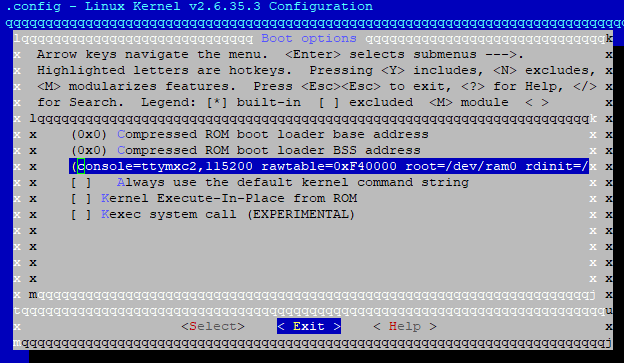
Avatar
god, you did use diff, didn't you?
😂 1
11:11 PM
thanks for the summary
Avatar
Rupor # CONFIG_NETWORK_SECMARK is not setONFIG_NETFILTER_XT_TARGET_CLASSIFY is not set Ours # CONFIG_NETWORK_SECMARK is not set CONFIG_NETFILTER=y # CONFIG_NETFILTER_DEBUG is not set CONFIG_NETFILTER_ADVANCED=y # # Core Netfilter Configuration # # CONFIG_NETFILTER_NETLINK_QUEUE is not set # CONFIG_NETFILTER_NETLINK_LOG is not set CONFIG_NF_CONNTRACK=y # CONFIG_NF_CT_ACCT is not set # CONFIG_NF_CONNTRACK_MARK is not set # CONFIG_NF_CONNTRACK_EVENTS is not set # CONFIG_NF_CT_PROTO_DCCP is not set # CONFIG_NF_CT_PROTO_SCTP is not set # CONFIG_NF_CT_PROTO_UDPLITE is not set # CONFIG_NF_CONNTRACK_AMANDA is not set CONFIG_NF_CONNTRACK_FTP=y # CONFIG_NF_CONNTRACK_H323 is not set # CONFIG_NF_CONNTRACK_IRC is not set # CONFIG_NF_CONNTRACK_NETBIOS_NS is not set # CONFIG_NF_CONNTRACK_PPTP is not set # CONFIG_NF_CONNTRACK_SANE is not set # CONFIG_NF_CONNTRACK_SIP is not set # CONFIG_NF_CONNTRACK_TFTP is not set # CONFIG_NF_CT_NETLINK is not set CONFIG_NETFILTER_XTABLES=y # # Xtables combined modules # # CONFIG_NETFILTER_XT_MARK is not set # CONFIG_NETFILTER_XT_CONNMARK is not set # # Xtables targets # # CONFIG_NETFILTER_XT_TARGET_CLASSIFY is not set Rupor CONFIG_TOUCHSCREEN_SONYIR_NOFILM=y Ours # CONFIG_TOUCHSCREEN_SONYIR_NOFILM is not set Rupor CONFIG_WATCHDOG=y CONFIG_WATCHDOG_NOWAYOUT=y # # Watchdog Device Drivers # # CONFIG_SOFT_WATCHDOG is not set # CONFIG_WM831X_WATCHDOG is not set CONFIG_MXC_WATCHDOG=y # CONFIG_MAX63XX_WATCHDOG is not set # CONFIG_IMX2_WDT is not set # # USB-based Watchdog Cards # # CONFIG_USBPCWATCHDOG is not set ours # CONFIG_WATCHDOG is not set
11:11 PM
Rupor # USB Device Class dri # CONFIG_USB_SERIAL_ARK3116 is not set Ours # USB Device Class drivers # # CONFIG_USB_ACM is not set # CONFIG_USB_PRINTER is not set # CONFIG_USB_WDM is not set # CONFIG_USB_TMC is not set # # NOTE: USB_STORAGE depends on SCSI but BLK_DEV_SD may # # # also be needed; see USB_STORAGE Help for more info # # CONFIG_USB_LIBUSUAL is not set # # USB Imaging devices # # CONFIG_USB_MDC800 is not set # # USB port drivers # CONFIG_USB_SERIAL=m # CONFIG_USB_EZUSB is not set # CONFIG_USB_SERIAL_GENERIC is not set # CONFIG_USB_SERIAL_AIRCABLE is not set # CONFIG_USB_SERIAL_ARK3116 is not set Rupor CONFIG_USB_G_SERIAL=m Ours # CONFIG_USB_G_SERIAL is not set Rupor # CONFIG_USB_ANDROID is not set Ours CONFIG_USB_ANDROID=m CONFIG_USB_ANDROID_ADB=y CONFIG_USB_ANDROID_MASS_STORAGE=y CONFIG_USB_ANDROID_MASS_STORAGE_EXTSCSI=y # CONFIG_USB_ANDROID_RNDIS is not set Rupor # # MXC support drivers # CONF_SECURITY_RNG is not set Ours CONFIG_MXC_IPU=y CONFIG_MXC_IPU_V3=y # # MXC SSI support # # CONFIG_MXC_SSI is not set # # MXC Digital Audio Multiplexer support # # CONFIG_MXC_DAM is not set # # MXC PMIC support # # CONFIG_MXC_PMIC_MC13783 is not set # CONFIG_MXC_PMIC_MC13892 is not set # CONFIG_MXC_PMIC_MC34704 is not set # CONFIG_MXC_PMIC_MC9SDZ60 is not set # CONFIG_MXC_PMIC_MC9S08DZ60 is not set # # MXC Security Drivers # # CONFIG_MXC_SECURITY_SCC is not set # CONFIG_MXC_SECURITY_SCC2 is not set # CONFIG_MXC_SECURITY_RNG is not set # Rupor CONFIG_DECOMPRESS_GZIP=y Ours CONFIG_DECOMPRESS_LZMA=y
Avatar
Avatar
tux-linux
Does mmc read 1 0x800 0x1000 work or does it hang?
Do we want on the SDCard for the MMC command?
11:15 PM
Also do you mean 2?
11:16 PM
1 reported errors in our test above.
Avatar
yes, it doesn't matter right now, i just wanted to test if mmc read wasn't unusable
11:16 PM
yeah, 2 then
Avatar
MX50_ARM2 U-Boot > mmc read 2 0x800 0x1000 MMC read: dev # 2, block # 4096, count 0 partition # 0 ... imx_esdhc.c bus_width 0x1 imx_esdhc.c bus_width 0x1 imx_esdhc.c bus_width 0x4 imx_esdhc.c bus_width 0x4 MMC set clock 50MHz
Avatar
Do you get the prompt back after that?
Avatar
Nope watchdog
Avatar
Actually it should be this mmc read 2 0x70008000 0x800 0x1000 (edited)
12:19 AM
Wait
12:19 AM
Ok edited
Avatar
MX50_ARM2 U-Boot > mmc read 2 0x70008000 0x800 0x1000 MMC read: dev # 2, block # 2048, count 4096 partition # 0 ... imx_esdhc.c bus_width 0x1 imx_esdhc.c bus_width 0x1 imx_esdhc.c bus_width 0x4 imx_esdhc.c bus_width 0x4 MMC set clock 50MHz 4096 blocks read: OK MX50_ARM2 U-Boot >
Avatar
I have a uImage sitting on that sdcard root just to note.
Avatar
Try mmc read 2 0x70008000 0x800 0x2000 bootm 0x70008000
Avatar
Avatar
NonaSuomy
I have a uImage sitting on that sdcard root just to note.
Is it written to unpartitioned space?
Avatar
no just raw sitting there.
12:24 AM
MX50_ARM2 U-Boot > mmc read 2 0x70008000 0x800 0x2000 MMC read: dev # 2, block # 2048, count 8192 partition # 0 ... imx_esdhc.c bus_width 0x1 imx_esdhc.c bus_width 0x1 imx_esdhc.c bus_width 0x4 imx_esdhc.c bus_width 0x4 MMC set clock 50MHz
Avatar
That is unpartitioned space
Avatar
Avatar
NonaSuomy
MX50_ARM2 U-Boot > mmc read 2 0x70008000 0x800 0x2000 MMC read: dev # 2, block # 2048, count 8192 partition # 0 ... imx_esdhc.c bus_width 0x1 imx_esdhc.c bus_width 0x1 imx_esdhc.c bus_width 0x4 imx_esdhc.c bus_width 0x4 MMC set clock 50MHz
Watchdog?
Avatar
Avatar
tux-linux
Watchdog?
yes
Avatar
Crap
12:25 AM
Ok replace 0x2000 with 0x1400 (edited)
12:25 AM
Copy paste as soon as possible
Avatar
MX50_ARM2 U-Boot > mmc read 2 0x70008000 0x800 0x1400 MMC read: dev # 2, block # 2048, count 5120 partition # 0 ... imx_esdhc.c bus_width 0x1 imx_esdhc.c bus_width 0x1 imx_esdhc.c bus_width 0x4 imx_esdhc.c bus_width 0x4 MMC set clock 50MHz 5120 blocks read: OK MX50_ARM2 U-Boot >
Avatar
Or setenv bootcmd that command
12:26 AM
Good but you forgot bootm
Avatar
Avatar
tux-linux
Try mmc read 2 0x70008000 0x800 0x2000 bootm 0x70008000
.
Avatar
MX50_ARM2 U-Boot > mmc read 2 0x70008000 0x800 0x1400 bootm 0x70008000 mmc - MMC sub system Usage: mmc mmc read <device num> addr blk# cnt [partition] mmc write <device num> addr blk# cnt [partition] mmc rescan <device num> mmc list - lists available devices MX50_ARM2 U-Boot >
12:29 AM
bootm is the second command
Avatar
MX50_ARM2 U-Boot > mmc read 2 0x70008000 0x800 0x1400 MMC read: dev # 2, block # 2048, count 5120 partition # 0 ... imx_esdhc.c bus_width 0x1 imx_esdhc.c bus_width 0x1 imx_esdhc.c bus_width 0x4 imx_esdhc.c bus_width 0x4 MMC set clock 50MHz 5120 blocks read: OK MX50_ARM2 U-Boot > bootm 0x70008000

Booting kernel from Legacy Image at 70008000 ...

Image Name: Normal Kernel Image Type: ARM Linux Kernel Image (uncompressed) Data Size: 2288064 Bytes = 2.2 MB Load Address: 70008000 Entry Point: 70008000 Verifying Checksum ... OK XIP Kernel Image ... OK OK Starting kernel ... Watchdog...
Avatar
Well we got to some point
12:32 AM
now setenv bootcmd mmc read 2 0x70008000 0x800 0x1400\; bootm 0x70008000 saveenv reset (edited)
Avatar
reset or boot?
Avatar
setenv sets environment variables
12:32 AM
Bootm isn't executed
Avatar
I'm just saying when I was launching before I just put boot after the setenv line
12:34 AM
(not bootm)
Avatar
You need bootm
12:34 AM
then nothing worked
Avatar
I thought reset would be like the watchdog triggering
Avatar
Avatar
tux-linux
now setenv bootcmd mmc read 2 0x70008000 0x800 0x1400\; bootm 0x70008000 saveenv reset (edited)
Try this
12:35 AM
Caution in newlines
Avatar
MX50_ARM2 U-Boot > setenv bootcmd mmc read 2 0x70008000 0x800 0x1400\; bootm MX50_ARM2 U-Boot > saveenv Saving Environment to MMC... imx_esdhc.c bus_width 0x1 imx_esdhc.c bus_width 0x1 imx_esdhc.c bus_width 0x4 imx_esdhc.c bus_width 0x4 MMC set clock 50MHz Writing to MMC(2)... done MX50_ARM2 U-Boot > reset resetting ... ▒ U-Boot 2009.08 (Dec 21 2011 - 14:48:38) CPU: Freescale i.MX50 family 1.1V at 800 MHz mx50 pll1: 800MHz mx50 pll2: 400MHz mx50 pll3: 216MHz ipg clock : 66666666Hz ipg per clock : 66666666Hz uart clock : 24000000Hz ahb clock : 133333333Hz axi_a clock : 400000000Hz axi_b clock : 200000000Hz weim_clock : 100000000Hz ddr clock : 160000000Hz esdhc1 clock : 80000000Hz esdhc2 clock : 80000000Hz esdhc3 clock : 80000000Hz esdhc4 clock : 80000000Hz Board: MX50 ARM2 board Boot Reason: [WDOG] Boot Device: MMC I2C: ready DRAM: 256 MB MMC: FSL_ESDHC: 0, FSL_ESDHC: 1, FSL_ESDHC: 2 imx_esdhc.c bus_width 0x1 imx_esdhc.c bus_width 0x1 imx_esdhc.c bus_width 0x4 imx_esdhc.c bus_width 0x4 MMC set clock 50MHz imx_esdhc.c bus_width 0x1 imx_esdhc.c bus_width 0x1 imx_esdhc.c bus_width 0x4 imx_esdhc.c bus_width 0x4 MMC set clock 50MHz imx_esdhc.c bus_width 0x1 imx_esdhc.c bus_width 0x1 imx_esdhc.c bus_width 0x4 imx_esdhc.c bus_width 0x4 MMC set clock 50MHz imx_esdhc.c bus_width 0x1 imx_esdhc.c bus_width 0x1 imx_esdhc.c bus_width 0x4 imx_esdhc.c bus_width 0x4 MMC set clock 50MHz temperature 28 imx_esdhc.c bus_width 0x1 imx_esdhc.c bus_width 0x1 imx_esdhc.c bus_width 0x4 imx_esdhc.c bus_width 0x4 MMC set clock 50MHz In: serial Out: serial Err: serial Net: got MAC address from IIM: 00:00:00:00:00:00 FEC0 Hit any key to stop autoboot: 0
12:37 AM
I didn't let it boot
Avatar
Why?
Avatar
I wanted to know what that watchdog trigger was haha that I saw fly by
12:38 AM
will try again
👍 1
12:40 AM
MX50_ARM2 U-Boot > setenv bootcmd mmc read 2 0x70008000 0x800 0x1400\; bootm 0x70008000 MX50_ARM2 U-Boot > saveenv Saving Environment to MMC... imx_esdhc.c bus_width 0x1 imx_esdhc.c bus_width 0x1 imx_esdhc.c bus_width 0x4 imx_esdhc.c bus_width 0x4 MMC set clock 50MHz Writing to MMC(2)... done MX50_ARM2 U-Boot > reset resetting ... ▒ U-Boot 2009.08 (Dec 21 2011 - 14:48:38) CPU: Freescale i.MX50 family 1.1V at 800 MHz mx50 pll1: 800MHz mx50 pll2: 400MHz mx50 pll3: 216MHz ipg clock : 66666666Hz ipg per clock : 66666666Hz uart clock : 24000000Hz ahb clock : 133333333Hz axi_a clock : 400000000Hz axi_b clock : 200000000Hz weim_clock : 100000000Hz ddr clock : 160000000Hz esdhc1 clock : 80000000Hz esdhc2 clock : 80000000Hz esdhc3 clock : 80000000Hz esdhc4 clock : 80000000Hz Board: MX50 ARM2 board Boot Reason: [WDOG] Boot Device: MMC I2C: ready DRAM: 256 MB MMC: FSL_ESDHC: 0, FSL_ESDHC: 1, FSL_ESDHC: 2 imx_esdhc.c bus_width 0x1 imx_esdhc.c bus_width 0x1 imx_esdhc.c bus_width 0x4 imx_esdhc.c bus_width 0x4 MMC set clock 50MHz imx_esdhc.c bus_width 0x1 imx_esdhc.c bus_width 0x1 imx_esdhc.c bus_width 0x4 imx_esdhc.c bus_width 0x4 MMC set clock 50MHz imx_esdhc.c bus_width 0x1 imx_esdhc.c bus_width 0x1 imx_esdhc.c bus_width 0x4 imx_esdhc.c bus_width 0x4 MMC set clock 50MHz imx_esdhc.c bus_width 0x1 imx_esdhc.c bus_width 0x1 imx_esdhc.c bus_width 0x4 imx_esdhc.c bus_width 0x4 MMC set clock 50MHz temperature 28 imx_esdhc.c bus_width 0x1 imx_esdhc.c bus_width 0x1 imx_esdhc.c bus_width 0x4 imx_esdhc.c bus_width 0x4 MMC set clock 50MHz In: serial Out: serial Err: serial Net: got MAC address from IIM: 00:00:00:00:00:00 FEC0 Hit any key to stop autoboot: 0
12:40 AM
MMC read: dev # 2, block # 2048, count 5120 partition # 0 ... imx_esdhc.c bus_width 0x1 imx_esdhc.c bus_width 0x1 imx_esdhc.c bus_width 0x4 imx_esdhc.c bus_width 0x4 MMC set clock 50MHz 5120 blocks read: OK ## Booting kernel from Legacy Image at 70008000 ... Image Name: Normal Kernel Image Type: ARM Linux Kernel Image (uncompressed) Data Size: 2288064 Bytes = 2.2 MB Load Address: 70008000 Entry Point: 70008000 Verifying Checksum ... OK XIP Kernel Image ... OK OK Starting kernel ... U-Boot 2009.08 (Dec 21 2011 - 14:48:38)
12:41 AM
seems like it saved it's config though
12:41 AM
as now its watchdog every time now after starting kernel
12:42 AM
Saves me having to spam ever 15 seconds to prevent a lock up haha
12:43 AM
Just to note the SDCard in there now is just a blank fat card with rupor's raw file img and our raw file uImage sitting on it.
12:43 AM
(No os partitions etc.)
12:44 AM
I was trying to get the fatls working but can't seem to, to see if it can actually see the files.
Avatar
XIP should not be there
12:45 AM
Can't understand why it is
12:45 AM
But it probably doesn't help
12:46 AM
This device is a load of crap (edited)
Avatar
how do we form this command to see what's on the sd again MX50_ARM2 U-Boot > fatls mmc 0 failed in set read bl len = 0x0 ** Can't read from device 0 ** ** Unable to use mmc 0:1 for fatls **
12:47 AM
MX50_ARM2 U-Boot > fatls mmc 2 ** Partition 1 not valid on device 2 ** ** Unable to use mmc 2:1 for fatls ** MX50_ARM2 U-Boot >
Avatar
You should use MMC 2
12:47 AM
It's your external SD right?
12:47 AM
Or maybe not
12:49 AM
Oh
Avatar
2 must be the nand
12:49 AM
as we are booting a kernel from it
Avatar
Which part of the SD is it you've formatted in fat?
12:50 AM
Ok Then change setenv command
Avatar
there is nothing on the SD cept raw files so that wouldn't work if that was 2 (edited)
Avatar
setenv bootcmd mmc read 0 0x70008000 0x800 0x1400\; bootm 0x70008000 saveenv reset
12:51 AM
It won't work but we will have at least the right MMC
Avatar
Should we really save that
12:51 AM
instead of just booting it right away?
12:52 AM
then if it fails we will still have something?
12:52 AM
setenv bootcmd mmc read 0 0x70008000 0x800 0x1400\; bootm 0x70008000 boot
Avatar
Actually writing the commands takes more time
12:52 AM
So less watchdog time
12:53 AM
If they are in the env they load and execute quicker (edited)
Avatar
I'm just saying that "boot" is an actual U-boot command.
Avatar
Yes but that is not what we want
Avatar
Boot will execute bootcmd
12:54 AM
So it makes no sense
Avatar
Avatar
tux-linux
setenv bootcmd mmc read 0 0x70008000 0x800 0x1400\; bootm 0x70008000 saveenv reset
Ok going to do this
👍 1
12:56 AM
Ok I see now
12:56 AM
right to uboot no issue
12:56 AM
Hit any key to stop autoboot: 0 MMC read: dev # 0, block # 2048, count 5120 partition # 0 ... imx_esdhc.c bus_width 0x1 imx_esdhc.c bus_width 0x1 imx_esdhc.c bus_width 0x4 imx_esdhc.c bus_width 0x4 SD set clock 50MHz 5120 blocks read: OK Wrong Image Format for bootm command ERROR: can't get kernel image!
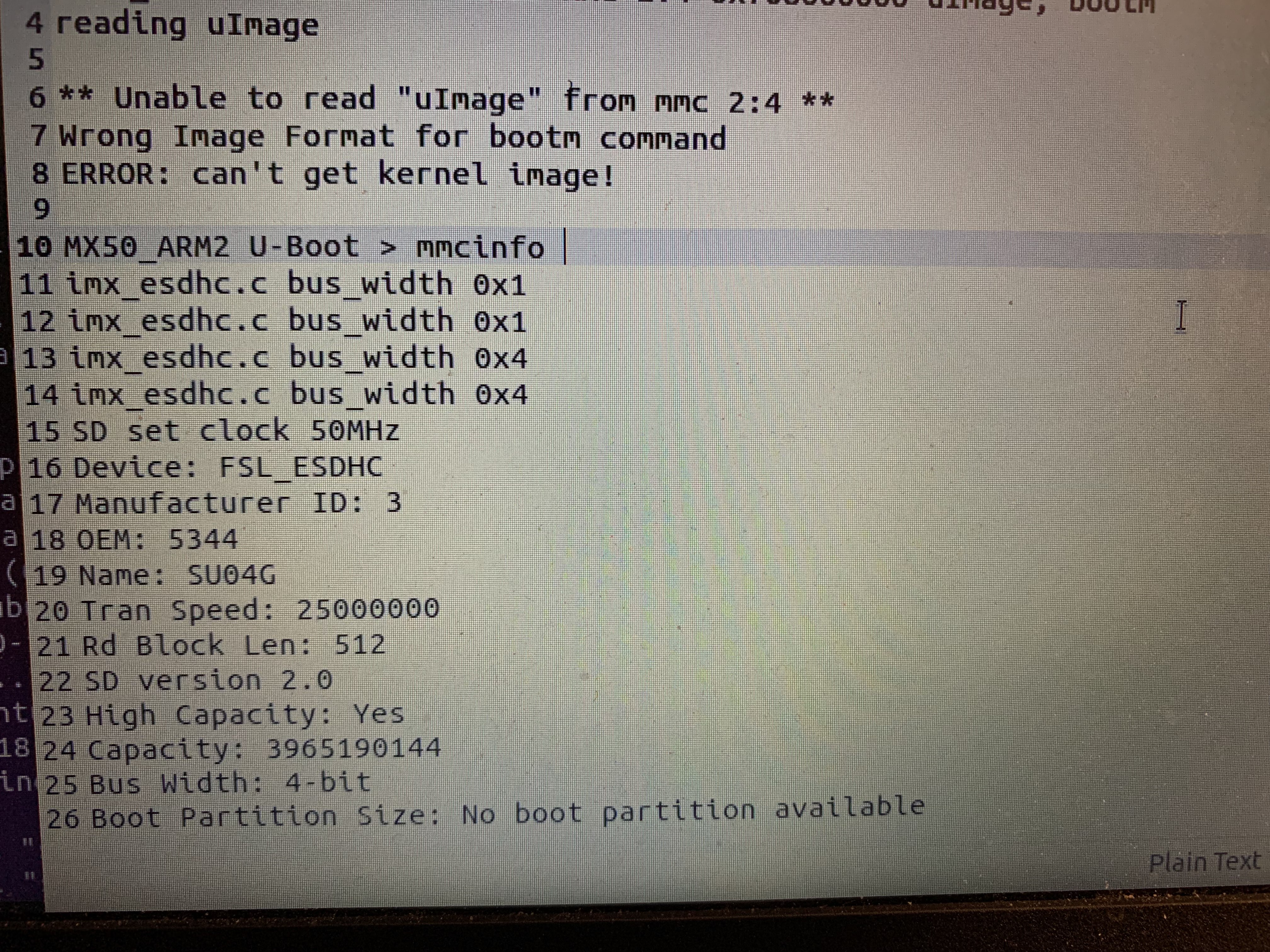
12:57 AM
I was worried that we were not going to get uboot.
12:57 AM
then have nothing to work with
Avatar
U-Boot doesn't have anything to do with this command
Avatar
Understood now.
Avatar
DD custom uimage to external MMC Sector 2048 (edited)
Avatar
So basically just put the 4GB card in?
Avatar
Yeah
Avatar
or you want blank card with just the uImage written to it?
Avatar
Whichever is fine
Avatar
Hit any key to stop autoboot: 0 MMC read: dev # 0, block # 2048, count 5120 partition # 0 ... imx_esdhc.c bus_width 0x1 imx_esdhc.c bus_width 0x1 imx_esdhc.c bus_width 0x4 imx_esdhc.c bus_width 0x4 SD set clock 50MHz 5120 blocks read: OK ## Booting kernel from Legacy Image at 70008000 ... Image Name: Linux-2.6.35.3 Image Type: ARM Linux Kernel Image (uncompressed) Data Size: 2225840 Bytes = 2.1 MB Load Address: 70008000 Entry Point: 70008000 Verifying Checksum ... OK XIP Kernel Image ... OK OK Starting kernel ...

1:02 AM
watchdog
1:03 AM
2.1 MB (our kernel)
Avatar
Nonsense I'm giving up for tonight Good night!
Avatar
haha ok thanks for playing hope you have no nightmares
👍 1
Avatar
No luck with the new kernel just to note. same thing
👍 1
Avatar
Avatar
tux-linux
Just an idea Might not work
may use some resistor between the pins, that might help
👍 1
Avatar
Do you have any idea about how to disable the watchdog?
Avatar
Avatar
tux-linux
Do you have any idea about how to disable the watchdog?
@andi
4:55 PM
@tux-linux can you show me the same process with kobo compile kernel -> busybox prompt so I can have a general understanding what it looks like?
Avatar
hmm, so what do we have involved here: watchdog of IMX, watchdog of PMIC, watchdog of some msp433 thingy?
4:57 PM
does just waiting at u-boot prompt trigger the watchdog?
Avatar
Basically not sure about the msp430 the IC label is smudged off it says m430 on it but I don't believe they label their chips like that.
Avatar
FCC ID is what?
Avatar
I think its more just watchdog between IMX and PMIC
4:59 PM
the PMIC is a wm8123
Avatar
Avatar
andi
FCC ID is what?
Where does one find that?
5:00 PM
FCC ID application submitted by Sony Corporation for Digital Book Reader for FCC ID AK8PRST1 ( AK8 PRST1 ) User Manual, Frequency, Reports, Images and more.
5:03 PM
hmm those links would have been nice... Schematic Diagram Schematics Adobe Acrobat PDF (621 kB) 2011-07-28 Parts List Parts List/Tune Up Info Adobe Acrobat PDF (442 kB) 2011-07-28
5:03 PM
(broken links or maybe you have to pay or something to get them)
Avatar
Avatar
andi
hmm, so what do we have involved here: watchdog of IMX, watchdog of PMIC, watchdog of some msp433 thingy?
Yes it does (Regarding U-Boot, I mean) (edited)
Avatar
Avatar
NonaSuomy
hmm those links would have been nice... Schematic Diagram Schematics Adobe Acrobat PDF (621 kB) 2011-07-28 Parts List Parts List/Tune Up Info Adobe Acrobat PDF (442 kB) 2011-07-28
Internet archive be like
Avatar
hmm, the worst internal photos I have seen, often the ones from FCC application are the best
Avatar
Yes, they are horrible 2011 probably doesn't help
Avatar
if you break into uboot, do you also have watchdog problems?
5:34 PM
what kind of commands does this u-boot have?
Avatar
See pinned messages
Avatar
Avatar
NonaSuomy
MX50_ARM2 U-Boot > help ? - alias for 'help' autoscr - DEPRECATED - use "source" command instead base - print or set address offset bdinfo - print Board Info structure boot - boot default, i.e., run 'bootcmd' bootd - boot default, i.e., run 'bootcmd' bootm - boot application image from memory bootp - boot image via network using BOOTP/TFTP protocol cls - clear screen cmp - memory compare coninfo - print console devices and information cp - memory copy crc32 - checksum calculation dhcp - boot image via network using DHCP/TFTP protocol echo - echo args to console erase - erase FLASH memory ext2load- load binary file from a Ext2 filesystem ext2ls - list files in a directory (default /) fatinfo - print information about filesystem fatload - load binary file from a dos filesystem fatls - list files in a directory (default /) flinfo - print FLASH memory information go - start application at address 'addr' help - print online help i2c - I2C sub-system iminfo - print header information for application image imxtract- extract a part of a multi-image itest - return true/false on integer compare loadb - load binary file over serial line (kermit mode) loads - load S-Record file over serial line loady - load binary file over serial line (ymodem mode) loop - infinite loop on address range md - memory display mii - MII utility commands mm - memory modify (auto-incrementing address) mmc - MMC sub system mmcinfo - mmcinfo <dev num>-- display MMC info (edited)
.
Avatar
Avatar
NonaSuomy
mtest - simple RAM read/write test mw - memory write (fill) nfs - boot image via network using NFS protocol nm - memory modify (constant address) ping - send ICMP ECHO_REQUEST to network host printenv- print environment variables protect - enable or disable FLASH write protection rarpboot- boot image via network using RARP/TFTP protocol reset - Perform RESET of the CPU run - run commands in an environment variable saveenv - save environment variables to persistent storage setenv - set environment variables sf - SPI flash sub-system sleep - delay execution for some time source - run script from memory sspi - SPI utility commands tftpboot- boot image via network using TFTP protocol version - print monitor version MX50_ARM2 U-Boot >
.
Avatar
Avatar
andi
if you break into uboot, do you also have watchdog problems?
Yes
Avatar
hmm, does the watchdog get turned off, when you do any command in u-boot which takes time (like loady and stuff)
5:48 PM
It's still triggered
Avatar
Nope ever 15sec it gets triggered no matter what
Avatar
unless something pets it
😂 2
Avatar
Correct
5:49 PM
We just don’t know which hand to pet it with
Avatar
It's always biting so we can never know in time
Avatar
well, the up side is that so people know there is a watchdog. Well, and dogs need to get out for a walk regularly. So for the next more dangerous covid mutant when you should stay at home again, you have an excuse to go out 😉
😂 1
Avatar
The Sony kernel probably does some magic but we've yet to figure it out what (edited)
Avatar
so we have one working setup
5:57 PM
to look at
Avatar
Yes, @NonaSuomy bricked partially the device but U-Boot is accessible
Avatar
and I just found out that I was too strict with noscript plugin, so that I could not filter pinned messages...
Avatar
ok, one way to go: and or enable some printk at i2c writes in the kernel
5:59 PM
in that working sony kernel
Avatar
But we can't boot a custom kernel It hangs
6:00 PM
Even the Sony one when recompiled
Avatar
hmm, the timing is the same 15s
6:01 PM
so it really hangs because of the watchdog
Avatar
Seemingly yes
6:01 PM
Can't understand why it doesn't with the default one in the device
6:01 PM
Maybe Sony did not publish some code
Avatar
so by inserting some sleep command before bootm, the point where the kernel hangs can be moved?
Avatar
It will just hang faster I guess?
6:04 PM
Try this @NonaSuomy
Avatar
hmm, if we somehow geht the original kernel to boot, the whole timing of the boot process would be interesting to see what happens until or after the point when the watchdog would kick in
Avatar
Yes, good idea
Avatar
on debian there is a package moreutils with a tool called ts
6:08 PM
I often use ts </dev/ttyUSBx to get some timings, I have also seen terminal programs providing timestamps
Avatar
Hmm Nice tool
Avatar
maybe also inserting some sleep command before starting the original kernel
6:09 PM
and increase sleep until it hangs
6:10 PM
if it hangs before i2c initialisation, we have learned something
Avatar
NonaSuomy did some things with i2cdetect while the system was working
Avatar
Avatar
NonaSuomy
[root (ttyGS0)]# ./busybox i2cdetect -l i2c-0 i2c imx-i2c I2C adapter i2c-1 i2c imx-i2c I2C adapter i2c-2 i2c imx-i2c I2C adapter
.
6:14 PM
Thanks for your help
Avatar
# remount SD card for writing mount -o remount,rw /initrd/mnt/sd # your screen driver dd if=/dev/mmcblk2 of=/initrd/mnt/sd/WF.img skip=17408 count=2048 bs=1024 sync # other important information, such as the operating voltage of the screen in line 5 dd if=/dev/mmcblk2 of=/initrd/mnt/sd/Vcom.img skip=15876 count=1 bs=1024 sync # serial, MAC dd if=/dev/mmcblk2 of=/initrd/mnt/sd/SN.img skip=15872 count=1 bs=1024 sync Partitions Disk /dev/sdb: 1.82 GiB, 1958739968 bytes, 3825664 sectors Disk model: PRS-XXX Units: 1 * 512 sectors = 512 bytes Sector size (logical/physical): 512 bytes / 512 bytes I/O size ( minimum/optimal): 512 bytes / 512 bytes Disk Label Type: dos Disk ID: 0x00000000 Device Boot Start End Sectors Size Id Type /dev/sdb1 51200 71679 20480 10M 83 Linux /dev/sdb2 71680 92159 20480 10M 83 Linux /dev/sdb3 92160 866687 774528 378.2M 5 Extended /dev/sdb4 866688 3825663 2958976 1.4G 83 Linux /dev/sdb5 92176 124991 32816 16M 83 Linux /dev/sdb6 125008 403583 278576 136M 83 Linux /dev/sdb7 403600 424127 20528 10M 83 Linux /dev/sdb8 424144 506111 81968 40M 83 Linux /dev/sdb9 506128 604479 98352 48M 83 Linux /dev/sdb10 604496 866687 262192 128M 83 Linux Partition table entries are not ordered as they are on disk. (edited)
Avatar
What has this to do with the watchdog?
Avatar
Still in recovery mode
Avatar
Avatar
tux-linux
Try this @NonaSuomy
Have you tried this?
Avatar
What was said I have no idea what it's about.
Avatar
Can you still access U-Boot prompt?
Avatar
Is there a sleep command there?
Avatar
Yes it does nothing
Avatar
It doesn't sleep?
Avatar
I can tell it to sleep it sits at prompt does nothing for a bit then gives me the console back. It doesn't extend the watchdog still resets if you select too long of sleep.
Avatar
Does i2c probe take some time?
Avatar
(I first did this a while back when I thought U-Boot was controlling the watchdog (which it wasn't))
Avatar
Oh so it works
11:44 PM
Ok
11:44 PM
Then can you sleep a little bit, then run boot?
Avatar
?? Unsure this would just give you less time to boot if you sleep first as the watchdog will reset in 15 seconds no matter what. You set the sleep to 14 seconds after it comes back it will reset the device within 1 more second.
Avatar
Yes, it is the goal
Avatar
I'm not sure I understand how that helps can you explain further?
11:48 PM
So you want it to start booting the kernel after sleep and it only get a few lines in and then it dies and resets. (edited)
Avatar
Avatar
andi
if it hangs before i2c initialisation, we have learned something
To try to hang it before it can disable the watchdog, but just enough to get it to boot
Avatar
I wish the chip wasn't bga so I could tap that pin and hold it high or low.
Avatar
Avatar
NonaSuomy
So you want it to start booting the kernel after sleep and it only get a few lines in and then it dies and resets. (edited)
Yes, basically
Avatar
I don't understand how that helps but I will try anything.
Avatar
Thanks It's to determine if the log error we have with custom kernel is caused by the watchdog or something else
Avatar
All I see happening is Sleep -> partial kernel boot -> reset clean slate still watchdog enabled and same process happening.
Avatar
Does the partial kernel boot hangs at the same place?
Avatar
I found this ramdisk in a package I wonder if it has to run that first to disable the watchdog then it boots the mmc kernel or something like that.
Avatar
Avatar
tux-linux
Does the partial kernel boot hangs at the same place?
Will try in a moment
👍 1
Avatar
Avatar
NonaSuomy
I found this ramdisk in a package I wonder if it has to run that first to disable the watchdog then it boots the mmc kernel or something like that.
Possible, might be writing to i2c from userspace
Avatar
If we knew what to write.
👀 1
11:55 PM
sniff the bus on boot.
11:56 PM
Would really love to know what prstux did 😦
11:56 PM
I begged him he just repeated his before message about no access to the old files.
Avatar
Avatar
NonaSuomy
Would really love to know what prstux did 😦
Maybe email the maintainer? If we have spent so much time on this watchdog, so he probably did; maybe he has some memories (edited)
Avatar
I don't understand how you can spend so much work on something and then just want to see it die. (edited)
Avatar
Next thing would be JTAG But I've never done that
11:59 PM
It's like bare hardware debugging
12:01 AM
There you can probably sniff the bus as you said
12:05 AM
Not sure if it ever worked properly though.
Avatar
Interesting
Avatar
Russian + English eMMC hookup (Google Translate) (edited)
12:20 AM
Was hunting this down for too long.
12:20 AM
So many broken links I went through.
Avatar
eMMC hookup to computer (USB export)?
12:22 AM
R/W
Avatar
Awesome
12:23 AM
Did you try it?
Avatar
Current issue is the level shifter I have is TXB not TXS
12:25 AM
TXS is meant for MMC level shifting. YF08E is the TXS0108. TXS0108 is for Open Drain circuits (like I2C, requires pull up or pull down resistors) but can be used in push-pull circuits, but you need to lower impedance by adding in some parallel resistors. (edited)
12:25 AM
TXB is meant for SPI level shifting. YE08 is the TXB0108. (edited)
12:26 AM
That was what the PDF above was explaining the comparison between the two https://discord.com/channels/809205711778480158/966554812567130152/971978847748751371 (edited)
12:26 AM
I may still try B as I still don't see why it would matter 😄
12:27 AM
B supports even lower voltages than 1.8
12:27 AM
May have something to do with "OpenDrain" though as that seemed to be listed on the S and not the B
Avatar
Try the level shifter in the Kindle touch thread ;)
Avatar
Does it use the same chip?
Avatar
MobileRead - the resource for mobile geeks seeking information and advice for keeping their gadgets happy.
12:29 AM
Oh, it needs a specific chip?
12:29 AM
Mine is just between my UART host and Kindle
Avatar
Ah just passive components
12:30 AM
That's just for the serial communication
12:31 AM
(We already have 3.3v UART communication on the PRS-T1) (edited)
Avatar
Avatar
NonaSuomy
It would basically be like plugging the eMMC into you computer like a USB Flash Drive.
👍 1
12:34 AM
Would probably work for all readers if they had pins broken out to the eMMC
12:35 AM
I wish I knew how to map out what all these tests points are on the back of the PRS one I bet one is the watchdog pin haha.
12:36 AM
I could probably figure out a few with a mulitmeter as long as they don't go into BGA land.
Avatar
Avatar
NonaSuomy
I wish I knew how to map out what all these tests points are on the back of the PRS one I bet one is the watchdog pin haha.
That's probably true; try it A multimeter should be safe enough
Avatar
Ok so set to go you want me to do like a 14 sec sleep then what?
Avatar
maybe more like start at 5 secs and increase by 2 each time until it breaks or you see a difference
Avatar
Avatar
NonaSuomy
Would probably work for all readers if they had pins broken out to the eMMC
In recent U-Boots, there's the ums command which does that too (USB export) (edited)
Avatar
example Hit any key to stop autoboot: 0 MX50_ARM2 U-Boot > sleep 16 MX50_ARM2 U-Boot > sl <-- All I was able to type before lockup and watchdog reset.
👍 1
12:51 AM
This may not be making sense or my timing was off... sleep 20 still getting a console back
Avatar
hmm hmm
12:51 AM
interesting
Avatar
sleep 25 still ok
12:53 AM
sleep 30 too much.
12:55 AM
sleep 28 console back
Avatar
thanks for testing
Avatar
I think it's a 30 sec watchdog
12:58 AM
Yup I was able to get a console back after 30 seconds now by typing 1 letter before the prompt then pasting it in the window sleep 30 then it dies right away after the prompt.
Avatar
Oh! interesting
12:59 AM
if you try that with the custom kernel...? (edited)
Avatar
It's already set to boot the kernel ## Booting kernel from Legacy Image at 70008000 ... Image Name: Linux-2.6.35.3 Image Type: ARM Linux Kernel Image (uncompressed) Data Size: 2226004 Bytes = 2.1 MB Load Address: 70008000 Entry Point: 70008000 Verifying Checksum ... OK XIP Kernel Image ... OK OK Starting kernel ... Do you want me to type sleep 25 boot (edited)
Avatar
no, rather try to hit a key when it's seemingly hanging in the kernel boot process
1:01 AM
but sleep 25; boot could be interesting too (edited)
Avatar
Hit any key to stop autoboot: 0 MX50_ARM2 U-Boot > sleep 25; boot MMC read: dev # 0, block # 2048, count 5120 partition # 0 ... imx_esdhc.c bus_width 0x1 imx_esdhc.c bus_width 0x1 imx_esdhc.c bus_width 0x4 imx_esdhc.c bus_width 0x4 SD set clock 50MHz 5120 blocks read: OK ## Booting kernel from Legacy Image at 70008000 ... Image Name: Linux-2.6.35.3 Image Type: ARM Linux Kernel Image (uncompressed) Data Size: 2226004 Bytes = 2.1 MB Load Address: 70008000 Entry Point: 70008000 Verifying Checksum ... OK XIP Kernel Image ... OK OK Starting kernel ... U-Boot 2009.08 (Dec 21 2011 - 14:48:38) CPU: Freescale i.MX50 family 1.1V at 800 MHz mx50 pll1: 800MHz mx50 pll2: 400MHz mx50 pll3: 216MHz ipg clock : 66666666Hz ipg per clock : 66666666Hz uart clock : 24000000Hz ahb clock : 133333333Hz axi_a clock : 400000000Hz axi_b clock : 200000000Hz weim_clock : 100000000Hz ddr clock : 160000000Hz esdhc1 clock : 80000000Hz esdhc2 clock : 80000000Hz esdhc3 clock : 80000000Hz esdhc4 clock : 80000000Hz Board: MX50 ARM2 board Boot Reason: [POR] Boot Device: MMC I2C: ready DRAM: 256 MB MMC: FSL_ESDHC: 0, FSL_ESDHC: 1, FSL_ESDHC: 2 imx_esdhc.c bus_width 0x1 imx_esdhc.c bus_width 0x1 imx_esdhc.c bus_width 0x4 imx_esdhc.c bus_width 0x4 MMC set clock 50MHz imx_esdhc.c bus_width 0x1 imx_esdhc.c bus_width 0x1 imx_esdhc.c bus_width 0x4 imx_esdhc.c bus_width 0x4 MMC set clock 50MHz imx_esdhc.c bus_width 0x1 imx_esdhc.c bus_width 0x1 imx_esdhc.c bus_width 0x4 imx_esdhc.c bus_width 0x4 MMC set clock 50MHz imx_esdhc.c bus_width 0x1 imx_esdhc.c bus_width 0x1 imx_esdhc.c bus_width 0x4 imx_esdhc.c bus_width 0x4 MMC set clock 50MHz temperature 28 imx_esdhc.c bus_width 0x1 imx_esdhc.c bus_width 0x1 imx_esdhc.c bus_width 0x4 imx_esdhc.c bus_width 0x4 MMC set clock 50MHz In: serial Out: serial Err: serial Net: got MAC address from IIM: 00:00:00:00:00:00 FEC0 Hit any key to stop autoboot: 0
1:11 AM
MMC read: dev # 0, block # 2048, count 5120 partition # 0 ... imx_esdhc.c bus_width 0x1 imx_esdhc.c bus_width 0x1 imx_esdhc.c bus_width 0x4 imx_esdhc.c bus_width 0x4 SD set clock 50MHz 5120 blocks read: OK ## Booting kernel from Legacy Image at 70008000 ... Image Name: Linux-2.6.35.3 Image Type: ARM Linux Kernel Image (uncompressed) Data Size: 2226004 Bytes = 2.1 MB Load Address: 70008000 Entry Point: 70008000 Verifying Checksum ... OK XIP Kernel Image ... OK OK Starting kernel ...
1:14 AM
sleep 28; boot Hit any key to stop autoboot: 0 MX50_ARM2 U-Boot > sleep 28; boot MMC read: dev # 0, block # 2048, count 5120 partition # 0 ... imx_esdhc.c bus_width 0x1 imx_esdhc.c bus_width 0x1 imx_esdhc.c bus_width 0x4 imx_esdhc.c bus_width 0x4 SD set clock 50MHz 5120 blocks read: OK ## Booting kernel from Legacy Image at 70008000 ... Image Name: Linux-2.6.35.3 Image Type: ARM Linux Kernel Image (uncompressed) Data Size: 2226004 Bytes = 2.1 MB Load Address: 70008000 Entry Point: 70008000 Verifying Checksum ... <-- Watchdog'd here (edited)
1:17 AM
sleep 29; boot Hit any key to stop autoboot: 0 MX50_ARM2 U-Boot > sleep 29; boot MMC read: dev # 0, block # 2048, count 5120 partition # 0 ... imx_esdhc.c bus_width 0x1 imx_esdhc.c bus_width 0x1 imx_esdhc.c bus_width 0x4 imx_esdhc.c bus_width 0x4 SD set clock 50MHz <-- Watchdog'd here
1:18 AM
sleep 30; boot Hit any key to stop autoboot: 0 MX50_ARM2 U-Boot > sleep 30; boot MMC read: dev # 0, block # 2048, count 5120 partition # 0 ... imx_esdhc.c bus_width 0x1 imx_esdhc.c bus_width 0x1 <-- Watchdog'd here (edited)
1:20 AM
This was my hypnosis above.
Avatar
welp i never thought we would spend so much time on a @#$% watchdog
Avatar
I wonder if the kernel actually booted if it would pet the dog properly
Avatar
@andi here's some interesting logs for you as per your previous request
Avatar
Avatar
NonaSuomy
I could probably figure out a few with a mulitmeter as long as they don't go into BGA land.
I guess this is actually not wise as these circuits run at 1.8 -> 3.3v and continuity test run at 9v from your meter. (edited)
👍 1
Avatar
BUG: scheduling while atomic: swapper/1/0x00000002 Modules linked in: [<8002a594>] (unwind_backtrace+0x0/0xf0) from [<8031ef5c>] (schedule+0x6c/0x324) [<8031ef5c>] (schedule+0x6c/0x324) from [<8031f80c>] (schedule_timeout+0x18/0x1fc) [<8031f80c>] (schedule_timeout+0x18/0x1fc) from [<8031f688>] (wait_for_common+0xf8/0x1b8) [<8031f688>] (wait_for_common+0xf8/0x1b8) from [<80245930>] (mmc_wait_for_req+0x114/0x120) [<80245930>] (mmc_wait_for_req+0x114/0x120) from [<8024d530>] (transfer+0x1b8/0x318) [<8024d530>] (transfer+0x1b8/0x318) from [<8024d7f0>] (rawdata_write+0x160/0x238) [<8024d7f0>] (rawdata_write+0x160/0x238) from [<8025ec34>] (past_mmc_header_write+0x48/0xb4) [<8025ec34>] (past_mmc_header_write+0x48/0xb4) from [<8025f770>] (past_mmc_write+0x4e0/0x4fc) [<8025f770>] (past_mmc_write+0x4e0/0x4fc) from [<8025e114>] (pastlog_mix2past_write+0x44/0x50) [<8025e114>] (pastlog_mix2past_write+0x44/0x50) from [<8025e138>] (pastlog_mix2past_flush+0x18/0x28) [<8025e138>] (pastlog_mix2past_flush+0x18/0x28) from [<8025e188>] (past_flush+0x40/0x54) [<8025e188>] (past_flush+0x40/0x54) from [<8031ed40>] (panic+0x70/0xe4) [<8031ed40>] (panic+0x70/0xe4) from [<80008e14>] (mount_block_root+0x1cc/0x20c) [<80008e14>] (mount_block_root+0x1cc/0x20c) from [<8000906c>] (prepare_namespace+0x128/0x180) [<8000906c>] (prepare_namespace+0x128/0x180) from [<80008484>] (kernel_init+0x124/0x16c) [<80008484>] (kernel_init+0x124/0x16c) from [<800269e0>] (kernel_thread_exit+0x0/0x8)
2:05 AM
(After holding home + menu on boot)
2:05 AM
probably looking for the recover partition
Avatar
Wooo
2:05 AM
We got to some point
Avatar
Just endlessly repeats that with no watchdog reset
👀 1
Avatar
This seems to be an important milestone in the boot process
Avatar
Maybe if you boot from recover mode it disabled the watchdog?
Avatar
Try it?
Avatar
I'm not sure how 😄
2:09 AM
Because there is nothing on the eMMC I can't get rupor's recover working to do anything.
2:09 AM
I wish I could see what happened before that but too hard to hold the buttons and watch the uart
2:10 AM
It's also super fast repeating fills the buffer really fast
Avatar
Try fun Tak, blue putty, whatever it's called to try to hold the wires a bit
Avatar
maybe I can just slide the button part off the table
👍 1
Avatar
I wonder if it can detect if the screen is connected?
2:19 AM
Does the Kobo boot with no screen connected?
Avatar
Avatar
NonaSuomy
I wonder if it can detect if the screen is connected?
what
Avatar
Got it this time....
2:41 AM
Avatar
HOME + OPTION key input ... Read recovery boot environment At least I know it still detects pushing those buttons now. It just has no recovery data on the drive to point it to rupor recover.
Avatar
Avatar
NonaSuomy
Does the Kobo boot with no screen connected?
Yes
7:54 AM
Something to try might be to compile the kernel with the toolchain they seem to use (GCC 4.4.0, look at boot log)
7:55 AM
Did you try our custom kernel with ttymxc4?
Avatar
Pretty old toolchain it is
Avatar
Avatar
tux-linux
Did you try our custom kernel with ttymxc4?
That 2.1MB kernel above has ttymxc4 set the stock kernel is 2.2MB https://discord.com/channels/809205711778480158/966554812567130152/972003313082044476 (edited)
Avatar
In config_cmdline?
Avatar
Avatar
tux-linux
Something to try might be to compile the kernel with the toolchain they seem to use (GCC 4.4.0, look at boot log)
1:44 PM
How does one use older versions?
Avatar
it just does
1:45 PM
try it
Avatar
Well, now maybe it matters
😂 1
2:55 PM
Like the Kindle
Avatar
Can you modify this line to show me the command for GCC 4.4.0 compile make ARCH=arm CROSS_COMPILE=arm-linux-gnueabihf- -j8 uImage
Avatar
do you have the toolchain in you path?
2:57 PM
this 4.4.0
Avatar
Szybet shhh
Avatar
haha
2:57 PM
❤️
Avatar
i dont really understand
Avatar
Szybet isn't supposed to mean "tree"?
Avatar
in what language does it mean tree?
4:32 PM
Szybet -> "Szyba" in polish -> Glass
Avatar
Idk, look at Google translate
4:36 PM
It gets weirder with every translate
Avatar
I know
4:36 PM
I translated from Polish to English and got "shaft"
4:36 PM
4:36 PM
Arbre means tree in French
Avatar
oh in french
4:37 PM
okay
Avatar
Avatar
NonaSuomy
❤️
I guess that Google translate showed "love" as the translation 🧐😂
Avatar
Avatar
NonaSuomy
Can you modify this line to show me the command for GCC 4.4.0 compile make ARCH=arm CROSS_COMPILE=arm-linux-gnueabihf- -j8 uImage
You need to download the toolchain
4:40 PM
I'll get you a download link when I get home
4:40 PM
In an hour or so
Avatar
Ok thank you
Avatar
i looked up the repo
5:16 PM
PRS-TUX: Linux system for Sony PRS-T* ebook readers
5:16 PM
its just so weird
5:16 PM
those makefiles
5:16 PM
there is nothing
☑️ 1
Avatar
If it doesn't work you need to install 32 bit libs
Avatar
Avatar
tux-linux
In config_cmdline?
Avatar
Avatar
tux-linux
If it doesn't work you need to install 32 bit libs
I think I added them originally to compile the stock kernel.
Avatar
Avatar
Szybet
there is nothing
.gitignore files usually tell a story, sometimes give you hints of things missing. The one you see there https://gitlab.com/phreakuencies/prstux/-/blob/master/.gitignore it excludes the kernel folder. (edited)
PRS-TUX: Linux system for Sony PRS-T* ebook readers
6:40 PM
He probably had some custom make files in there to do that job from the prior make files.
6:41 PM
Not just the kernel source and didn't realize it.
6:42 PM
Always when you make projects as large as these. Take your current dev box and exclude it from final build test environment. Rebuild a new machine so you know what other users will go through trying to compile your code on a fresh machine. (edited)
7:59 PM
7:59 PM
It's extractable with 7zip
7:59 PM
I saw it in other backups
7:59 PM
new.ramdisk.uimg
8:26 PM
Ramdisk (Android 8.x and lower) Contains a kernel and a ramdisk.img.
8:29 PM
Something about some devices use the ramdisk as the recovery.
8:49 PM
Can I test this kernel we compiled first in arm emulator?
Avatar
It will be harder to try there than on the actual device
Avatar
Nice qemu-system-arm -M versatilepb -cpu cortex-a8 -kernel /home/nonasuomy/code/linux-2.6.35.3/arch/arm/boot/uImage -m 128 pulseaudio: set_sink_input_volume() failed pulseaudio: Reason: Invalid argument pulseaudio: set_sink_input_mute() failed pulseaudio: Reason: Invalid argume
Avatar
It really boots?
9:13 PM
to that point
9:13 PM
Then it says no screen
Avatar
It doesn't boot It's QEMU error messages
9:13 PM
I tried
9:13 PM
I didn't expect to see anything yet it said pulseaudio
Avatar
It won't boot until you feed it with a zimage with versatilepb device tree
9:14 PM
And probably kernel >4.x, so basically building a completely different one, not really useful for our testing
Avatar
Apparently you can get further with make ARCH=arm CROSS_COMPILE=arm-none-linux-gnueabi- versatile_defconfig
9:23 PM
People said you you have to use at the least 512mb as well but when I tried that it said max is 256mb
9:24 PM
also said there is a -M realview-pb-a8 -cpu cortex-a8 (edited)
9:24 PM
Someone said they got as far as (qemu) qemu: fatal: Trying to execute code outside RAM or ROM at 0x70008000
9:28 PM
They were using 2.6.31-207
9:34 PM
How to compile a vanilla Linux kernel for the Versatile ARM platform, and run it using QEMU.
9:35 PM
(version 2.6.33)
Avatar
Avatar
NonaSuomy
How do you use it?
@tux-linux
9:58 PM
Minus the emulator talk.
Avatar
extract tarball
10:11 PM
cd tarball/bin
10:12 PM
export PATH="${PATH}:${PWD}" (edited)
10:12 PM
then you can set CROSS_COMPILE to arm-none-linux-gnueabi-
Avatar
Thank you
👍 1
10:18 PM
compiling...
10:22 PM
Image Name: Linux-2.6.35.3 Created: Fri May 6 22:21:27 2022 Image Type: ARM Linux Kernel Image (uncompressed) Data Size: 2244756 Bytes = 2192.14 KiB = 2.14 MiB Load Address: 70008000 Entry Point: 70008000 Image arch/arm/boot/uImage is ready
👍 1
Avatar
Hit any key to stop autoboot: 0 MMC read: dev # 0, block # 2048, count 5120 partition # 0 ... imx_esdhc.c bus_width 0x1 imx_esdhc.c bus_width 0x1 imx_esdhc.c bus_width 0x4 imx_esdhc.c bus_width 0x4 SD set clock 50MHz 5120 blocks read: OK ## Booting kernel from Legacy Image at 70008000 ... Image Name: Linux-2.6.35.3 Image Type: ARM Linux Kernel Image (uncompressed) Data Size: 2244756 Bytes = 2.1 MB Load Address: 70008000 Entry Point: 70008000 Verifying Checksum ... OK XIP Kernel Image ... OK OK Starting kernel ...
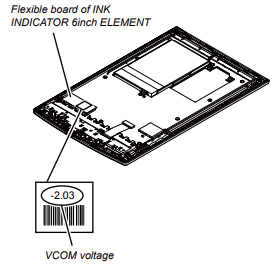
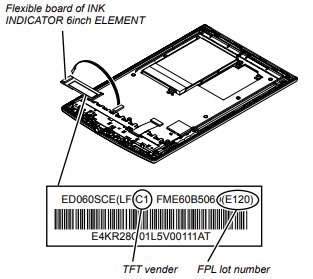
10:58 PM
not really sure what it's doing in it's current state
10:58 PM
it probably needs some more of those other partitions or something.
10:59 PM
I wonder if we loaded it from the recover partition spot if that would have different results
Avatar
a very interesting device, but not usefull for hacking kobo's
Avatar
it was for trying to sniff the watchdog activity via i2c
Avatar
you can do this with an arduino propably ( well by skipping that you need to know which lines are i2c, and that device will not crash or something, maybe even damage itself ) (edited)
7:06 PM
and i dont think watchdog goes over i2c
7:06 PM
no way, watchdogs are cpu internal things
Avatar
this one seems to be i2c though
Avatar
wm8321 it's a power management IC
☑️ 1
Avatar
and what is u-boot doing to him
Avatar
Avatar
Szybet
and what is u-boot doing to him
In the wm8321 manual some interesting things says you can lockout watchdog modifications with a code. Another is that you can set after so many watchdog triggers it won’t power the device back on (which it does) I was wondering why the device was off after leaving it on for a while…
Avatar
well okay
Avatar
Avatar
Szybet
and what is u-boot doing to him
There are 3 ways you can do watchdogs U-Boot/Kernel/PMIC power management
7:25 PM
Uboot in this case does nothing
Avatar
but i dont see how hardware-hacking would help to port inkbox to it
Avatar
Avatar
NonaSuomy
Uboot in this case does nothing
??? so what triggers the watchdog
Avatar
Kernel enables watchdog after kernel loads to catch failures
7:26 PM
We don’t make it to this part so it’s the third the PMIC causing it to trigger when we don’t pet it.
Avatar
Avatar
Szybet
??? so what triggers the watchdog
The PMIC
Avatar
not good
7:27 PM
kexec doesn't work on this device?
Avatar
Avatar
Szybet
but i dont see how hardware-hacking would help to port inkbox to it
We can’t get to that point because of the external watchdog
7:28 PM
Right when it is about to load busybox it takes too long and then resets
Avatar
the only way i see this is to make the kernel smaller
Avatar
It doesn’t matter about that
Avatar
hardware - hacking is the wrong direction to go to if the port is intendeed for normal people too
Avatar
The pmic would still trigger the watchdog as we didn’t pet it yet
Avatar
Avatar
Szybet
hardware - hacking is the wrong direction to go to if the port is intendeed for normal people too
Incorrect (edited)
7:30 PM
Once we find out how to pet the dog we do that in software before the boot
Avatar
Avatar
NonaSuomy
Once we find out how to pet the dog we do that in software before the boot
but if you load a smaller kernel it will not trigger it?
Avatar
It will always trigger unless you pet it
Avatar
Avatar
NonaSuomy
Incorrect (edited)
well then there is a osciloscope needed with i2c support, not a universal hacking board
Avatar
Avatar
NonaSuomy
It will always trigger unless you pet it
a smaller kernel will pet it before
7:32 PM
thats how sony does it?
Avatar
Doesn’t matter what device you use
7:33 PM
Oscilloscope with bus sniffing is way more expensive than a protocol sniffing board
7:34 PM
Your talking about $500-1000 vs ~$50 or less
Avatar
Avatar
Szybet
a smaller kernel will pet it before
A smaller kernel won’t do anything without knowing how to pet the external watchdog.
7:36 PM
We disabled all the kernel watchdog features and it still triggered as it is external to mx508
Avatar
Avatar
NonaSuomy
Your talking about $500-1000 vs ~$50 or less
overstatement
Avatar
Avatar
NonaSuomy
We disabled all the kernel watchdog features and it still triggered as it is external to mx508
but how sony does that? you have the kernel sources
Avatar
Last oscilloscope I bought was just under $500 a Rigol and the one up from it does bus sniffing so whatever you say.
7:38 PM
Like one of the cheapest decent scope companies
Avatar
osciloscope would be best for that becouse you could detect what is happening on this line, but yea to expensive for the most part
Avatar
Avatar
Szybet
the only way i see this is to make the kernel smaller
it doesn't work
Avatar
Avatar
Szybet
but how sony does that? you have the kernel sources
?
Avatar
we didn't find yet
Avatar
cant you use sony's kernel sources and adjust it to inkbox?
7:41 PM
what about this debian distro for this device? there wasn't kernel sources right?
Avatar
that's what we are trying to do since two weeks (edited)
Avatar
you use a smaller sony's kernel that is disabling the watchdog and then loading busybox, whats the problem with this?
Avatar
it doesn't load
Avatar
@NonaSuomy , did you get around the ttymxc2/mxc4 thing I suggested a few days ago?
7:43 PM
^unless that works we're basically screwed
7:44 PM
even the stock kernel sources don't work with the stock system
Avatar
Avatar
tux-linux
it doesn't load
any error? anything?
7:45 PM
first, can you load sony's kernel without any modyfications, self compiled?
Avatar
I have to fix the eMMC first to test again.
Avatar
I wonder what would happen if we enabled the wm8321 functions in the kernel
8:20 PM
Few interesting things in there about waveform and changing screens.
8:21 PM
Explains what the numbers mean on the ink screen flex cable
8:22 PM
Wonder if anyone had this tool "WaveForm file translation tool (wwv_parser.exe)" (edited)
8:26 PM
8:26 PM
Avatar
Avatar
Szybet
first, can you load sony's kernel without any modyfications, self compiled?
no
Avatar
well here is the problem, every other try won't work becouse of that (edited)
5:36 AM
why? any error?
Avatar
@NonaSuomy got some interesting logs from the Kindle! [ 274.985211] wm8962_process_req [ 274.988969] wm8962 1-001a: Writing reg : 0x19 value : 0x0 [ 274.990196] wm8962 1-001a: Writing reg : 0x1c value : 0x0 [ 274.992090] wm8962 1-001a: Writing reg : 0x30 value : 0x8221 [ 274.993315] wm8962 1-001a: Writing reg : 0x17 value : 0x0 [ 274.994540] wm8962 1-001a: Writing reg : 0x30 value : 0x8021 [ 274.995098] wm8962 1-001a: Writing reg : 0x81 value : 0x0
12:26 PM
it's a different watchdog, but things might be similar
Avatar
you can write there using u-boot or busybox devmem
Avatar
Can write what?
Avatar
values to registers
1:28 PM
i think you can use mw in U-Boot
Avatar
Sorry it didn’t update the chat I see them now. I think that edition of the chip is also the audio processor
1:41 PM
I was reading something of someone that added the 832x to the kernel spec and said most of the functions are the same with all their chips so maybe it might gives us a lot of hints
1:43 PM
When using memory write, how do you know where the memory locations are and what kind of data needs to be written there (edited)
Avatar
i've not used it before
Avatar
I saw an example that I pasted before that was for disabling the watchdog for a different chip (won’t be the same) https://discord.com/channels/809205711778480158/966554812567130152/969458955241783377
1:47 PM
Not sure how those values align to that chip or what they are setting exactly
1:48 PM
Above that though gave another little hint of what it was setting I think https://discord.com/channels/809205711778480158/966554812567130152/969458873905844224 (edited)
1:50 PM
So looks like they were making a env variable that triggers the watchdog to disable
1:51 PM
There is an option in the kernel under watchdog for wm831x is that enabled for the Amazon reader? (edited)
1:54 PM
We can probably correlate the data sheet from that IC to this one. If the contents about watchdog are the same we can probably just spam that.
1:55 PM
Maybe in the env somehow like above
Avatar
hmm wm8962 is just a dac no power management.
3:36 PM
Also different company
3:36 PM
I wonder if they cooperate or bought one another.
Avatar
Avatar
tux-linux
@NonaSuomy got some interesting logs from the Kindle! [ 274.985211] wm8962_process_req [ 274.988969] wm8962 1-001a: Writing reg : 0x19 value : 0x0 [ 274.990196] wm8962 1-001a: Writing reg : 0x1c value : 0x0 [ 274.992090] wm8962 1-001a: Writing reg : 0x30 value : 0x8221 [ 274.993315] wm8962 1-001a: Writing reg : 0x17 value : 0x0 [ 274.994540] wm8962 1-001a: Writing reg : 0x30 value : 0x8021 [ 274.995098] wm8962 1-001a: Writing reg : 0x81 value : 0x0
0x19 looks like this deals with enabling dac functions 0x1c disables the start-up bias current generator 0x30 mic relations https://statics.cirrus.com/pubs/proDatasheet/WM8962_Rev4.4.pdf
7:57 PM
Post 5
Avatar
find . -print | cpio -o -H newc | gzip -v9 > ../ramdisk-adb.gz mkimage -A ARM -O Linux -T ramdisk -C gzip -a 0x70308000 -e 0x70308000 -n "Normal Rootfs" -d ramdisk-adb.gz ramdisk-adb.uimg
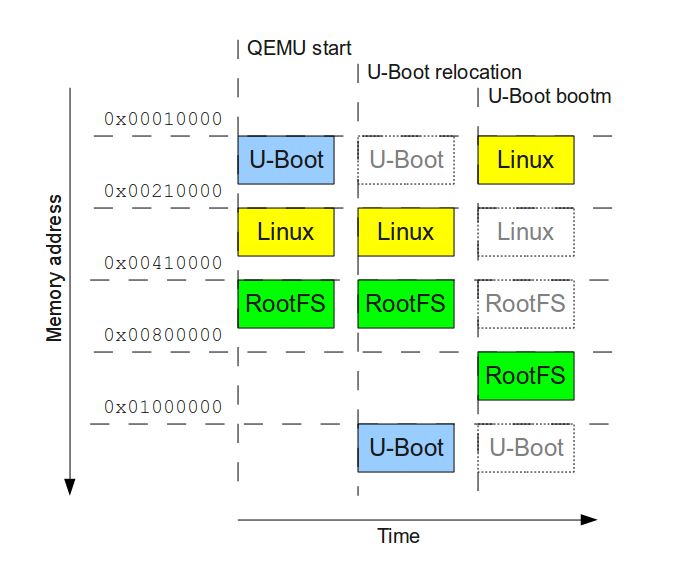

8:27 PM
Using QEMU to emulate the complete boot procedure of an ARM system using U-Boot, the Linux kernel and Busybox.
Avatar
what are you trying to do with this script? (Well, why do you need the uImage?) (edited)
Avatar
Avatar
tux-linux
what are you trying to do with this script? (Well, why do you need the uImage?) (edited)
I dont understand him too
Avatar
Avatar
tux-linux
what are you trying to do with this script? (Well, why do you need the uImage?) (edited)
It pulls out the config.gz of a uImage.
Avatar
Oh wait that was to extract that full uImage
10:26 AM
@tux-linux you use Gentoo correct?
10:27 AM
Apparently this exists in gentoo /usr/src/linux/scripts/extract-ikconfig and that extracts the config.gz from a uImage
10:29 AM
Linux kernel source tree. Contribute to torvalds/linux development by creating an account on GitHub.
Avatar
MobileRead - the resource for mobile geeks seeking information and advice for keeping their gadgets happy.
Avatar
If you can't get the kernel to boot, modifying the rootfs is useless
Avatar
I'm not sure it will allow it to boot without packaging it like that.
12:55 PM
I think it needs that rootfs to disable the watchdog then we point it from there to our kernel.
Avatar
Avatar
NonaSuomy
I think it needs that rootfs to disable the watchdog then we point it from there to our kernel.
wrong
12:56 PM
propably
Avatar
Szybet with the most respect please try not to answer without knowing.
Avatar
sure, well we will see (edited)
Avatar
Sony seems to deal with things a far different way with everything they do. If you look up any of their readers nobody has really done anything with them. (edited)
1:14 PM
Ordered one of these to interface with the eMMC https://www.aliexpress.com/item/1005001619337949.html
12:01 AM
Seems they used to have every reader there before and you can still download the older kernels there too!
12:06 AM
Spoke too soon most of the links look dead but hey at the least it had that one that I was wondering about 😄
🎉 1
12:11 AM
haha wut... VERSION = 2 PATCHLEVEL = 6 SUBLEVEL = 35 EXTRAVERSION = .3 NAME = Sheep on Meth
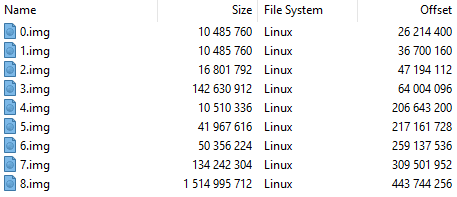
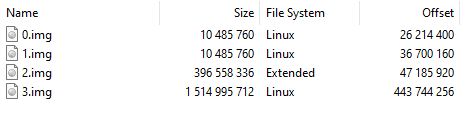
Avatar
Looks like some "Butty" put this package together.
12:28 AM
At the least they used the right numbers for version in the older package.
12:34 AM
This article denotes the version history of the Linux kernel. The Linux kernel is a free and open-source, monolithic, Unix-like operating system kernel. It was conceived and created in 1991 by Linus Torvalds.Linux kernels have different support level depending on version. Version 4.4, released in January 2016, was declared to have Long-Term Supp...
Avatar
I don't understand I tried to make a rootfs it says to extract it out the main image. Did so. Seemed a little small. Said there was garbage data on the end that it ignored. I then compressed it back into the main image and it destroyed the whole thing. The 1.82GB image is now 5.3MB. I opened it and now there is only 4 img inside instead of 9. (edited)
Avatar
cd ~/code mkdir rootfs dd if=t1_eng_\(1.82Gb\)_1.0.05.11130.img of=rootfs.img bs=1 skip=5242880 count=1048512 1048512+0 records in 1048512+0 records out 1048512 bytes (1.0 MB, 1.0 MiB) copied, 1.74376 s, 601 kB/s dd if=t1_eng_\(1.82Gb\)_1.0.05.11130.img of=rootfs.img.gz bs=1 skip=5242944 count=1048512 1048512+0 records in 1048512+0 records out 1048512 bytes (1.0 MB, 1.0 MiB) copied, 1.76024 s, 596 kB/s mv rootfs.img.gz ~/code/rootfs cd ~/code/rootfs gunzip -c rootfs.img.gz | cpio -i 842 blocks gzip: rootfs.img.gz: decompression OK, trailing garbage ignored mv rootfs.img.gz ../
10:06 AM
find . -print . ./default.prop ./sys ./data ./ebook ./ebook/fonts ./ebook/preload ./ebook/dic ./sbin ./sbin/ts_calibrator ./init ./system ./init.rc ./lib ./lib/modules ./lib/modules/2.6.35.3 ./lib/modules/2.6.35.3/build ./lib/modules/2.6.35.3/modules.usbmap ./lib/modules/2.6.35.3/modules.dep.bin ./lib/modules/2.6.35.3/modules.builtin ./lib/modules/2.6.35.3/modules.seriomap ./lib/modules/2.6.35.3/source ./lib/modules/2.6.35.3/modules.ofmap ./lib/modules/2.6.35.3/modules.isapnpmap ./lib/modules/2.6.35.3/modules.inputmap ./lib/modules/2.6.35.3/modules.alias.bin ./lib/modules/2.6.35.3/modules.dep ./lib/modules/2.6.35.3/modules.ccwmap ./lib/modules/2.6.35.3/kernel ./lib/modules/2.6.35.3/kernel/drivers ./lib/modules/2.6.35.3/kernel/drivers/usb ./lib/modules/2.6.35.3/kernel/drivers/usb/gadget ./lib/modules/2.6.35.3/kernel/drivers/usb/gadget/g_android.ko ./lib/modules/2.6.35.3/kernel/drivers/usb/gadget/arcotg_udc.ko ./lib/modules/2.6.35.3/kernel/drivers/usb/serial ./lib/modules/2.6.35.3/kernel/drivers/usb/serial/usbserial.ko ./lib/modules/2.6.35.3/kernel/drivers/usb/host ./lib/modules/2.6.35.3/kernel/drivers/usb/host/ehci-hcd.ko ./lib/modules/2.6.35.3/modules.builtin.bin ./lib/modules/2.6.35.3/modules.alias ./lib/modules/2.6.35.3/modules.pcimap ./lib/modules/2.6.35.3/modules.ieee1394map ./lib/modules/2.6.35.3/modules.order ./lib/modules/2.6.35.3/modules.symbols.bin ./lib/modules/2.6.35.3/modules.symbols ./init.goldfish.rc ./proc ./dev
10:06 AM
find . | cpio -o -H newc | gzip > ../newrootfs.img.gz 842 blocks mkimage -A arm -O linux -C gzip -T ramdisk -n "Normal Rootfs" -a 0x500040 -e 0x500040 -d ../newrootfs.img.gz ../newrootfs.img Image Name: Normal Rootfs Created: Tue May 10 04:29:32 2022 Image Type: ARM Linux RAMDisk Image (gzip compressed) Data Size: 214702 Bytes = 209.67 KiB = 0.20 MiB Load Address: 00500040 Entry Point: 00500040 dd if=newrootfs.img of=t1_eng_\(1.82Gb\)_1.0.05.11130.img bs=1 seek=5242880 214766+0 records in 214766+0 records out 214766 bytes (215 kB, 210 KiB) copied, 0.347159 s, 619 kB/s
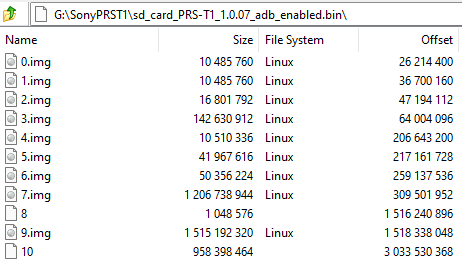
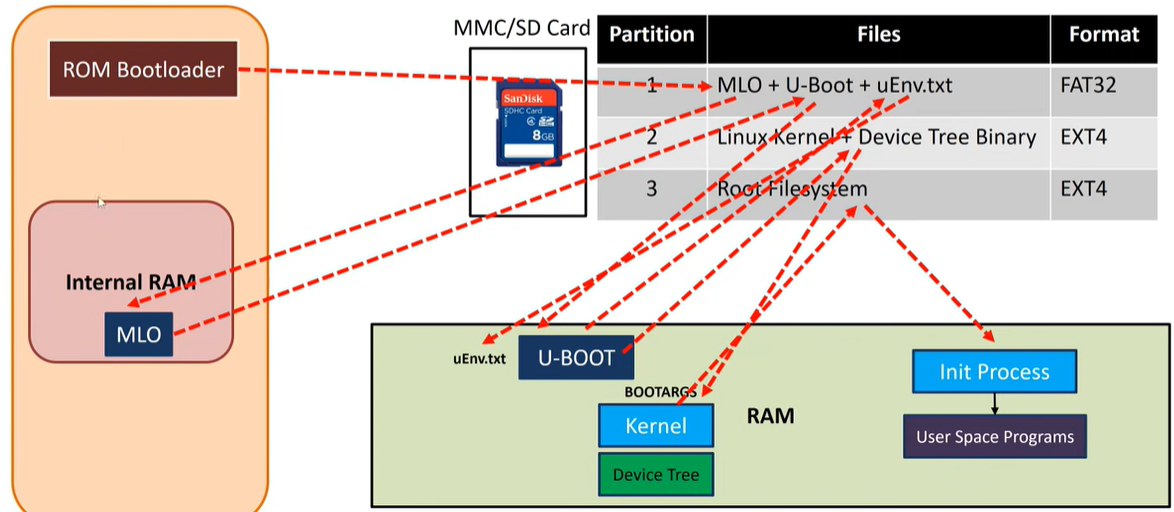
4:43 PM
Another persons backup of the eMMC
6:06 PM
Avatar
All those images show the resistors removed from the circled area of D3 DATO D1 D2 that's going to be rough to remove then put back, those solder pads are the size of the needle of a pin
Avatar
Find many great new & used options and get the best deals for sony prs-t1 eReader at the best online prices at eBay! Free shipping for many products!
Avatar
this is an interesting price
9:39 PM
(well, current bid that is)
9:40 PM
maybe I could help if I owned one
Avatar
Not sure why anyone would want it 😄
9:41 PM
Probability is high you would win.
9:41 PM
with one bid.
Avatar
well, total price would still be $30
9:41 PM
which, for a student, is kind of a lot
9:44 PM
hmm with the amount of work you have done though, I'm not sure actually trying things out on my side would really be useful
Avatar
I have only done fumbling around in the dark collecting others information and processing your input.
9:45 PM
I'm sure you would eventually get it.
9:46 PM
prstux is based on the T2 which is basically the T1 without the sound processor and a higher clock 1GHz instead of 800MHz but same chip
Avatar
I would send you mine but shipping in Canada is dumb and would cost probably the same as that full ebay unit 😄
9:49 PM
Also it kinda starts you off on a bad foot with no eMMC files.
Avatar
If you sent yours, it would actually be better, no difficult opening, serial already easier to setup, etc. and exact same hardware platform/bugs there might be But I understand the problem of shipping
9:51 PM
What country are you in?
Avatar
Same as you.
9:53 PM
They are pretty easy to open
Avatar
Well then it might not be that bad
Avatar
like 15 plastic clips around the outside
Avatar
Shipping for a package like this is around ~15$
9:54 PM
(from experience, I often hunt down FB marketplace, Kijiji for ads)
9:56 PM
But before we do this, if ever we do this, can you send me a link of the kernel source code archive you're currently using that produces the logger bug? I want to look around a bit
Avatar
I will pay the price for you it will be more fun if we both have one unit.
9:59 PM
*if nobody else bids on it haha
Avatar
well, thanks
10:00 PM
i guess we should wait until tuesday and see what's happened
10:00 PM
then bid
10:00 PM
(or not)
Avatar
I don't care in general about the unit I've just been having fun hacking around with it with you.
👍 1
10:02 PM
You will probably get it working in two seconds with that SD Loader forum post and that other vague one.
Avatar
not so sure
10:03 PM
that watchdog is really a concern
10:03 PM
i can't believe we spent almost three weeks trying to pet a watchdog
Avatar
I almost found another way through uboot to pet it but uboot wasn't compiled with the multi i2c flag so I can't switch i2c ports
10:05 PM
it's stuck on i2c 1 for some reason
10:05 PM
I think it's on 0
Avatar
if you compile it with the flag, it fails?
Avatar
I'm not sure how to compile uboot and what I would do with it after it was compiled
10:06 PM
I'm not sure I want to risk the current loading state of uboot as it's all I have left to play with the device
10:06 PM
unless you can load uboot from uboot.
Avatar
you can
10:07 PM
look it up i've never done it on kobo but it is possible
10:07 PM
example: U-Boot SPL
Avatar
does the kobo have multiple i2c ports?
10:08 PM
with different devices on each?
10:09 PM
if you are in uboot does this work: i2c dev 0 or 1 etc
10:11 PM
https://pastebin.com/dM149Hz4 this is the uboot i2c command code
Pastebin.com is the number one paste tool since 2002. Pastebin is a website where you can store text online for a set period of time.
10:11 PM
If you look in there for CONFIG_I2C_MULTI_BUS
10:11 PM
you will see how it works
10:11 PM
but you need that in your uboot config
10:13 PM
from what I can see the default for this sony config is /* * I2C Configs */ #ifdef CONFIG_CMD_I2C #define CONFIG_HARD_I2C 1 #define CONFIG_I2C_MXC 1 #define CONFIG_SYS_I2C_PORT I2C2_BASE_ADDR #define CONFIG_SYS_I2C_SPEED 100000 #define CONFIG_SYS_I2C_SLAVE 0xfe #endif
Avatar
Hmm I'll try on a Kobo soon
Avatar
uboot/include/configs/mx50_arm2.h
10:16 PM
Have you compiled uboot before?
Avatar
The only down fall to this is if the watchdog is not this chip but I think it is highly likely. Doc: WM8321G Address R16388(4004h) Watchdog, Bit 14 WDOG_DEBUG, Default 0, Watchdog Pause 0=Disable 1=Enabled (halts the watchdog timer for system debugging) Protected by user key This would show if you can't modify the watchdog bit without the code i2c dev 0 i2c probe i2c md.w 0x34 0x4008 -> default value is 0x0000 We have to write a magic value 0x9716 to this register, to allow writes to WDOG_DEBUG etc. MX50_ARM2 U-Boot > i2c mm.w 0x34 0x4008 0x9716 Print out the bit set for 4004 MX50_ARM2 U-Boot > i2c md.w 0x34 0x4004 Then you should be abled to activate the watchdog debug mode MX50_ARM2 U-Boot > i2c mm.w 0x34 0x4004 (change bit 14 of whatever you get from above to 1) Then hopefully no more watch dog unless its that 8bit ic or that weird m430 doing it. (edited)
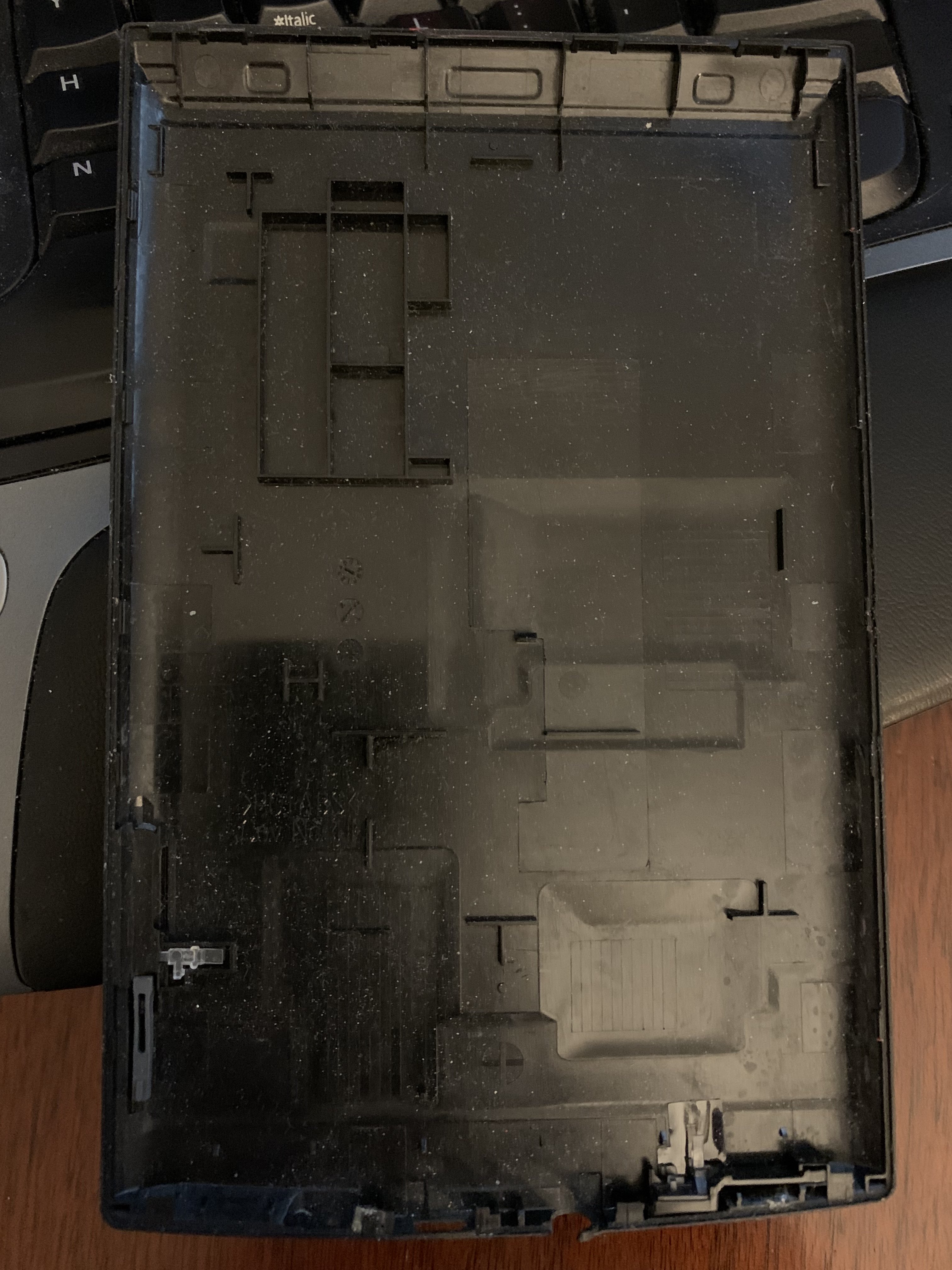
Avatar
Hopefully they didn't upgrade it past 1.04 or 1.05 as then rooting is still possible
10:47 PM
Not that you may care about that but eh
Avatar
don't worry, if we have access to U-Boot everything is possible
10:47 PM
even access for 15 secs only
Avatar
You can still downgrade it from 1.07 but it's sketchy.
10:49 PM
Just to note the eMMC gets badblocks on these devices as well which cause it not to boot.
Avatar
honestly the first thing I'll want to do once we have this watchdog fixed up will be to wipe the SD
Avatar
So probably SD would be the best bet.
Avatar
Just realize as well though I don't think prstux had to do anything with the watchdog so there is also that avenue if it push comes to shove.
10:52 PM
I think it just involves packaging the stock rootfs properly.
10:52 PM
with mkimage
Avatar
Avatar
NonaSuomy
I think it just involves packaging the stock rootfs properly.
That is also how jpa got his stock image loading from SD.
11:05 PM
Here is the back cover with the clip locations the only spot you have to look out for is the part that goes around the headphones jack as you can see I broke it when I peeled it off.
11:07 PM
14 screws in the motherboard.
11:10 PM
Maybe even just make that guy a low offer and see if it accepts it as that button is enabled.
11:10 PM
It will usually give you 3 attempts
11:10 PM
To hit what number they set it to.
11:12 PM
I had one guy not accept the offer then he suggested $10 more for the device so I just put the same old offer I did before in to show him I was not bugging and then he finally accepted it.
👍 1
11:12 PM
So maybe try something like that if it goes down.
11:14 PM
They usually have an auto amount so you will know right away if it is accepted or not.
11:14 PM
try like $5 then maybe $10
Avatar
minimum is $11.20
Avatar
haha we tried.
Avatar
do you prefer to bid or I do?
Avatar
No bid just make an offer
11:17 PM
You do it then it can ship right to you instead of double shipping
Avatar
yeah ok
Avatar
up to you some people are just thriftstore shoppers and just want to get their money back at the least.
11:20 PM
I wouldn't go higher than his starting bid though.
Avatar
let's say I offer $12
Avatar
no? hm
Avatar
unless it rejected you at 10?
11:21 PM
it says 5 offers left
11:21 PM
i didn't offer anything yet
Avatar
oh ok. low ball first it will auto reply right away if it was under his set make an offer price so it won't hurt you to do that.
Avatar
ok $8 maybe?
Avatar
The make an offer price can be set lower than your starting bid price just so you know.
11:23 PM
That's how it was set with the other item I got.
11:23 PM
go for it.
11:23 PM
let's see
11:24 PM
Avatar
if it doesn't come back right away then that means it was set even lower than that (edited)
Avatar
or it wasn't set at all...
Avatar
that too
11:27 PM
I do everything like this as I loathe waiting around for someone to snipe the bid on you at the last second and a lot of stuff on ebay never sees the light of day for any bids they just go stale.
11:28 PM
most are willing just to accept the make an offer.
Avatar
we'll see
Avatar
Realize he will always have doubt that nobody will give him any bids on it so you have that in your corner he won’t want to lose you on it.
👍 1
11:53 PM
Don’t feel shy to slap him with the same price again or lower than his counter offer if its above the min bid price. That is why you want to low ball it first below the min bid as they will try counter offer it higher but usually they counter offer the min bid as it feels weird going higher than that depending on the person. (edited)
11:55 PM
If all else fails we just wait for another.
👍 1
Avatar
Yay figured out something...
2:03 PM
Got the SDCard booting again.
2:03 PM
nice extended log as well.
Avatar
Ok awesome
Avatar
Avatar
NonaSuomy
Got the SDCard booting again.
How?
Avatar
by loading the rootfs (edited)
Avatar
Lucky I had a backup of uboot_new/old which I grabbed the loading command from then launched with that.
👍 1
Avatar
Is this where we were copying our custom kernel to or was just at some random partition space? ## Booting kernel from Legacy Image at 70800000 ... Image Name: Normal Kernel Image Type: ARM Linux Kernel Image (uncompressed) Data Size: 2288064 Bytes = 2.2 MB Load Address: 70008000 Entry Point: 70008000 Verifying Checksum ... OK ## Loading init Ramdisk from Legacy Image at 70c00000 ... Image Name: Normal Rootfs Image Type: ARM Linux RAMDisk Image (uncompressed) Data Size: 286848 Bytes = 280.1 kB Load Address: 70308000 Entry Point: 70308000 Verifying Checksum ... OK Loading Kernel Image ... OK OK
Avatar
Kernel is at sector 2048
2:57 PM
The load address is a memory address
Avatar
# cat /sys/module/rawdatatable/parameters/rawdata_param MBR :0x00000000:0x00000400 uBoot :0x00000400:0x000bfc00 Boot Env :0x000c0000:0x00020000 Reserved1 :0x000e0000:0x00020000 Normal Kernel :0x00100000:0x00400000 Normal Rootfs :0x00500000:0x00100000 Recovery Kernel :0x00600000:0x00400000 Reserved2 :0x00a00000:0x00500000 Normal Boot Env :0x00f00000:0x00020000 Recovery Boot Env :0x00f20000:0x00020000 Raw Data Table :0x00f40000:0x00020000 Info :0x00f60000:0x00020000 Id :0x00f80000:0x00020000 Reserved3 :0x00fa0000:0x00060000 Boot Image :0x01000000:0x00100000 Waveform :0x01100000:0x00200000 LOG :0x01300000:0x00500000
2:59 PM
so sector 2048 == Normal Kernel:0x00100000:0x00400000 ? (edited)
3:03 PM
12.13 KB
3:03 PM
here's the original kernel config
3:07 PM
If you compare this /proc/config.gz to the Kobo Touch A/B /proc/config.gz are they pretty close? (edited)
Avatar
Check yourself
Avatar
I don't own an A/B
Avatar
Go in kernel repo -> kernel/config/config-n905b
Avatar
did you modify that one?
Avatar
Yes It's InkBox config
Avatar
you can show me the diffrences of these files
3:13 PM
and I can explain
3:14 PM
there was a nice GUI for diff
3:14 PM
i dont remember the name
Avatar
https://www.nxp.com/docs/en/reference-manual/IMX50RM.pdf PG# 2910 chart 6.5 Boot Devices (Internal Boot) 6.5.3 Expansion Device Support md 0x53fd0004 1 53fd0004: d8200064 d. . d8200064 = 32'b 1101 1000 0010 0000 0000 0000 0110 0100 echo "obase=2; ibase=16; D8200064" | bc 11011000001000000000000001100100 31=1 30=1 29=0 28=1 27=1 26=0 25=0 24=0 23=0 22=0 21=1 20=0 19=0 18=0 17=0 16=0 15=0 14=0 13=0 12=0 11=0 10=0 9=0 8=0 7=0 6=1 5=1 4=0 3=0 2=1 1=0 0=0 SRC_SBMR[25:24] = 0 BOOT_MODE[1:0]=0 => internal boot eMMC normal boot imx5 loads U-Boot from raw eMMC offset 2 sectors from the start (offset 1kiB from start of storage) (edited)
3:39 PM
raw u-boot.imx dd if=/dev/mmcblkX bs=512 skip=2 count=1 | hexdump -vC
3:39 PM
imx header should be there.
3:43 PM
MX50_ARM2 U-Boot > md $loadaddr 0x80 00000000: e59ff01c e59ff01c e59ff01c e59ff01c ................ 00000010: e59ff01c e59ff01c e59ff01c e59ff01c ................ 00000020: e59ff01c 0000e0fc f801ffbc f801ffc0 ................ 00000030: f801ffc4 f801ffc8 f801ffcc f801ffd0 ................ 00000040: f801ffd4 f801ffd8 00000011 20296328 ............(c) 00000050: 79706f43 68676972 30322074 202c3031 Copyright 2010, 00000060: 65657246 6c616373 65532065 6f63696d Freescale Semico 00000070: 6375646e 2c726f74 636e4920 6c41202e nductor, Inc. Al 00000080: 6972206c 73746867 73657220 65767265 l rights reserve 00000090: 00002e64 402c00dd 00007bf9 00007d8b d.....,@.{...}.. 000000a0: 00007dc7 00008107 000080ab 00007fc9 .}.............. 000000b0: 00007e71 0000822b 00008271 000082dd q~..+...q....... 000000c0: 000028a5 00002aad 0000307f 000043c5 .(...*...0...C.. 000000d0: 0000453d 000067e5 00007693 f8524a22 =E...g...v.."JR. 000000e0: 68000020 f00040c8 47700001 2301b510 ..h.@....pG...# 000000f0: 3c184c1d f854408b 68010020 4319b10a .L.<.@T. ..h...C 00000100: 4399e000 bd106001 0594b5f0 4d16d516 ...C.`.........M 00000110: 3407f3c2 f3c23518 f8552681 b2d75020 ...4.5...&U. P.. 00000120: c024f855 f04f00f6 fa0e0eff 40b7fe06 U.$...O........@ 00000130: 0c0eea2c 070cea47 7024f845 d50b05d2 ,...G...E.$p.... 00000140: 4c092201 408a3c30 0020f854 b10b6801 .".L0<.@T. ..h.. 00000150: e0004311 60014391 4b03bdf0 f8533318 .C...C.`...K.3S. 00000160: f8400020 47702021 0000e4f4 68534aff .@.! pG.....JSh 00000170: 0302f023 68136053 0320f023 68936013 #...S`.h#. ..`.h 00000180: 03fff023 4bfa6093 0380eb03 3021f853 #....`.K....S.!0 00000190: 4bf76093 eb033310 f8530380 61133021 .`.K.3....S.!0.a 000001a0: 33204bf3 0080eb03 0021f850 681060d0 .K 3....P.!..`.h 000001b0: 0030f040 68506010 0002f040 68106050 @.0..`Ph@...P`.h
3:43 PM
000001c0: d0fc07c0 4aeb4770 f0436813 60134340 ....pG.J.hC.@C.` 000001d0: f0436853 60534340 f0236813 6013033f ShC.@CS`.h#.?..` 000001e0: f0236853 6053033f 28083aac e8dfd21e Sh#.?.S`.:.(.... 000001f0: 2304f000 8a70523d b171bca4 d0162901 ...#=Rp...q..).. MX50_ARM2 U-Boot >
3:49 PM
Compile U-Boot cd uboot make ARCH=arm CROSS_COMPILE=arm-none-linux-gnueabi- -j8 mx50_arm2_config make ARCH=arm CROSS_COMPILE=arm-none-linux-gnueabi- -j8 ... arm-none-linux-gnueabi/4.4.1/armv4t -lgcc -Map u-boot.map -o u-boot arm-none-linux-gnueabi-objcopy -O srec u-boot u-boot.srec arm-none-linux-gnueabi-objcopy --gap-fill=0xff -O binary u-boot u-boot.bin (edited)
👍 1
3:49 PM
The worst thing about discord is it doesn't seem to search code tags very well 😦
3:50 PM
You have to remember what you said around that point to get back to it.
Avatar
Reads raw eMMC at offset 0x800 (in 512B block units) and it reads 0x1400 such blocks that is the Kernel. Then the ramdisk 0x2800 0x258 then jumps to it with bootm. They read uImage which wraps the kernel zImage and then read uImage which wraps the ramdisk two blobs and then they point the bootm command to both blobs to start kernel and provide pointer to ramdisk to the kernel. (edited)
Avatar
MX50_ARM2 U-Boot > printenv stdin=serial stdout=serial stderr=serial ethact=FEC0 loadaddr=0x70800000 loadaddr_ramdisk=0x70C00000 bootdev=2 rawtable=0xF40000 bootargs=root=/dev/mmcblk0p1 rootfstype=ext4 rw rootwait init=/linuxrc console=ttymxc4,115200 bootdev=0 rawtable=0xF40000 bootcmd=mmc read 0 ${loadaddr} 0x800 0x1400;mmc read 0 ${loadaddr_ramdisk} 0x2800 0x258;bootm ${loadaddr} ${loadaddr_ramdisk} bootdev=0 Environment size: 387/131068 bytes
Avatar
yes?
Avatar
Just putting the working Stock boot from SDCard bootargs/bootcmd here case I break it again 😄
👍 1
7:02 PM
Going to change init=/system/bin/sh to see what happens
👍 1
Avatar
please try our kernel with the ttymxc4 thing (edited)
7:08 PM
one sec.
👍 1
7:08 PM
so all that I got from doing the prior thing was "init: cannot open '/initlogo.rle'"
7:15 PM
7:15 PM
So it boots with those two lines now.
7:15 PM
but dies with what looks like power issues
Avatar
YESSSSSSS
7:16 PM
Progress
7:17 PM
what's the cmdline in default system?
Avatar
Sorry my brain is rusty what are you asking for?
Avatar
cat /proc/cmdline
Avatar
Avatar
tux-linux
YESSSSSSS
BTW this means we're done with the watchdog
🥰 1
Avatar
do you want me to switch cards back to stock firmware to run that?
7:20 PM
sorry
Avatar
root=/dev/mmcblk0p1 rootfstype=ext4 rw rootwait init=/linuxrc console=ttymxc4,115200 bootdev=0 rawtable=0xF40000
Avatar
hmm okay, nothing interesting there it seems
Avatar
What were you expecting to see there?
7:23 PM
bootargs=root=/dev/mmcblk0p1 rootfstype=ext4 rw rootwait init=/linuxrc console=ttymxc4,115200 bootdev=0 rawtable=0xF40000
Avatar
sometimes bootargs are in u-boot and other ones are in the kernel for some reason
7:23 PM
it fails to power the epdc up
Avatar
Looks like it fails to find the data it needs from the eMMC
7:59 PM
tps65180_display_enable fail to read vcom from eMMC. -1
Avatar
Any ideas?
Avatar
Nope Are you using the last kernel source tarball Sony provided?
Avatar
where we write the kernel to is that within the first 26mb of the sdcard? (edited)
Avatar
I don't know if I remember this right but I think someone said that is where it gets the vcom settings from and other things.
10:01 PM
so maybe we are overwriting?
Avatar
Maybe But if it works with the stock firmware I have no idea why it is not there
10:04 PM
Hmm
10:05 PM
Restore first 26M to external SD and try to flash the kernel there again and boot it
Avatar
Here is a comment in the forum not that the person knows directly what they are dealing with: "One thing you should never mess with is the first 26MB of the internal flash device. There is a bunch of raw data hidden in it that cannot easily be restored and there are some folks on the forum that already bricked their devices (irreversibly!!)."
10:12 PM
Is this the same with every ereader?
10:13 PM
But often yes
Avatar
Avatar
tux-linux
Restore first 26M to external SD and try to flash the kernel there again and boot it
Will try
10:24 PM
the only other thing I can think of is ramdisk and our kernel have to match
10:25 PM
The last message is actually this
10:25 PM
Warning: unable to open an initial console. Freeing init memory: 728K Kernel panic - not syncing: Attempted to kill init! (edited)
10:27 PM
Thoughts?
10:29 PM
Maybe we should try to compile the kernel first without injecting busybox into it and see if it boots.
10:30 PM
Would the warning there be because it was trying to open busybox
Avatar
Avatar
NonaSuomy
The last message is actually this
The first warning is easy to fix But it's not what's causing the kernel panic IMO
10:37 PM
You need to add ttymxc4 to your initrd root/dev
Avatar
Which first one?
10:53 PM
I just noticed this as well Unpacking initramfs... Initramfs unpacking failed: compression method gzip not configured
10:53 PM
maybe that is where the vcom data is
Avatar
whooops
10:56 PM
but no, has nothing to do with it
10:57 PM
what's the general setup page of menuconfig looking like?
11:02 PM
CONFIG_INITRAMFS_SOURCE="/home/nonasuomy/code/busybox/_install"
Avatar
Avatar
NonaSuomy
I just noticed this as well Unpacking initramfs... Initramfs unpacking failed: compression method gzip not configured
I guess that is why busybox won't load though 😄 CONFIG_INITRAMFS_SOURCE="/home/nonasuomy/code/busybox/_install"
11:06 PM
Just a guess but because we set LZMA compression and turned GZIP off that we then need to set this? # CONFIG_INITRAMFS_COMPRESSION_LZMA is not set
11:07 PM
Though above that it does say CONFIG_INITRAMFS_COMPRESSION_NONE=y
11:08 PM
so it should not technically be uncompressed but we never copied an intramfs to the card so maybe it's just looking at the existing one or is intramfs inside uImage?
Avatar
Avatar
tux-linux
You need to add ttymxc4 to your initrd root/dev
How do you add ttymxc4 to your initrd root/dev ?
11:12 PM
Interesting their stock kernel with no modifications is Image Name: Linux-2.6.35.3 Created: Fri May 13 22:56:50 2022 Image Type: ARM Linux Kernel Image (uncompressed) Data Size: 1669524 Bytes = 1630.39 KiB = 1.59 MiB Load Address: 70008000 Entry Point: 70008000 Image arch/arm/boot/uImage is ready 1.59MB instead of what is on the device (2.2MB)
11:17 PM
Is this because they also include busybox to the uImage?
Avatar
maybe
Avatar
Avatar
NonaSuomy
How do you add ttymxc4 to your initrd root/dev ?
what's ls -shal /dev/ttymxc4 in the stock system?
Avatar
I can't do any -shal after ls in adb shell
Avatar
can you launch busybox telnetd?
11:30 PM
or ls -l maybe?
Avatar
nothing - works
11:31 PM
only ls
Avatar
try busybox telnetd then
Avatar
crw------- root root 207, 20 2010-01-01 02:00 ttymxc4
Avatar
ok, so in _install, do sudo mknod dev/ttymxc4 c 207 20
Avatar
from the busybox _install folder I run sudo mknod /dev/ttymxc4 c 207 20
11:54 PM
?
11:54 PM
dev/ttymxc4
11:54 PM
without the first slash
11:55 PM
if dev folder is not existing, create it
11:55 PM
in short: mknod dev/console c 5 1 mknod dev/null c 1 3 mknod dev/ttymxc4 c 207 20
Avatar
~/code/busybox/_install/dev$ ls -l total 0 crw-r--r-- 1 root root 5, 1 May 13 23:53 console crw-r--r-- 1 root root 1, 3 May 13 23:54 null crw-r--r-- 1 root root 207, 20 May 13 23:54 ttymxc4
11:59 PM
look ok?
12:01 AM
Note nothing is in _install any more for some reason should something have been there beside the dev we put there?
Avatar
why is there nothing in _install anymore?
Avatar
what should be in there?
Avatar
your busybox initrd
Avatar
I compiled busybox earlier would it have purged that directory for some reason?
Avatar
yes maybe
12:04 AM
did you compile with make install?
Avatar
I did this now and it's all back make ARCH=arm CROSS_COMPILE=arm-none-linux-gnueabi- -j8 install upx --ultra-brute _install/bin/busybox (edited)
Avatar
dev was still there after doing that
Avatar
you can recompile the kernel
12:16 AM
hmm that doesn't look right UIMAGE arch/arm/boot/uImage Image Name: Linux-2.6.35.3 Created: Sat May 14 00:10:45 2022 Image Type: ARM Linux Kernel Image (uncompressed) Data Size: 1673520 Bytes = 1634.30 KiB = 1.60 MiB Load Address: 70008000 Entry Point: 70008000 Image arch/arm/boot/uImage is ready I did enable that lzma compression on initrams though.
Avatar
what's CONFIG_INITRAMFS_SOURCE?
Avatar
Maybe we could have just done that instead of stripping everything out
12:17 AM
Config above
Avatar
ok it's fine
12:18 AM
try it
Avatar
My only change was CONFIG_INITRAMFS_COMPRESSION_LZMA=y
Avatar
it's good
12:19 AM
the reason why I didn't want to enable it before was the watchdog
Avatar
gotcha
👍 1
12:25 AM
So essentially we should have left gzip support on? (edited)
12:28 AM
this is a slow sd card will be 17mins
Avatar
why 17mins?
12:34 AM
no, lzma is fine with the watchdog problem solved
Avatar
no I meant for the error in the console about it not finding gzip
Avatar
oh, I don't know
12:35 AM
we will see
Avatar
Avatar
NonaSuomy
I just noticed this as well Unpacking initramfs... Initramfs unpacking failed: compression method gzip not configured
.
Avatar
Avatar
tux-linux
why 17mins?
Writing the full eMMC backup to the SD again just in case.
Avatar
why the full backup?
12:40 AM
dd if=backup.img of=/dev/mmcblk0 bs=1M count=26 or something like that should work (don't remember the exact sector numbers)? (edited)
Avatar
In case we wrote over the vcom data with our extra large uImage that one time. (edited)
12:43 AM
dd if=uImage of=/dev/mmcblk0 bs=512 seek=2048 sync
Avatar
that is ok
Avatar
it looks like it hasn't extracted the initramfs
12:57 AM
but you can't load the existing initramfs in u-boot on top of that
12:57 AM
remove it from bootcmd
Avatar
bootargs=root=/dev/mmcblk0p1 rootfstype=ext4 rw rootwait init=/linuxrc console=ttymxc4,115200 bootdev=0 rawtable=0xF40000 bootcmd=mmc read 0 ${loadaddr} 0x800 0x1400;mmc read 0 ${loadaddr_ramdisk} 0x2800 0x258;bootm ${loadaddr} ${loadaddr_ramdisk} bootdev=0
Avatar
bootm ${loadaddr} ${loadaddr_ramdisk} bootdev=0 remove that part
1:00 AM
then saveenv
Avatar
so setenv bootcmd 'mmc read 0 ${loadaddr} 0x800 0x1400;mmc read 0 ${loadaddr_ramdisk} 0x2800 0x258' saveenv (edited)
1:02 AM
setenv bootcmd mmc read 0 ${loadaddr} 0x800 0x1400\;mmc read 0 ${loadaddr_ramdisk} 0x2800 0x258 (edited)
Avatar
good catch bad paste.
1:05 AM
hmm something weird can't trigger uboot command prompt
1:11 AM
got it
1:11 AM
Hit any key to stop autoboot: 0 MMC read: dev # 0, block # 2048, count 5120 partition # 0 ... imx_esdhc.c bus_width 0x1 imx_esdhc.c bus_width 0x1 imx_esdhc.c bus_width 0x4 imx_esdhc.c bus_width 0x4 SD set clock 50MHz 5120 blocks read: OK MMC read: dev # 0, block # 10240, count 600 partition # 0 ... imx_esdhc.c bus_width 0x1 imx_esdhc.c bus_width 0x1 imx_esdhc.c bus_width 0x4 imx_esdhc.c bus_width 0x4 SD set clock 50MHz 600 blocks read: OK MX50_ARM2 U-Boot > (edited)
1:11 AM
no longer loads the kernel now
1:18 AM
any ideas?
1:20 AM
note we removed bootm but I tried to just run it and got the same error.
Avatar
what's the env?
1:21 AM
printenv
Avatar
MX50_ARM2 U-Boot > printenv stdin=serial stdout=serial stderr=serial ethact=FEC0 loadaddr=0x70800000 loadaddr_ramdisk=0x70C00000 bootdev=2 rawtable=0xF40000 bootargs=root=/dev/mmcblk0p1 rootfstype=ext4 rw rootwait init=/linuxrc console=ttymxc4,115200 bootdev=0 rawtable=0xF40000 bootcmd=mmc read 0 0x70800000 0x800 0x1400;mmc read 0 0x70C00000 0x2800 0x258 Environment size: 329/131068 bytes
1:23 AM
should init be something else related to busybox now?
Avatar
Does that look ok?
Avatar
How would we extract their kernel and decompress it to dissect some things?
Avatar
Avatar
NonaSuomy
Does that look ok?
No
9:27 AM
You need to add \;bootm (edited)
Avatar
setenv bootcmd mmc read 0 ${loadaddr} 0x800 0x1400\;mmc read 0 ${loadaddr_ramdisk} 0x2800 0x258\;bootm
9:33 AM
Note I looked through the kernel source and all these log messages were added by Sony dev as to why we wouldn’t find them googling for them.
9:34 AM
If I wanted to pull their uImage out of my eMMC backup what dd skip etc command would I use?
Avatar
maybe dd if=emmc.img of=kernel.bin bs=512 skip=2048 count=3072 but don't expect a lot (edited)
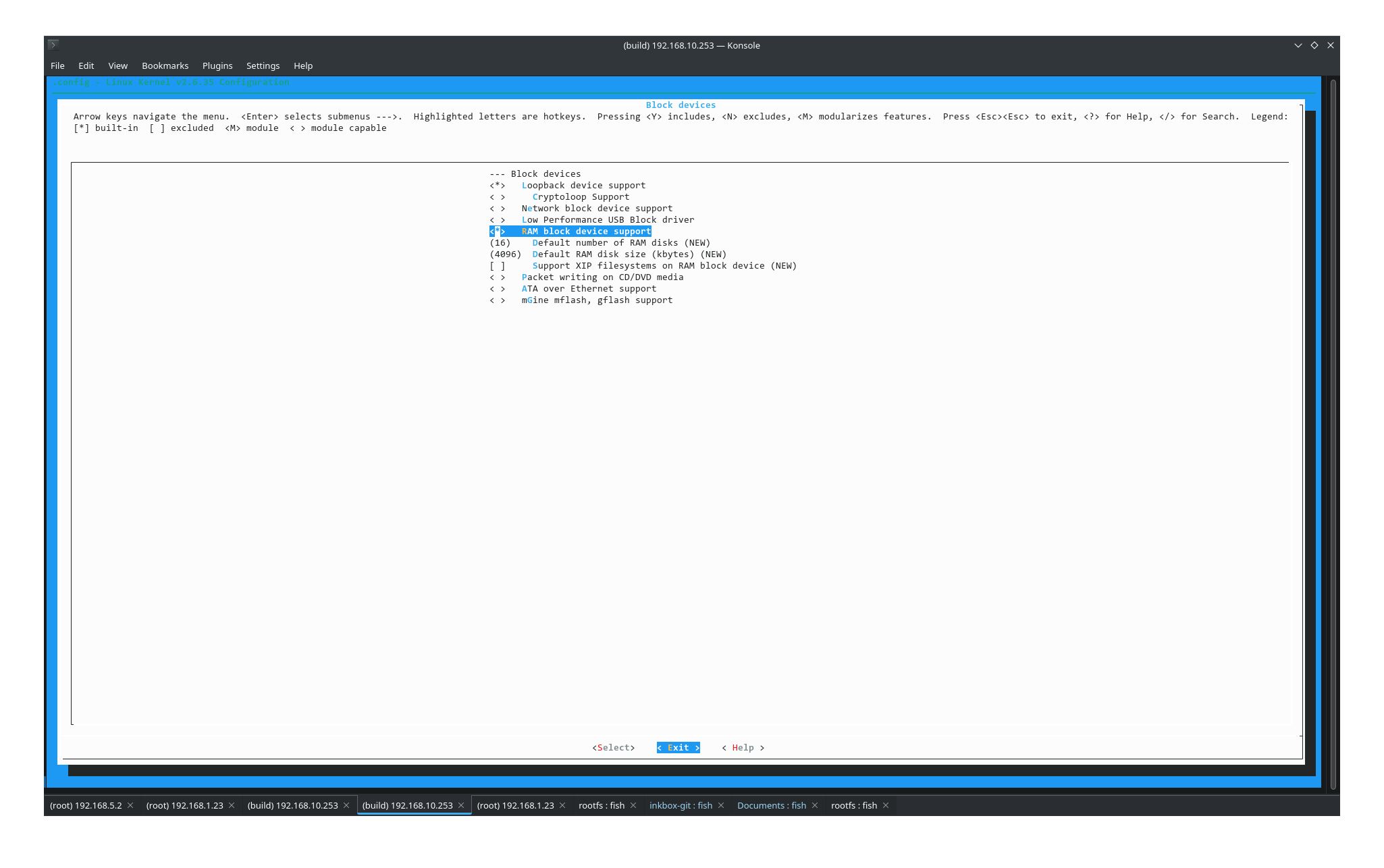
Avatar
go into kernel config
10:09 AM
Device drivers -> Block devices
Avatar
ugh machine rebooted last night and I think it corrupted the vm will be a bit 😦
10:15 AM
getting kernel panic on vm boot.
Avatar
Ok wiped out a physical machine and installed debian 11 resetting up build env. to have less problems hopefully 😄
1:46 PM
Toolchain for Onyx devices. Contribute to onyx-intl/toolchain development by creating an account on GitHub.
Avatar
Did you succeed with menuconfig?
Avatar
I didn't realize how much you have to do to get a compile going haha still working
👍 1
3:29 PM
trying to get busybox to compile
3:29 PM
networking/libiproute/ipaddress.c:345: error: 'IFA_F_DADFAILED' undeclared (first use in this function)
Avatar
are you using the same compiler? (arm-none-linux-gnueabi)?
3:30 PM
make ARCH=arm CROSS_COMPILE=arm-none-linux-gnueabi- -j8 install
Avatar
and same busybox tarball?
Avatar
nope 4.4.4
Avatar
busybox tarball
Avatar
sorry
3:30 PM
yes same 1.4.1
Avatar
Avatar
NonaSuomy
nope 4.4.4
then it's not the same
Avatar
Avatar
NonaSuomy
yes same 1.4.1
then it's not the same either
3:31 PM
busybox 1.4.1 was released in 2007
Avatar
sorry one moment
👍 1
3:32 PM
my heads in the clouds.
Avatar
ok that one is ok
Avatar
did you get this error before Failed: -Wl,--start-group -lcrypt -lm -lresolv -lrt -Wl,--end-group
Avatar
which version of busybox do you use?
Avatar
1.32.1 in InkBox I want to update it soon (edited)
Avatar
what version will you goto?
Avatar
latest stable
Avatar
so 1.34.1
Avatar
Avatar
tux-linux
1.32.1 in InkBox I want to update it soon (edited)
you can update qt libs too...
Avatar
probably
5:41 PM
yeah although it will be more complicated
Avatar
becouse?
Avatar
compiling qt is way harder than compiling busybox
Avatar
becouse?
Avatar
also I need to recompile the platform plugins
Avatar
Avatar
Szybet
becouse?
*because you never compiled qt from source?
Avatar
I feel like I'm watching dude where's my car right now
Avatar
Avatar
tux-linux
*because you never compiled qt from source?
i did, and i did that no one else needs to
5:43 PM
Kobo nia ereader with audio added. Contribute to Szybet/kobo-nia-audio development by creating an account on GitHub.
5:43 PM
everything described
5:43 PM
maybe the glo platform plugin thing not
Avatar
nice you never shared it
Avatar
i did this 4 times
😅 1
Avatar
?...
Avatar
then i forgot
5:44 PM
yestarday too
Avatar
but you compiled 5.15.2
Avatar
whats the problem with that
Avatar
well now why do we need to update the libs?
Avatar
becouse my compiled libs aren't working with yours
Avatar
did you use the older toolchain?
Avatar
i used koxtoolchain - kobo (edited)
5:46 PM
self generated
Avatar
ok then you need to switch to an older commit
Avatar
to make your libs compatible
Avatar
we were talking about updating the libs
5:47 PM
not about switching to older commits
Avatar
if you generated this toolchain before may 15 2021 it would have worked (it was building gcc 7.5.0 at the time) https://github.com/koreader/koxtoolchain/commit/688c830b91b3944fca3031ff447044ce7477c47a (edited)
5:48 PM
but they could benefit from an update
Avatar
Avatar
tux-linux
if you generated this toolchain before may 15 2021 it would have worked (it was building gcc 7.5.0 at the time) https://github.com/koreader/koxtoolchain/commit/688c830b91b3944fca3031ff447044ce7477c47a (edited)
what didn't worked
Avatar
I mean, your binary would have been compatible with the existing libs
Avatar
Avatar
Szybet
we were talking about updating the libs
here
5:49 PM
i know but it would be cool if i didn't need to do that
Avatar
well, if you want to update them now, clone https://github.com/Kobo-InkBox/gui-bundle and update the libs in content/qt
InkBox GUI bundle contents and generation script. Contribute to Kobo-InkBox/gui-bundle development by creating an account on GitHub.
Avatar
it would break thing for you propably
Avatar
why?
Avatar
your qt dev setup
Avatar
no, if it's the same directory structure, it should work
5:52 PM
qt usually installs itself in ~/qt-bin
5:52 PM
then you can just move out the required libs to update them
Avatar
without the updated toolchain, can you use this qt lib?
Avatar
the toolchain has nothing to do with it
5:54 PM
did what you compile with newer koxtoolchain work on the kobo?
Avatar
yes of course
Avatar
then, why wouldn't it work with the updated libs
Avatar
becouse it sounds to easy
5:56 PM
it gets suspicious
Avatar
Avatar
NonaSuomy
networking/libiproute/ipaddress.c:345: error: 'IFA_F_DADFAILED' undeclared (first use in this function)
In case you deal with this updating to 1.34.1
Avatar
No idea how to deal with this broken things Failed lcrypt lm lresolv lrt
7:59 PM
lcrypt apparently is now libxcrypt or something.
Avatar
Wonder if unstable fixed all these issues
Avatar
it would be unlikely
8:24 PM
the problem is probably your debian system
8:25 PM
for some reason
Avatar
This is a fresh build and this issue is listed all over the place.
Avatar
oh ok
Avatar
I just think its far too complex for me to patch it.
Avatar
then something went really wrong on their side
8:28 PM
you can just use 1.32.1 meanwhile
Avatar
I think your compressed config probably excluded all the broken things
8:30 PM
people say that busybox is almost uncomplilable with out musl
8:31 PM
in its current state.
Avatar
maybe you can try with a newer compiler
8:31 PM
devices are more tolerant to them when it's not kernel things
8:32 PM
arm-nickel-linux-gnueabihf- for example
8:32 PM
or armv7l-linux-musleabihf-
8:32 PM
all there in [kernel repo]/toolchain
Avatar
just to note nothing fixed in 1.35.0 😄
Avatar
yay...
Avatar
was I supposed to apply some imx5 config to busybox?
9:02 PM
this is all that I'm doing using the same 4.4.1 as you sent last time
9:03 PM
Add config https://discordapp.com/channels/809205711778480158/966554812567130152/970116956122415154 make ARCH=arm CROSS_COMPILE=arm-none-linux-gnueabi- menuconfig Make sure this is on [*] Build static binary (no shared libs) make ARCH=arm CROSS_COMPILE=arm-none-linux-gnueabi- -j$(nproc) make ARCH=arm CROSS_COMPILE=arm-none-linux-gnueabi- -j$(nproc) install upx --ultra-brute _install/bin/busybox (edited)
Avatar
I'm going with fresh system is missing something no idea what
9:11 PM
I tried your shrunken config no go
9:11 PM
tried the build before that one no go
9:12 PM
Going to try 1.32.1 and it is going to do the same thing and I'm going to go crazy
Avatar
I can build it for you at this point
Avatar
echo $PATH /usr/local/bin:/usr/bin:/bin:/usr/local/games:/usr/games:/snap/bin:/home/nonasuomy/code/arm-2009q3-67-arm-none-linux-gnueabi-i686-pc-linux-gnu/arm-2009q3/bin
9:20 PM
how would that work?
9:22 PM
like you build busybox then I dump it in _install and then compile the kernel or more to it then that?
9:28 PM
yup this system is defo missing something went back to 1.32.1 and still same error
9:32 PM
I just noticed we were using 4.8 gcc to compile this first
9:32 PM
maybe it has the issues fixed
9:32 PM
then we were just always using the same build files after that and never cleaning the directory
9:33 PM
maybe that is the key
9:34 PM
If you make a clean directory of 1.34.1 busybox and compile it with 4.4.1 does it work?
Avatar
Not a GCC issue
9:35 PM
Kernel (headers) are too old
Avatar
Which is annoying, true, but easily remedied for simple constants like those
9:37 PM
Build script for various toolchains used by KOReader - koxtoolchain/x-compile.sh at 97e4dcd6e9e20c90062038dc6e2fb18adc0da40d · koreader/koxtoolchain
9:37 PM
(Not the same exact issue, but close enough)
Avatar
How do you fix it?
Avatar
We may not actually be talking about the same thing. I'm talking about the ipaddress applet build issues on old kernel headers
9:40 PM
I have no idea what else you may be talking about since you haven't posted any build logs
Avatar
Avatar
NonaSuomy
did you get this error before Failed: -Wl,--start-group -lcrypt -lm -lresolv -lrt -Wl,--end-group
.
Avatar
That's not a build log 😉
9:42 PM
(verbose, ideally)
9:42 PM
(pass V=1 to make)
9:44 PM
I'll do that next but for now here it is
Avatar
Actual error being sync.c:(.text.sync_main+0x5c): undefined reference to syncfs'`
9:45 PM
Because syncfs() first appeared in Linux 2.6.39; library support was added to glibc in version 2.14.
9:45 PM
So sayeth man syncfs
Avatar
Someone said to turn sync off to fix that
Avatar
Stuff.. kinda relies on the sync applet being there.
Avatar
but then you no longer have sync
9:47 PM
So I didn't really know what to do after that
Avatar
//config:config FEATURE_SYNC_FANCY //config: bool "Enable -d and -f flags (requires syncfs(2) in libc)"
9:48 PM
Disable that in your bb config
Avatar
[ ] Enable -d and -f flags (requires syncfs(2) in libc)
Avatar
Something else is toggling FSYNC support, then
9:52 PM
Don't have a bb source tree checked out rn
9:52 PM
ripgrep is your friend
Avatar
Just strolls in and fixes all my problems
9:53 PM
I struggled with that the whole day.
🙃 1
Avatar
Misread the source actually, ENABLE_FSYNC does what it says on the tin, unrelated
9:53 PM
So nevermind that last bit ;p
9:53 PM
ripgrep is still your friend, though ;p (edited)
Avatar
I usually just use / in menuconfig and the help button to make sure I'm at the right one haha.
9:55 PM
slower but works
Avatar
I meant for build issues in general
9:57 PM
The search key is indeed your other friend when looking for a setting by its flag name in kconfig 😉
Avatar
oh so how do you use ripgrep?
9:57 PM
to solve build issues?
Avatar
It's grep, but faster ;p
Avatar
Doesn't rgrep do the same thing (or grep -r)? (edited)
Avatar
So grep the offending function/constant/whatever to locate it in the sources, then look at the context around that piece of code (edited)
9:58 PM
It's a from-scratch grep implementation in rust
9:59 PM
Nice
9:59 PM
@NonaSuomy I will compile this damn busybox for you
Avatar
no its ok
9:59 PM
they fixed it for me
9:59 PM
@NiLuJe
Avatar
Ok, I misunderstood then
9:59 PM
Good
10:00 PM
Thanks NiLuJe
😍 1
👍 1
Avatar
Years off my life right there.
Avatar
That's cross-compilation for you.
😅 1
10:02 PM
The script I linked to above is full of my ranting about that.
😂 2
Avatar
I'm sure it does amazing things as I was confused just looking at it all 😄
Avatar
I've given up on cross compilation on my side; I just use an arm vm
10:03 PM
No matter the time
Avatar
Not really, it just builds the stuff I ship in my various packages
Avatar
It will always be less than the time required to set up the cross compile 😉😂
Avatar
Stuff is slightly less painful the newer the target kernel & libc are
10:04 PM
And the less cmake is involved ;p
Avatar
@NiLuJe at any time did anyone on the koreader team get a build of prstux by chance or was that dude that built it the only one that ever had it working?
10:05 PM
(talking about the os image)
Avatar
He was probably the only user, yeah
😬 1
10:06 PM
Might have been some other guy, but I would count the target audience on the fingers of one hand at best
Avatar
I would like to find anyone at all. The guy that made it was zero help (edited)
10:06 PM
said he forgot everything and said he wouldn't help.
Avatar
Check the PRs & issues that touch the frontend/device/sony-prstux path (edited)
Avatar
the code he has online is not complete.
10:07 PM
missing kernel and other vital things.
10:08 PM
would love to get that running just to poke him with it haha.
10:09 PM
I only found a few comments where he was talking with you or maybe one of the build maintainers but nobody that actually was using it.
10:10 PM
and all he said to them was that he has no time to fix things. haha
10:10 PM
I sense a theme...
Avatar
Avatar
NonaSuomy
In case you deal with this updating to 1.34.1
@NiLuJe the ip problem you were talking about or this is the same fix? (edited)
10:17 PM
I don't remember doing this before but it did work then to get the next error
10:19 PM
(wondering if there is a better just turn xyz off than modifying the source)
10:21 PM
I got that fix from here if you want to see the full error https://blog.csdn.net/qq_16126823/article/details/121891466 Just to note google translate brakes the page and sends you to their homepage or something weird. (edited)
环境操作平台:UBuntu18.04 64位目标平台:Linux 2.6.35.7 ARM Cortex-A(arm v7)编译工具:arm-2009q3准备工作下载busybox-1.34.1.tar.bz2源码https://busybox.net/downloads/一张SD卡一、制作根文件系统1、解压busybox-1.34.1.tar.bz2源,并进入到源码中tar -jxvf busybox-1.34.1.tar.bz2cd busybox-1.34.12、修改Makef
Avatar
Avatar
NonaSuomy
the code he has online is not complete.
Maybe there is something to look at in internet archive (edited)
Avatar
Avatar
tux-linux
Maybe there is something to look at in internet archive (edited)
I believe he got it working for himself then he attempted to put an automated build process together for everyone else then gave up halfway through.
10:24 PM
its basically just missing the kernel and the ramdisk ramfs stuff I think.
Avatar
Hopefully we get InkBox running then we will understand more about the process then hopefully it will be a breeze right... 😅
Avatar
Avatar
NonaSuomy
its basically just missing the kernel and the ramdisk ramfs stuff I think.
There may even be some tips there to to getting stuff supported in InkBox as well that he already figured out. I noticed a few scripts that had some things in it about hardware management.
10:32 PM
Sleep functions and such
Avatar
In any case, this device earns the no. 1 price for the most complicated, convoluted, nonsensical, and painful port ever (edited)
Avatar
I pretty sure you just spelled S O N Y
Avatar
Even porting to Kindle is easier... like... something's wrong 😂 (edited)
Avatar
complicationS cOnvoluted Nonsensical painfullY ported.
Avatar
n o i c e
10:35 PM
n o y s
Avatar
haha
10:37 PM
Now will the kernel compile 😄
Avatar
I totally forget what we were going to do next but UIMAGE arch/arm/boot/uImage Image Name: Linux-2.6.35.3 Created: Sat May 14 22:56:43 2022 Image Type: ARM Linux Kernel Image (uncompressed) Data Size: 2271056 Bytes = 2217.83 KiB = 2.17 MiB Load Address: 70008000 Entry Point: 70008000 Image arch/arm/boot/uImage is ready
🥳 2
Avatar
just try to run it
Avatar
I'm going to lurk up a bit as I think you told me to try something first.
Avatar
Avatar
tux-linux
Device drivers -> Block devices
^
Avatar
oh yes that
Avatar
Avatar
tux-linux
vi ~/code/busybox/_install/etc/init.d/rcS create etc/init.d if not existing populate rcS with this content: #!/bin/sh mkdir -p /sys /proc /dev mount -t sysfs sysfs /sys mount -t proc proc /proc mount -t devtmpfs devtmpfs /dev /bin/sh then recompile the kernel (edited)
Is this still valid?
Avatar
yes, if it has been erased
Avatar
(fresh os on fresh system)
Avatar
My VM got corrupted last night
Avatar
yeah, so do it
11:23 PM
When I add that stuff now that I already compiled "make install" can I just do that again and it will included those additions or have to clean (edited)
Avatar
oh does the kernel compile process grab that _install folder and it has nothing to do with the busybox make install
Avatar
it just grabs the folder
11:25 PM
it doesn't care about what's outside it
11:25 PM
don't forget to create device nodes
Avatar
just did them
👍 1
11:26 PM
so just make ARCH=arm CROSS_COMPILE=arm-none-linux-gnueabi- -j$(nproc) uImage
11:26 PM
and all that stuff will be added in
Avatar
Just saw these fly by on the compile console CC drivers/regulator/tps65180-regulator.o CC net/socket.o drivers/regulator/tps65180-regulator.c: In function 'tps65180_vcom_get_voltage': drivers/regulator/tps65180-regulator.c:838: warning: 'vcomValue' may be used uninitialized in this function
Avatar
hmm hmm
11:32 PM
GREAT job sony
Avatar
Maybe that will help find our issue location later
11:34 PM
Never ran UPX but were pretty close to the stock uImage size now. Data Size: 2291748 Bytes = 2238.04 KiB = 2.19 MiB
Avatar
Avatar
tux-linux
maybe dd if=emmc.img of=kernel.bin bs=512 skip=2048 count=3072 but don't expect a lot (edited)
When I ran this against the eMMC backup I got this with mkimage: ~/code$ mkimage -l kernel.bin GP Header: Size 27051956 LoadAddr c62947b6 when I run it against a uImage that we compiled I get: ~/code$ mkimage -l uImage Image Name: Linux-2.6.35.3 Created: Sat May 14 00:10:45 2022 Image Type: ARM Linux Kernel Image (uncompressed) Data Size: 1673520 Bytes = 1634.30 KiB = 1.60 MiB Load Address: 70008000 Entry Point: 70008000 (edited)
11:39 PM
Why do they not output the same information?
Avatar
because kernel.bin probably contains other things
11:40 PM
and c62947b6 as a load address makes absolutely no sense
Avatar
so probably not the right dd values?
Avatar
yeah
11:42 PM
i don't know
Avatar
Is there a safer way to insert the uImage into eMMC backup where the size of the uImage wouldn't matter?
Avatar
not really
11:46 PM
not to my knowledge
Avatar
basically like using 7zip manager to extract the current one then toss the other one in like a compressed file
11:52 PM
When I open this bin I see 10 more img files of the partitions the space we are working with is not one of these 10 correct but the raw space that we can't view as a file but is part of the start of the bin data correct? https://jpa.kapsi.fi/stuff/other/sd_card_PRS-T1_1.0.07_adb_enabled.bin.xz
Avatar
it should
Avatar
we should be able to see the 25-26MB raw data inside the bin? (edited)
11:55 PM
so it's one of those 10?
Avatar
use binwalk on the image
Avatar
When I looked at them all with 7zip they all seemed very trivial like fonts or demo books or windows drivers, I'll have to take another look
11:57 PM
ok
12:05 AM
Think it crashed at the end but that's what it spit out
Avatar
the uImage headers are important
12:05 AM
strange that there are three
Avatar
So does that data line up with these locations? # cat /sys/module/rawdatatable/parameters/rawdata_param MBR :0x00000000:0x00000400 uBoot :0x00000400:0x000bfc00 Boot Env :0x000c0000:0x00020000 Reserved1 :0x000e0000:0x00020000 Normal Kernel :0x00100000:0x00400000 Normal Rootfs :0x00500000:0x00100000 Recovery Kernel :0x00600000:0x00400000 Reserved2 :0x00a00000:0x00500000 Normal Boot Env :0x00f00000:0x00020000 Recovery Boot Env :0x00f20000:0x00020000 Raw Data Table :0x00f40000:0x00020000 Info :0x00f60000:0x00020000 Id :0x00f80000:0x00020000 Reserved3 :0x00fa0000:0x00060000 Boot Image :0x01000000:0x00100000 Waveform :0x01100000:0x00200000 LOG :0x01300000:0x00500000
Avatar
Avatar
NonaSuomy
When I ran this against the eMMC backup I got this with mkimage: ~/code$ mkimage -l kernel.bin GP Header: Size 27051956 LoadAddr c62947b6 when I run it against a uImage that we compiled I get: ~/code$ mkimage -l uImage Image Name: Linux-2.6.35.3 Created: Sat May 14 00:10:45 2022 Image Type: ARM Linux Kernel Image (uncompressed) Data Size: 1673520 Bytes = 1634.30 KiB = 1.60 MiB Load Address: 70008000 Entry Point: 70008000 (edited)
This numbers familiar header CRC: 0xC62947B6
Avatar
it looks strange
12:12 AM
can you just boot the kernel you compiled?
Avatar
chmod +x etc/init.d/rcS there has been some progress
12:27 AM
the initrd starts
Avatar
Will that fix the tty repeating thing as well?
Avatar
maybe
Avatar
oh my there is actually a prompt under all those tty spams
12:29 AM
can't open /dev/tty2: No such file or directory ls bin dev etc linuxrc sbin usr
Avatar
cool
Avatar
one moment while I recompile
12:31 AM
or could I have technically did that from that prompt
Avatar
No change
12:40 AM
maybe it didn't sync properly -rw-r--r-- 1 1000 1000 128 May 15 2022 rcS
Avatar
it's impossible
Avatar
I did it from the console though maybe it will keep?
12:41 AM
-rwxr-xr-x 1 1000 1000 128 May 15 2022 rcS
12:42 AM
or is it a read only file system?
12:43 AM
didn't keep
12:44 AM
Does it cache those files in the kernel folder?
12:46 AM
should I chown it to root root as well?
12:46 AM
instead of my username
12:47 AM
~/code/busybox/_install/etc/init.d$ ls -l total 4 -rwxr-xr-x 1 nonasuomy nonasuomy 128 May 14 23:19 rcS
Avatar
Avatar
NonaSuomy
I did it from the console though maybe it will keep?
It will never keep anything
Avatar
Avatar
NonaSuomy
~/code/busybox/_install/etc/init.d$ ls -l total 4 -rwxr-xr-x 1 nonasuomy nonasuomy 128 May 14 23:19 rcS
Doesn't matter
Avatar
ok I will try to flash again then
👍 1
12:53 AM
I defo did sudo sync and sync just for good measure though.
👍 1
12:59 AM
I guess I just maybe pulled the card a little quick last time
1:00 AM
tps65180_display_enable fail to read vcom from eMMC. -1 ------------[ cut here ]------------ WARNING: at drivers/regulator/core.c:1423 _regulator_disable+0x30/0x118() unbalanced disables for DISPLAY Modules linked in: [<800c066c>] (unwind_backtrace+0x0/0xec) from [<800e0ca8>] (warn_slowpath_common+0x4c/0x64) [<800e0ca8>] (warn_slowpath_common+0x4c/0x64) from [<800e0d40>] (warn_slowpath_fmt+0x2c/0x3c) [<800e0d40>] (warn_slowpath_fmt+0x2c/0x3c) from [<8025017c>] (_regulator_disable+0x30/0x118) [<8025017c>] (_regulator_disable+0x30/0x118) from [<8025033c>] (regulator_disable+0x1c/0x30) [<8025033c>] (regulator_disable+0x1c/0x30) from [<802bfdb4>] (get_temperature+0x40/0x50) [<802bfdb4>] (get_temperature+0x40/0x50) from [<802bfdd0>] (calculate_battery_capacity+0xc/0x8c) [<802bfdd0>] (calculate_battery_capacity+0xc/0x8c) from [<803aa2f8>] (sub_cpu_bci_probe+0x2b4/0x36c) [<803aa2f8>] (sub_cpu_bci_probe+0x2b4/0x36c) from [<80279908>] (platform_drv_probe+0x18/0x1c) [<80279908>] (platform_drv_probe+0x18/0x1c) from [<80278aa8>] (driver_probe_device+0xc8/0x184) [<80278aa8>] (driver_probe_device+0xc8/0x184) from [<80278bc4>] (__driver_attach+0x60/0x84) [<80278bc4>] (__driver_attach+0x60/0x84) from [<802782c4>] (bus_for_each_dev+0x44/0x74) (kernel_init+0xa8/0x168) [<80008408>] (kernel_init+0xa8/0x168) from [<800bc9c0>] (kernel_thread_exit+0x0/0x8) ---[ end trace 37afc84e26cca609 ]--- Freeing init memory: 716K mount: mounting devtmpfs on /dev failed: No such device /bin/sh: can't access tty; job control turned off / #
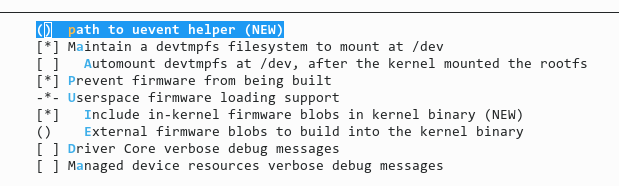
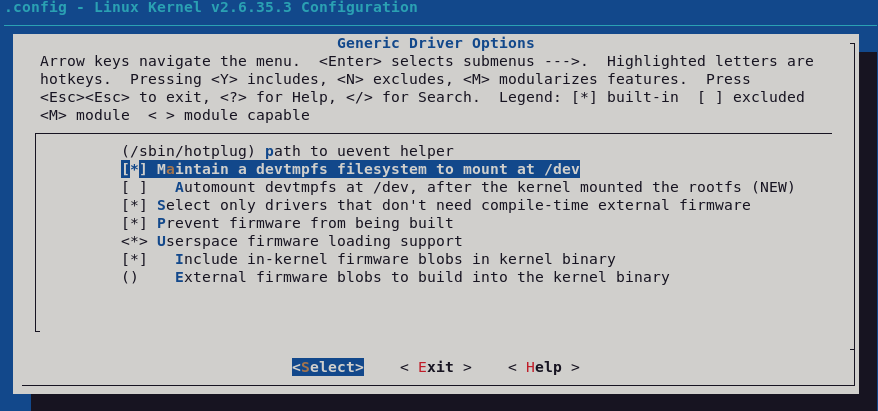
Avatar
good at. last. (edited)
Avatar
and yes it cured the tty repeating 😄
1:00 AM
what is devtmpfs and why did it fail?
1:02 AM
and /bin/sh
Avatar
what is in device drivers->generic driver options?
Avatar
Avatar
NonaSuomy
and /bin/sh
not to worry about at all
Avatar
you need to enable devtmpfs then
1:08 AM
but not the automount devtmpfs at dev thing
1:08 AM
Avatar
Anything else?
1:12 AM
or compile
Avatar
compile
Avatar
was I supposed to remove something from rcS?
1:17 AM
---[ end trace f3fb3a274bc2f334 ]--- Freeing init memory: 716K /bin/sh: can't access tty; job control turned off / #
Avatar
Good That means we can start InkBox port
🥳 1
1:22 AM
Please make clean your kernel source and create a tarball of it. Then share it with me
Avatar
Avatar
tux-linux
Good That means we can start InkBox port
Well, after vcom issue if fixed
Avatar
so just run make clean in the kernel source directory and send you a tar ball of it even without the vcom issue fixed?
Avatar
Maybe fix the vcom issue before yeah
1:27 AM
But make a tarball for yourself if you mess things up
Avatar
haha ok
Avatar
With the .config
Avatar
what is involved in the inkbox port process?
Avatar
A lot of things
Avatar
I would like to understand all the steps
Avatar
Look in the Libra H2O porting thread
Avatar
ok is there a specific point to start at?
Avatar
The beginning
Avatar
Just hit home until you reach the top
Avatar
make ARCH=arm CROSS_COMPILE=arm-none-linux-gnueabi- -j$(nproc) modules CHK include/linux/version.h CHK include/generated/utsrelease.h CC scripts/mod/empty.o MKELF scripts/mod/elfconfig.h HOSTCC scripts/mod/file2alias.o make[1]: 'include/generated/mach-types.h' is up to date. HOSTCC scripts/mod/modpost.o HOSTCC scripts/mod/sumversion.o CC kernel/bounds.s GEN include/generated/bounds.h CC arch/arm/kernel/asm-offsets.s GEN include/generated/asm-offsets.h CALL scripts/checksyscalls.sh HOSTLD scripts/mod/modpost CC [M] drivers/usb/gadget/arcotg_udc.o CC [M] drivers/usb/host/ehci-hcd.o CC [M] drivers/usb/gadget/serial.o drivers/usb/gadget/arcotg_udc.c:686: warning: 'udc_wait_b_session_low' defined but not used drivers/usb/gadget/arcotg_udc.c:2423: warning: 'wake_up_irq' defined but not used drivers/usb/host/ehci-hub.c:109: warning: 'ehci_adjust_port_wakeup_flags' defined but not used CC [M] drivers/usb/serial/usb-serial.o CC [M] drivers/usb/serial/generic.o CC [M] drivers/usb/serial/bus.o LD [M] drivers/usb/gadget/g_serial.o LD [M] drivers/usb/serial/usbserial.o Building modules, stage 2. MODPOST 4 modules WARNING: modpost: Found 3 section mismatch(es). To see full details build your kernel with: 'make CONFIG_DEBUG_SECTION_MISMATCH=y' CC drivers/usb/gadget/arcotg_udc.mod.o CC drivers/usb/gadget/g_serial.mod.o CC drivers/usb/host/ehci-hcd.mod.o CC drivers/usb/serial/usbserial.mod.o LD [M] drivers/usb/host/ehci-hcd.ko LD [M] drivers/usb/gadget/g_serial.ko LD [M] drivers/usb/serial/usbserial.ko LD [M] drivers/usb/gadget/arcotg_udc.ko
Avatar
But does it compile or stops?
Avatar
Compiles as far as I know what I am doing which is little.
3:17 AM
I'm not sure if doing that includes them in the uImage or you have to manually place them on the sdcard some place
Avatar
warnings are fine
3:41 AM
😅 1
3:45 AM
basically every version is there (edited)
Avatar
Avatar
NonaSuomy
Compiles as far as I know what I am doing which is little.
You have to make modules_install with INSTALL_MOD_PATH
8:07 AM
Then make a tarball or a squashfs and put it in your initrd root
8:08 AM
That might tank the watchdog though
Avatar
Avatar
tux-linux
You have to make modules_install with INSTALL_MOD_PATH
I think that's exactly what I was looking for as I did that but it tried to install it to my local debian
Avatar
make ARCH=arm CROSS_COMPILE=arm-none-linux-gnueabi- -j$(nproc) EXTRA_CFLAGS=-fno-pic INSTALL_MOD_PATH=sonymodules modules make ARCH=arm CROSS_COMPILE=arm-none-linux-gnueabi- -j$(nproc) uImage EXTRA_CFLAGS=-fno-pic INSTALL_MOD_PATH=sonymodules modules_install (edited)
Avatar
Avatar
tux-linux
Then make a tarball or a squashfs and put it in your initrd root
How do I do this process? Have you done it with the rest of the different devices? I would like to do it as close as plausible to how you did it for the others.
11:43 AM
I have this sonymodules directory now
11:45 AM
sonymodules/ └── lib └── modules └── 2.6.35.3 ├── build -> /home/nonasuomy/code/linux-2.6.35.2 ├── kernel │   └── drivers │   └── usb │   ├── gadget │   │   ├── arcotg_udc.ko │   │   └── g_serial.ko │   ├── host │   │   └── ehci-hcd.ko │   └── serial │   └── usbserial.ko ├── modules.alias ├── modules.alias.bin ├── modules.builtin ├── modules.builtin.alias.bin ├── modules.builtin.bin ├── modules.dep ├── modules.dep.bin ├── modules.devname ├── modules.order ├── modules.softdep ├── modules.symbols ├── modules.symbols.bin └── source -> /home/nonasuomy/code/linux-2.6.35.2
Avatar
Put it somewhere in your initrd
Avatar
./tux-linux --verbose
Avatar
Mv modules folder to _install
Avatar
modules folder as in the one I named sonymodules or the sub folder in the tree above named modules?
12:00 PM
~/code/busybox/_install/sonymodules ?
12:03 PM
~/code/busybox/_install$ ls bin dev etc linuxrc sbin sonymodules usr
Avatar
That is fine
Avatar
You are correct watchdog triggers now (Not sure if the image is too large but not getting that too large issue just resets)
1:45 PM
2.23MB
1:46 PM
Also I found an interesting directory on the eMMC directory two sh scripts called setvcom and getvcom
1:51 PM
vcom_get.sh #!/bin/sh vcom_uV=`epd_fb_test getvcom | awk '{ print $4 }'` vcom_mV=`expr $vcom_uV / 1000` echo ${vcom_mV}mV
1:52 PM
vcom_set.sh #!/bin/sh if [ $# -ne 1 ] ; then echo "Usage : vcom_set.sh vcom_value|off" exit 1 fi case $1 in [Oo][Ff][Ff]) voltage.sh off epd echo "Power off OK" exit ;; [0-9]*) vcom_mV=$1 vcom_mV=`expr $vcom_mV / 10` vcom_mV=`expr $vcom_mV \* 10` vcom_uV=`expr $vcom_mV \* 1000` echo "setVCOM ${vcom_mV}mV" echo "VCOM write to eMMC" epd_fb_test setvcom $vcom_uV > /dev/null if [ $? -ne 0 ]; then echo "NG : fail set vcom." exit fi voltage.sh on epd echo "Power on OK" ;; *) echo "NG : parameter error $1" exit 1 ;; esac exit 0
1:55 PM
voltage.sh #!/bin/sh # 機能ブロックの全リスト blocks_all="sd wan wifi epd" power_impl=/proc/pwr3 power_block=phoenix if [ -f $power_impl ]; then if [ $(cat $power_impl) -ne 0 ]; then power_block=wolfson fi fi blocks_all="$blocks_all $power_block" # 引数なしは NGとする if [ -z "$1" ]; then echo NG exit 1 fi # # 小文字変換関数 # $1 変換対象 # tolower() { echo $1 | tr '[A-Z]' '[a-z]' } # # Regulator制御関数 # $1 on/off # $2... Regulatorの名称 # regulator_control() { # 引数なしはエラーとする if [ -z "$*" ]; then return 1 fi # on/offで指定文字列を設定する case $1 in on) control=enabled ;; off) control=disabled ;; *) return 1 ;; esac shift remain=$* # 処理対象の Regulatorを検索する for regulator in $*; do # Regulator名称を参照する for name in $(ls /sys/class/regulator/regulator.*/name); do if [ $regulator != $(cat $name) ]; then # 対象外だったため次を参照する continue fi # 対象の Regulatorへ値を書き込む node=$(echo $name | sed -e 's/name$/state/') echo $control > $node # 処理が済んだ Regulatorを外す remain=$(echo $remain | sed -e "s/$regulator//") break done # すべての Regulatorへ値を書き込んだか if [ -z "$remain" ]; then # すべて書き込んだ break fi done return 0 } diag_sd() { case $1 in on) gpio 5 12 0 ;; off) gpio 5 12 1 ;; *) return 1 ;; esac return 0 } diag_wan() { case $1 in on) gpio 4 3 1 ;; off) gpio 4 3 0 ;; *) return 1 ;; esac return 0 } diag_wifi() { case $1 in on) gpio 5 25 1 ;; off) gpio 5 25 0 ;; *) return 1 ;; esac return 0 } diag_epd() { case $1 in on) regulators="$regulators DISPLAY V3P3_CTRL PWR0_CTRL VCOM" ;; off) regulators="$regulators VCOM PWR0_CTRL V3P3_CTRL DISPLAY" ;; *) return 1 ;; esac return 0 }
1:55 PM
diag_wolfson() { case $1 in on) ldo=1 while [ $ldo -le 11 ]; do regulators="$regulators LDO$ldo" let ldo=$ldo+1 done ;; off) ;; *) return 1 ;; esac return 0 } diag_phoenix() { case $1 in on) regulators="$regulators LDO1 LDO2 LDO3 LDO4 LDO5 LDO6 LDO7 VANA LDOLN LDOUSB SMPS3 SMPS4 VIO" ;; off) ;; *) return 1 ;; esac return 0 } if [ -z "$2" -o "$(tolower $2)" == "all" ]; then blocks=$blocks_all elif echo $blocks_all | grep "\<$2\>" 2>&1 > /dev/null; then blocks=$2 else echo NG exit 1 fi for block in $blocks; do if ! eval diag_$block $(tolower $1); then break fi done regulator_control $1 $regulators if [ $? -eq 0 ]; then echo OK else echo NG fi
Avatar
@tux-linux do these numbers mean anything to you across any of the other build for vcom? BW1120617204466 BU1125868900232 148427501482734 PVI6inchE120C 65 1990 AudioOK 2011/11/14-7:53:48
7:51 PM
where did you get ithis?
Avatar
Avatar
NonaSuomy
# remount SD card for writing mount -o remount,rw /initrd/mnt/sd # your screen driver dd if=/dev/mmcblk2 of=/initrd/mnt/sd/WF.img skip=17408 count=2048 bs=1024 sync # other important information, such as the operating voltage of the screen in line 5 dd if=/dev/mmcblk2 of=/initrd/mnt/sd/Vcom.img skip=15876 count=1 bs=1024 sync # serial, MAC dd if=/dev/mmcblk2 of=/initrd/mnt/sd/SN.img skip=15872 count=1 bs=1024 sync Partitions Disk /dev/sdb: 1.82 GiB, 1958739968 bytes, 3825664 sectors Disk model: PRS-XXX Units: 1 * 512 sectors = 512 bytes Sector size (logical/physical): 512 bytes / 512 bytes I/O size ( minimum/optimal): 512 bytes / 512 bytes Disk Label Type: dos Disk ID: 0x00000000 Device Boot Start End Sectors Size Id Type /dev/sdb1 51200 71679 20480 10M 83 Linux /dev/sdb2 71680 92159 20480 10M 83 Linux /dev/sdb3 92160 866687 774528 378.2M 5 Extended /dev/sdb4 866688 3825663 2958976 1.4G 83 Linux /dev/sdb5 92176 124991 32816 16M 83 Linux /dev/sdb6 125008 403583 278576 136M 83 Linux /dev/sdb7 403600 424127 20528 10M 83 Linux /dev/sdb8 424144 506111 81968 40M 83 Linux /dev/sdb9 506128 604479 98352 48M 83 Linux /dev/sdb10 604496 866687 262192 128M 83 Linux Partition table entries are not ordered as they are on disk. (edited)
Here
7:54 PM
Except I tried to hit the eMMC backup for it so may have not been the right spot
7:56 PM
What do the other builds look like for how they store VCOM?
8:03 PM
Sony PRS-T1 - прошивка (US-версия), Русификация и установка дополнительных приложений (amutin)
8:05 PM
#!/bin/sh PATH=/diag/bin:/bin:/sbin:/usr/bin:/usr/sbin:/usr/local/bin mount -t vfat -o rw,shortname=winnt /dev/mmcblk0p1 /initrd/mnt/sd /diag/bin/epd_fb_test file GC16 FULL /initrd/mnt/sd/Updating_en.bmp sleep 3 # /diag/bin/epd_fb_test file GC16 FULL /initrd/mnt/sd/Reading.bmp # sleep 3 # # Reading # # dd if=/dev/mmcblk2 of=/initrd/mnt/sd/old.ramdisk.uimg skip=10240 count=600 bs=512 # # sync # # dd if=/dev/mmcblk2 of=/ initrd/mnt/sd/old.nboote.bin skip=30720 count=256 bs=512 # # sync # # dd if=/dev/mmcblk2 of=/initrd/mnt/sd/Id.img skip=15872 count=128 bs=1024 # # sync # # dd if=/dev/mmcblk2 of=/initrd/mnt/sd/WF_OLD.img skip=17408 count=2048 bs=1024 # # sync # # dd if=/dev/mmcblk2 of=/initrd/mnt/sd/Vcom_OLD.img skip=15876 count=1 bs=1024 # # sync # # dd if=/dev/mmcblk2 of=/initrd/mnt/sd/SN_OLD.img skip=15872 count=1 bs=1024 # # sync # # dd if=/dev/mmcblk2 of=/initrd/mnt/sd/mmcblk2.img # # sync # # dd if=/dev/mmcblk2p1 of=/initrd/mnt/sd/mmcblk2p1.img # # sync # # dd if=/dev/mmcblk2p2 of=/initrd/mnt/sd/mmcblk2p2.img # # sync # # dd if=/dev/mmcblk2p3 of=/initrd/mnt/sd/mmcblk2p3.img # # sync # # dd if=/dev/mmcblk2p4 of=/initrd/mnt/sd/mmcblk2p4.img # # sync # # dd if=/dev/mmcblk2p5 of=/initrd/mnt/sd/mmcblk2p5.img # # sync # # dd if=/dev/mmcblk2p6 of=/initrd/mnt/sd/mmcblk2p6.img # # sync # # dd if=/dev/mmcblk2p7 of=/initrd/mnt/sd/mmcblk2p7.img # # sync # # dd if=/dev/mmcblk2p8 of=/initrd/mnt/sd/mmcblk2p8.img # # sync # # dd if=/dev/mmcblk2p9 of=/initrd/mnt/sd/mmcblk2p9.img # # sync # # dd if=/dev/loop0 of=/initrd/mnt/sd/loop0.img # # sync # /diag/bin/epd_fb_test file GC16 FULL /initrd/mnt/sd/Reading_done.bmp # sleep 3 /diag/bin/epd_fb_test file GC16 FULL /initrd/mnt/sd/Writing.bmp sleep 3 (edited)
8:05 PM
Writing dd if=/initrd/mnt/sd /new.mmcblk2p4.img of=/dev/mmcblk2p4 conv=notruc sync dd if=/initrd/mnt/sd/new.mmcblk2.img of=/dev/mmcblk2 sync dd if=/initrd/mnt/sd/mmcblk2p8. img of=/dev/mmcblk2p8 bs=1024 sync dd if=/initrd/mnt/sd/ new.mmcblk2p7.img of=/dev/ mmcblk2p7 bs=1024 sync dd if=/initrd/mnt/sd/mmcblk2p9.img of=/dev/mmcblk2p9 bs=1024 sync cd /initrd/mnt/sd/ /diag/bin/version_check.sh > /initrd/mnt/sd/version.txt # mkfs.ext4 /dev/mmcblk2p6 -L dictionaries # mkfs.ext4 -m 0 -L data /dev/mmcblk2p8 # /diag/bin/epd_fb_test gettemp > /initrd/mnt/sd/epd_fb_test.txt # sync # dmesg > / initrd/mnt/sd/dmesg.txt ls -la /dev > /initrd/mnt/sd/dev.txt # /diag/bin/device_id.sh > /initrd/mnt/sd/device-id.txt # /diag /bin/serial_number.sh > /initrd/mnt/sd/serial_number.txt # cat /sys/module/rawdatatable/parameters/rawdata_param > /initrd/mnt/sd/rawdata_param.txt # cat /sys/module/rawdatatable/parameters/partition_param > /initrd/mnt/sd/partition_param.txt # sync # cat /proc/cpuinfo > /initrd/mnt/sd/cpuinfo.txt # cat /proc/meminfo > /initrd/mnt/sd/meminfo.txt /diag/bin/epd_fb_test file GC16 FULL /initrd/mnt/sd/Writing_done. bmp sleep 3 /diag/bin/epd_fb_test file GC16 FULL /initrd/mnt/sd/Updating_en.bmp sleep 3 # /sbin/getty -L 9600 ttyGS0 vt102
Avatar
/sys/module/rawdatatable/parameters/partition_param Recovery Rootfs :1: 0x00a00000 Diag :2: 0x00a00000 READER :4: 0x5a4d8000 fonts :5: 0x01000000 dictionaries :6: 0x08800000 SETTING :7: 0x00a00000 preload :8: 0x02800000 data :9: 0x03000000 system :10:0x08000000
Avatar
Does this make any sense to you? ---[ end trace 3edbcdd9724ba378 ]--- Freeing init memory: 704K /proc/self/exeKernel panic - not syncing: Attempted to kill init! [<800bd66c>] (unwind_backtrace+0x0/0xec) from [<803a8678>] (panic+0x6c/0xf0) [<803a8678>] (panic+0x6c/0xf0) from [<800e1410>] (do_exit+0x68/0x67c) [<800e1410>] (do_exit+0x68/0x67c) from [<800e1b2c>] (complete_and_exit+0x0/0x1c) [<800e1b2c>] (complete_and_exit+0x0/0x1c) from [<800b8f80>] (ret_fast_syscall+0x0/0x30)
Avatar
What's the rest of the kernel log?
1:55 PM
After the modules_install stuff didn't work I thought I would go back and I was trying to document the process of getting the console booted so I started over with a fresh busybox/linux kernel. Alas I'm not sure if something is wrong with the kernel or the U-Boot bootcmd/bootargs
1:57 PM
I can no longer enter stuff in the console to get a prompt.
Avatar
I think I may have the wrong init= option but not sure
2:18 PM
setenv bootargs ‘root=/dev/mmcblk0p1 rootfstype=ext4 rw rootwait init=/linuxrc console=ttymxc4,115200 bootdev=0 rawtable=0xF40000’ setenv bootcmd mmc read 0 ${loadaddr} 0x800 0x1400\;mmc read 0 ${loadaddr_ramdisk} 0x2800 0x258\;bootm saveenv
2:19 PM
maybe we had /bin/sh there or something else
Avatar
Use rdinit Not init
3:17 PM
It's bin sh yes
Avatar
😦 still panics
3:40 PM
MX50_ARM2 U-Boot > printenv stdin=serial stdout=serial stderr=serial ethact=FEC0 loadaddr=0x70800000 loadaddr_ramdisk=0x70C00000 bootdev=2 rawtable=0xF40000 bootcmd=mmc read 0 0x70800000 0x800 0x1400;mmc read 0 0x70C00000 0x2800 0x258;bootm bootargs=root=/dev/mmcblk0p1 rootfstype=ext4 rw rootwait rdinit=/linuxrc console=ttymxc4,115200 bootdev=0 rawtable=0xF40000 Environment size: 337/131068 bytes
Avatar
Strange
3:41 PM
Not linuxrc
Avatar
tried both /linuxrc and /bin/sh
Avatar
Oh ok
Avatar
I noticed in the busybox _install folder it has linuxrc so that was a last ditch effort
3:43 PM
I feel like it's just a console issue as the orange light is still flashing on it
3:44 PM
not sure where "/proc/self/exe" comes from
Avatar
How big is the kernel?
Avatar
## Booting kernel from Legacy Image at 70800000 ... Image Name: Linux-2.6.35.3 Image Type: ARM Linux Kernel Image (uncompressed) Data Size: 2276740 Bytes = 2.2 MB Load Address: 70008000 Entry Point: 70008000 Verifying Checksum ... OK Loading Kernel Image ... OK
3:58 PM
just a few bits smaller than the original
3:58 PM
think the original is 228...
3:59 PM
**## Booting kernel from Legacy Image at 70800000 ... Image Name: Normal Kernel Image Type: ARM Linux Kernel Image (uncompressed) Data Size: 2288064 Bytes = 2.2 MB Load Address: 70008000 Entry Point: 70008000 Verifying Checksum ... OK ## Loading init Ramdisk from Legacy Image at 70c00000 ... Image Name: Normal Rootfs Image Type: ARM Linux RAMDisk Image (uncompressed) Data Size: 214270 Bytes = 209.2 kB Load Address: 70308000 Entry Point: 70308000 Verifying Checksum ... OK Loading Kernel Image ... OK OK
4:02 PM
ls -l ~/code/busybox/_install/dev total 0 crw-r--r-- 1 root root 5, 1 May 17 10:15 console crw-r--r-- 1 root root 1, 3 May 17 10:15 null crw-r--r-- 1 root root 207, 20 May 17 10:15 ttymxc4
4:04 PM
Could those be an issue if they are set with root and we compile make without sudo?
4:07 PM
/home/nonasuomy/code/busybox/_install/etc/init.d/rcS #!/bin/sh mkdir -p /sys /proc /dev mount -t sysfs sysfs /sys mount -t proc proc /proc mount -t devtmpfs devtmpfs /dev /bin/sh (edited)
4:09 PM
We didn't add anything else there correct? (edited)
Avatar
That is fine (edited)
Avatar
Avatar
NonaSuomy
Could those be an issue if they are set with root and we compile make without sudo?
No
Avatar
Avatar
NonaSuomy
**## Booting kernel from Legacy Image at 70800000 ... Image Name: Normal Kernel Image Type: ARM Linux Kernel Image (uncompressed) Data Size: 2288064 Bytes = 2.2 MB Load Address: 70008000 Entry Point: 70008000 Verifying Checksum ... OK ## Loading init Ramdisk from Legacy Image at 70c00000 ... Image Name: Normal Rootfs Image Type: ARM Linux RAMDisk Image (uncompressed) Data Size: 214270 Bytes = 209.2 kB Load Address: 70308000 Entry Point: 70308000 Verifying Checksum ... OK Loading Kernel Image ... OK OK
Your device is really possessed
😂 1
Avatar
@tux-linux check dm
5:16 PM
im reading this chat
5:16 PM
i dont understand a damn thing but its a interesting lecture about brain damain in computer science
😂 2
6:20 PM
Extended SDCard Flex cable for the Kobo came in. I guess it will be also good for playing around when you don’t want to move the device ejecting the card.
👍 1
Avatar
Avatar
NonaSuomy
😦 still panics
What's different from the previous working kernel build? Modules?
Avatar
Only things I can think of is one of the uboot settings or that I moved to busybox 1.34.1 instead of the same one you were or when I compiled the modules_install they modified something on the device and f’d it up (probably a long shot on that one) were probably just forgetting something. (edited)
Avatar
So no modules are in the initrd folder?
Avatar
Correct this one is back to scratch I moved the folders to kernel.bak and busybox.bak then extracted fresh copies of their tars and put the two .config in each of their directories from the previous folders did timeconst.pl fix added the rcS and the dev to busybox then compiled
6:29 PM
Would those external make module stuff modify the .config at all?
Avatar
It should not
Avatar
Haha fml...
10:07 PM
busybox version 1.32.1 (edited)
10:08 PM
we're back baby ---[ end trace 2e453d4d11b8a842 ]--- Freeing init memory: 716K /bin/sh: can't access tty; job control turned off / #
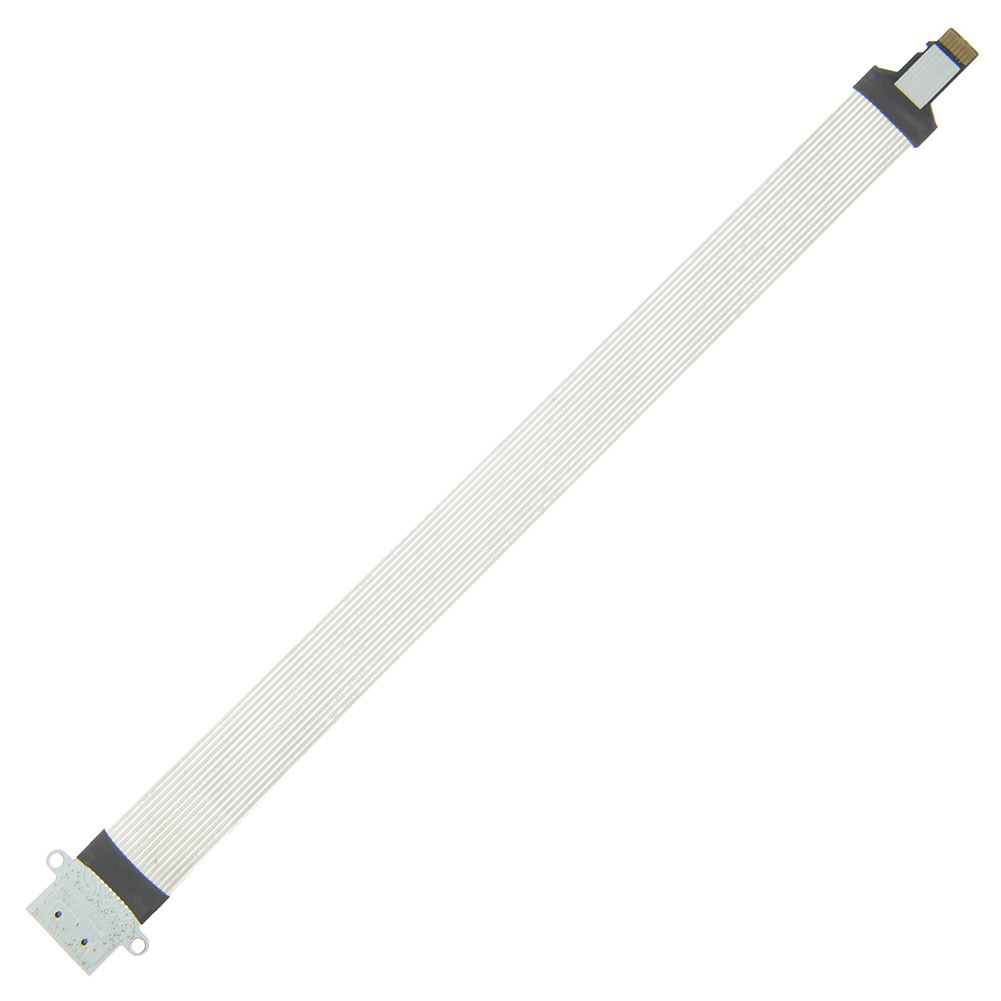
10:08 PM
Went back to your version (a fresh tar) and now it works. (edited)
10:10 PM
It's like hitting yourself with a hammer because it feels so good when you stop.
10:12 PM
Loving this SDCard Flex cable so much better not knocking my probes off every time I need to flash 😄
Avatar
C$ 2.28 18% Off | Micro SD to Micro SD Card TF Memory Card Reader Flexible Extender Compatible Extension Adapter Cable https://a.aliexpress.com/_msvlXOQ
10:32 PM
27days to ship.
Avatar
MX50_ARM2 U-Boot > printenv stdin=serial stdout=serial stderr=serial ethact=FEC0 loadaddr=0x70800000 loadaddr_ramdisk=0x70C00000 bootdev=2 rawtable=0xF40000 bootcmd=mmc read 0 0x70800000 0x800 0x1400;mmc read 0 0x70C00000 0x2800 0x258;bootm bootargs=console=ttymxc4,115200 rawtable=0xF40000 root=/dev/ram0 rdinit=/linuxrc rootfstype=ramfs Environment size: 313/131068 bytes
Avatar
Avatar
NonaSuomy
Went back to your version (a fresh tar) and now it works. (edited)
Yay?
☑️ 1
Avatar
Still no further on the vcom front but hey at least I have full documentation now on the process.
Avatar
Please write it down entirely somewhere
11:01 PM
On the wiki
Avatar
Can I add info to wiki?
Avatar
(do I need permissions)
11:01 PM
Just create an account
11:01 PM
the github wiki? (edited)
11:02 PM
inkbox.ddns.net/wiki
Avatar
you should make a backup on github as well as personal websites tend to die ask me how I know... 11 year old device research 😄
Avatar
I can back it up on internet archive
Avatar
I suppose a lot of stuff gets broken on there though.
11:04 PM
Images / file downloads / etc
Avatar
Wiki pages are usually good
11:04 PM
Even images
Avatar
does mediawiki translate to github wiki easily?
Avatar
I don't know
11:05 PM
But I don't want to migrate to GitHub wiki
Avatar
Converts Mediawiki format to Github Flavoured Markdown format - GitHub - outofcontrol/mediawiki-to-gfm: Converts Mediawiki format to Github Flavoured Markdown format
11:07 PM
Maybe just put a copy there
11:07 PM
you don't have to migrate.
11:08 PM
You could run a full website as well off github then just point your domain to it
11:08 PM
with Jekyll pages
11:10 PM
(If you requested that nick squat removal 😄
Avatar
You should enable captcha on your mediawiki endless spam
11:32 PM
I remember once I did that it basically ended it.
11:32 PM
maybe not now with ML but eh probably make your recent edits a little nicer to read.
11:35 PM
To prevent spam bots and robots from filling your MediaWiki pages with spam links and unwanted content, you can have the “reCAPTCHA” enabled in your MediaWiki LocalSettings.php to preve…
11:36 PM
The ConfirmEdit extension lets you use various different CAPTCHA techniques, to try to prevent spambots and other automated tools from editing your wiki, as well as to foil automated login attempts that try to guess passwords. ConfirmEdit ships with several techniques/modules to generate captcha. Some of these modules require additional setup w...
Avatar
Been so long I forget how to use mediawiki
11:44 PM
do you have any special sections for device hacking
Avatar
When you run busybox like how we are is it only possible to run busybox commands and not other binaries?
Avatar
I think I found the culprit but not sure how to fix it...
6:36 PM
'/sys/module/rawdatatable/parameters/rawdata_param' is read only
6:36 PM
that rawdata_param file is empty
6:37 PM
just says (null)
6:37 PM
this tells the kernel were all the data is
Avatar
Avatar
NonaSuomy
Been so long I forget how to use mediawiki
What is MediaWiki
Avatar
MediaWiki is the software behind wikipedia
Avatar
@tux-linux uses it to document inkbox.
6:38 PM
It uses markdown or markup forget which.
6:39 PM
maybe it was github that uses markdown
6:39 PM
and wikipedia uses markup
6:39 PM
you should document all the nia stuff there
Avatar
There is a guide for nia
6:40 PM
Not completet though
Avatar
fix it.
6:41 PM
I'm talking more about though like explain how you ported everything for laymen like me.
Avatar
For now i want my time to spend on programming rather on writing guide
Avatar
Avatar
NonaSuomy
I'm talking more about though like explain how you ported everything for laymen like me.
It is about this topic, but the Sony is a higher level
Avatar
This is what the stock image rawdata_param looks like MBR :0x00000000:0x00000400 uBoot :0x00000400:0x000bfc00 Boot Env :0x000c0000:0x00020000 Reserved1 :0x000e0000:0x00020000 Normal Kernel :0x00100000:0x00400000 Normal Rootfs :0x00500000:0x00100000 Recovery Kernel :0x00600000:0x00400000 Reserved2 :0x00a00000:0x00500000 Normal Boot Env :0x00f00000:0x00020000 Recovery Boot Env :0x00f20000:0x00020000 Raw Data Table :0x00f40000:0x00020000 Info :0x00f60000:0x00020000 Id :0x00f80000:0x00020000 Reserved3 :0x00fa0000:0x00060000 Boot Image :0x01000000:0x00100000 Waveform :0x01100000:0x00200000 LOG :0x01300000:0x00500000 (edited)
Avatar
Avatar
NonaSuomy
This is what the stock image rawdata_param looks like MBR :0x00000000:0x00000400 uBoot :0x00000400:0x000bfc00 Boot Env :0x000c0000:0x00020000 Reserved1 :0x000e0000:0x00020000 Normal Kernel :0x00100000:0x00400000 Normal Rootfs :0x00500000:0x00100000 Recovery Kernel :0x00600000:0x00400000 Reserved2 :0x00a00000:0x00500000 Normal Boot Env :0x00f00000:0x00020000 Recovery Boot Env :0x00f20000:0x00020000 Raw Data Table :0x00f40000:0x00020000 Info :0x00f60000:0x00020000 Id :0x00f80000:0x00020000 Reserved3 :0x00fa0000:0x00060000 Boot Image :0x01000000:0x00100000 Waveform :0x01100000:0x00200000 LOG :0x01300000:0x00500000 (edited)
Maybe Sony is using something other
Avatar
the 26MB raw data that is at the start of the eMMC this is how it identifies where it is
Avatar
Avatar
Szybet
Maybe Sony is using something other
Someone said this Here is a little background: Going by this Guide https://web.archive.org/web/20170605084646/http://android-dls.com/wiki/index.php?title=HOWTO:_Unpack,_Edit,_and_Re-Pack_Boot_Images (where I got most info from) the compressed image of Androids root file system is part of a boot image residing on a partition. The T1 however seems to follow a different approach with a stand-alone root fs image in form of raw data on the unpartitioned area. (edited)
Avatar
All this stuff is slowly starting to make some sense.
Avatar
Can probably fix that pastlog error (Hardcoded mmcblk2)
8:20 PM
Search "mmcblk2" (1 hit in 1 file of 34444 searched) G:\SonyPRST1\Sony OSS\PRST1_JP 20140702\linux-2.6.35.2-20140522-2\linux-2.6.35.2-20140522-2\linux-2.6.35.2\drivers\staging\pastlog\pastlog.c (1 hit) Line 725: pastlog_emmc = is_rawdatadev("mmcblk2"); (edited)
Avatar
So not sure if that fixed anything for that issue
10:08 PM
Need to figure out how it maps these values here /sys/module/rawdatatable/parameters/rawdata_param
10:08 PM
then I think everything will load
Avatar
this is a really strange device it seems simple to hack, but it's a thousand times more complicated than Kindles to understand
Avatar
I guess the difference is that nobody has ever really hacked it before. You will be the first.
10:21 PM
but maybe yeah
10:21 PM
did you start your write-up on the wiki? it will be useful when I receive it
Avatar
I tried but it kept locking up
10:22 PM
something might have got saved
Avatar
Avatar
NonaSuomy
I tried but it kept locking up
?
Avatar
Too much data
10:23 PM
I kept having to save it in smaller and smaller chunks
10:23 PM
then I realized it was erroring every time I pasted multiple links
10:24 PM
So I would have to paste up to a link then save then edit then paste the link then save then edit.
Avatar
is there a way to mass-delete users?
Avatar
probably just drop the user table haha
10:27 PM
I think it's 99.9% percent spammers
10:28 PM
I have 500 or so spambots and about 5 actual registered users on my wiki. I have used nuke to delete their pages but they just keep reposting. I have spambot registration under control using reCapt...
10:32 PM
Something went wrong Error contacting the Parsoid/RESTBase server: http-bad-status
Avatar
i'm currently setting up captcha extension
💯 1
Avatar
it doesn't work
10:43 PM
as usual
10:44 PM
ok it does now it seems
Avatar
I'll try it in a moment when it unlocks my browser from trying to cut the document out haha
10:51 PM
N/m crashed the browser
10:52 PM
I think this file may be the secret to us winning rawdatatable.c
10:53 PM
#define RAWTABLE_DEV "mmcblk%d" lets see what happens when we change that to 0 instead of %d
Avatar
I accidently forgot I perm added gcc 4.4.4 to rc but looks like it compiles ok still
11:05 PM
Linux version 2.6.35.3 (nonasuomy@Marceline) (gcc version 4.4.4 (4.4.4_09.06.2010) ) #4 PREEMPT Wed May 18 22:58:32 EDT 2022
Avatar
Avatar
NonaSuomy
'/sys/module/rawdatatable/parameters/rawdata_param' is read only
Do you think we can just dump a file with the memory allocations to sys via rcS under _install ?
Avatar
Avatar
NonaSuomy
This is what the stock image rawdata_param looks like MBR :0x00000000:0x00000400 uBoot :0x00000400:0x000bfc00 Boot Env :0x000c0000:0x00020000 Reserved1 :0x000e0000:0x00020000 Normal Kernel :0x00100000:0x00400000 Normal Rootfs :0x00500000:0x00100000 Recovery Kernel :0x00600000:0x00400000 Reserved2 :0x00a00000:0x00500000 Normal Boot Env :0x00f00000:0x00020000 Recovery Boot Env :0x00f20000:0x00020000 Raw Data Table :0x00f40000:0x00020000 Info :0x00f60000:0x00020000 Id :0x00f80000:0x00020000 Reserved3 :0x00fa0000:0x00060000 Boot Image :0x01000000:0x00100000 Waveform :0x01100000:0x00200000 LOG :0x01300000:0x00500000 (edited)
.
Avatar
Avatar
NonaSuomy
Do you think we can just dump a file with the memory allocations to sys via rcS under _install ?
you lost me on the rawdata_param thing
Avatar
Ok so on a stock boot there is a file at that location with that content in it.
11:15 PM
when we boot our kernel the file is there but there is nothing in it (NULL)
11:15 PM
and that is why I think we are getting that eMMC error
Avatar
because it needs those locations from that rawdata_param
11:16 PM
those locations tell it what is in the 26MB raw area of the start memory unit (eMMC/SD) (edited)
11:16 PM
specifically I think the waveform one.
Avatar
this makes sense
Avatar
Do you think it will puke if we put in the busybox _install folder or it will just overwrite it or get a permission denied being that it may already be there before ours gets put there? or can you just not dump stuff in sys at all? busybox/_install/sys/module/rawdatatable/parameters/rawdata_param MBR :0x00000000:0x00000400 uBoot :0x00000400:0x000bfc00 Boot Env :0x000c0000:0x00020000 Reserved1 :0x000e0000:0x00020000 Normal Kernel :0x00100000:0x00400000 Normal Rootfs :0x00500000:0x00100000 Recovery Kernel :0x00600000:0x00400000 Reserved2 :0x00a00000:0x00500000 Normal Boot Env :0x00f00000:0x00020000 Recovery Boot Env :0x00f20000:0x00020000 Raw Data Table :0x00f40000:0x00020000 Info :0x00f60000:0x00020000 Id :0x00f80000:0x00020000 Reserved3 :0x00fa0000:0x00060000 Boot Image :0x01000000:0x00100000 Waveform :0x01100000:0x00200000 LOG :0x01300000:0x00500000 Bytes in Decimal MBR :0:1024 uBoot :1024:785408 Boot Env :786432:131072 Reserved1 :917504:131072 Normal Kernel :1048576:4194304 Normal Rootfs :5242880:1048576 Recovery Kernel :6291456:4194304 Reserved2 :10485760:5242880 Normal Boot Env :15728640:131072 Recovery Boot Env :15859712:131072 Raw Data Table :15990784:131072 Info :16121856:131072 Id :16252928:131072 Reserved3 :16384000:393216 Boot Image :16777216:1048576 Waveform :17825792:2097152 LOG :19922944:5242880 (edited)
11:24 PM
Or should we add scripting to rcS to generate that somehow.
11:25 PM
I see it's under module maybe a module of some sort generates that table
Avatar
Avatar
NonaSuomy
Or should we add scripting to rcS to generate that somehow.
why not just change kernel code?
Avatar
Avatar
NonaSuomy
Do you think it will puke if we put in the busybox _install folder or it will just overwrite it or get a permission denied being that it may already be there before ours gets put there? or can you just not dump stuff in sys at all? busybox/_install/sys/module/rawdatatable/parameters/rawdata_param MBR :0x00000000:0x00000400 uBoot :0x00000400:0x000bfc00 Boot Env :0x000c0000:0x00020000 Reserved1 :0x000e0000:0x00020000 Normal Kernel :0x00100000:0x00400000 Normal Rootfs :0x00500000:0x00100000 Recovery Kernel :0x00600000:0x00400000 Reserved2 :0x00a00000:0x00500000 Normal Boot Env :0x00f00000:0x00020000 Recovery Boot Env :0x00f20000:0x00020000 Raw Data Table :0x00f40000:0x00020000 Info :0x00f60000:0x00020000 Id :0x00f80000:0x00020000 Reserved3 :0x00fa0000:0x00060000 Boot Image :0x01000000:0x00100000 Waveform :0x01100000:0x00200000 LOG :0x01300000:0x00500000 Bytes in Decimal MBR :0:1024 uBoot :1024:785408 Boot Env :786432:131072 Reserved1 :917504:131072 Normal Kernel :1048576:4194304 Normal Rootfs :5242880:1048576 Recovery Kernel :6291456:4194304 Reserved2 :10485760:5242880 Normal Boot Env :15728640:131072 Recovery Boot Env :15859712:131072 Raw Data Table :15990784:131072 Info :16121856:131072 Id :16252928:131072 Reserved3 :16384000:393216 Boot Image :16777216:1048576 Waveform :17825792:2097152 LOG :19922944:5242880 (edited)
it will not allow you to write there
Avatar
Avatar
tux-linux
why not just change kernel code?
Not really sure what is generating them
Avatar
Well I know its this file linux-2.6.35.2-20140522-2\linux-2.6.35.2\drivers\mmc\card\rawdatatable.c
Avatar
Avatar
NonaSuomy
Not really sure what is generating them
grep -r the whole tree
12:08 AM
grep -r "Recovery Boot Env" .
Avatar
Funny that's the same one I picked and also found nothing 😦
Avatar
I’m guessing it maybe reads those labels off of some place
Avatar
probably
Avatar
Permission of sysfs is defined in kernel space so you can not directly create the files or directory in /sys folder from the user space. If you want to create/modify the directory/file then I think you can achieve it through kernel module. There are loads of helper function that can be used to create the file attributes and directory inside /sys. I belive already your driver will be using those helper function (something like sysfs_create_group or kobject_create_and_add). For changing the file permission and data read/write check your driver __ATTR and show/store function. It should be something like: static ssize_t fo_show(struct kobject *kobj, struct kobj_attribute *attr,char *buf){ } static ssize_t fo_store(struct kobject *kobj, struct kobj_attribute *attr, const char *buf, size_t count){ } static struct kobj_attribute baz_attribute = __ATTR(foo, 0666, fo_show, fo_store);
Avatar
Does the raw data table c file read from some MMC offset?
11:39 AM
Avatar
If this table says: Info :0x00f60000:0x00020000 Id :0x00f80000:0x00020000 Reserved3 :0x00fa0000:0x00060000 Boot Image :0x01000000:0x00100000 Waveform :0x01100000:0x00200000 LOG :0x01300000:0x00500000 Hex to Decimal Info :16121856:131072 Id :16252928:131072 Reserved3 :16384000:393216 Boot Image :16777216:1048576 Waveform :17825792:2097152 LOG :19922944:5242880 How do you compute these values of dd to the above? dd if=/dev/mmcblk2 of=/initrd/mnt/sd/WF_OLD.img skip=17408 count=2048 bs=1024 sync dd if=/dev/mmcblk2 of=/initrd/mnt/sd/Vcom_OLD.img skip=15876 count=1 bs=1024 sync (edited)
Avatar
Waveform to Decimal: 17825792Bytes : 2097152Bytes skip=17408Blocks. Skip 17408 ibs-sized blocks at start of input bs=1024Bytes. Read and write up to BYTES bytes at a time (default: 512);overrides ibs and obs count=2048Blocks. Copy only 2048 input blocks Starting Point of DD Copy 17408Blocks * 1024Bytes = 17825792Bytes ☑️ Count 2048Blocks * 1024Bytes = 2097152Bytes 17825792Bytes + 2097152Bytes = 19922944Bytes ☑️ Next Data Point LOG :19922944 ☑️:5242880 (edited)
Avatar
Oh maybe the numbers are backwards which is strange as the first few seem to indicate :start:end
Avatar
Ah the second number is how many bytes added to the starting point
Avatar
So now we can see where VCOM is ripped from dd if=/dev/mmcblk2 of=/initrd/mnt/sd/Vcom_OLD.img skip=15876 count=1 bs=1024 skip=15876 count=1 bs=1024 VCOM Start: 15876 * 1024 = 16257024 1*1024 = 1024 VCOM End: 16257024 + 1024 = 16258048 Id :0x00f80000:0x00020000 Id :16252928:131072 Therefore VCOM is inside Id of the 26MB Raw Data Area Id Start: 16252928 VCOM Start: 16257024 VCOM End: 16258048 Id End: 16384000 (edited)
Avatar
Seems like they should have ripped all of Id not sure how that is a backup/restore. Also should have just ripped the full raw as it's only 26MB then restore it. (edited)
1:30 PM
So I guess we can look at mechanisms in the kernel that hit the Id raw section.
Avatar
Raw Id Locations PRS-T1 UC,CEW^@^@^@^@^@^@^@^@^@^@0800461001BB6D47148427352023999.PRST1 STRING_PRODUCT_EMMC_ID_OFFSET 0x00 PRS-T1 STRING_SKU_EMMC_ID_OFFSET 0x10 UC,CEW (US) Also RU JP STRING_SERIAL_EMMC_ID_OFFSET 0x30 148427352023999
Avatar
Did you find how to restore it?
Avatar
Restore my eMMC?
Avatar
the vcom
Avatar
nope was just looking at this file that pulls the waveform data in
👍 1
9:37 PM
Avatar
#define WF_VER_OFFSET 0x0C maybe this can give you a hint
Avatar
I'm wondering if it's module related as that would explain why the stock works from sd
9:39 PM
as we don't have any of the modules
Avatar
on kindle, it is
Avatar
I was also trying to figure out what these values were from I just realized from the work above that 3rd set is the serial number again... BW1118073202953 BU1156245100493 148427352023999
👍 1
9:48 PM
I was wondering why it kept polling temperature so much
9:49 PM
then I realized it's because eink needs to use the temp data plus the lut data to properly update the screen
👍 1
9:49 PM
eink is temperature sensitive
9:50 PM
How were you able to get the modules loading on the kindle?
Avatar
modprobe or insmod
Avatar
Avatar
tux-linux
#define WF_VER_OFFSET 0x0C maybe this can give you a hint
/mount/p7/Sony_Reader # xxd -l 120 WF_OLD.img 00000000: 4983 9360 2634 0100 a40b 0000 0506 7600 I..`&4........v. 00000010: 0333 0123 3c31 0085 0300 0000 4000 00bf .3.#<1......@... 00000020: 4700 0001 0004 0d00 fffc 0000 0000 0054 G..............T 00000030: 0003 0609 0c0f 1215 181b 1e21 262b 3028 ...........!&+0( 00000040: 0000 0000 0000 0008 8305 0000 0000 00e8 ................ 00000050: f106 0000 0000 00c8 a60a 0000 0000 00a8 ................ 00000060: 5b0e 0000 0000 0098 0000 0000 0000 00a0 [............... 00000070: 7700 0000 0000 00a8 w.......

10:22 PM
looks like a v.3.#<1 (edited)
10:23 PM
coincidence or actual version
Avatar
MarkdownContext { Depth = 1 }
10:26 PM
Do you know the waveform version on the kobo A/B ?
10:26 PM
maybe it matches up
Avatar
it's not even the same display
10:26 PM
it sure won't
Avatar
or maybe an arbitrary number
10:26 PM
I read some place that they are the same display
10:28 PM
Kobo Touch A/B, Sony PRS-T1, Nook Simple (edited)
10:32 PM
Maybe bad listing as I can't find the same data again
10:34 PM
All I see now is the PRS-T1 / Nook Simple
Avatar
Linux Kernel for the Nook Simple Touch with fixed USB host and fast display mode support - GitHub - felixhaedicke/nst-kernel: Linux Kernel for the Nook Simple Touch with fixed USB host and fast dis...
10:45 PM
Did you get all your wiki stuff solved?
Avatar
im ... t r y i n g
10:46 PM
@#$% thing doesn't want to show the logo
10:46 PM
the php var is perfectly valid (edited)
Avatar
Is the logo 135x135 (edited)
Avatar
135x135
10:50 PM
before it was 192x192 and it showed fine on the other wiki
Avatar
are the permissions set?
10:50 PM
is the asset there?
10:50 PM
chmod 644 wikilogo.png
10:50 PM
chown apache:apache wikilogo.png
Avatar
not apache but www-data
10:51 PM
all yes
Avatar
can you hit the static asset image alone?
10:57 PM
10:58 PM
it shows
10:58 PM
now
10:58 PM
10:58 PM
nonsense
10:59 PM
on the previous wiki wgResourceBasePath was https://inkbox.ddns.net/wiki and so is it on the new one now
Avatar
If you echo $wgResourceBasePath what do you get?
10:59 PM
maybe it set to nothingness.
11:02 PM
when you have time
11:03 PM
I do like that
Avatar
Do I have to create a new account?
11:05 PM
everything is gone
Avatar
except articles/pages (edited)
11:05 PM
i wanted to start clean I enabled captcha, I hope I won't get spam
Avatar
Error contacting the Parsoid/RESTBase server (HTTP 404)
Avatar
hahaha i know
11:08 PM
use code editor for now
Avatar
You do not have permission to edit this page, for the following reason: The action you have requested is limited to users in the group: Users.
Avatar
no way
11:10 PM
what is this mess
Avatar
I don't know it let me save the word test in the wysiwyg editor
11:11 PM
Just enable github wiki and all will go away 😄
11:11 PM
it is there
Avatar
Seems to be working now
Avatar
good
Avatar
Ghosts in the machine
Avatar
i'm trying to fix the visual editor
Avatar
Error: The text you wanted to publish was blocked by the spam filter. This is probably caused by a link to a forbidden external site. The following text is what triggered our spam filter: aliexpress.com
11:24 PM
haha
Avatar
good
11:26 PM
could you... format the text a bit?
Avatar
I'm just dumping it first
👍 1
11:27 PM
also you have lonely wq out there at the bottom of the page... 😉
Avatar
It locked up last time if I pasted the full thing
11:28 PM
I'm sure code tags etc will fix all that ...
11:29 PM
I will have to brush the rust of my mediawiki markup
Avatar
a useful thing is to look at the syntax of other pages on the wiki
12:06 AM
fix plz (edited)
Avatar
fix what?
Avatar
I loathe these html tags in markup
12:12 AM
<pre></pre> for code tags etc.
Avatar
so i just copy it to a new page?
12:13 AM
gave up on visualeditor nothing works (edited)
12:14 AM
root@debian-server /e/p/7/mods-available# tail -f /var/log/apache2/error.log PHP Warning: PHP Startup: Unable to load dynamic library 'xmlreader' (tried: /usr/lib/php/20180731/xmlreader (/usr/lib/php/20180731/xmlreader: cannot open shared object file: No such file or directory), /usr/lib/php/20180731/xmlreader.so (/usr/lib/php/20180731/xmlreader.so: undefined symbol: dom_node_class_entry)) in Unknown on line 0 [Fri May 20 00:05:33.317427 2022] [mpm_prefork:notice] [pid 57619] AH00163: Apache/2.4.38 (Debian) OpenSSL/1.1.1n configured -- resuming normal operations [Fri May 20 00:05:33.317457 2022] [core:notice] [pid 57619] AH00094: Command line: '/usr/sbin/apache2' [Fri May 20 00:11:01.006739 2022] [mpm_prefork:notice] [pid 57619] AH00169: caught SIGTERM, shutting down [Fri May 20 00:11:01.107176 2022] [:notice] [pid 58849] mod_bw : Memory Allocated 96 bytes (each conf takes 48 bytes) [Fri May 20 00:11:01.107222 2022] [:notice] [pid 58849] mod_bw : Version 0.92 - Initialized [2 Confs] PHP Warning: PHP Startup: Unable to load dynamic library 'xmlreader' (tried: /usr/lib/php/20180731/xmlreader (/usr/lib/php/20180731/xmlreader: cannot open shared object file: No such file or directory), /usr/lib/php/20180731/xmlreader.so (/usr/lib/php/20180731/xmlreader.so: undefined symbol: dom_node_class_entry)) in Unknown on line 0 PHP Warning: Module 'dom' already loaded in Unknown on line 0 [Fri May 20 00:11:01.135493 2022] [mpm_prefork:notice] [pid 58849] AH00163: Apache/2.4.38 (Debian) OpenSSL/1.1.1n configured -- resuming normal operations [Fri May 20 00:11:01.135528 2022] [core:notice] [pid 58849] AH00094: Command line: '/usr/sbin/apache2'
12:14 AM
tried every fix out there but none worked
Avatar
github is only a git clone away.
Avatar
i never use the visualeditor
Avatar
Avatar
tux-linux
so i just copy it to a new page?
?
Avatar
Not sure what you are saying there.
Avatar
how do i fix it
Avatar
Use github wiki haha
Avatar
no, i mean, the code tags
Avatar
Fixes it every time.
Avatar
I think I remember replacing the stock editor with a 3rd party "back in the day" can't remember
12:30 AM
Think I used TinyMCE
12:31 AM
TinyMCE is a MediaWiki extension that lets users edit wiki pages using version 5 of the popular open source JavaScript-based WYSIWYG editor TinyMCE created by Ephox corp. The editor can be added to the standard edit page, to forms defined by the Page Forms extension, and to regular pages in view mode. The TinyMCE extension provides users with a...
Avatar
done
🔥 1
12:45 AM
surprisingly it worked
12:45 AM
(tinymce)
Avatar
You're digging up graves in my brain from times past haha.
12:46 AM
I remember all these same issues.
Avatar
That BW1118073202953 string is the same as the sticker on the mainboard.
1:51 AM
Just realized that when I was looking at my hardware section list...
1:51 AM
"PCB PRS-T1/G1 M5047 1-884-610-12 BW1118073202953 Cast 2012/05/05A"
Avatar
very nice write-up so far, I edited it to put spoiler text for busybox and kernel config
🤩 1
👍 1
Avatar
Can you upload this to your server and give me a link? https://jpa.kapsi.fi/stuff/other/sd_card_PRS-T1_1.0.07_adb_enabled.bin.xz
Avatar
Avatar
NonaSuomy
Can you upload this to your server and give me a link? https://jpa.kapsi.fi/stuff/other/sd_card_PRS-T1_1.0.07_adb_enabled.bin.xz
Um why
Avatar
Doesn't seem polite to abuse that persons bandwidth for our own purposes.
11:22 AM
Also his site may shut down or get removed at any moment which then we can't continue hacking.
Avatar
Just download it / web archive
Avatar
I asked them and they said it's ok to use the link. Still good to have multiple backups of it.
Avatar
Seems like a great person they dumped me their history log when they built the image. 😄
👍 1
Avatar
@tux-linux since we already have the modules on one of the SDCard partitions could we just mount it into our init directory? Or would it have to be compiled with the same compiler?
Avatar
i think with the same one
7:02 PM
MarkdownContext { Depth = 1 }
Avatar
Modules are usually tied to the initial kernel build If there is a config change, they will need to be rebuilt
Avatar
Avatar
NonaSuomy
Can you upload this to your server and give me a link? https://jpa.kapsi.fi/stuff/other/sd_card_PRS-T1_1.0.07_adb_enabled.bin.xz
Put it on internet archive
Avatar
sd_card_PRS-T1_1.0.07_adb_enabled.bin The altered U-Boot from this image loads the kernel from the external SD card too?
Avatar
good
Avatar
successfully got boot-looped 👍 that is the right kernel source? strange link https://prodgpl.blob.core.windows.net/download/Audio/common/2UrziX9Zanih0kfZRY4U3Q/linux-2.6.35.2-20140522-2.tgz (edited)
Avatar
Good, will put it in InkBox kernel repo
Avatar
I don’t know why they have that domain
Avatar
It would be nice if we could make that U-Boot work over USB serial too
Avatar
Does uboot support that?
Avatar
It seems to
6:24 PM
But nobody has tested it (AFAIK)
Avatar
Image Name: Linux-2.6.35.3 Created: Sun May 29 18:55:35 2022 Image Type: ARM Linux Kernel Image (uncompressed) Data Size: 4412320 Bytes = 4308.91 KiB = 4.21 MiB Load Address: 70008000 Entry Point: 70008000 Image arch/arm/boot/uImage is ready how come it's 4.21 MiB
6:56 PM
I took same busybox and kernel config
6:56 PM
and same toolchain
6:57 PM
nvm wrong initrd path
6:57 PM
Image Name: Linux-2.6.35.3 Created: Sun May 29 18:57:06 2022 Image Type: ARM Linux Kernel Image (uncompressed) Data Size: 1409876 Bytes = 1376.83 KiB = 1.34 MiB Load Address: 70008000 Entry Point: 70008000 Image arch/arm/boot/uImage is ready better
Avatar
Why so small?
Avatar
I did the same but it was 2.2mb
Avatar
i also disabled some kernel features
7:30 PM
did we find how to fix that vcom issue at some point? nothing has booted right now but I'd like to know
Avatar
I looked into it further and it's because it has no idea how to read the eMMC (edited)
👍 1
7:35 PM
It may work for you as you still have the eMMC intact
7:35 PM
or not
7:35 PM
because we don't have the modules compiled
Avatar
U-Boot doesn't seem to load kernel from sec 2048
8:43 PM
more like 1048756 according to binwalk
Avatar
which is what the normal kernel?
8:43 PM
partition
Avatar
wdym?
8:44 PM
I got the adb enabled image booted on external SD, now I want to flash a kernel on it to see if my build stack works before pushing to the repo
8:49 PM
nvm actually /dev/mmcblk0 wasn't existing in adb
Avatar
Avatar
tux-linux
wdym?
ys/module/rawdatatable/parameters/rawdata_param MBR :0x00000000:0x00000400 uBoot :0x00000400:0x000bfc00 Boot Env :0x000c0000:0x00020000 Reserved1 :0x000e0000:0x00020000 Normal Kernel :0x00100000:0x00400000 Normal Rootfs :0x00500000:0x00100000 Recovery Kernel :0x00600000:0x00400000 Reserved2 :0x00a00000:0x00500000 Normal Boot Env :0x00f00000:0x00020000 Recovery Boot Env :0x00f20000:0x00020000 Raw Data Table :0x00f40000:0x00020000 Info :0x00f60000:0x00020000 Id :0x00f80000:0x00020000 Reserved3 :0x00fa0000:0x00060000 Boot Image :0x01000000:0x00100000 Waveform :0x01100000:0x00200000 LOG :0x01300000:0x00500000 Bytes in Decimal MBR :0:1024 uBoot :1024:785408 Boot Env :786432:131072 Reserved1 :917504:131072 Normal Kernel :1048576:4194304 <==== Normal Rootfs :5242880:1048576 Recovery Kernel :6291456:4194304 Reserved2 :10485760:5242880 Normal Boot Env :15728640:131072 Recovery Boot Env :15859712:131072 Raw Data Table :15990784:131072 Info :16121856:131072 Id :16252928:131072 Reserved3 :16384000:393216 Boot Image :16777216:1048576 Waveform :17825792:2097152 LOG :19922944:5242880 (edited)
Avatar
I used dd if=/data/local/tmp/uImage of=/dev/block/mmcblk0 bs=512 seek=2048 It rebooted and UI started fine Though adb/USB debugging has disappeared, so I can't see if it has actually booted that kernel and it can't seem to detect that I plugged in USB (edited)
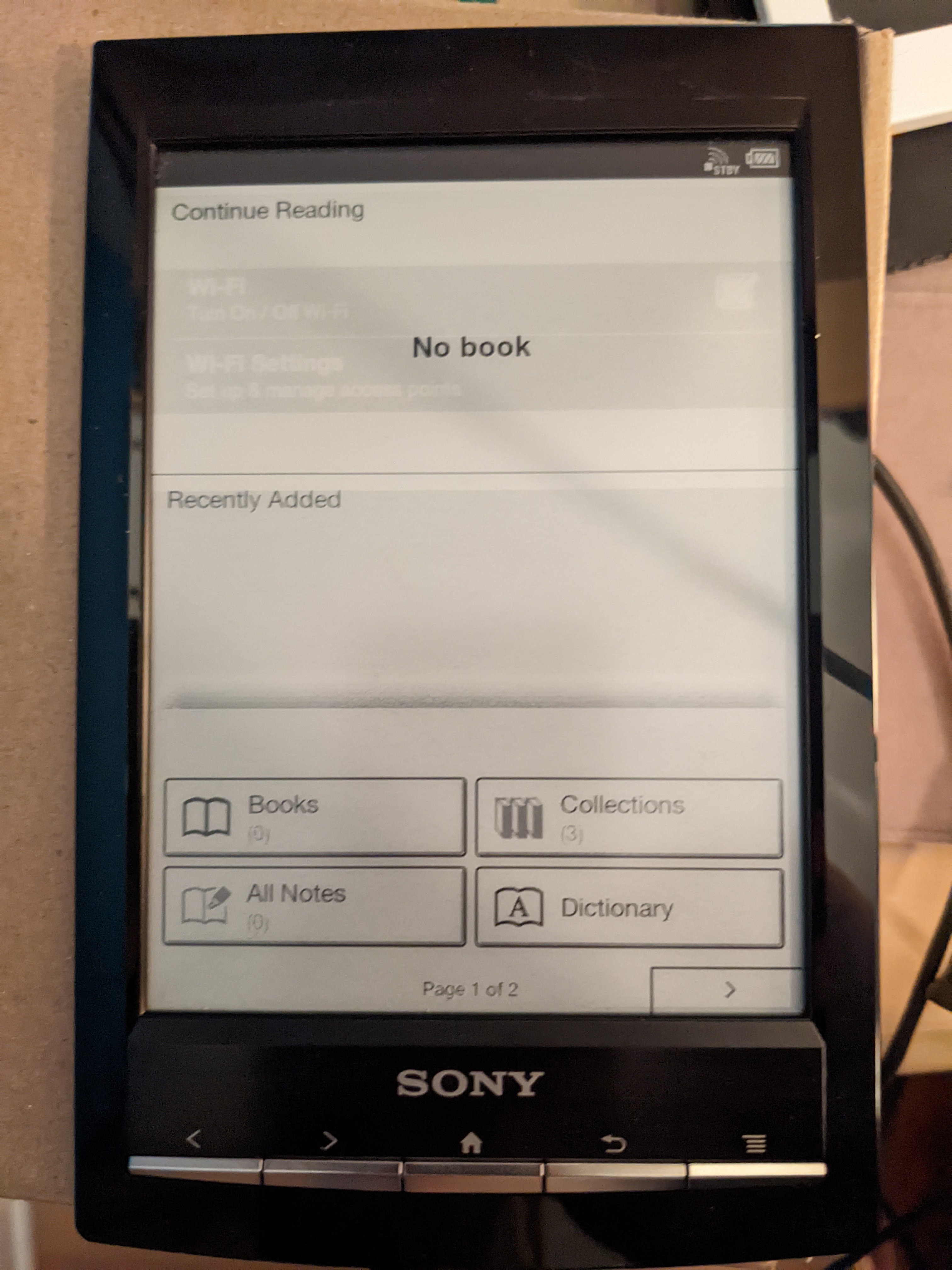
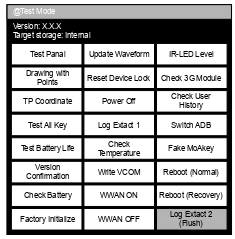
Avatar
I thought I put this in the wiki but I guess I only added the last 5 entry conversions
8:55 PM
yeah that stuff won't work with our kernel
Avatar
because..?
Avatar
I tried to add just the serial terminal back
Avatar
maybe modules?
Avatar
because we don't load the modules
Avatar
I guess it's a good sign then hehe
8:55 PM
Screen works as it did before
8:56 PM
(half-broken, but no change)
Avatar
like you see the opening book animation and then nothing else
8:56 PM
not here 😉
Avatar
that's with your kernel?
Avatar
i guess?
8:57 PM
can't be sure of anything
8:57 PM
but it seems so
Avatar
does the interface work?
Avatar
since USB does not work at all
Avatar
can you press the buttons?
Avatar
yes, UI, touch input, buttons work
8:58 PM
It probably loads vcom from emmc
Avatar
Ok I've never had my screen plugged in
8:58 PM
but yes that too
9:02 PM
check the info screen if it's all 00000 then it's loading from the sdcard
Avatar
yes it is
9:02 PM
anyways, previous firmware version didn't have kobo store
Avatar
that too
Avatar
led for sd flashes a lot
9:04 PM
booting rupor's recovery had no effect stuck on opening book screen so I guess it can't read the vcom? strange
9:05 PM
when rebooting with other sd card it works again
9:06 PM
oh well... @NiLuJe this definitely causes more brain damage than any Kindle... 😂
Avatar
rupor's won't work until you change the uboot back.
9:07 PM
env
9:08 PM
but then it won't boot the right kernel
Avatar
correct
Avatar
and I don't really want to risk the emmc
9:08 PM
nothing complete yet, just a base
Avatar
when you hold the home and menu button it normally sends the device to the recovery kernel
9:09 PM
which knows how to unpack the rupor update.img
Avatar
yeah I was wondering how U-Boot would do that makes sense now
Avatar
There is a hidden test menu that enables adb if there is this file on the sdcard (which it already is there) you can try to press the ADB button and see what happens probably nothing with the modules.
Avatar
What's the ADB button?
Avatar
HOW TO ENTER THE TEST MODE Procedure: 1. Press the [1] key to turn the power on. 2. Confi rm the HOME menu was completely displayed, and con- nect this unit to PC by the USB cable (MICRO B). 3. Confi rm the USB connection screen displayed, and touch the “Data Transfer Mode”. 4. Confi rm the “READER” drive of this unit is recognized. 5. Copy the file for the test mode from PC to directly under the “READER” drive of this unit. 6. Remove this unit and USB cable (MICRO B) from PC. 7. Confi rm the HOME menu was completely displayed, and press the key as following order. [>] Back [<] Back 8. After a while, the test mode menu is displayed, and this unit enters the test mode.
Avatar
Step 3 will fail
Avatar
just ignore all the starting stuff and make sure its at home
9:35 PM
then push > back < back
9:36 PM
Just be careful in that menu as you can write vcom voltages and stuff
9:37 PM
the option is switch adb (edited)
9:37 PM
Avatar
it does nothing like, what's > back < back?
9:38 PM
just flips pages of the home menu
Avatar
the page forward button then the back menu button then the page back button then the menu back button again.
9:40 PM
I should have a look at that script how it triggers reboot normal and reboot recovery
Avatar
Nice at least you got there.
9:41 PM
defo module missing thing I think
Avatar
yeah, I'm surprised it gave an error
9:41 PM
i'll try to compile them
Avatar
oh or maybe put that file in your _install directory
9:42 PM
one sec
Avatar
no, my kernel hasn't any initrd enabled
9:42 PM
I just compiled with the stock configuration
9:42 PM
otherwise it wouldn't have booted
9:42 PM
(yet)
Avatar
oh ok that's why it worked haha
9:42 PM
was weirding me out...
Avatar
but the modules issue makes sense
9:43 PM
they are probably incompatible or smth
Avatar
maybe grab 4.4.0
9:43 PM
I found it above some place
Avatar
if the kernel got there, I doubt a toolchain change will fix it
Avatar
think microsoft had it
9:44 PM
I just meant then you probably wouldn't have to compile the modules again
9:44 PM
as they are already on there with that version
9:46 PM
Think it was in this package (edited)
👍 1
10:01 PM
this has to be on the root of partition 9 for adb to function from that service menu
Avatar
ok will do that
Avatar
(it's already on that 1.0.07 image)
10:03 PM
I'm just wondering if its confusing files mixed with the stock eMMC version and the SD image
10:04 PM
so maybe if you put that on the user partition of the eMMC it will do something interesting
Avatar
we will see
Avatar
User partition should look something like this with it. OS Firmware Sony_Reader rVPzp8O1j0m01oOq.crsZVu8crtmXGrc2
👍 1
Avatar
nicolas@fedora ~> ls /mnt/tombstones/ tombstone_00 tombstone_01 tombstone_02 tombstone_03 tombstone_04 tombstone_05 tombstone_06 tombstone_07 tombstone_08 tombstone_09 nicolas@fedora ~> ...ok?
10:24 PM
this is p9
10:24 PM
nicolas@fedora ~> ls /mnt anr/ app/ app-private/ backup/ dalvik-cache/ data/ dontpanic/ local/ lost+found/ misc/ property/ system/ tombstones/ nicolas@fedora ~>
Avatar
weird
10:24 PM
one sec let me look at your image
Avatar
I'm using the adb enabled one in the SD
10:24 PM
I can't access the eMMC
Avatar
Ok well your image has it as partition 8 for what it's worth
Avatar
nicolas@fedora ~> ls /mnt audio/ books/ lost+found/ notepads/ pictures/ preload.xml* userguide/ nicolas@fedora ~>
10:27 PM
not any OS Firmware folder or anything (edited)
Avatar
It should be the largest partition
10:27 PM
basically where you store books
Avatar
Avatar
tux-linux
nicolas@fedora ~> ls /mnt audio/ books/ lost+found/ notepads/ pictures/ preload.xml* userguide/ nicolas@fedora ~>
This is the sample data partition
Avatar
nicolas@fedora ~> ls /mnt 'OS Firmware'/ rVPzp8O1j0m01oOq.crsZVu8crtmXGrc2* Sony_Reader/ nicolas@fedora ~> then, it is already there
10:28 PM
(p4)
Avatar
yes as said above
10:28 PM
I said the SD image already has it there but your eMMC doesn't
10:30 PM
He modified the that image to load things from SD I'm thinking when you rebuild the kernel it doesn't have whatever he changed in it.
10:30 PM
There is a whole bunch of ADB stuff in the kernel that I removed
10:30 PM
as I was trying to get the Serial Terminal working
10:30 PM
grab his /proc/config.gz
10:31 PM
(not from your modification)
Avatar
I will need to reflash his kernel first
Avatar
then recompile
Avatar
But I'm not sure just ripping it from the image will work I've never had luck with that in the past
Avatar
Should be fine if you don't modify it.
10:34 PM
I may have already dumped it in the chat
10:40 PM
Can a nonroot adb shell push CONFIG_KEXEC=y to a different kernel?
Avatar
it can only be done via kernel recompilation
10:42 PM
if it's nonroot, probably not since it won't be able to access mmcblk0 via dd (edited)
Avatar
Avatar
NonaSuomy
Rupor # USB Device Class dri # CONFIG_USB_SERIAL_ARK3116 is not set Ours # USB Device Class drivers # # CONFIG_USB_ACM is not set # CONFIG_USB_PRINTER is not set # CONFIG_USB_WDM is not set # CONFIG_USB_TMC is not set # # NOTE: USB_STORAGE depends on SCSI but BLK_DEV_SD may # # # also be needed; see USB_STORAGE Help for more info # # CONFIG_USB_LIBUSUAL is not set # # USB Imaging devices # # CONFIG_USB_MDC800 is not set # # USB port drivers # CONFIG_USB_SERIAL=m # CONFIG_USB_EZUSB is not set # CONFIG_USB_SERIAL_GENERIC is not set # CONFIG_USB_SERIAL_AIRCABLE is not set # CONFIG_USB_SERIAL_ARK3116 is not set Rupor CONFIG_USB_G_SERIAL=m Ours # CONFIG_USB_G_SERIAL is not set Rupor # CONFIG_USB_ANDROID is not set Ours CONFIG_USB_ANDROID=m CONFIG_USB_ANDROID_ADB=y CONFIG_USB_ANDROID_MASS_STORAGE=y CONFIG_USB_ANDROID_MASS_STORAGE_EXTSCSI=y # CONFIG_USB_ANDROID_RNDIS is not set Rupor # # MXC support drivers # CONF_SECURITY_RNG is not set Ours CONFIG_MXC_IPU=y CONFIG_MXC_IPU_V3=y # # MXC SSI support # # CONFIG_MXC_SSI is not set # # MXC Digital Audio Multiplexer support # # CONFIG_MXC_DAM is not set # # MXC PMIC support # # CONFIG_MXC_PMIC_MC13783 is not set # CONFIG_MXC_PMIC_MC13892 is not set # CONFIG_MXC_PMIC_MC34704 is not set # CONFIG_MXC_PMIC_MC9SDZ60 is not set # CONFIG_MXC_PMIC_MC9S08DZ60 is not set # # MXC Security Drivers # # CONFIG_MXC_SECURITY_SCC is not set # CONFIG_MXC_SECURITY_SCC2 is not set # CONFIG_MXC_SECURITY_RNG is not set # Rupor CONFIG_DECOMPRESS_GZIP=y Ours CONFIG_DECOMPRESS_LZMA=y

I think I was trying to copy rupor's serial gadget config to our kernel
Avatar
Avatar
tux-linux
it can only be done via kernel recompilation
I just meant if you got the sd kernel to work stock and then made that single change
Avatar
it should work
10:44 PM
yeah
10:44 PM
but a thing I observed from the Kindle is that only uncompressed kernels seem to work
10:44 PM
otherwise it just hangs
Avatar
makes sense (edited)
10:45 PM
as uImage is only meant for UBoot.
Avatar
but I don't know about vcom, epdc, modules, etc.
10:45 PM
it might "boot", but that's it
Avatar
The kernel modules all seem to be about usb related things
Avatar
Если интересно, могу описать прогресс в области "укрощения" Андроида на новых ридерах (PRS-T1). Пока похоже, что без помощи людей, понимающих специфику Андроида, обойтись едва ли получится. 1) Мы имеем полный доступ к флешу (eMMC) ридера. В принципе, у нас есть возможность скачать или залить любой…
11:36 PM
This is the persons terminal session of when they created the sd image
Avatar
thanks, lots to look at there
Avatar
ice40 FPGA eink controller. Contribute to julbouln/ice40_eink_controller development by creating an account on GitHub.
Avatar
...cool, it's your serial board?
Avatar
Logic Level Bi directional converter
👍 1
Avatar
Avatar
NonaSuomy
Ordered one of these to interface with the eMMC https://www.aliexpress.com/item/1005001619337949.html
.
Avatar
Oooh nice
Avatar
You would probably be able to use something like that also to convert your ttl 3.3v to 1.8v not sure if txb would be better for that.
Avatar
My little circuit I have works well currently (edited)
Avatar
Whatever works I suppose... unless that whatever is use a knife on a screw 😅
Avatar
The circuit was for the Kindle
11:13 PM
No need to unscrew anything there
11:13 PM
Clips 😉 (edited)
Avatar
Yeah I just saw this message when i was looking for that other message https://discord.com/channels/809205711778480158/935603767284469830/970375708356542474
👍 1
11:16 PM
My only caution now though is not sure about removing caps to test it. I could technically just use our busybox setup just to flash the eMMC again
11:17 PM
I just don't want to destroy the raw part at the start of the drive
11:18 PM
As that is still intact.
Avatar
Avatar
NonaSuomy
My only caution now though is not sure about removing caps to test it. I could technically just use our busybox setup just to flash the eMMC again
Maybe you could connect your tf card extender something to it ;)
Avatar
I was thinking about soldering wires to this then to that board then using the same method with probes and those wood clamps to stick the probes on the contacts.
Avatar
@NiLuJe does FBInk actually support the PRS-T1?
5:30 PM
because, without it, we are pretty much bound to failure :)
Avatar
Not per se, but it's apparently the same (or very similar) ioctls as the early Kindle 5.x & Kobos
Avatar
Ok thanks, so a test build for KT could probably "work" on it?
Avatar
No, you'll need a device identification framework to wire stuff up properly
Avatar
oh you're right
5:32 PM
missing usid
Avatar
What does that mean exactly?
Avatar
On Kindle, /proc/usid contains the serial number
5:33 PM
FBInk uses it to guess what device it's running on
Avatar
The fallback case might work, though
Avatar
It's... kinda difficult to fool it, provided that we don't even know if we can boot a custom working kernel for sure or not (edited)
Avatar
More likely for a PB or Kobo build than a Kindle one, though
👍 1
Avatar
Avatar
NiLuJe
The fallback case might work, though
it's something to try
Avatar
Kindles were always using a custom struct
5:34 PM
(except some very early 5.0 FW, but that's not the fallback)
Avatar
What does the serial number look like?
5:38 PM
Yeah, same ioctl as early Kobos (edited)
5:39 PM
(At least on the kernel used by the port :D)
👍 1
Avatar
@NonaSuomy can you please try this on yours and post serial boot output? Have given up on mine, at least for now ^^
1.85 MB
🥺 1
Avatar
What has been done with this uImage?
Avatar
A simple busybox rcs that tells it to power off after 15secs
Avatar
Avatar
tux-linux
FBInk uses it to guess what device it's running on
FBink would have to read the raw data for the unique serial number.
Avatar
Avatar
NonaSuomy
That BW1118073202953 string is the same as the sticker on the mainboard.
What does this sticker say for you?
Avatar
Avatar
NonaSuomy
Raw Id Locations PRS-T1 UC,CEW^@^@^@^@^@^@^@^@^@^@0800461001BB6D47148427352023999.PRST1 STRING_PRODUCT_EMMC_ID_OFFSET 0x00 PRS-T1 STRING_SKU_EMMC_ID_OFFSET 0x10 UC,CEW (US) Also RU JP STRING_SERIAL_EMMC_ID_OFFSET 0x30 148427352023999
Here is the serial string
Avatar
@NiLuJe and this #include <linux/fb.h> #include "mxcfb.h" #include <sys/mman.h> #include <stdlib.h> #include <sys/ioctl.h> int fd = open("/dev/fb0",O_RDWR); if(!fd || fd==-1) exit(1); { struct mxcfb_update_data u; u.update_region.top=0; u.update_region.left=0; u.update_region.width=800; u.update_region.height=600; // i read in mxc_epdc_fb.c in the kernel source // to figure out the following u.update_mode = UPDATE_MODE_FULL; u.waveform_mode = 4; // fast black-and-white waveform, with no flashing //WAVEFORM_MODE_AUTO; // blinking gray value waveform int marker = 1; u.update_marker = marker; u.flags=0; if(0>ioctl(fd,MXCFB_SEND_UPDATE,&u)) printf("problem with update\n"); if(0>ioctl(fd,MXCFB_WAIT_FOR_UPDATE_COMPLETE,&marker)) printf("problem during wait\n"); } close(fd); (edited)
Avatar
Avatar
tux-linux
@NonaSuomy can you please try this on yours and post serial boot output? Have given up on mine, at least for now ^^
Hmm just loaded my kernel instead of yours
Avatar
Oh you added block after dev for some reason
8:34 PM
That's how I flashed it in ADB
8:34 PM
Because /dev/mmcblk0 didn't exist
Avatar
Yeah wasn't paying attention and just used the last dd command in the chat I saw haha
👍 1
8:36 PM
Can you check out that sticker on the mainboard?
8:36 PM
What are the values
8:36 PM
white long sticker
Avatar
BW1112015900320
Avatar
on your flex cable what is the vcom voltage?
Avatar
-2.19?
Avatar
-2.46?
8:38 PM
ah interesting.
8:38 PM
what are the numbers inside the cable?
8:38 PM
(on the backside)
Avatar
ED060SCE(LF)C1 E4K008G41L7V04505AT EET60B7025(E164)
Avatar
U-Boot 2009.08 (Dec 21 2011 - 14:48:38) CPU: Freescale i.MX50 family 1.1V at 800 MHz mx50 pll1: 800MHz mx50 pll2: 400MHz mx50 pll3: 216MHz ipg clock : 66666666Hz ipg per clock : 66666666Hz uart clock : 24000000Hz ahb clock : 133333333Hz axi_a clock : 400000000Hz axi_b clock : 200000000Hz weim_clock : 100000000Hz ddr clock : 160000000Hz esdhc1 clock : 80000000Hz esdhc2 clock : 80000000Hz esdhc3 clock : 80000000Hz esdhc4 clock : 80000000Hz Board: MX50 ARM2 board Boot Reason: [POR] Boot Device: MMC I2C: ready DRAM: 256 MB MMC: FSL_ESDHC: 0, FSL_ESDHC: 1, FSL_ESDHC: 2 imx_esdhc.c bus_width 0x1 imx_esdhc.c bus_width 0x1 imx_esdhc.c bus_width 0x4 imx_esdhc.c bus_width 0x4 MMC set clock 50MHz imx_esdhc.c bus_width 0x1 imx_esdhc.c bus_width 0x1 imx_esdhc.c bus_width 0x4 imx_esdhc.c bus_width 0x4 MMC set clock 50MHz imx_esdhc.c bus_width 0x1 imx_esdhc.c bus_width 0x1 imx_esdhc.c bus_width 0x4 imx_esdhc.c bus_width 0x4 MMC set clock 50MHz imx_esdhc.c bus_width 0x1 imx_esdhc.c bus_width 0x1 imx_esdhc.c bus_width 0x4 imx_esdhc.c bus_width 0x4 MMC set clock 50MHz temperature 25 imx_esdhc.c bus_width 0x1 imx_esdhc.c bus_width 0x1 imx_esdhc.c bus_width 0x4 imx_esdhc.c bus_width 0x4 MMC set clock 50MHz In: serial Out: serial Err: serial Net: got MAC address from IIM: 00:00:00:00:00:00 FEC0 Hit any key to stop autoboot: 0 MMC read: dev # 0, block # 2048, count 5120 partition # 0 ... imx_esdhc.c bus_width 0x1 imx_esdhc.c bus_width 0x1 imx_esdhc.c bus_width 0x4 imx_esdhc.c bus_width 0x4 SD set clock 50MHz 5120 blocks read: OK MMC read: dev # 0, block # 10240, count 600 partition # 0 ... imx_esdhc.c bus_width 0x1 imx_esdhc.c bus_width 0x1 imx_esdhc.c bus_width 0x4 imx_esdhc.c bus_width 0x4 SD set clock 50MHz 600 blocks read: OK
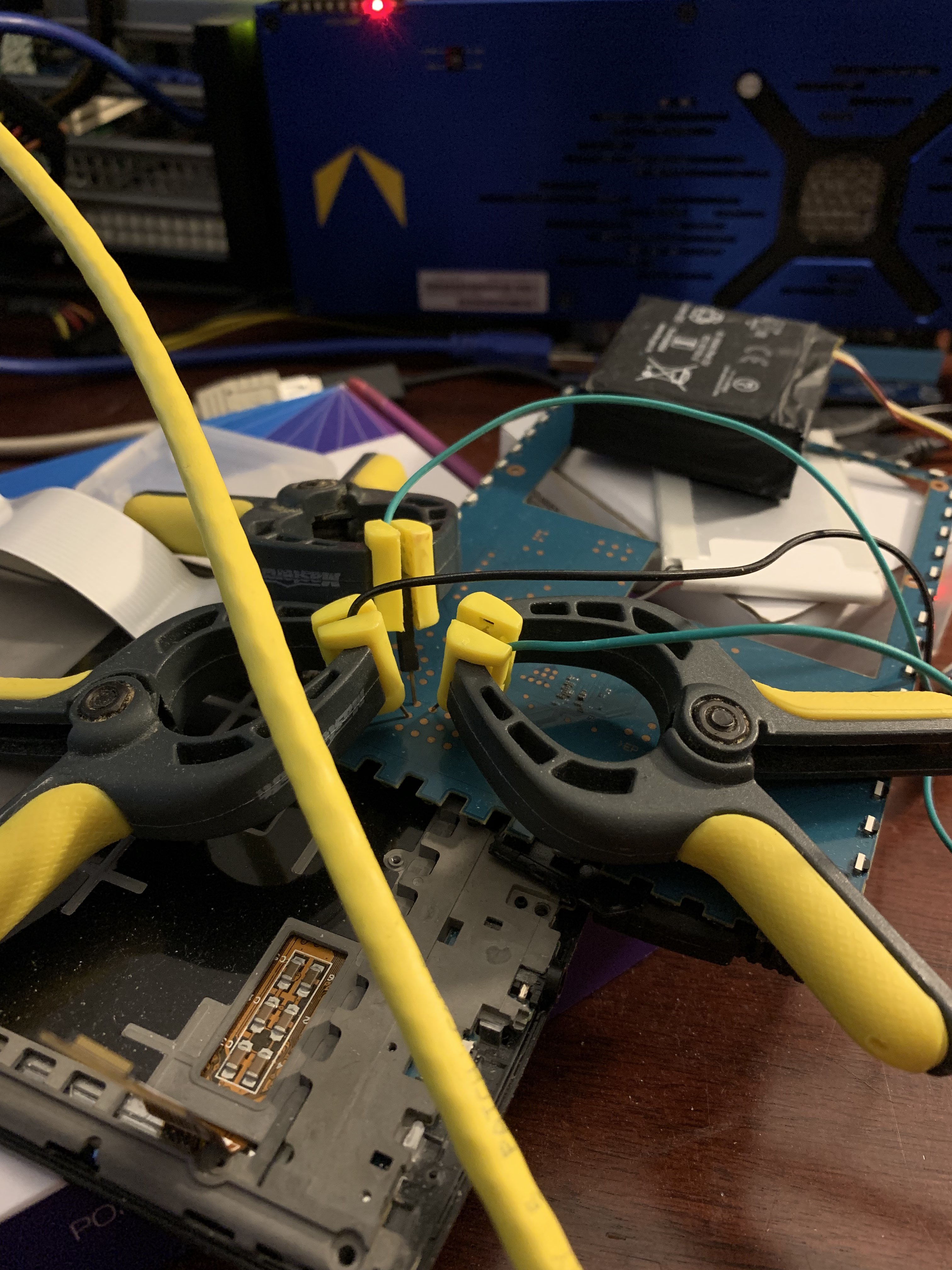
8:44 PM
8:45 PM
Full on kernel panic
Avatar
still that vcom error how did we get to busybox prompt before then?
8:47 PM
does it power off at least?
Avatar
I wouldn't know as it kernel panics and then the watchdog restarts it. (edited)
8:49 PM
Right after that Freeing init Memory, with the kernel I compiled I could hit enter and get a prompt. Alas the kernel panic prevents that from happening.
9:06 PM
The elastic band looks interesting
Avatar
Avatar
tux-linux
still that vcom error how did we get to busybox prompt before then?
Would have love to see with all your files intact if you got the same error still
Avatar
Avatar
NonaSuomy
The elastic band looks interesting
or the crazy glue ( as long as you're careful to not spill it on the board, gluing the board to the case, or the screw to the board, etc) (edited)
9:24 PM
Haha at the starting warning... you may damage your board...
Avatar
Avatar
NonaSuomy
The elastic band looks interesting
i tried everything, I told you
Avatar
I don't remember you saying details of what you did
Avatar
IT MOVES
😅 1
Avatar
Not sure if you have taken a flex cable out from one of those connectors from the power board but you flip up that black bar on it.
Avatar
At. Last.
Avatar
w00t (edited)
9:47 PM
what finally did it?
Avatar
cut the screw with a pair of scissors
Avatar
haha mmkay
Avatar
This is the "screw"
Avatar
Avatar
tux-linux
This is the "screw"
RIP
😂 1
Avatar
It seems I also stripped off some resistors from Cirrus Audio chip, but the display still works alright, I don't mind that much about audio, anyway we can use your device for that
9:49 PM
now... let's connect that @$#@ thing to serial
9:52 PM
How will you keep the wires on?
Avatar
dark magic (edited)
Avatar
do you have wood clamps?
Avatar
no, I have my tips & tricks
9:53 PM
mind you, kindle pw3 is even harder than that
Avatar
How so?
Avatar
e.g. hold it with blue tack
Avatar
Technically in the beginning I just held it with my hand haha.
Avatar
well, I will do that first
Avatar
yaayyy
9:56 PM
🥳 1
9:56 PM
My display is not connected Maybe the vcom error is only because of that
Avatar
Maybe I think there is some chip in the cable or display
9:59 PM
is that stock kernel?
9:59 PM
"build@inkbox" n/m
10:00 PM
Probably just same issue with modules not compiling.
Avatar
haha very nice.
10:03 PM
now just don't tear the power flex ribbon every time you need to remove the sdcard 😬
10:04 PM
maybe stick some sticky tack on that large cap so it doesn't touch that cast frame as well
10:04 PM
as the cast frame is electrically conductive
Avatar
Avatar
tux-linux
dark magic (edited)
Blue magic.
👍 1
Avatar
## Loading init Ramdisk from Legacy Image at 70c00000 ... Image Name: Normal Rootfs Image Type: ARM Linux RAMDisk Image (uncompressed) Data Size: 286848 Bytes = 280.1 kB Load Address: 70308000 Entry Point: 70308000 Verifying Checksum ... OK Loading Kernel Image ... OK I think this is the key
10:50 PM
It's an initrd image
10:50 PM
With InkBox initrd it isn't loaded, our BusyBox is instead
10:50 PM
In that image it must set up vcom, etc.
Avatar
Hehe nicolas@fedora /t/w/_initrd.img.extracted [SIGINT]> cpio -t < 41-out data default.prop dev ebook ebook/dic ebook/fonts ebook/preload init init.goldfish.rc init.rc lib lib/modules lib/modules/2.6.35.3 lib/modules/2.6.35.3/build lib/modules/2.6.35.3/kernel lib/modules/2.6.35.3/kernel/drivers lib/modules/2.6.35.3/kernel/drivers/usb lib/modules/2.6.35.3/kernel/drivers/usb/gadget lib/modules/2.6.35.3/kernel/drivers/usb/gadget/arcotg_udc.ko lib/modules/2.6.35.3/kernel/drivers/usb/gadget/g_android.ko lib/modules/2.6.35.3/kernel/drivers/usb/host lib/modules/2.6.35.3/kernel/drivers/usb/host/ehci-hcd.ko lib/modules/2.6.35.3/kernel/drivers/usb/serial lib/modules/2.6.35.3/kernel/drivers/usb/serial/usbserial.ko lib/modules/2.6.35.3/modules.alias lib/modules/2.6.35.3/modules.alias.bin lib/modules/2.6.35.3/modules.builtin lib/modules/2.6.35.3/modules.builtin.bin lib/modules/2.6.35.3/modules.ccwmap lib/modules/2.6.35.3/modules.dep lib/modules/2.6.35.3/modules.dep.bin lib/modules/2.6.35.3/modules.ieee1394map lib/modules/2.6.35.3/modules.inputmap lib/modules/2.6.35.3/modules.isapnpmap lib/modules/2.6.35.3/modules.ofmap lib/modules/2.6.35.3/modules.order lib/modules/2.6.35.3/modules.pcimap lib/modules/2.6.35.3/modules.seriomap lib/modules/2.6.35.3/modules.symbols lib/modules/2.6.35.3/modules.symbols.bin lib/modules/2.6.35.3/modules.usbmap lib/modules/2.6.35.3/source proc sbin sbin/ts_calibrator sys system 842 blocks nicolas@fedora /t/w/_initrd.img.extracted>
10:58 PM
you were right it seems
Avatar
Yay!
11:01 PM
the init.rc files do a LOT of things (edited)
Avatar
You can see those modules in PRSTUX as well.
Avatar
on boot setprop ARGH ARGH oki
11:04 PM
they had a qemu emulator it seems
Avatar
This is a really interesting device I like reverse-engineering
18.38 KB
Avatar
Yeah seems to do a lot was talking about that before as well.
11:25 PM
Hopefully you find something interesting.
👍 1
Avatar
I wonder if they were going to have bluetooth on this device then nix'd it at the last moment keep seeing that all over the codebase (edited)
Avatar
Yeah it's strange
Avatar
We have the mxcfb headers for the Sony kernels
7:34 AM
Vcom setting is an mxcfb ioctl
🥳 1
Avatar
Avatar
NiLuJe
Vcom setting is an mxcfb ioctl
How do you parse the vcom data from the unit?
8:49 AM
Anyways we have them
Avatar
Sure I was just saying that you can see they needed them as well and ripped them off the device. You can see in the README one folder above that: These modules are from Sony's recovery root, without any modifications. Original sources can be found at: http://oss.sony.net/Products/Linux/Audio/Download/PRS-T2_20140625/linux-2.6.35.2-20140522.tgz License is GPLv2. (edited)
9:04 AM
wonder why they didn't just run make modules. (edited)
Avatar
What needs to be done next?
Avatar
You can see all the builtin modules
Avatar
I haven't looked at the actual code (mostly because I can't be arsed to find the kernel and I only have the header on hand)
6:05 PM
So, exercise left to the reader 😉
6:05 PM
Base framework offering a Lua scriptable environment for creating document readers - koreader-base/mxcfb-sony.h at 231cedca240ea62c530968cf132f87bac10e909e · koreader/koreader-base
Avatar
Kernel sources for InkBox OS. Contribute to Kobo-InkBox/kernel development by creating an account on GitHub.
👍 1
6:18 PM
Follow the yellow brick road ;o)
6:18 PM
(aka, ripgrep is your best friend)
👍 1
Avatar
VFS: Cannot open root device "ram0" or unknown-block(1,0) I am now stuck at this, for some reason (edited)
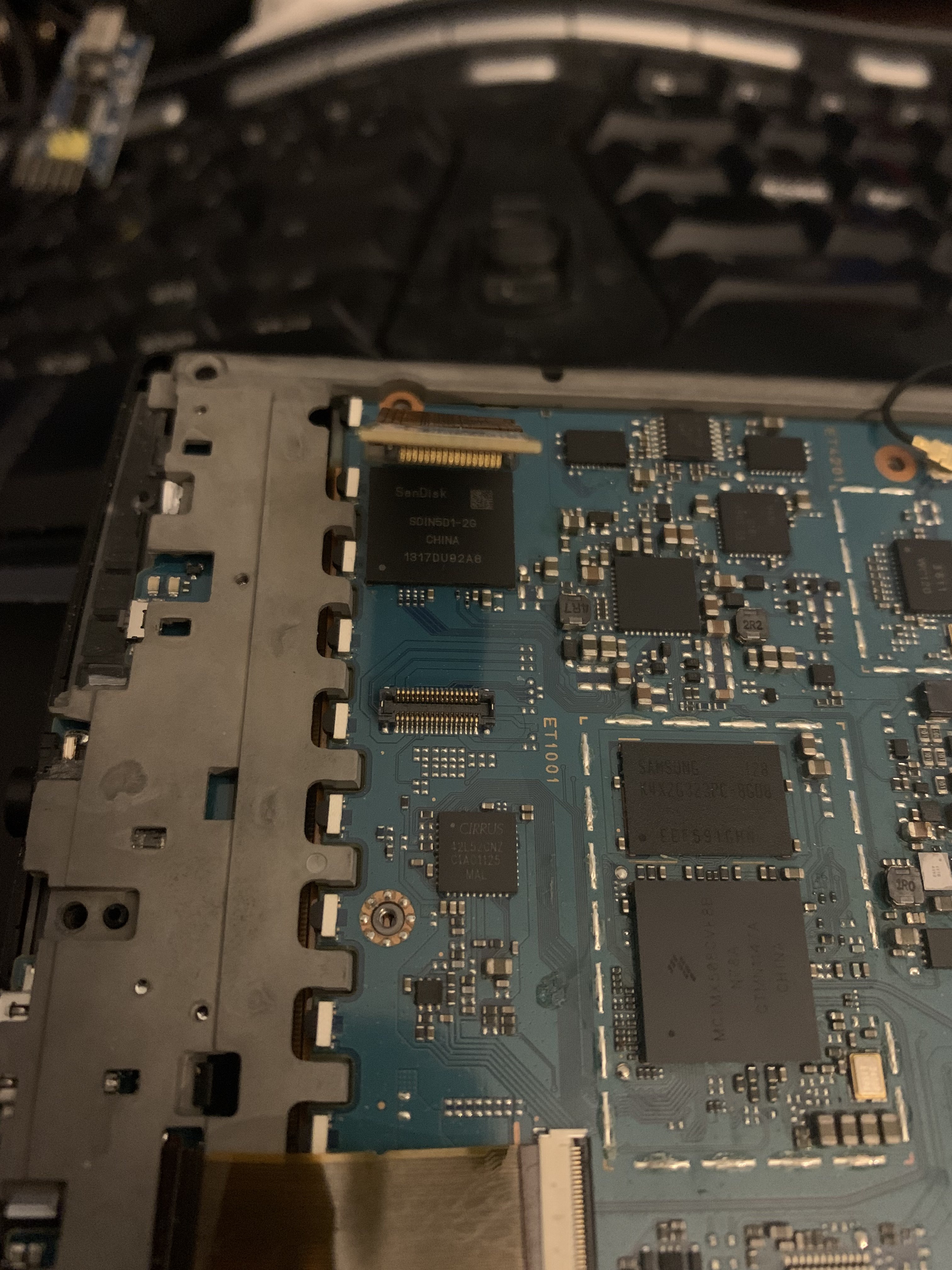
Avatar
How so?
Avatar
I tried to embed Sony's initrd into my kernel
Avatar
Probably looking for it to be loaded with uboot how we had it before with the two kernel entries
Avatar
MMC read: dev # 0, block # 10240, count 600 partition # 0 ... imx_esdhc.c bus_width 0x1 imx_esdhc.c bus_width 0x1 imx_esdhc.c bus_width 0x4 imx_esdhc.c bus_width 0x4 SD set clock 50MHz 600 blocks read: OK ## Booting kernel from Legacy Image at 70800000 ... Image Name: Linux-2.6.35.3 Image Type: ARM Linux Kernel Image (uncompressed) Data Size: 2246720 Bytes = 2.1 MB Load Address: 70008000 Entry Point: 70008000 Verifying Checksum ... OK ## Loading init Ramdisk from Legacy Image at 70c00000 ... Image Name: Normal Rootfs Image Type: ARM Linux RAMDisk Image (uncompressed) Data Size: 286848 Bytes = 280.1 kB Load Address: 70308000 Entry Point: 70308000 Verifying Checksum ... OK Loading Kernel Image ... OK OK Ram0 is probably that second entry there: normal rootfs. (edited)
Avatar
I embedded in in the kernel, so it shouldn't need to worry about it But maybe it overwrites it or smth
Avatar
Load up the stock Sd image and check where it points to.
10:02 AM
Over adb
Avatar
switching between sd and emmc is quirky
Avatar
What happens?
Avatar
Well, last time it behaved really strange It wouldn't stay on the external sd since there wasn't any available kernel/bootable setup and it auto-switched to the emmc But then now even when SD is out it's in a boot-loop with red light
Avatar
stdin=serial stdout=serial stderr=serial ethact=FEC0 loadaddr=0x70800000 loadaddr_ramdisk=0x70C00000 bootdev=2 rawtable=0xF40000 bootcmd=mmc read 2 ${loadaddr} 0x800 0x1400;mmc read 2 ${loadaddr_ramdisk} 0x2800 0x1F4;bootm ${loadaddr} ${loadaddr_ramdisk} bootargs=console=ttymxc2,115200 init=/init bootdev=2 rawtable=0xF40000
10:29 AM
This is the original uboot env from before adding the sd values (edited)
Avatar
I think I witnessed the same where it would reset the values above some how to it's original values. I assumed it it was doing a recovery restore some how.
👍 1
11:51 PM
Didn't know if it was when I was holding reset too long or reset then power. Something like that.
11:51 PM
After putting the values back it seemed ok.
Avatar
Avatar
NonaSuomy
Didn't know if it was when I was holding reset too long or reset then power. Something like that.
The reset sequence on this thing is really strange (edited)
Avatar
How so?
10:03 AM
Pretty sure you can chalk any weirdness up to them being Sony.
Avatar
I'm a bit desperate with this device; if you can get some busybox shell in an initrd with reproducible steps, I'm willing to try to port it further
Avatar
i tryied to follow and understand problems that accured with this device and failed miserably
Avatar
I feel even the Elipsa port is going to be easier
1:21 PM
there is a wiki
😉 1
1:21 PM
oh my god
Avatar
That is well-written documentation
1:21 PM
by NonaSuomy
😅 1
Avatar
Avatar
tux-linux
I'm a bit desperate with this device; if you can get some busybox shell in an initrd with reproducible steps, I'm willing to try to port it further
What did you try and where did you get?
Avatar
Avatar
tux-linux
I'm a bit desperate with this device; if you can get some busybox shell in an initrd with reproducible steps, I'm willing to try to port it further
Thought we already had this?
Avatar
Avatar
tux-linux
I feel even the Elipsa port is going to be easier
Has it already been hacked before?
Avatar
Avatar
Szybet
i tryied to follow and understand problems that accured with this device and failed miserably
What do you need to understand?
Avatar
Avatar
tux-linux
VFS: Cannot open root device "ram0" or unknown-block(1,0) I am now stuck at this, for some reason (edited)
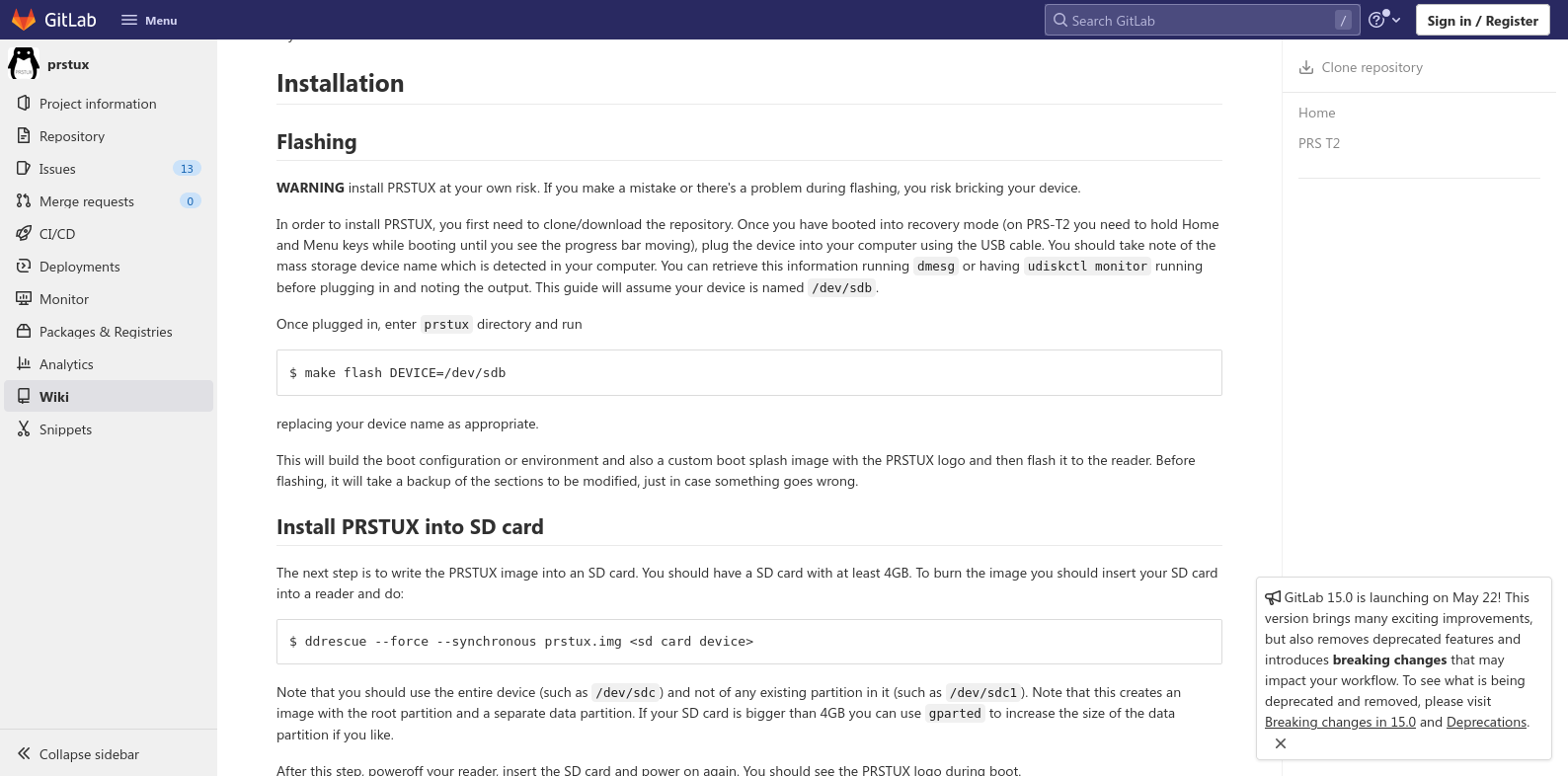
Here
2:56 PM
Don't have an idea
Avatar
Did you try to load the rootfs image along side your custom one?
Avatar
Sony has a storied history in the e-reader and e-note space. They released a series of e-readers before Amazon, Barnes and Noble and Kobo ever got into the business.. They were also the ones that developed LED lights on e-readers. They also pioneered the concept of e-notes, which are digital note taking devices that you can freehand draw, take n...
Exported 3,468 message(s)
Timezone: UTC-5